A download is not a new bank customer. Make the account, the action and the state unmistakable—with sharper keywords, screenshots and acquisition strategy.
By Gabriel Machuret · US iOS competitor research · reviewed 27 October 2026 · iOS and Google Play guidance
AI CONCEPT · ONE CARD. ONE CLEAR STATE.
BANKING APP ASO
Win the right download, then the right banking action.
Banking ASO has two very different visitors. One already trusts a bank with an account and wants the correct app. The other is comparing a possible banking relationship. The first needs recognition, access and useful controls. The second needs accurate product fit and an application path. A single download metric blends these jobs together and can make a weak acquisition story look successful.
This report focuses on retail banking apps: account access, balances, cards, deposits, payments and the customer journeys behind them. The finance overview covers the wider category. The budgeting playbook addresses allocation decisions, while the expense-tracking guide addresses usable spending records. A bank can offer all three, but a banking listing should still identify who can use the account features.
MeasureSeparate account access from new-account activation.
Swipe horizontally to compare all columns →
Choose a customer journey before choosing a conversion metric
Visitor
What the listing should answer
Useful activation definition
Existing customer, first installation
Is this my bank, and which accounts can I use?
Eligible customer completes enrollment and an intended account task
Existing customer, replacement device
How will I regain familiar access?
Successful authenticated access on the replacement device
New relationship prospect
Can I apply, and what product is this?
Eligible application progresses to the defined verified/funded stage
Customer searching for a specific tool
Can I deposit a check, manage a card or find a statement here?
The supported task is completed, with its actual state recorded
Create a one-page feature map before creative work. Record account type, customer eligibility, region, supported devices, actual screen, dependencies and what happens next. “Deposit checks” may be supported for some accounts. “Manage cards” may mean different controls for debit and credit cards. This map is the basis of ASO strategy, not a footnote added after the designer finishes.
The eight apps below are selected for useful contrasts in public messaging. They are not a market-share ranking or a recommendation of financial products. The evidence is public US iOS listing text and Apple-served screenshot assets captured on 27 October 2026. The retrieved screenshot feed can differ from the current storefront presentation or device ordering; dates visible inside example screens are sample UI dates, not our capture date. We have not logged into private accounts or measured their conversion results.
BANKING APP ASO
Research the relationship, the task and the reading conditions.
These are potential audiences to investigate, not measured demographic segments. Recruit across adult age bands, account tenure, language preferences, household arrangements and accessibility needs. Do not assume a younger customer wants investments, an older customer cannot use biometrics, or a lower balance means lower digital confidence. Relationship and task usually give a more useful starting hypothesis than age alone.
Ask participants to reconstruct a recent banking task with fictional or redacted details. When did they last check a balance, download a statement or look for a card control? Which words did they use? Where did they hesitate? For new-account prospects, ask what information they need before applying. For existing customers, ask what would help them recognize the official app. Keep these interview groups separate so that one group’s answer does not become a universal promise.
Swipe horizontally to compare all columns →
Audience hypotheses for banking-app research
Potential audience
Job
Recruitment dimensions
Research question
Proof to test
Existing customers installing for the first time
Recognize the correct app and enroll
Adults across age bands; branch and web users
What do you need before the first sign-in?
Recognizable bank identity, supported accounts and enrollment route
Returning customers on a replacement phone
Restore familiar access
New devices, changed phone numbers, biometrics availability
Does the screenshot imply that biometric login needs no setup?
Sign-in choices and recovery route, without exposing credentials
Can this person apply here, or only manage an existing account?
Accurate application steps and supported product scope
Customers who use physical checks
Submit a check and understand its state
Check frequency, camera comfort, visual access needs
When do they think the money becomes usable?
Received, review and availability labels
People checking spending before a purchase
Distinguish balances and pending activity
Pay schedules, joint access, transaction habits
Which balance do they use for a decision?
Account label, available balance and pending items
Cardholders who need a quick control
Find the right card and its current state
Multiple cards, replacement history, support preferences
What do they think locking changes?
Card identifier, state and problem-reporting route
Households with shared account access
Understand ownership and visibility
Joint arrangements and authorized roles, not assumed marital status
Who can see or change this setting?
Account identity and permission-specific controls
Customers paying recurring bills
Know what is scheduled versus paid
Manual and automatic payment habits
Does scheduled mean the biller has received funds?
Payee, amount, date and accurate payment state
Customers who bank in another language
Complete a supported journey end to end
Preferred reading language, locale and support language
Are help and recovery available in the same language?
Localized task screen and truthful assistance scope
People managing money on constrained devices
Read and operate essential controls
Smaller screens, large text, screen readers, connectivity
Which information disappears when text grows?
Readable states and accessible alternatives
Use a short comprehension exercise: show one frame at realistic store size, remove it, and ask what account it serves, what the person can do, and what has already happened. A participant saying “the check cleared” after a received-state image has revealed a concrete messaging problem. Record the exact misunderstanding; do not convert a small interview sample into a demographic percentage.
Review value proposition and screenshot readability together. Large text that communicates the wrong state is still wrong. Small text containing the only important limitation is not a reliable way to establish comprehension. Turn observed uncertainty into a focused test hypothesis.
BANKING APP ASO
Build a keyword list around supported account actions.
Here are 100 distinct keyword candidates in ten clusters. They are unmeasured research inputs, not proven demand, low-difficulty opportunities or an instruction to paste everything into a listing. Some phrases are better discovery prompts than final metadata. Each cluster has a feature gate: a phrase stays out of the plan until the app supports its implied task in the intended market.
2. Attach every keyword to a supported banking action.
Query“Check deposit status”
EligibilityThe account supports mobile deposit.
ProofA real received / review status screen.
DecisionKeep only if the journey and search intent fit.
Everyday account access
Feature gate: Eligible personal banking accounts and actual mobile account access.
mobile bankingbanking apponline banking apppersonal bankingbank account appchecking account appsavings account appmanage bank accountsbank account balancebank transaction history
Digital enrollment
Feature gate: Supported enrollment or application journey; account access is not approval.
enroll in mobile bankingset up online bankingregister bank appactivate mobile bankingopen checking accountopen savings accountapply for bank accountdigital bank accountbank account applicationmobile banking enrollment
Check deposit
Feature gate: Mobile check capture for eligible accounts; show processing and availability.
mobile check depositdeposit check appdeposit checks by phonebank check scannerphoto check depositcheck deposit statuspending check depositmobile deposit historydeposit check to savingscheck deposit confirmation
Card controls
Feature gate: Supported debit-card actions and exact scope of each control.
Feature gate: Eligible payees, scheduling and genuine edit or cancellation rules.
bank bill paypay bills onlinemobile bill paymentschedule bill paymentmanage bank paymentsrecurring bill paymentsbank payment remindersview scheduled paymentsedit scheduled paymentcancel scheduled payment
Moving money between accounts
Feature gate: Supported destinations, account verification and timing.
transfer between accountschecking to savings transfersavings to checking transferexternal bank transferlink external bank accountschedule bank transferrecurring bank transferbank transfer statusreview bank transferbank transfer confirmation
Balances and notifications
Feature gate: Accurate balance labels, notification preferences and supported events.
available bank balancepending bank transactionslow balance alertbank deposit notificationdirect deposit alertbank transaction alertsaccount activity alertsbank balance notificationposted bank transactionsbank account notifications
Savings organization
Feature gate: Actual goals, labels or scheduled saving features; no return promise.
bank savings goalssavings account bucketsautomatic savings transfersave money in bank appname savings goalsorganize savings accountscheduled savings deposittrack savings goalseparate savings goalssavings progress tracker
Statements and support
Feature gate: Documents, contextual help and actual supported contact channels.
download bank statementmobile bank statementsbank statement pdffind bank transactionssearch bank paymentsbank support chatbank secure messagesfind bank branchbank atm finderbank appointment booking
mobile banking in spanishjoint bank account appaccessible banking appbank app large textbank app face idbank app fingerprint loginmanage bank account abroadbank app for existing customerschecking app with card lockbank app with deposit tracking
Start with keyword research: record exact query, store, country, language, date, competing product types and the result you actually see. A search for a bank balance may be navigational. A check-scanning search may return document tools instead of deposit-enabled banks. Classify the intent before estimating the opportunity.
Use authorized search-term reports, store suggestions and appropriate keyword tools to refine this list. Keep tool estimates separate from actual account data. Compare competitor vocabulary with customer language, then prioritize by feature fit, intent, credible demand evidence and ability to show proof. Do not assume that a longer phrase is easier to rank.
Brand terms need their own research sheet. Your bank name, approved abbreviations and genuine spelling variants often serve existing customers. Keep them distinct from generic acquisition and competitor-brand research. Another bank’s name does not belong in your own title or keyword field simply because it appears in a search report. Record exclusions as well as selections so the next content round does not reintroduce an unsupported promise.
BANKING APP ASO
Find a narrow promise the product can actually keep.
A useful niche has a coherent customer need, a supported product journey and a message that can be demonstrated. It does not have to be a new demographic label. “Bank app with deposit tracking” is more specific than “best banking,” but its opportunity remains unknown until search results and customer evidence support it.
Swipe horizontally to compare all columns →
Niche hypotheses to investigate—not measured keyword opportunities
Narrow angle
Candidate phrases
First-frame proof
Decision before targeting
Existing customers adopting mobile
bank app for existing customers; enroll in mobile banking
Official identity and the enrollment route
Can the bank distinguish first digital enrollment from a returning installation?
Check-status clarity
check deposit status; bank app with deposit tracking
Received and review states with account identity
Does the product explain availability accurately for this account?
Card control access
checking app with card lock; lock debit card
Card identifier, state and relevant next action
Which transaction types does the lock affect?
Document retrieval
download bank statement; bank statement pdf
Period selector and genuine document access
Which accounts and statement periods are supported?
Language continuity
mobile banking in spanish
Localized task plus matching help route
Does the entire promised journey work in Spanish?
Shared-account clarity
joint bank account app
Account ownership and role-specific controls
What can each customer see or change?
Scheduled movement
recurring bank transfer; scheduled savings deposit
Source, destination, amount and schedule
Can the user inspect, edit and stop the schedule as shown?
Readable everyday banking
bank app large text; accessible banking app
Actual readable UI with state labels
Has accessibility been verified beyond the marketing image?
Separate informational intent from install intent. “Why is my deposit pending?” may be better answered by accurate support content than by a generic install advertisement. If people repeatedly misunderstand that state, the same finding can improve screenshots and onboarding even when the query is not worth bidding on. Use the long-tail research method to preserve that distinction.
Avoid a fake niche created only by changing the headline. A Spanish banking page needs Spanish product and support coverage. A joint-account page needs accurate permissions. A traveler angle needs a verified overseas access journey, not a stock photograph of an airport. If product evidence fails the gate, remove the phrase rather than hiding the gap in smaller copy.
BANKING APP ASO
Study eight banking apps without copying their audience assumptions.
These eight public US iOS listings illustrate recognizable retail-bank acquisition approaches. Titles, subtitles, seller identities and description scope were checked against Apple’s public pages and lookup records on 27 October 2026. Each app-name link opens the source. This comparison is about messaging, not which bank a reader should choose.
Swipe horizontally to compare all columns →
Eight verified banking-app identities and editorial takeaways
The description includes applications, account information, payments and card controls.
Some described features are explicitly marked as limited availability.
Keep availability visible when testing an application or aggregation-led message.
Do not copy a large bank’s breadth automatically. Its audience may already know the brand and account relationship. A newer product may need to spend more of its opening sequence explaining who can use it. Conversely, a familiar bank should not bury basic recognition beneath a generic slogan. Use screenshot strategy to connect the visitor’s question with the first visible proof.
The recommendations are hypotheses. Public listings do not reveal traffic mix, eligibility rates, experiment results or the reasoning behind a particular order. A strong audit separates the image we can inspect from the outcome we cannot see.
BANKING APP ASO
Use each store’s fields and testing tools deliberately.
The competitor evidence above is iOS-only. The implementation guidance below covers both stores and was checked against official documentation on 27 October 2026. Android competitor listings, account flows and creative need a separate market review before execution.
Swipe horizontally to compare all columns →
Platform field limits and their editorial consequences
Surface
Current field or tool
Banking implication
iOS name and subtitle
Up to 30 characters each
Preserve bank identity; use supporting space for a truthful task
iOS keyword field
Up to 100 characters
Select relevant nonduplicated terms; validate the final localized entry
iOS screenshots and preview
Product screenshots and app previews
Show the actual task and state, with appropriate context
Google Play title
Up to 30 characters
Keep the product category and identity understandable
Google Play short description
Up to 80 characters
Explain the core action without squeezing in every account product
Google Play full description
Up to 4,000 characters
Organize eligibility, tasks and support into readable sections
For creative tests, use Apple product page optimization or Google Play store listing experiments as appropriate. Do not treat a title change as an iOS screenshot experiment. Keep the hypothesis, audience, traffic mix and observation window explicit; an elapsed week alone does not establish a winner.
Apple custom product pages can support distinct account-task stories. They should describe the same real app and supported journeys, not invent separate products. Start with iOS listing planning and verify the current routing and campaign configuration before launch.
Apple’s screenshot guidance calls for the majority of screenshots to show actual app use. Our fictional concepts below are teaching assets, not substitutes for production UI. Rebuild a chosen composition using verified screens and approved wording before submitting store creative.
BANKING APP ASO
Compare real banking screenshots, one decision at a time.
Open any panel for the full-size original. These are five sets of four Apple-served assets, inspected individually. They are not browser thumbnails or AI recreations. The order here follows the retrieved US iPhone screenshot feed; confirm the live storefront and device before relying on that order for a campaign. The source link beneath each set identifies the app and capture date.
Read each set in two passes. First, scan at store size: can you identify the bank, the job and the promised action? Then inspect the full image: does the UI support the headline, which state is visible, and what essential context is too small? Use that evidence to design a test, not to declare that a competitor is losing installs.
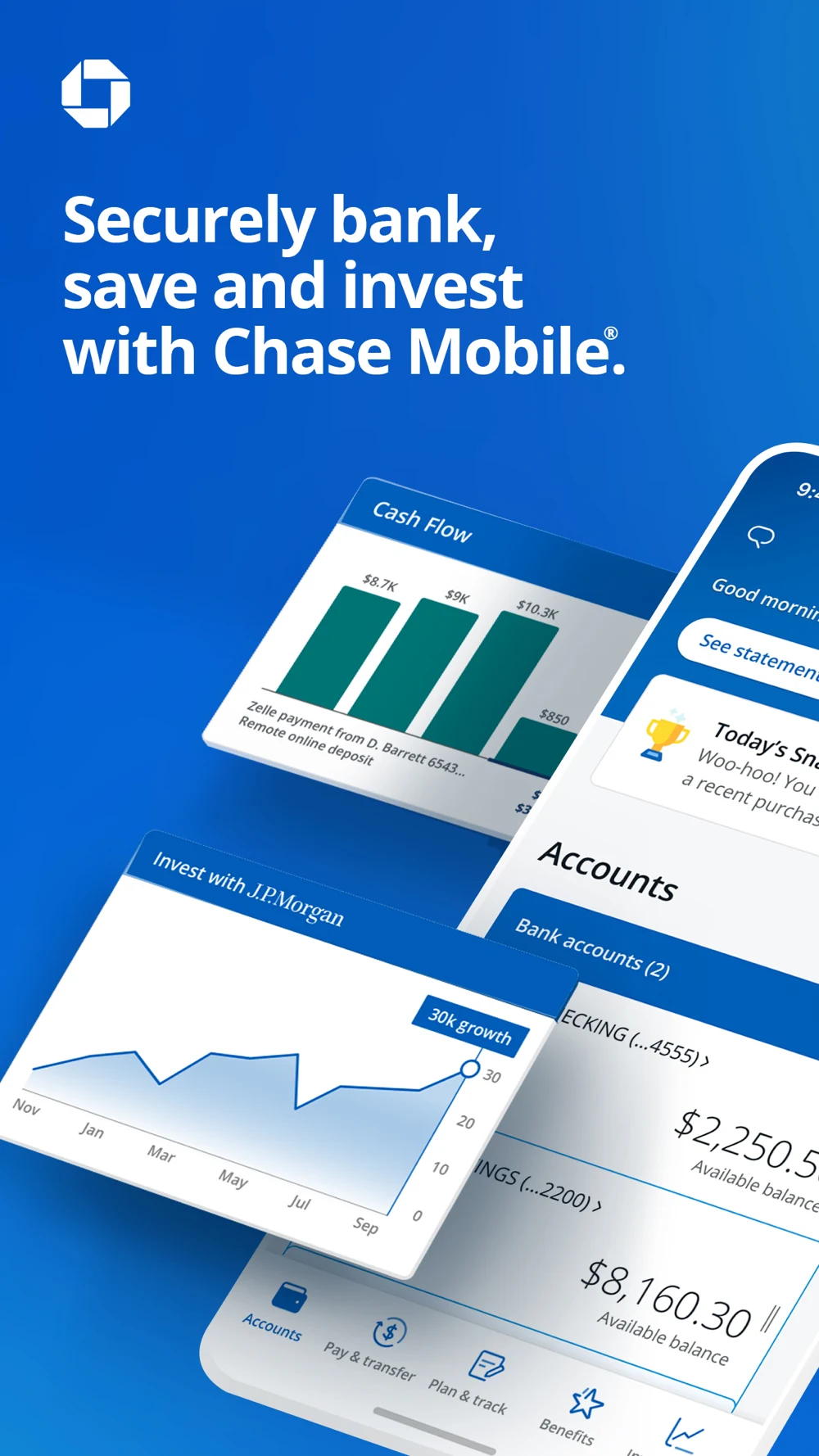
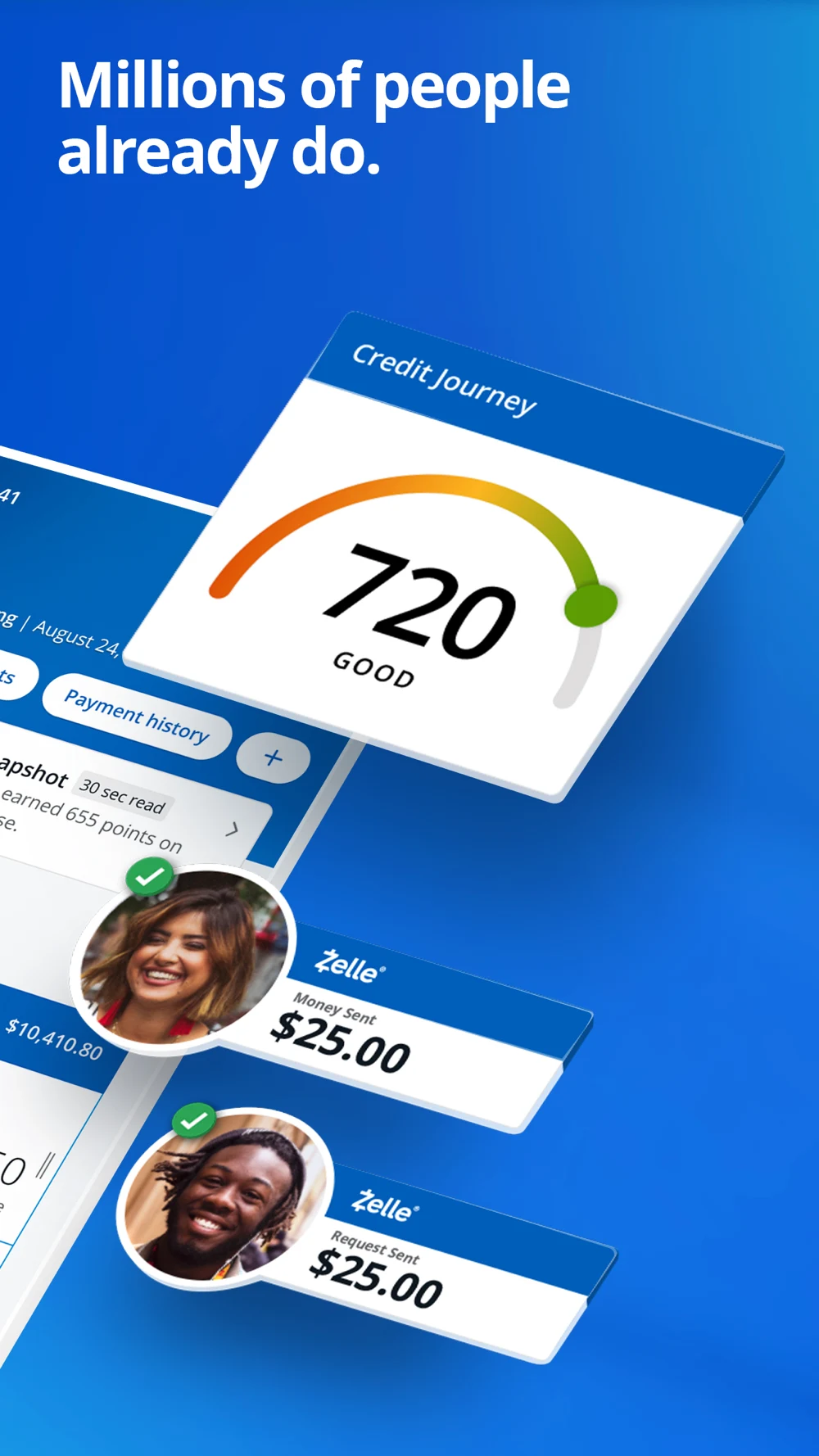
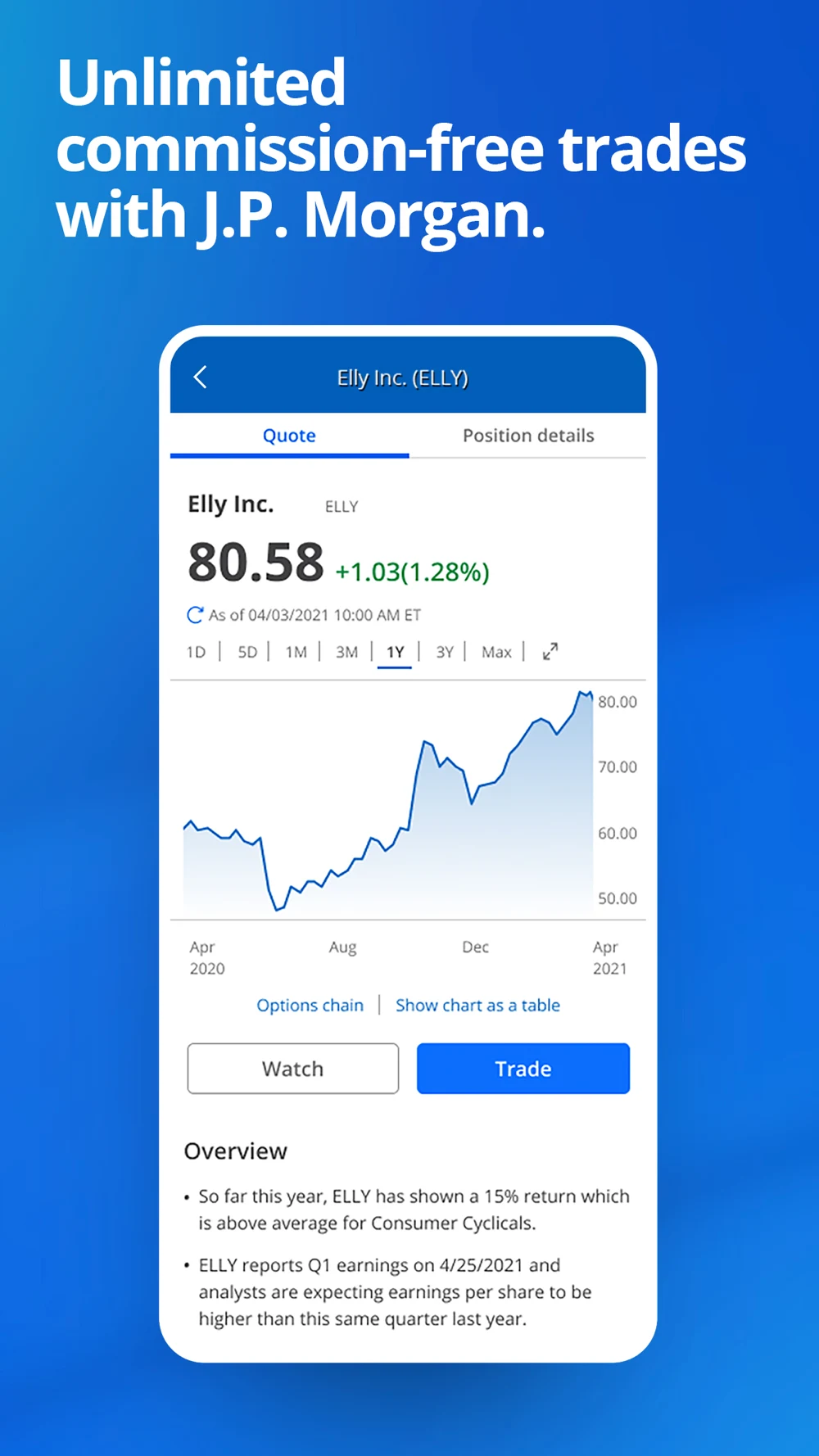
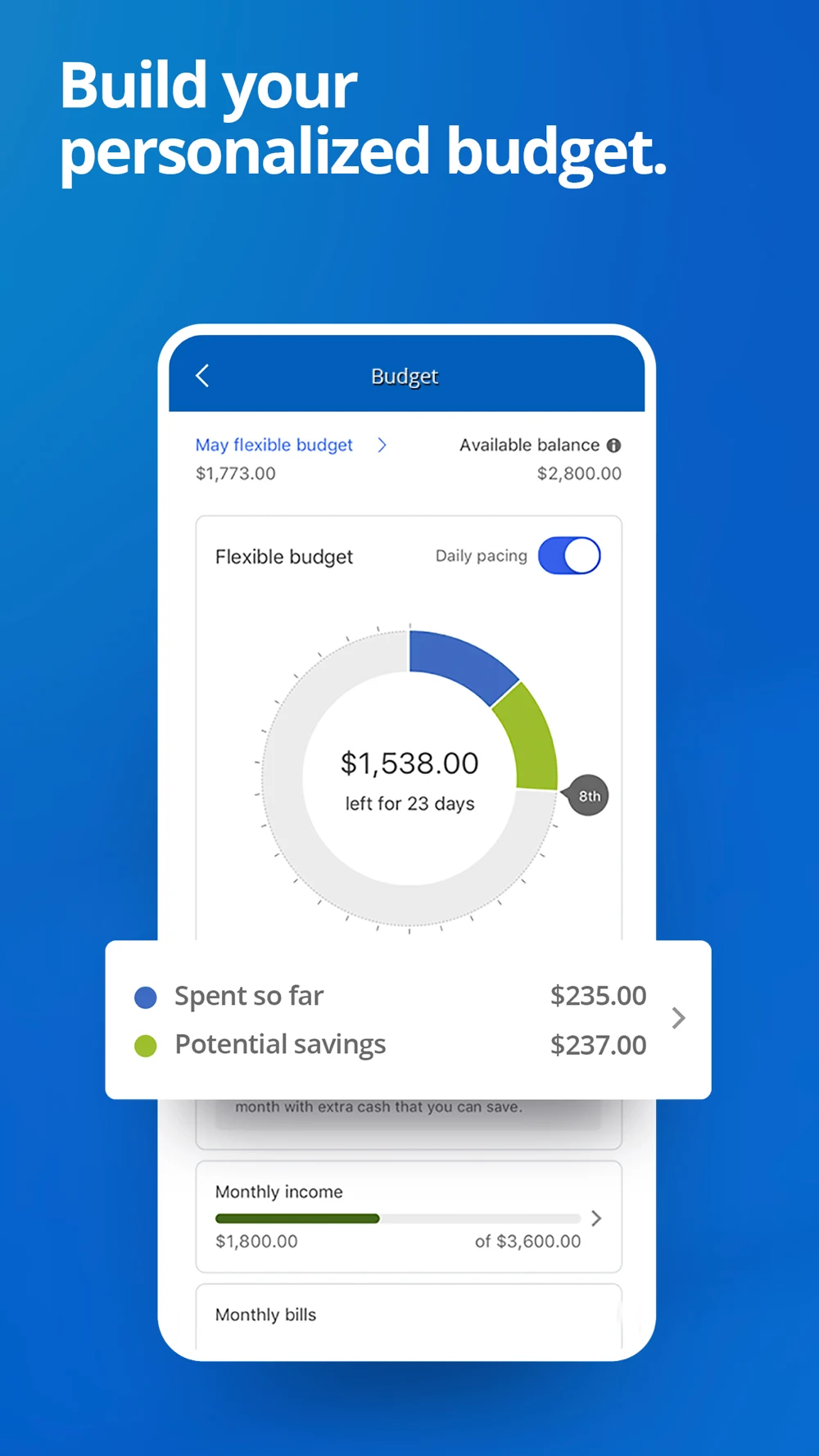
Chase: A broad opening, then investing and budgeting
Panel 1 · A large white headline sits above layered account and investment UI on blue.Panel 2 · The next panel combines a credit-score card and payment examples under social proof.Panel 3 · An investment screen makes trading the third topic in this retrieved sequence.Panel 4 · The fourth panel enlarges a budget view and a spending summary.
The first two panels establish breadth; the later single-screen compositions make individual functions easier to inspect. Angled crops hide some account detail. For banking-only intent, I would test an account-action sequence against this broad opening. No conversion outcome is known.
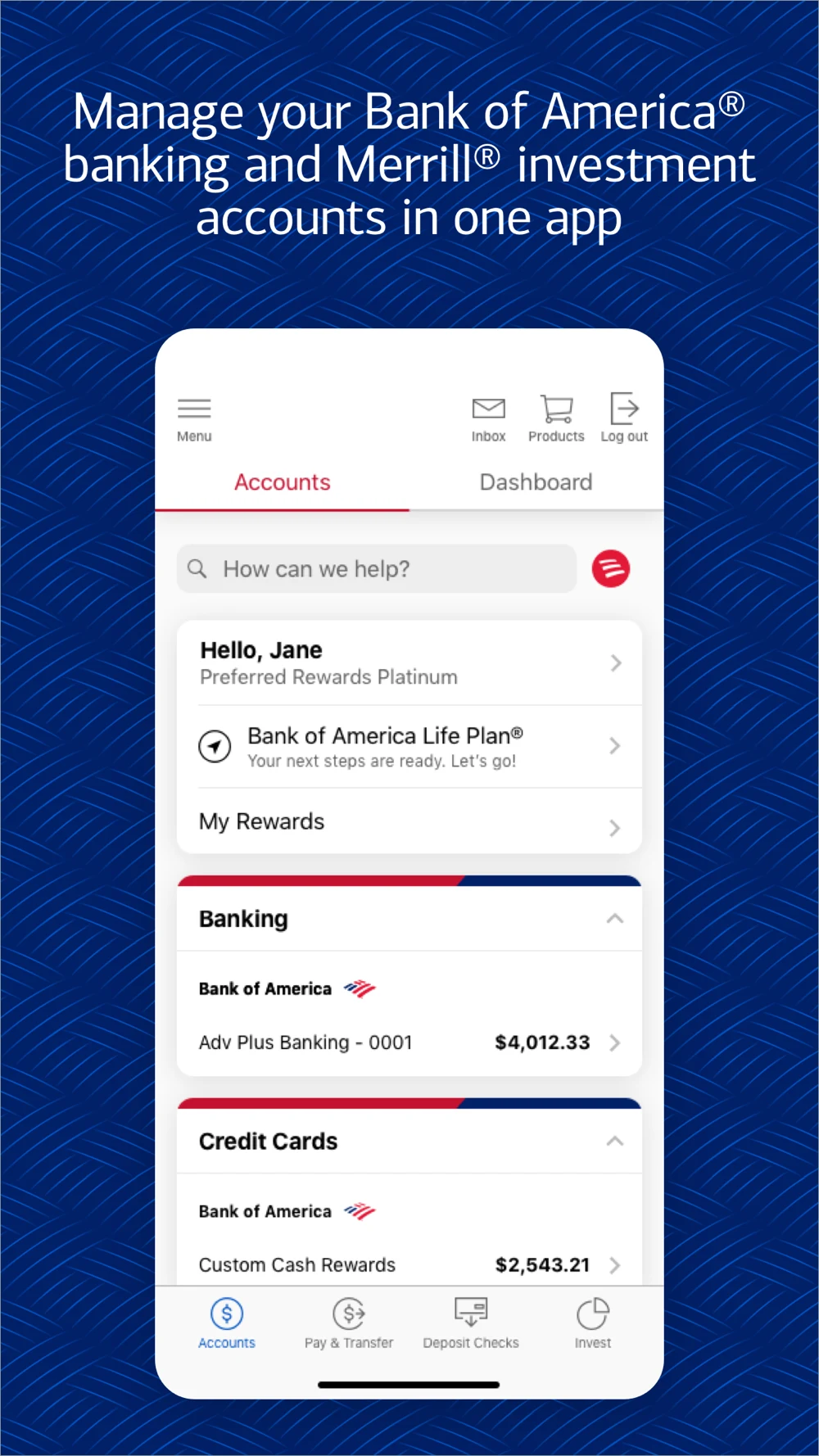
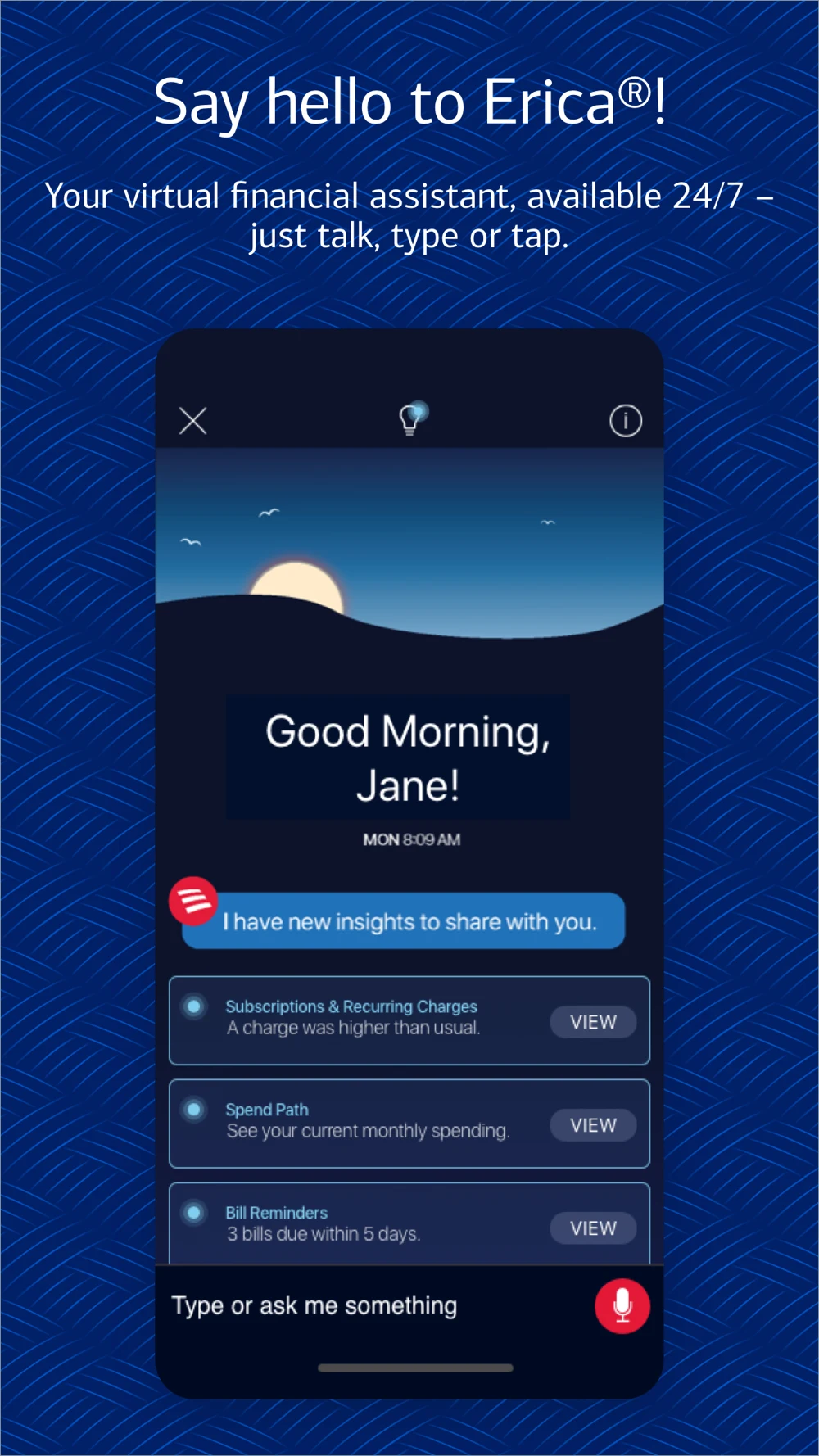
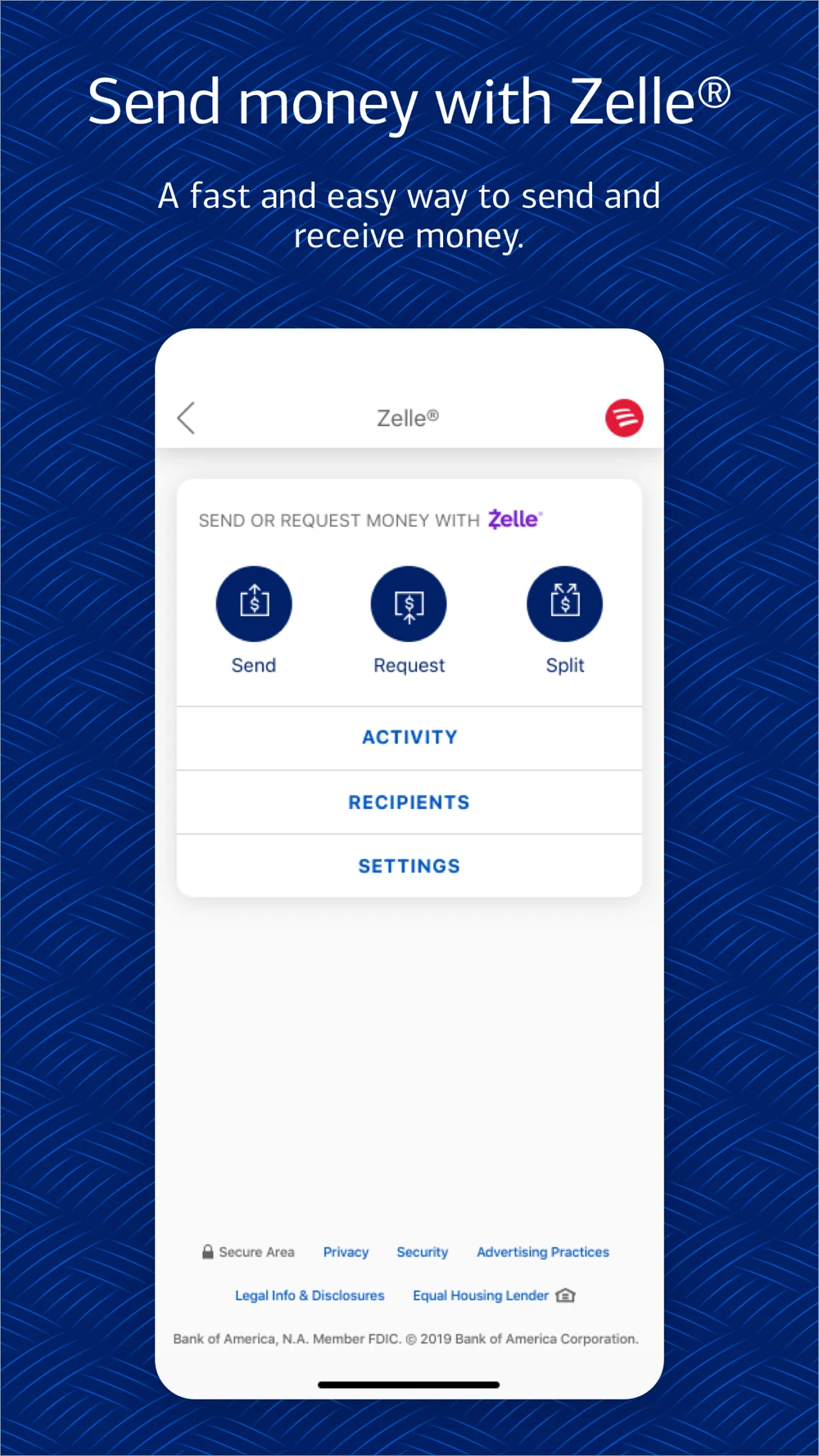
Bank of America: A dashboard, an assistant and two payment surfaces
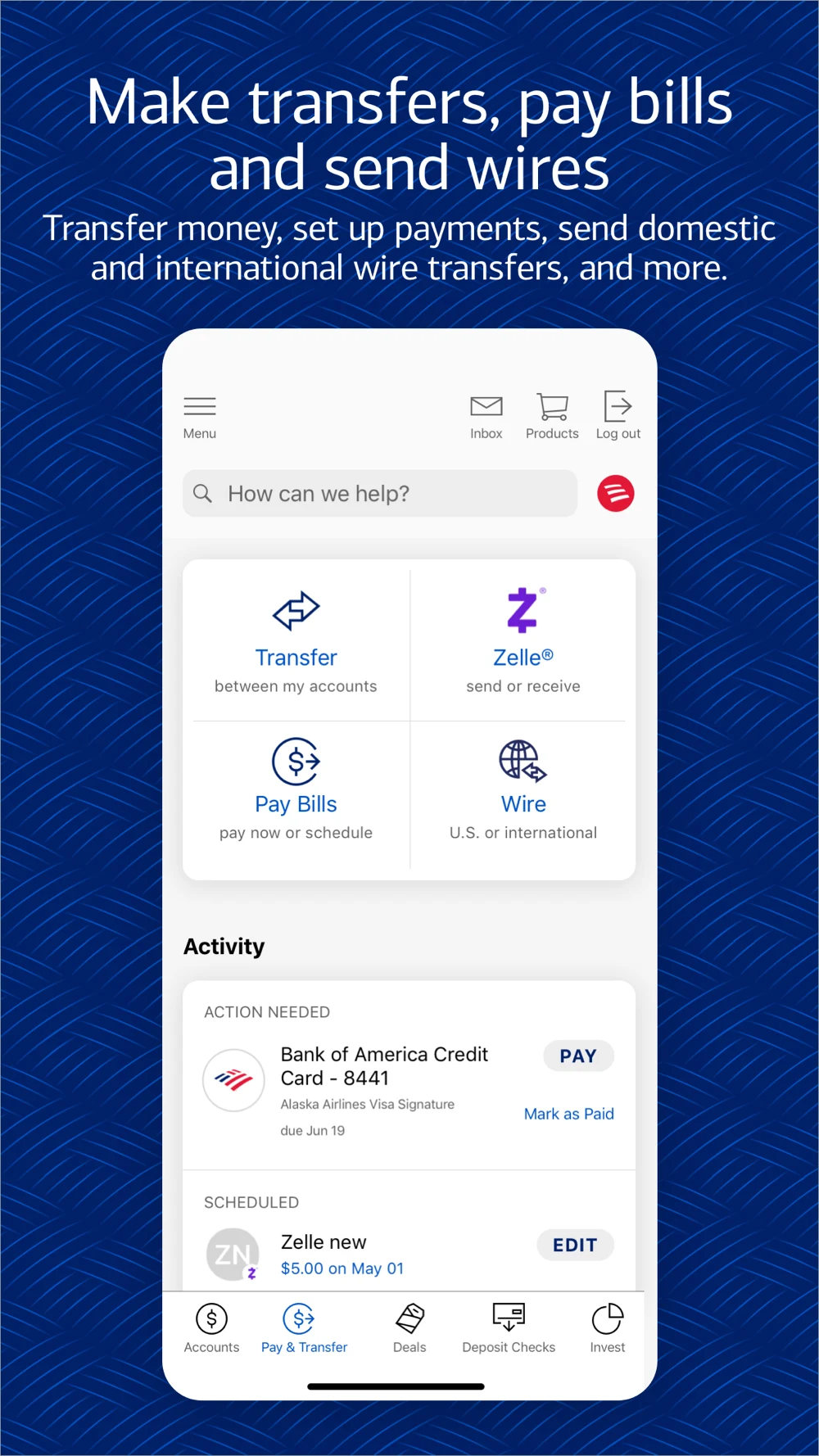
Panel 1 · A centered account dashboard supports a multi-account opening promise.Panel 2 · An assistant introduction shows prompts and insight cards.Panel 3 · The money-sending panel shows send, request and split choices.Panel 4 · The next panel separates transfers, bill payment and wires.
Frontal screens preserve recognizable navigation. Long headings and dense supporting text compete with the UI at small size. I would test one payment task with a visible review state, keeping the service identity and eligibility intact. A menu proves navigation; it does not prove completion.
Capital One: Access and account recognition before credit monitoring
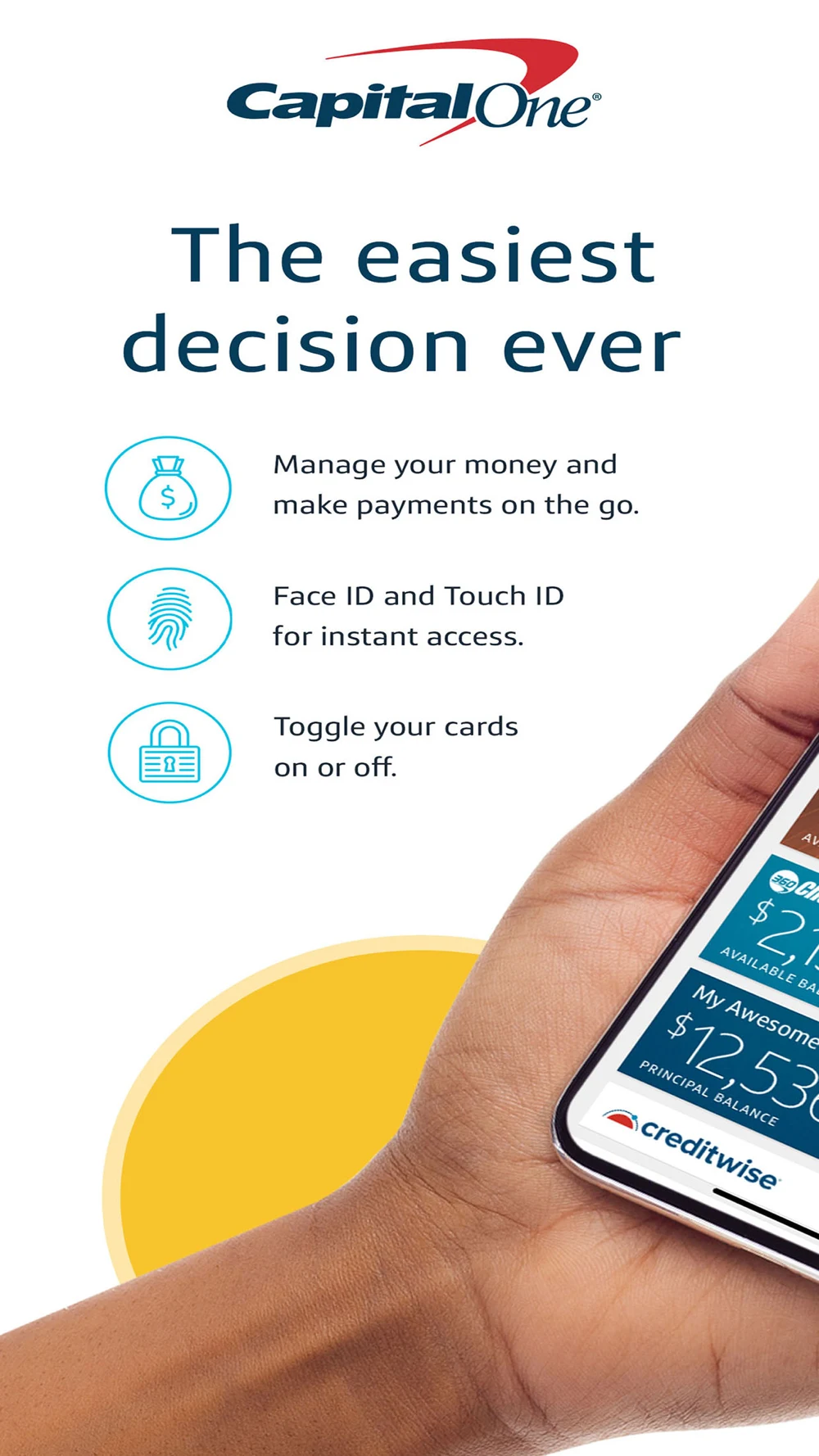
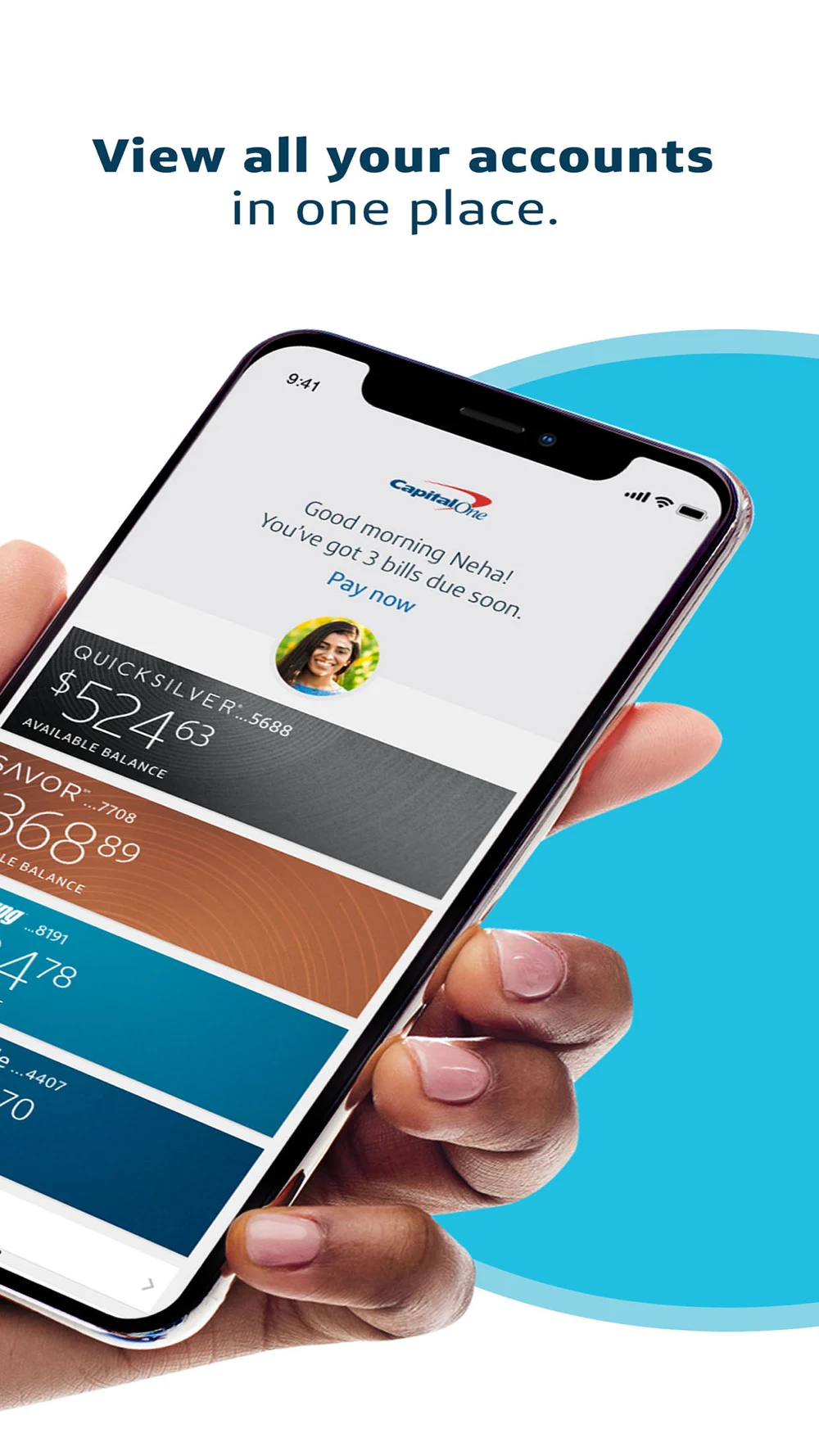
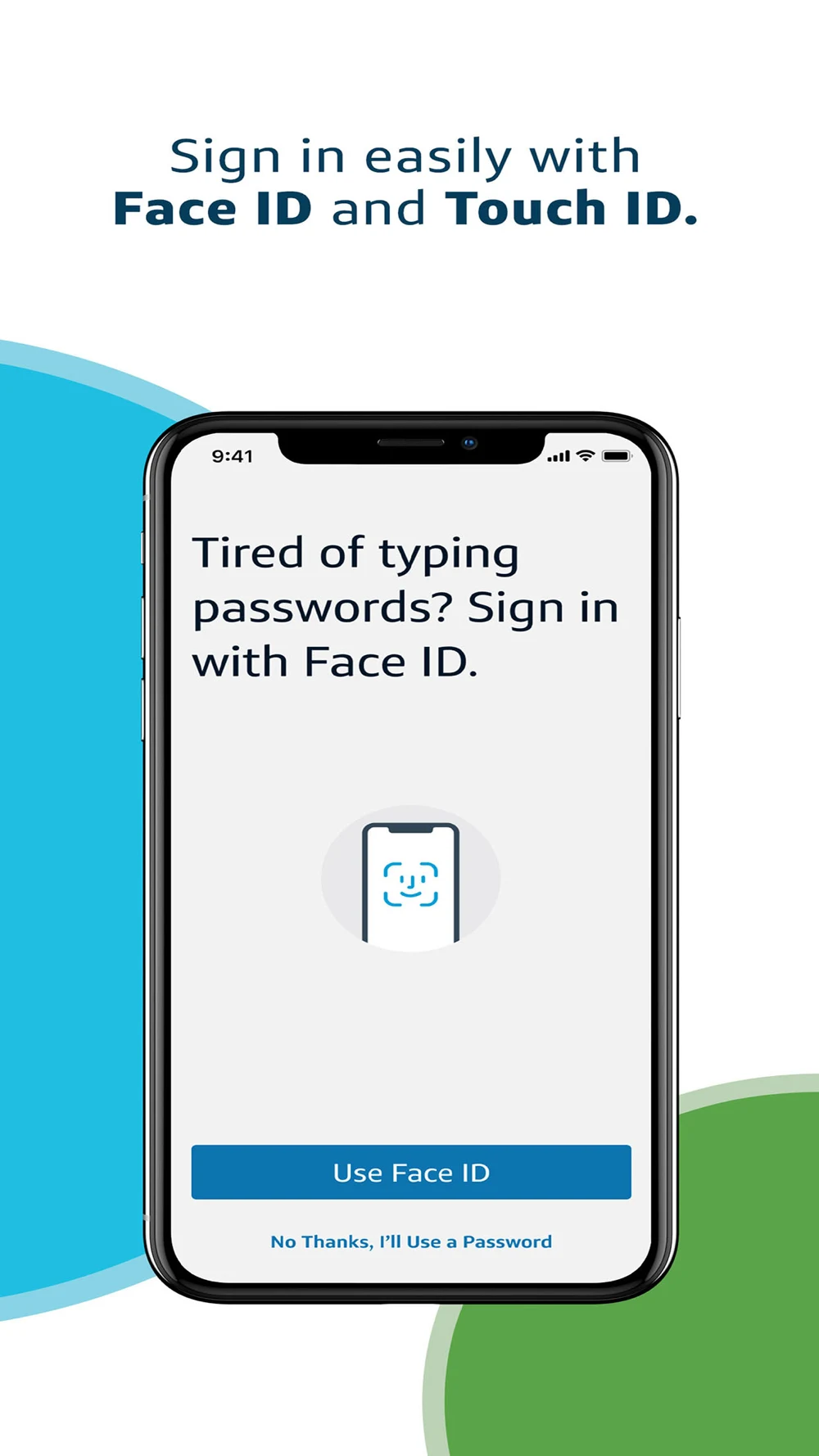
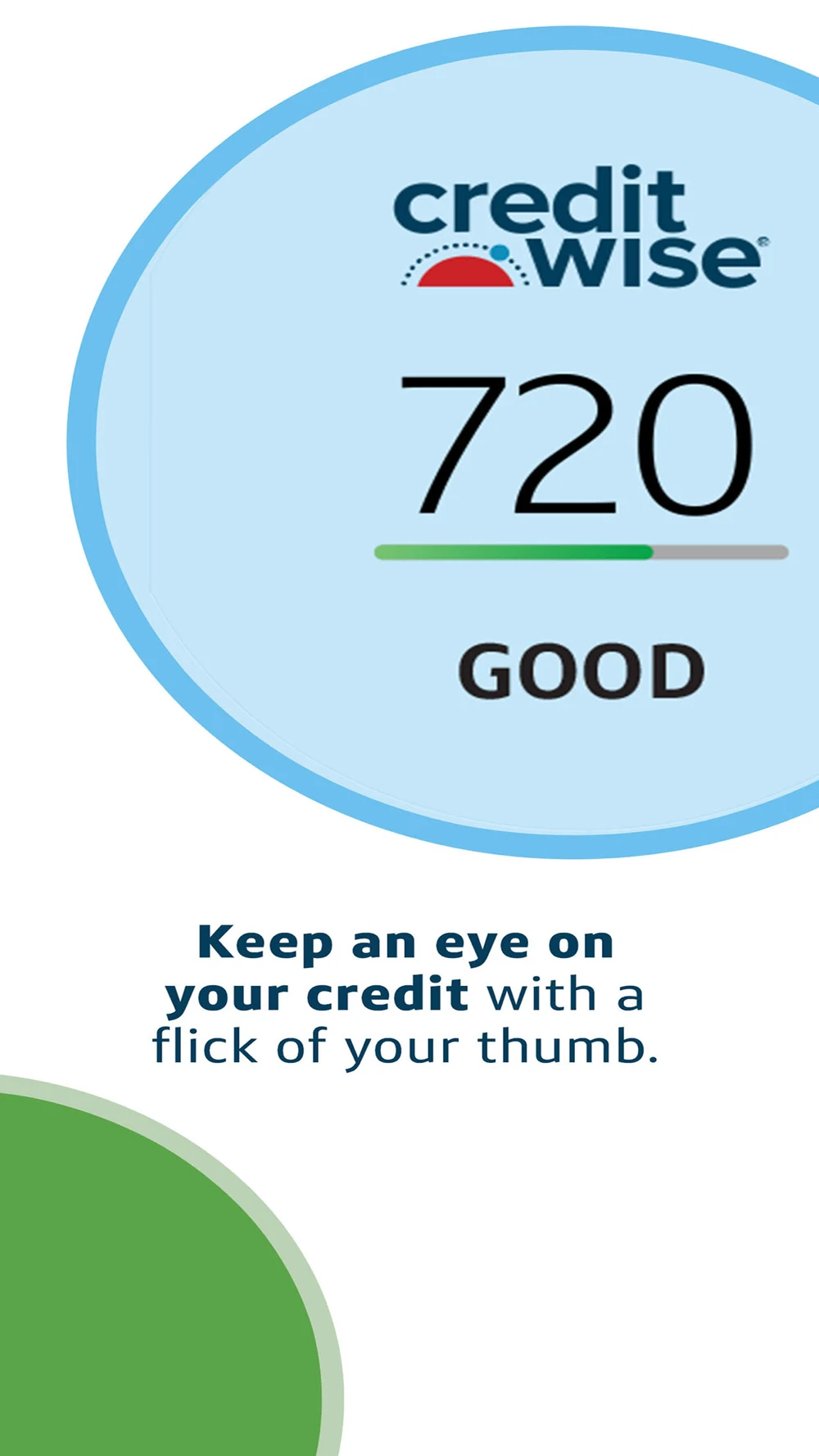
Panel 1 · An introductory benefit list shares space with a hand-held phone crop.Panel 2 · A tilted account overview demonstrates multiple account cards.Panel 3 · A frontal biometric setup screen gives the access promise concrete UI.Panel 4 · A large credit-score example becomes the main visual.
The third frame has the clearest headline-to-screen relationship in this set. The first two trade UI detail for a lifestyle treatment. I would test a frontal account view for account-access intent and keep biometric setup requirements clear. The score image does not establish a customer outcome.
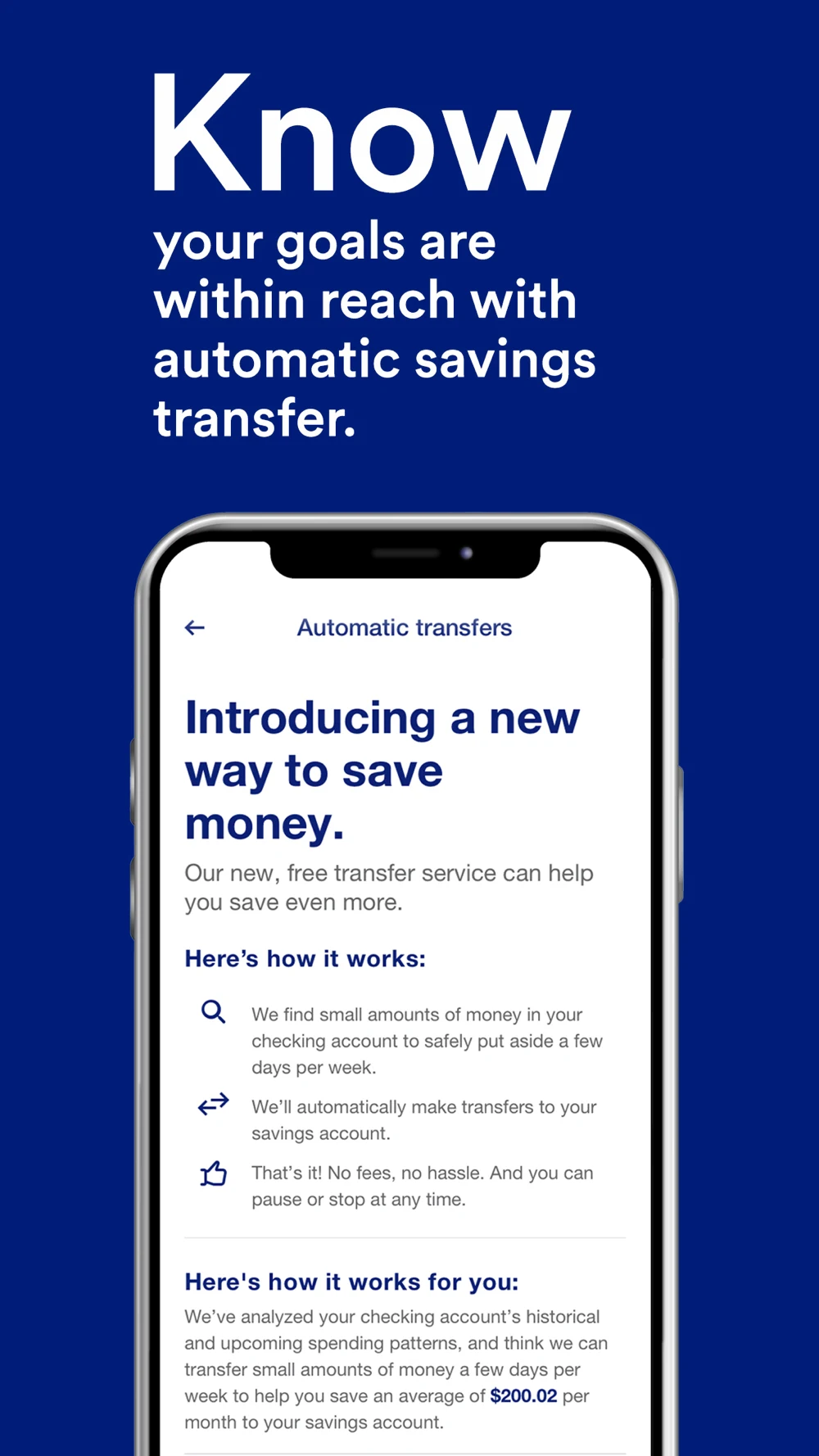
U.S. Bank: Consistent typography across several different jobs
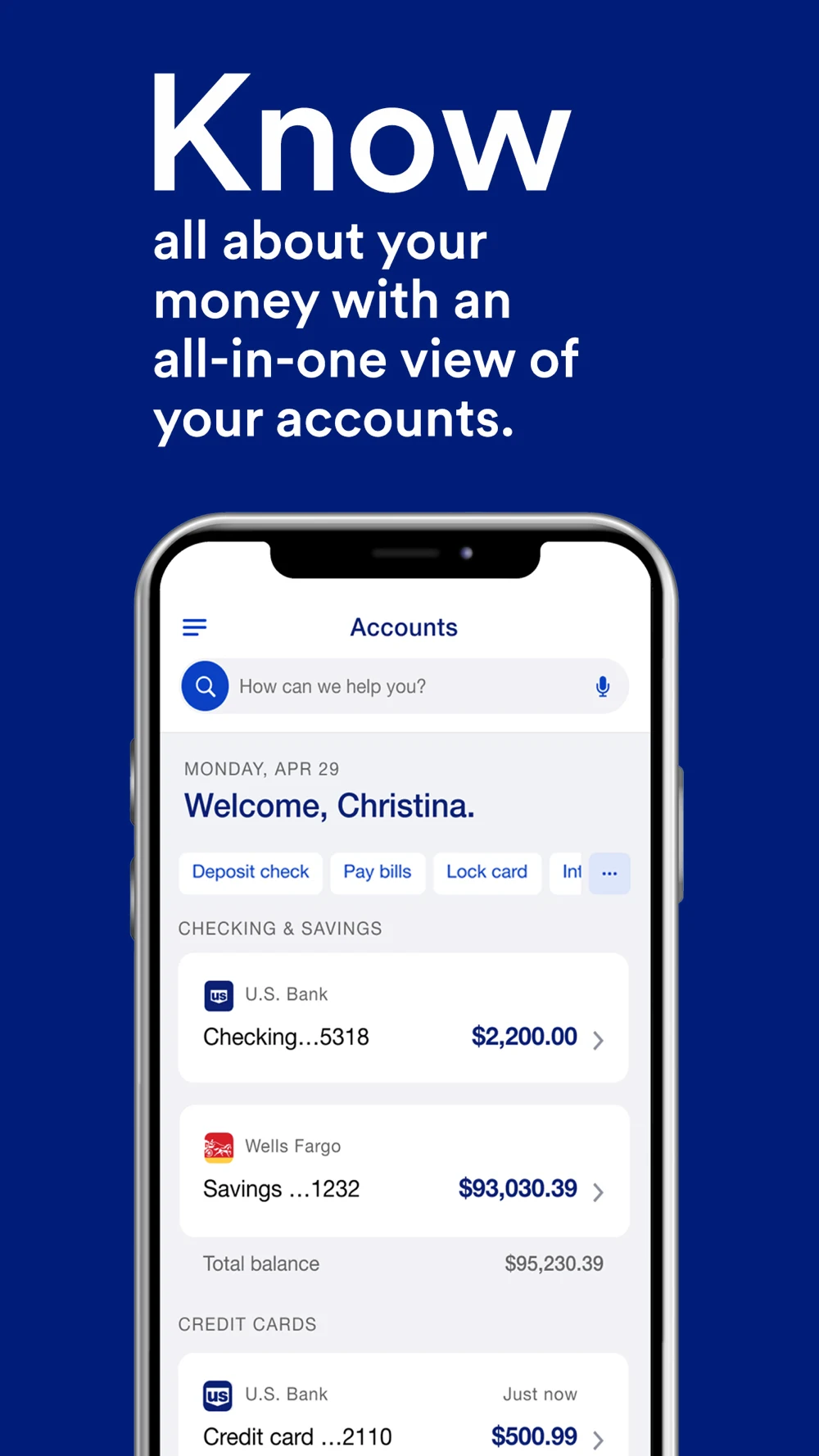
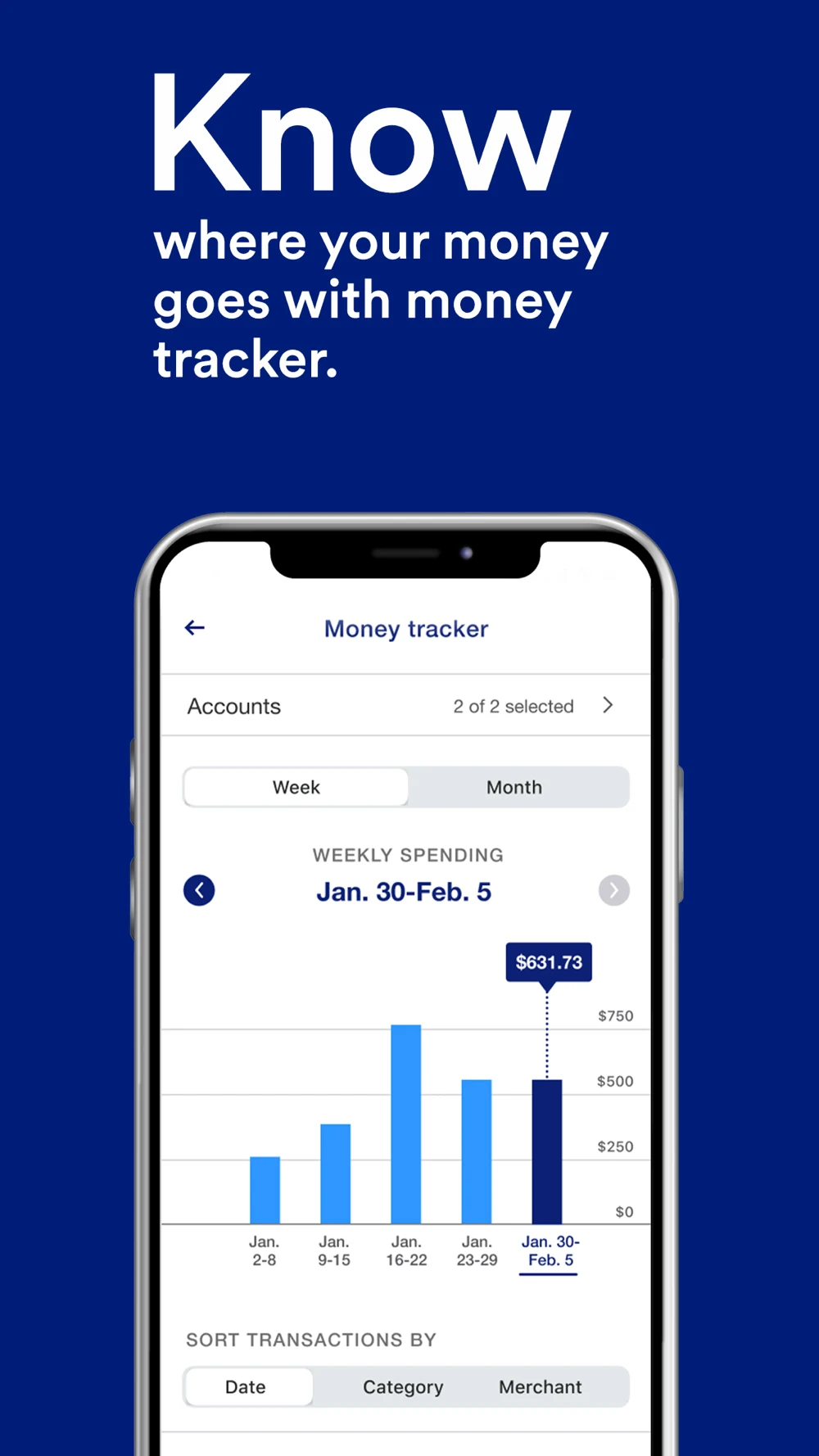
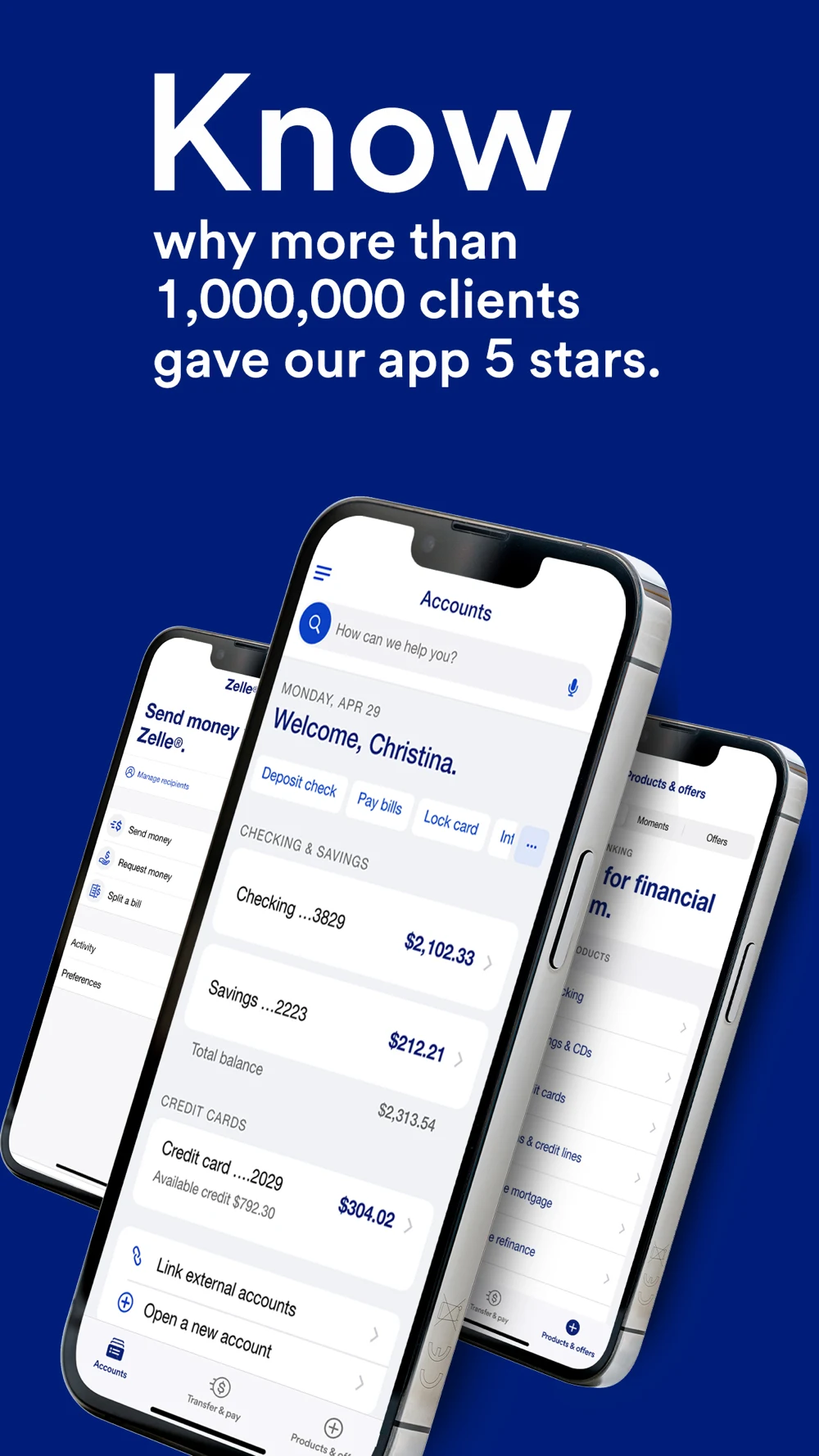
Panel 1 · A repeated oversized opening word leads into an account overview.Panel 2 · A spending-history chart shows a selected period and sorting controls.Panel 3 · A rating claim appears above several angled screens.Panel 4 · An automatic-savings explanation includes a long in-app text block.
The visual system is recognizable, but the fourth panel asks for more reading than the others. I would test a simpler schedule-and-control screen for savings intent. The rating claim is the publisher’s creative, not our independent verification, and it should not be copied as proof for another product.
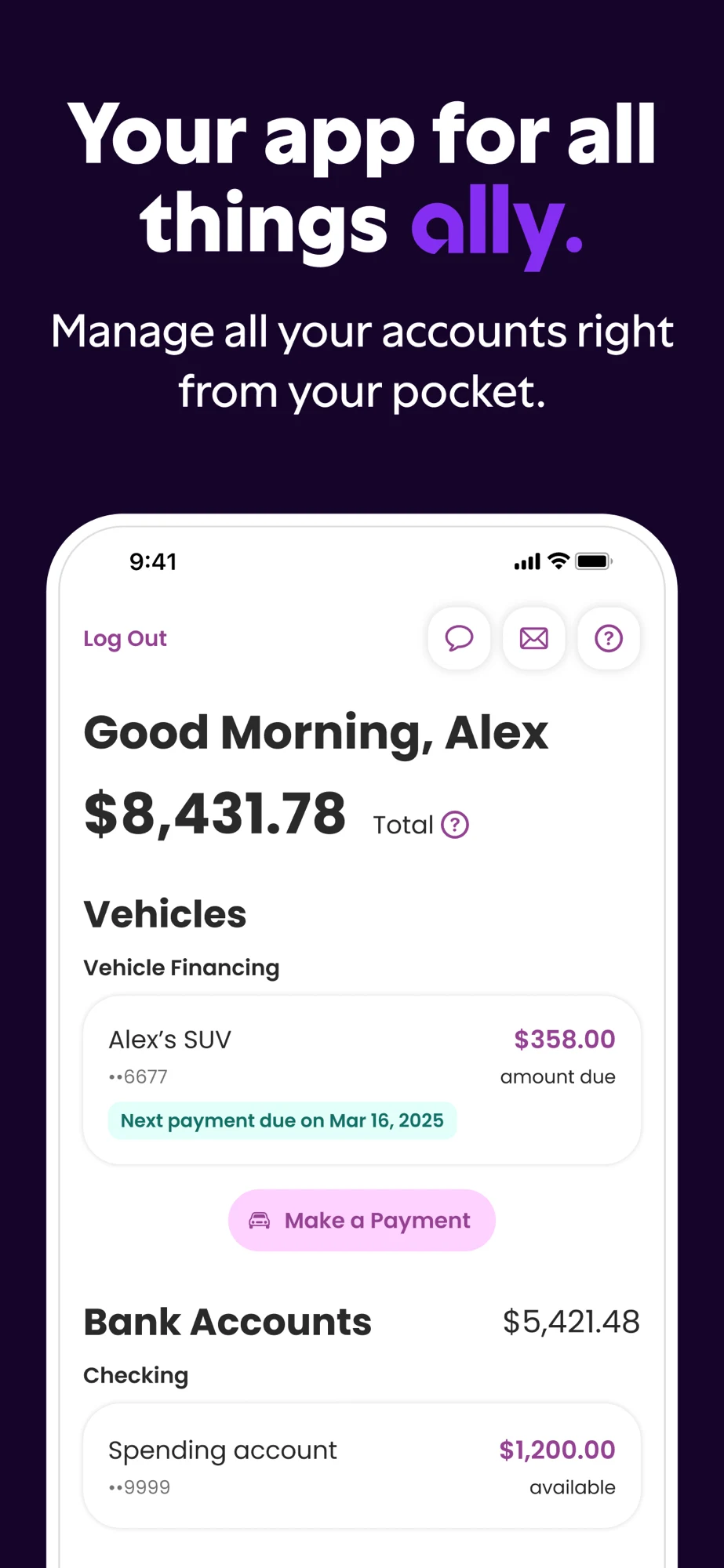
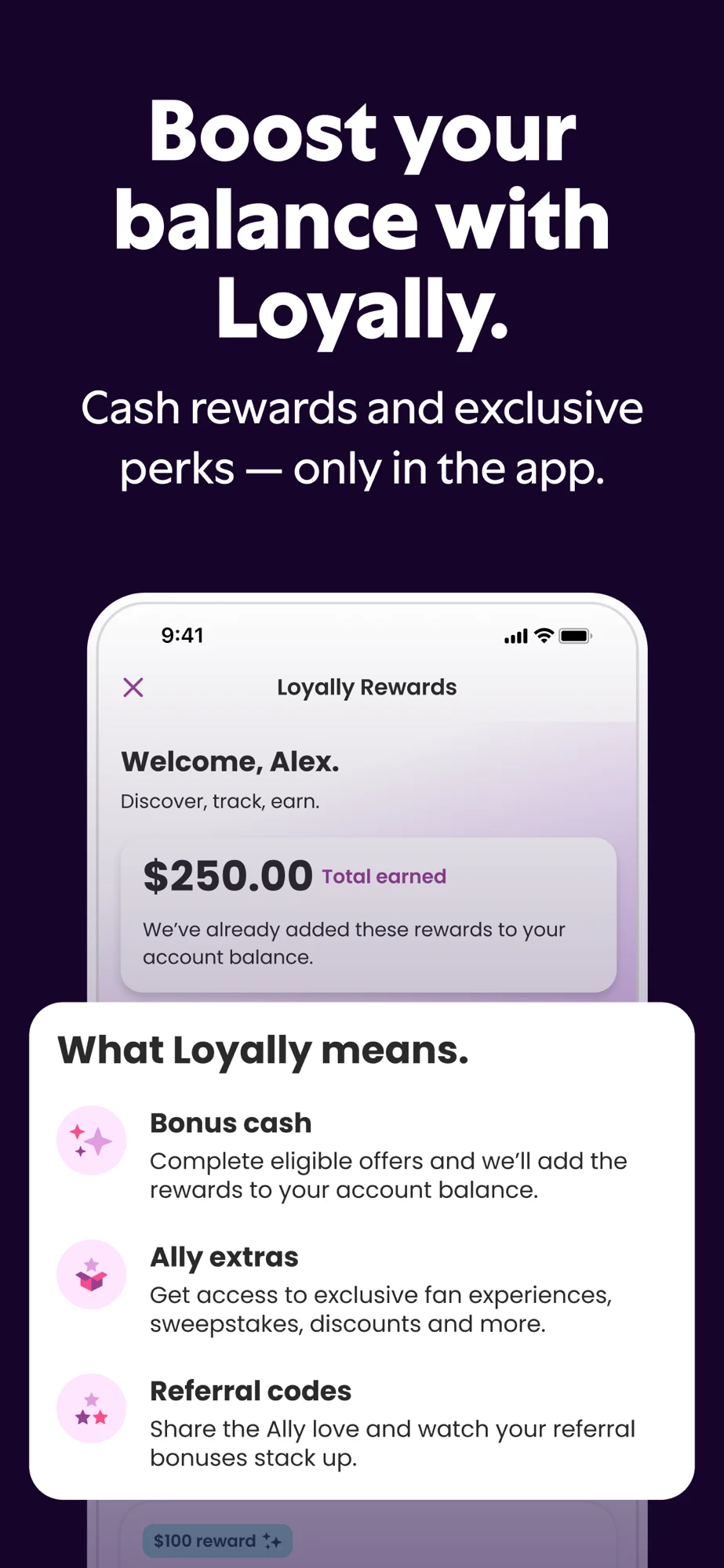
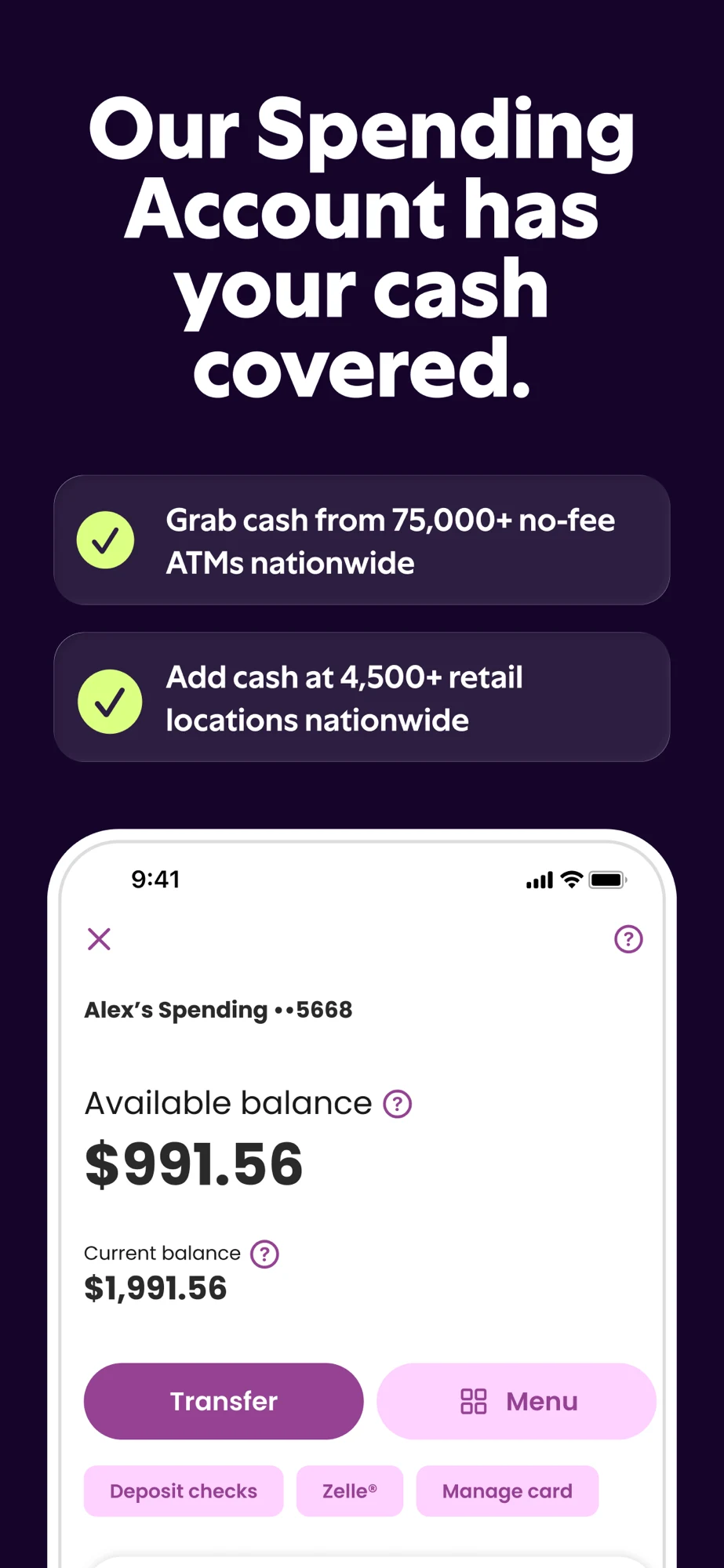
Ally: Account breadth, rewards, cash access and savings buckets
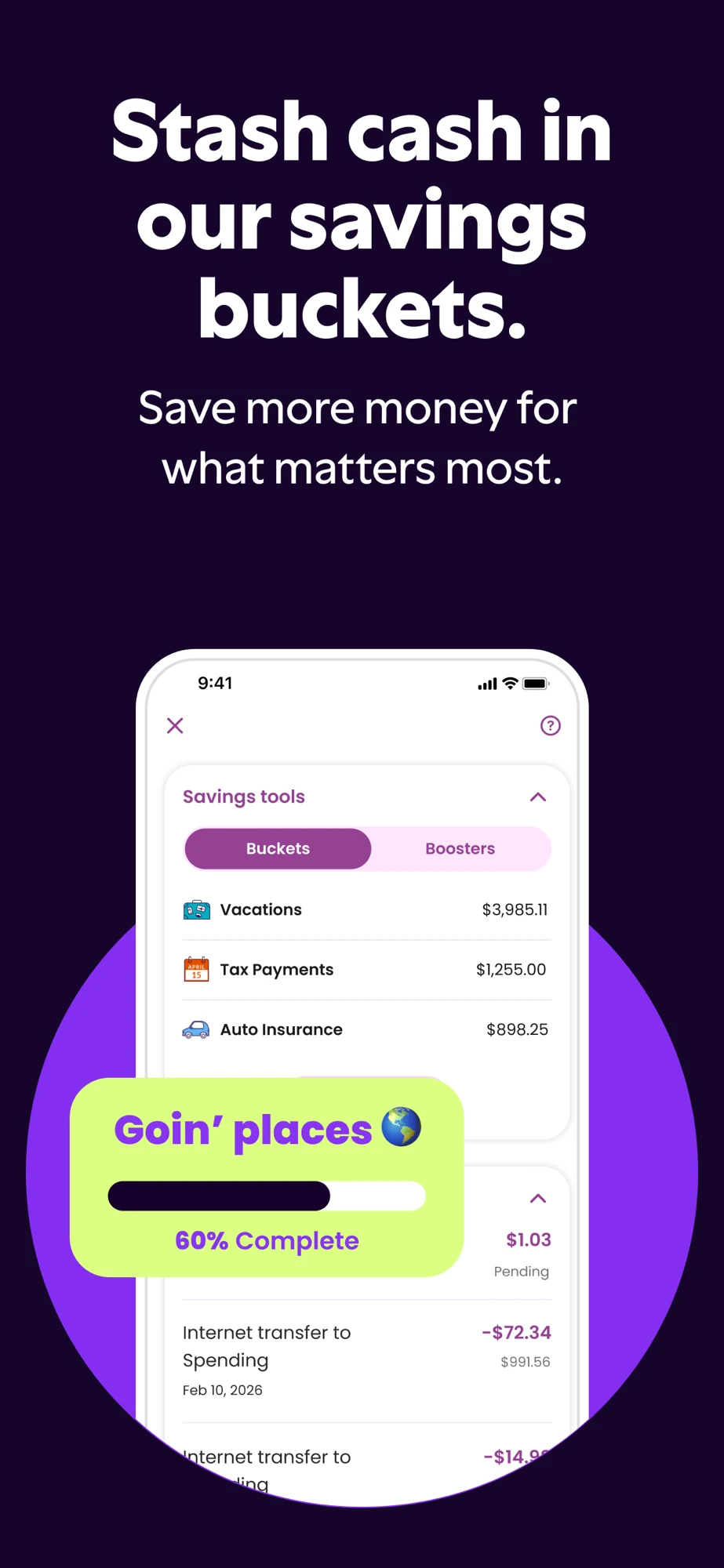
Panel 1 · The overview places vehicle and bank account information together.Panel 2 · A rewards panel uses a large explanatory overlay.Panel 3 · A spending-account view distinguishes current and available balances.Panel 4 · Savings buckets appear with a progress callout.
Large headings and high contrast establish a clear hierarchy. Overlays enlarge the message but obscure parts of the underlying UI. For a checking-focused page, I would test the balance distinction earlier, with a short explanation of its meaning. Rewards and access claims need their own current product verification.
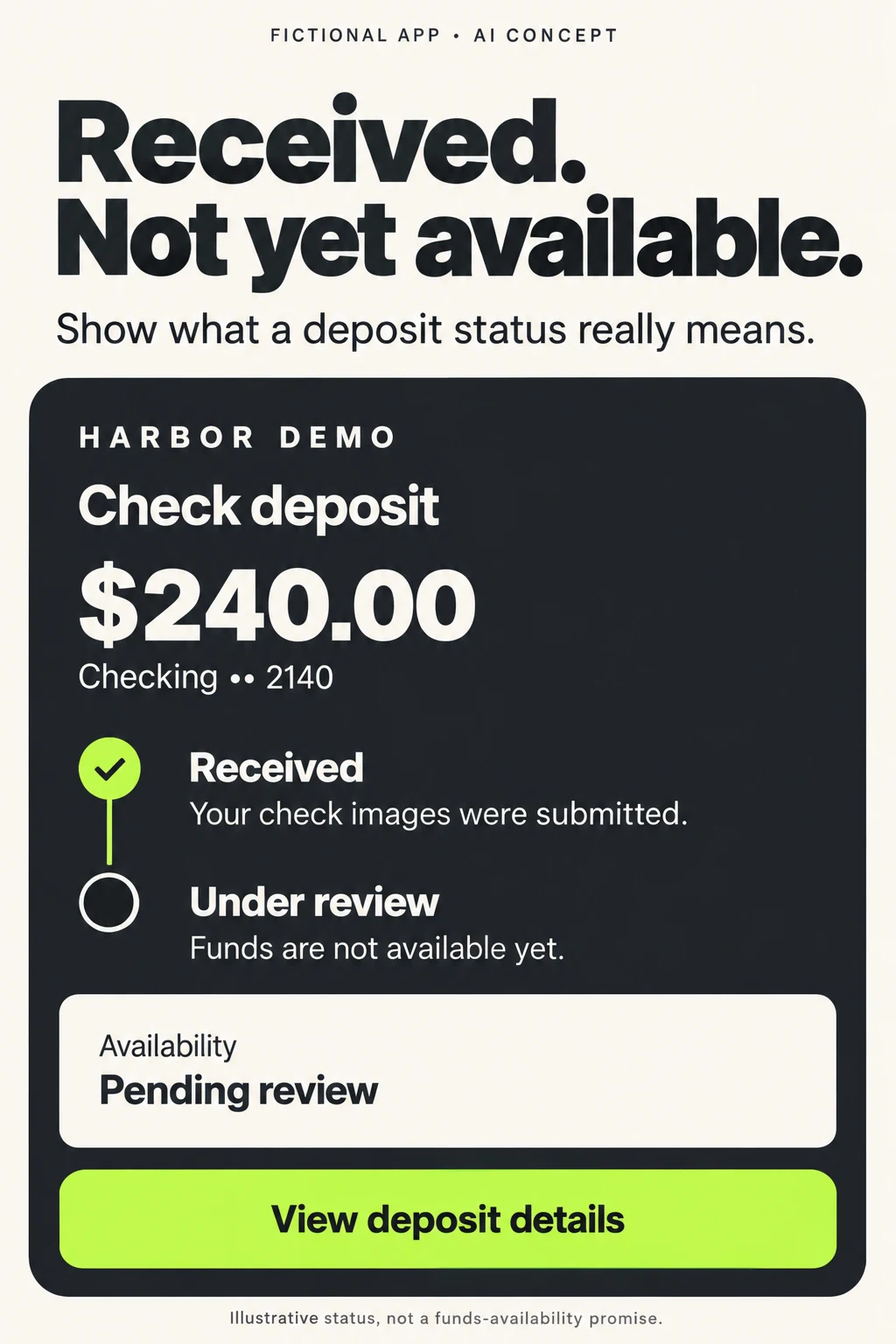
3. Make the transaction state as visible as the amount.
ReceivedThe instruction or images arrived.
ReviewingProcessing is still underway.
AvailableUse this only when funds are actually available.
ExplainAn expected date and a confirmed state differ.
For your own deposit creative, write the state in plain language beside the amount. “Received” shows that the app accepted the submission; it should not be visually upgraded into “available” by a giant celebratory check mark. For a scheduled payment, a date and scheduled label are more informative than an unexplained success animation. Use the product’s real states and account rules.
Try a paper prototype before a store test. Show a submitted-deposit image to five or six target users individually and ask what they believe has happened. This is a qualitative diagnostic, not a statistical conversion study. If the answers disagree with the actual product, revise the state language before spending effort on color variants. The screenshot-copy guide and sequence guide help turn the finding into a coherent set.
BANKING APP ASO
Write copy that identifies the product and explains the next action.
Harbor Demo is a fictional teaching app. The following copy assumes a supported existing-customer banking journey with eligible account balances, check deposits, card controls and statements. It makes no account-opening, fee, interest-rate or security guarantee. A real bank must replace the fictional identity, confirm every feature and approve the customer-facing wording.
Use a recognizable product name and a clear category descriptor before adding cleverness. Supporting copy should answer the visitor’s next question. A keyword-rich title cannot rescue a screenshot that leaves the account type unclear.
4. Let the title identify banking. Let the copy explain the job.
TitleHarbor Demo: Mobile Banking
SubtitleBalances, deposits & cards
ScreenshotSee your available balance
ProofAccount name, balance label and pending activity
Swipe horizontally to compare all columns →
Fictional banking metadata — lengths include spaces and punctuation
Check balances, review deposits and manage eligible accounts and cards.
71 / 80
The keyword-field example uses plain ASCII, so its character and byte counts agree. It is an illustration of relevant task vocabulary, not a tested ranking recommendation. Before production, review duplication, localization and actual search intent with the keyword-field guide. For Android, use the long-description guide to explain the supported journey naturally; do not repeat the keyword list as prose.
A usable opening description
Fictional copy: Manage your eligible Harbor Demo accounts from your phone. Check balances and recent activity, review the status of a mobile check deposit, and find the controls for your eligible debit card.
See the account and balance labels before making your next decision. Review deposit details to understand what has been received and what is still being processed. Find statements for supported accounts and choose the notifications available to you.
Already a customer? Follow the app’s enrollment or sign-in steps. Account, device and feature eligibility apply. Card controls have specific limits; use the separate reporting route when you need help with a card problem. Deposit submission does not mean funds are available.
This opening is intentionally task-led. Add the real support route and exact eligibility language after product review. Do not turn it into a wall of generic reassurance. If a feature is available only for certain products, say which products in the place where the visitor needs that distinction.
Swipe horizontally to compare all columns →
A proposed banking screenshot sequence; validate against the actual product
Frame
Headline candidate
UI proof
Question it answers
Opening
Your everyday banking, clearly
Recognizable account overview with account types
Is this the app for my accounts?
Balances
See your available balance
Actual balance label and pending activity
What amount am I looking at?
Deposit
Follow your check deposit
Received/review state and details
What has happened to this submission?
Card
Know which card is locked
Identified eligible card, state and control
Which card and what action?
Payments
Review before you confirm
Payee or destination, amount and date
Where is this payment going?
Records
Find the statement you need
Account and statement-period selector
Can I retrieve a specific document?
Help
Find the next step
Real contextual help entry
Where do I go if this task needs help?
The default set should serve the largest justified audience, not the loudest internal stakeholder. A deposit-specific custom page could begin with deposit status and then establish account access. An existing-customer page could begin with recognition and enrollment. Keep the actual feature sequence coherent even when the opening changes.
For calls to action inside demonstration UI, use the real next action: “Review transfer,” “View deposit details,” or “Find a statement.” “Money sent” is a state label, not an appropriate label for a pre-confirmation button. Store-level download controls are supplied by the platform; marketing artwork should not pretend to be an interactive app button.
A short app preview can use the same storytelling principles to demonstrate one complete task: identify account, choose an action, review details, then show the real resulting state. Use test data and actual captured UI. Keep it understandable without sound, and do not compress a processing delay into an instant-funds promise. A clear partial journey is better than a fabricated end state.
BANKING APP ASO
Audit the meaning before polishing the artwork.
The patterns below are audit risks, not claims that a named bank made an error or lost conversions. Several concern differences that can disappear during creative simplification. Review the product and the artwork together before deciding which change deserves a test.
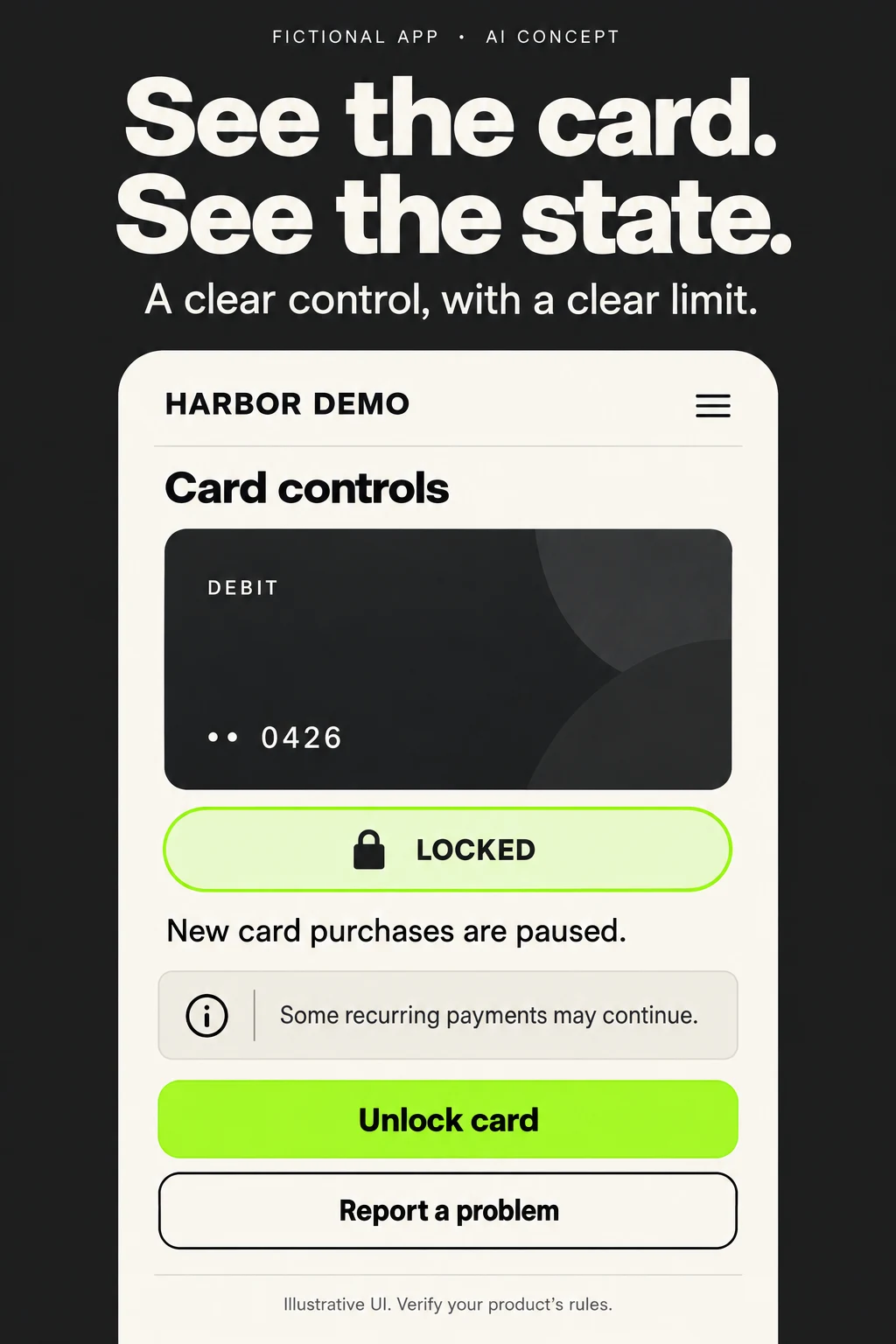
5. Show a control without promising more than it does.
IdentifyDebit card •• 0426
StateLocked
ScopeExplain which purchases are affected.
Next stepKeep the problem-reporting path distinct.
Swipe horizontally to compare all columns →
Banking-specific mistakes to look for in your own acquisition assets
Risk
Example of unclear wording or artwork
Better direction
How to verify
Counting every install as a new customer
New customer acquisition reported from downloads alone
Separate existing-account access from new-relationship activation
Use privacy-appropriate customer status and defined events
Hiding the product relationship
A generic wallet image with no bank/account identity
Show the official app and supported account types
Ask whether target users recognize who can use it
Changing a state in the headline
Instant cash above a submitted-check screen
Explain submission and actual availability separately
Compare against product rules and comprehension answers
Overstating a card control
Stop all fraud beside a lock toggle
Show the control’s real scope and reporting route
Confirm eligible transactions and exceptions with product owners
Confusing balances
One enormous total without its label
Preserve current/available labels and relevant pending context
Check whether users interpret the amount correctly
Treating scheduling as payment completion
Paid beside a future-dated instruction
Show scheduled with the actual date and next action
Inspect the end-to-end payment states
Using awards without context
A ranking badge with no period or source
Use current substantiated proof or product evidence
Maintain a claim record with scope and expiry
Assuming all accounts get every tool
One generic screenshot set for incompatible account products
Identify supported account or audience where needed
Test each promised feature by product and region
Turning a sample score into an outcome
A credit-score image presented as a likely improvement
Describe monitoring rather than promised improvement
Review whether the image implies causation
Making the headline readable but the proof tiny
Huge slogan over several overlapping miniature screens
One legible action, with contextual labels retained
Inspect at actual store size and in large-text layouts
Using another bank’s feature as a specification
Copying a competitor’s transfer claim
Verify the actual routing, timing and eligibility
Use first-party product evidence before writing copy
Showing a help promise the service cannot meet
A permanent instant-human-support claim
Describe the real channel and any relevant availability
Verify current support operations and language coverage
When the first three frames try to promote banking, investing, rewards and credit education at once, the problem may be prioritization rather than visual polish. Ask which audience sees the listing and which task should activate them. Test one ordering change with a clear reason, using test prioritization instead of a large redesign that changes every variable.
Treat review feedback as a source of questions, not automatic proof of prevalence. A complaint about login may reflect a temporary incident, a device, a changed credential or a wider problem. Group feedback by task and period before changing the listing. A marketing image should never conceal a known mismatch between its promise and the actual app.
BANKING APP ASO
Use search research to separate access, acquisition and discovery.
Build the Apple Ads search-results plan from the supported feature map and keyword clusters. The account-access audience and new-account audience need different success definitions. A campaign that helps current customers find the correct app may be useful, but it should not be reported as acquiring a new banking relationship.
Apple’s current match-type guidance says exact match can include close variants, including spelling changes, reordered words and translations. Broad match can reach related terms. Neither is a substitute for inspecting actual search terms. Keep discovery separate so irrelevant intent is easier to identify.
6. Follow search intent through to a meaningful banking action.
SearchA specific supported banking need
PageMatching screenshots and account requirements
ActivationA defined task by an eligible customer
LearningUse fit and outcomes to refine ASO copy.
Swipe horizontally to compare all columns →
A proposed search-results structure; no campaigns or spend are created
Campaign or group
Research input
Matching and page
Success definition
Exclusions to investigate
Own brand / customer access
Approved brand names and genuine variants
Exact; Search Match off; official identity and account access
Unrelated products, unsupported regions and navigational ambiguity
Generic banking acquisition
mobile banking; checking account app
Exact; Search Match off; accurate account eligibility and journey
Defined eligible new-relationship activation, if application exists
Unsupported account opening, loan-only or investment-only intent
Check deposit task
mobile check deposit; check deposit status
Exact task group; supported deposit CPP
Eligible user completes or inspects the intended deposit task
Document scanning, unsupported check-cashing or immediate-funds intent
Card management task
lock debit card; manage debit card
Exact task group; identified card and control scope
Eligible cardholder reaches the supported control
Other-bank support intent and unsupported card types
Generic discovery
Selected supported banking seed terms
Separate broad-match group with restrained budget
Relevant terms with eligible activation evidence
Unrelated finance categories and unsupported feature searches
Search Match discovery
Accurate metadata and product category
Separate Search Match group; review matched terms
Useful new terms, checked for actual product fit
Irrelevant intent revealed in reports
Competitor exploration, if justified
Relevant competitor intent reviewed separately
Separate exact group and truthful own-brand creative
Eligible prospects who understand the actual product
Queries seeking another bank’s login or urgent account help
Apple’s campaign-structure guidance separates brand, category, competitor and discovery activity. Apply that separation to banking jobs, rather than putting every finance term in one group. Do not impersonate another bank, imply account compatibility, or use a support-like message to attract someone trying to resolve another institution’s account problem.
Start exclusions from actual unsupported intent. “Crypto,” “payday loan” or “receipt scanner” may be sensible candidates for a retail banking app that does not offer those jobs; they are not universal negatives for every financial product. “Free” should only be excluded after understanding the query and the actual product. Follow Apple’s negative-keyword guidance, choose scope and match type carefully, and verify what remains in the search-term report.
For a bounded pilot, define one storefront, supported account group, observation window, total spend ceiling and maximum acceptable cost per meaningful activation before launch. Set these from the business model and approved budget; this report supplies no recommended spend. Stop or investigate if relevance, eligibility or measurement fails. Do not continue merely to collect a larger install count.
Swipe horizontally to compare all columns →
Define the event before interpreting the campaign
Measurement layer
Event or denominator
Banking-specific interpretation
Store response
Impressions, taps and downloads with consistent source definitions
Useful for creative response, not proof of a new bank relationship
Access
Eligible customer enrollment or successful authenticated session
May represent an existing customer adopting or restoring mobile access
Task activation
Defined supported action, such as viewing deposit details
Choose an action connected to the advertised promise
New relationship
Approved definition, such as verified and funded eligible account
Keep application starts, approvals and funded accounts distinct
Economics
Spend / attributable meaningful activations
Use the right cohort; do not mix existing access with acquisition economics
Quality
Retained use, support burden and expectation mismatch
Assess with appropriate observation windows and privacy controls
An illustrative arithmetic check: if a hypothetical pilot costs $300, produces 100 installs and 12 qualifying task activations, cost per install is $3 and cost per task activation is $25. Neither number is a forecast, an acceptable target or a banking benchmark. If nine of those activations are existing customers, do not relabel all twelve as new banking relationships. Keep the numerator and denominator honest.
Connect attribution only through approved, privacy-appropriate measurement. Do not put balances, full account numbers, check images or sensitive transaction details into marketing event payloads. Document unavailable attribution and avoid presenting a modelled or partial result as a complete causal measure. Our conversion definitions and reporting guide help keep the comparisons consistent.
Feed learning back into ASO in stages: verify the search term, confirm feature fit, inspect the matched customer journey, identify a repeated question, then revise the corresponding copy or frame. A high-tap query with low eligible activation may need exclusion, not a more persuasive screenshot. Use keyword relevance and creative experimentation to turn the finding into a controlled next step.
BANKING APP ASO
Watch product breadth and state clarity—not fashionable decoration.
The patterns here are a dated reading of the verified public evidence, not a market forecast or a claim about which design converts best. Store creative can lag product changes. Recheck the exact storefront, screenshots and feature scope before using a pattern in a release brief.
Swipe horizontally to compare all columns →
Dated editorial patterns — US iOS evidence reviewed 27 October 2026
Pattern in this review
Evidence
Useful hypothesis
What remains unknown
One app spans several financial jobs
Chase, Bank of America and Ally list banking alongside other products
Task-specific creative may clarify a generic banking visit
Traffic mix and the value of breadth for each brand
Assistance is part of account navigation
Bank of America and Capital One describe named assistants
A concrete supported task may communicate better than an assistant label alone
Task success, language coverage and actual adoption
Account state can be a creative differentiator
Ally’s inspected spending panel labels available and current amounts
A clear state explanation may improve expectation accuracy
Whether it changes store conversion or retained use
Everyday controls have visible product proof
Capital One’s retrieved biometric frame shows a setup screen
Showing the real setup may reduce ambiguous access expectations
Which audience benefits and whether setup remains current
Search matching reaches beyond literal phrases
Current Apple Ads match-type documentation
Closer search-term review can improve research quality
Which variants will appear for this app and market
Keep a creative evidence register with the account product, supported market, exact claim, owner, source and next review date. Banking offers and product availability can change independently of the app release. A screenshot that was accurate when designed should not stay in the store indefinitely without a check. Use metadata change log to record timing context alongside creative changes, and record incidents or major campaigns as possible confounders.
BANKING APP ASO
Use AI to make one banking decision easier to understand.
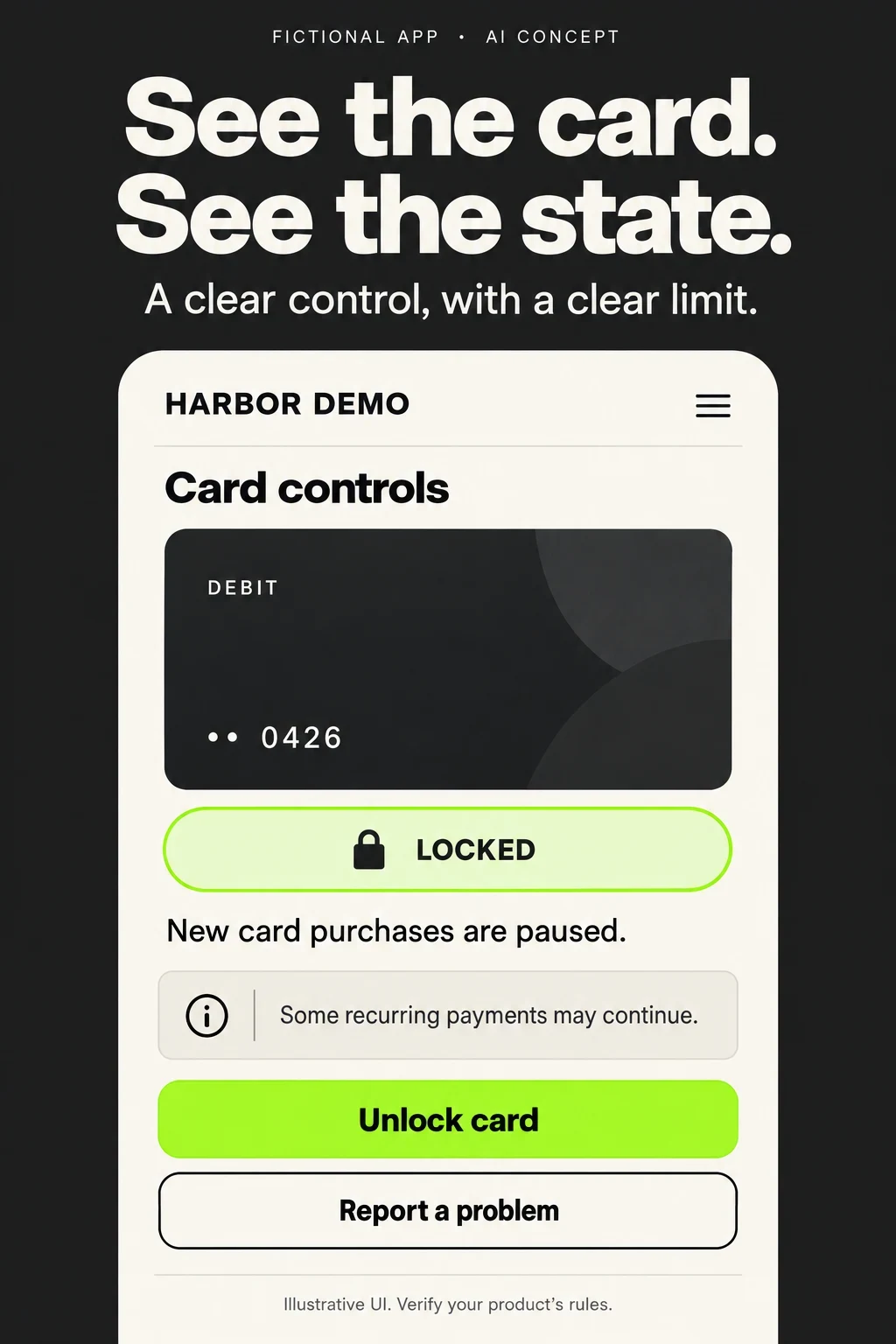
These two original AI-generated concepts use the fictional Harbor Demo brand and fictional account data. They explore different jobs: card control and deposit status. They are proposed teaching compositions, not real competitor screenshots, tested creative or evidence that an actual bank offers these exact features.
AI CONCEPT · Card control: identity, state and limit · Open full size.AI CONCEPT · Deposit status: submission is not availability · Open full size.
7. Ask AI to clarify one decision, then verify every detail.
InputApproved UI, terms and fictional sample data
GenerateOne state or action at readable scale
CheckLabels, limits, arithmetic and next action
TestComprehension first; store experiment second
Swipe horizontally to compare all columns →
AI concept critique — neither layout is ready-made production evidence
Concept
What it makes clearer
What needs human correction or verification
Test
Card identity and state
The card identifier and locked state appear together; help remains a separate action
The limitation is smaller than the state. Verify actual lock exceptions and rebuild with real UI; confirm whether report is the appropriate route
Ask which card is locked, what remains possible and what to do about a problem
Received deposit
A completed submission and unfinished review are visually distinct
The diagram simplifies a real state machine. Match actual statuses, timing language and accessibility; do not invent a future availability date
Ask whether funds are usable and where the person would check next
The image generator produced readable main labels and coherent example amounts. That does not verify the underlying financial behavior. The card concept’s smaller exception line could still be missed at thumbnail size. The deposit concept’s linear timeline may not represent rejected, returned or partially available states. These are specific reasons to validate and rebuild, rather than assuming a polished image is finished.
Give AI an approved input pack: current screen captures with no real customer data, exact feature and eligibility notes, allowed words, required caveats, the target audience and the question the frame must answer. Ask it to produce a hierarchy proposal, not to decide account rules. Keep the source screen and generated concept separate so reviewers can identify invented details.
A useful improvement prompt
“Using the approved card-control screen and feature notes, propose three short headline alternatives for existing checking customers. Preserve the card identity, current lock state and limits of the control. Do not claim fraud prevention or resolution. Explain which UI detail proves each headline. Flag any missing information instead of inventing it.”
For a deposit frame, replace the job with: “Explain what has been submitted and what is still pending. Do not equate receipt with availability. Keep the actual status terms and the next inspection action.” Those prompts force the creative discussion toward a verifiable meaning instead of a vague request to make banking look trustworthy.
Approve one hypothesis, redraw using real product UI, check language with product and appropriate reviewers, then run a small comprehension study. If people understand the correct state, consider a controlled store experiment. Keep copy and layout changes narrow enough to interpret. The creative-brief guide helps document the inputs and experiment guidance helps avoid promoting an inconclusive result.
Release the right promise for the right account and market.
8. Localize the account journey, not just the headline.
MarketSupported account, language and customer type
ScreenLocal labels, dates and decimal format
JourneyEnrollment, recovery and help
ReleaseValidate the exact creative and app version
Swipe horizontally to compare all columns →
Banking-app localization and release checklist
Check
Banking-specific review
Release evidence
Account scope
Supported personal products, roles, geography and eligibility
Feature map signed off against the actual app
State language
Available, pending, received, scheduled, completed and failed mean what the product says
Matched screenshots and product-state definitions
Numbers
Balances and example amounts remain coherent; no real customer information
Reviewed sample-data sheet
Dates and timing
Local date order, timezone and relevant processing context
Native-language review of each time-related claim
Language continuity
Enrollment, recovery, task UI and support match the promised language scope
End-to-end journey review
Cards and payments
Correct card type, control scope, destination and confirmation state
Reproducible test-account walkthrough
Accessibility
Small screens, large text, contrast, screen-reader alternatives and readable disclosures
Device checks and comprehension notes
Metadata
Approved identity, field limits, relevant terms and accurate support links
Final localized metadata export
Creative
Actual production UI, no obsolete offers or unsupported guarantees
Source capture, claim owner and review date
Measurement
Existing access, task activation and new relationship remain separate
Event definitions, cohort rules and attribution limitations
Translate the account meaning, not just the sentence. A familiar US term such as checking may not be the right local product label elsewhere. A language preference inside the app does not prove that application, recovery and support all work in that language. Start with local keyword research and market prioritization, then adapt screenshots and perform localization QA.
Use a release checklist on the actual final assets, not an earlier deck. Verify that a card number fragment stays consistent across frames, a scheduled transfer is not shown as completed in the next frame without explanation, and a deposit example does not quietly add pending funds to an available balance. If the app version changes a label or control, revisit the affected screenshot.
After release, compare equivalent storefronts, traffic sources and customer cohorts. Record payday cycles, outages, product campaigns and eligibility changes before attributing a movement to the creative. Use the ASO KPI guide to keep discovery, conversion and activation visible together. A useful outcome can be better expectation accuracy even when the first test does not establish an install uplift.
Start here: Choose one customer relationship and one banking task. Map the feature requirements, select a keyword cluster, audit the first three screenshots, and use one of the ten test briefs. An ASO audit can connect the evidence; ASO services can coordinate research, copy, creative and measurement.
Research scope: Eight public US iOS listings, five original screenshot sets and official iOS/Google Play guidance. No Android competitor screenshot audit, private-account testing, measured keyword demand or conversion results. Audience segments, niche angles, fictional copy and creative changes are proposals to validate. This is an app-marketing playbook, not a comparison of financial products.
CREDIT MANAGEMENT APP ASO
Keep the score with its context and explain the service.
Explore 100 keyword candidates, eight apps, 20 real panels and worked monitoring, credit-building and report-review creative.