By Gabriel Machuret · US iOS competitor research · reviewed 27 October 2026 · iOS and Google Play guidance
AI CONCEPT · SHOW THE REAL STAGE OF THE RETURN.
TAX PREPARATION APP ASO
Explain the filing model before promising an outcome.
A search for “file taxes” can mean very different things. One person wants to enter information themselves; another wants a professional to prepare the return; another needs to gather records for an accountant. Someone checking a refund after filing is performing a different task again. A single broad opening can hide these differences at the exact moment a visitor decides whether the app fits.
Start by naming who does the work. A self-guided product supports the customer’s preparation and review. An assisted product offers a defined kind of help. A full-service product may hand preparation to a professional within an agreed scope. A document companion can collect and share records without filing. These distinctions affect screenshots, price expectations, keywords and the activation event.
Use the finance overview for the category map and the expense-tracking guide for year-round records. Here we focus on tax preparation ASO: return coverage, documents, filing status, service price and accurate expectations.
Self-guidedThe customer enters and reviews information.
AssistedA defined expert helps with supported questions or review.
Full serviceAn authorized professional prepares within the agreed scope.
CompanionDocument and status tools may not file a return.
Swipe horizontally to compare all columns →
Choose the tax task before designing the store page
Product job
Visitor question
Useful evidence
Boundary
Self-guided preparation
Can I prepare my supported return?
Actual questionnaire, forms and review
Starting is not filing
Expert assistance
What will a professional do?
Help, review or preparation scope and access
A chatbot is not necessarily a human reviewer
Full-service filing
Who prepares and who signs?
Actual handoff, review and authorization steps
Expert availability and pricing depend on the service
Document companion
What can I collect and share?
Supported document list and sharing controls
A document upload is not an e-file
Refund status
What happened after submission?
Accurate source, return and status
An estimate is not a paid refund
Payment task
How do I pay an amount due?
Separate payment method and confirmation
Submitting a return does not automatically pay tax
Build a capability sheet with the current tax year, supported return types and forms, federal and state coverage, expert roles, import methods, prices, eligibility, languages, submission states and data permissions. Attach actual screen evidence and an owner to each claim. Use ASO strategy to decide which supported task leads the listing.
The IRS refund-status page distinguishes status availability and later refund processing. For creative purposes, keep an in-app estimate, a submitted return, an agency response and an issued refund separate. The precise states and timing depend on the product and agency; do not turn a typical timeline into a delivery promise.
This report compares ten public US iOS listings, including two adjacent tools: TaxCaddy is a document companion and the official IRS app provides account and status functions. Neither is represented here as a competing self-filing app. Twenty original iPhone panels were inspected. Android guidance is included, but Android competitor screenshots, private filing journeys and conversion results have not been audited.
TAX PREPARATION APP ASO
Research the filing job without guessing the person’s tax situation.
These segments are research hypotheses, not measured demographics. Consider adult age bands, filing experience, income sources, language, accessibility, return complexity and device use. A person’s occupation or age does not establish their tax situation, eligibility for a plan or need for assistance.
Recruit by task and service fit. Ask what documents someone expects to use, whether they want to prepare or delegate, what they think the stated price includes and how they recognize a submitted return. Use fictional or redacted examples; do not collect actual tax returns, identification numbers or private financial records for a screenshot exercise.
Swipe horizontally to compare all columns →
Potential tax-app audiences — hypotheses to validate
Potential audience
Job
Research dimensions
Question
Useful proof
First-time filer
Understand which information and return are needed
Adult age bands, prior filing experience, language
Can I prepare this return myself and what documents do I need?
Clear start, supported forms and review
Returning self-filer
Resume a familiar process with current information
Prior provider, device, willingness to import
What can be imported and what still needs checking?
Accurate import and review states
Person seeking human help
Understand the assistance relationship
Question type, availability, comfort with digital tools
Is the expert answering questions, reviewing or preparing?
Actual expert role, access and price
Freelancer with several income sources
Organize records for a supported return
Work pattern, document sources, record organization
Which income and expense records does the service support?
Supported forms, records and human review
Person filing in multiple jurisdictions
Check whether each return is supported
States of residence and work, filing circumstances
Does this service support my situation and what is each cost?
Jurisdiction coverage and fee breakdown
Document-gathering customer
Find, upload and review requested records
Paper versus digital documents, camera access, device type
What was received and what remains to be reviewed?
Document list, permissions and accurate state
Refund-status checker
Find the status of an already submitted return
Filing method, return year, agency and device
Is this a provider estimate or an agency status?
Accurate source and current status
Customer owing tax
Understand the next filing and payment steps
Payment preference, timing, prior experience
Does submitting the return also make a payment?
Separate return and payment actions
Price-sensitive researcher
Compare the real service cost
Return complexity, support preference, state filing needs
What is included and when might the price change?
Eligibility and itemized plan scope
Person using accessibility or language support
Complete and review the actual filing journey
Large text, screen reader, preferred language, help access
Are forms, support and explanations available in the promised format?
Accessible controls and end-to-end language scope
Show three openings separately: self-guided filing, expert review and full-service preparation. Ask who enters the information, who reviews it, who authorizes submission and what support is included. Then show a refund estimate and ask whether the return has been filed or the money received. Record misunderstandings in the participant’s own words.
For a returning customer, check whether a prior-year import is the real first task or whether the person needs a new document. For a freelancer, ask which income records and expense review tools matter, without suggesting that every expense is deductible. For someone owing tax, do not assume that a refund story is relevant.
Connect these questions to search intent, value propositions and test hypotheses. Small interviews reveal possible confusion; they do not establish a population percentage or prove a conversion improvement.
TAX PREPARATION APP ASO
Map keywords to the return, the work and the support.
These 100 distinct candidates are research starting points, not measured demand, rankings or recommended bids. Each cluster has a product gate. Some refund-status, tax education or document queries belong on a helpful web page rather than in an acquisition title. Verify the actual market, filing year and feature before using any phrase.
Product check: Distinguish provider estimates, agency status and actual payment; no result guarantee.
tax refund estimateestimate tax refundtax amount due estimatetax refund status apptrack federal refundrefund progress trackertax return refund summarycheck tax refund statusrefund versus tax duetax filing outcome estimate
Federal and state coverage
Product check: Verify available jurisdictions, return types, filing year and separate charges.
federal tax return appstate tax return appfile federal and state taxesstate tax preparationmultiple state tax returntax return state coveragestate filing fee informationfederal filing statusstate return statustax filing jurisdiction
Filing status and records
Product check: Use the product and agency definitions for each state and do not imply acceptance from submission.
Product check: Free or paid claims require accurate scope, actual eligibility, total costs and change conditions.
free tax filing eligibilitytax preparation costtax filing fee breakdownfree federal tax returnstate tax filing costtax software price previewtax filing plan comparisontax preparation fees explainedtax filing support pricetax filing eligibility check
Narrow use and access
Product check: Validate each use case, supported language and complete product journey before targeting.
tax app with expert reviewtax app with document checklisttax app for multiple income sourcestax filing app in spanishaccessible tax preparation apptax return app with large texttax app for returning filerstax app with clear state feestax document app for accountanttax app with filing status updates
Record store, country, language, date, return types in the results and the implied job. “Tax help” can mean a general answer, a human conversation or full preparation. “Free tax filing” can describe a restricted federal offer while state preparation or expert support costs extra. “Refund status” may indicate an existing filer who is not seeking a new filing product.
Use keyword research and relevance checks before considering volume estimates or difficulty. A high estimate cannot make an unsupported state, form or filing year relevant. Maintain separate groups for your brand, competitor names, current customers and unsupported adjacent tasks.
Expand from real capabilities: supported document upload → review imported information → return checklist. Do not add “free,” “guaranteed refund” or a tax-year number merely to attract traffic. These claims require actual eligibility, currency and substantiation. The CSV records a feature gate and decision for each candidate so a research idea cannot silently become a product promise.
TAX PREPARATION APP ASO
Make the narrow filing problem visible in the first frames.
A narrow angle is valuable when the product can show the exact job. A freelancer with multiple income forms, a returning filer importing a prior return and someone seeking a document-sharing companion need different proof. These phrases remain hypotheses until live search evidence and supported coverage are checked.
Swipe horizontally to compare all columns →
Long-tail ideas with product and jurisdiction gates
Niche angle
Candidate phrases
First-frame proof
Question before targeting
Expert-reviewed return
tax app with expert review; tax return review service
Actual review step and professional role
Is review included, optional or a separate paid service?
Document preparation
tax app with document checklist; tax document organizer
Supported document list and review state
Is this a filing tool, companion or both?
Multiple income sources
tax app for multiple income sources; tax return with 1099 income
Supported forms and a real intake flow
Which specific forms and situations are covered?
Returning filer
tax app for returning filers; prior year return import
Actual import and verification step
What transfers and what must be confirmed again?
State-cost clarity
tax app with clear state fees; state filing fee information
Federal and state price breakdown
Does the price depend on jurisdiction, plan or timing?
Post-submission status
tax return accepted status; check efile status
Source, return and accurate response state
Does the app show provider transmission or agency response?
Language continuity
tax filing app in spanish; online tax help
Actual translated form and support journey
Are filing, disclosures and assistance available in that language?
Accessible review
accessible tax preparation app; tax return app with large text
Real readable review and action controls
Has the full workflow been tested with the advertised access needs?
A credible niche changes the screenshot evidence, not just the headline. For a document-led query, show the supported form list and review stage. For expert intent, show what the expert does and when. For state filing, show coverage and any separate charges. Use long-tail research and gap analysis to assess whether the difference is meaningful.
Keep tax-year terms current and retire stale seasonal copy. A phrase for one return year may be wrong for the next cycle even if the app remains available. The observed H&R Block subtitle names a specific return year; that is a dated listing observation, not a statement about its current supported filing season.
TAX PREPARATION APP ASO
Compare filing services and adjacent tools by what they actually do.
Titles, subtitles, listed sellers and descriptions were checked against public Apple listings on 27 October 2026. Eight offer filing or preparation, including a Pennsylvania local-tax tool; TaxCaddy and the IRS app are adjacent reference points for documents and status. They answer different tasks and are not interchangeable services. This is not a ranking or endorsement.
Swipe horizontally to compare all columns →
Ten relevant US iOS apps, including eight filing products and two adjacent tools
Berkheimer Tax Innovations Subtitle: File & pay local taxes in PA
Supports certain local earned-income tax returns in participating Pennsylvania districts.
Name the local jurisdiction and supported scenarios; do not present it as a nationwide federal product.
Several descriptions use accuracy, savings, speed or refund claims. We have not independently verified those outcomes and cannot transfer them to another product. Treat a publisher statement as evidence of positioning, not a benchmark. In particular, a refund estimate is not proof of an eventual payment, and a professional’s role should be described exactly.
The official IRS app has a different identity from commercial tax products. A commercial app should never imply agency endorsement, official data or affiliation it does not have. TaxAct explicitly describes its independence in the reviewed listing. Use competitor research to compare service models, then investigate the intended storefront and current product terms.
TAX PREPARATION APP ASO
Use each store to test a clear and supported tax journey.
Swipe horizontally to compare all columns →
Platform guidance checked 27 October 2026
Surface
Current capability or limit
Tax-app use
iOS name and subtitle
30 characters each
Identify the preparation task without implying agency affiliation
iOS keyword field
100 characters
Use supported return and document concepts without repetition
iOS product page optimization
Tests icons, screenshots and previews
Test a clear filing model or document-review opening
iOS custom product pages
Tailored assets and supported keyword assignments
Match self-filing or expert intent to the actual service
Google Play text
Title 30; short description 80; full description 4,000 characters
Explain coverage, assistance and costs in natural language
Google Play experiments
Graphics and localized text testing
Compare one clear hypothesis with appropriate seasonal context
Apple product page optimization tests creative treatments; it is not a test of all metadata. Custom product pages can tailor the proof to supported intent, but the landing journey must still match the promised return type, year and expert role.
Apple’s screenshot guidance emphasizes showing the real app in use. The fictional AI concepts below are teaching proposals. Rebuild with approved real UI and accurate data before any submission. This section is not a complete tax-service policy or legal review.
TAX PREPARATION APP ASO
Inspect the real screenshots for proof, price and filing state.
These are five sets of four original Apple-served iPhone panels, individually inspected. Select an image for the full-size original. Feed order may differ from the live storefront, device or campaign page. The publisher assets are evidence of creative choices, not proof of conversion, product accuracy or tax outcomes.
Read the headline, then examine the interface: who prepares, which document is supported, what is the price, and is a return drafted, submitted or accepted? A polished screenshot can still compress important steps. Apply readability guidance at the actual store size.
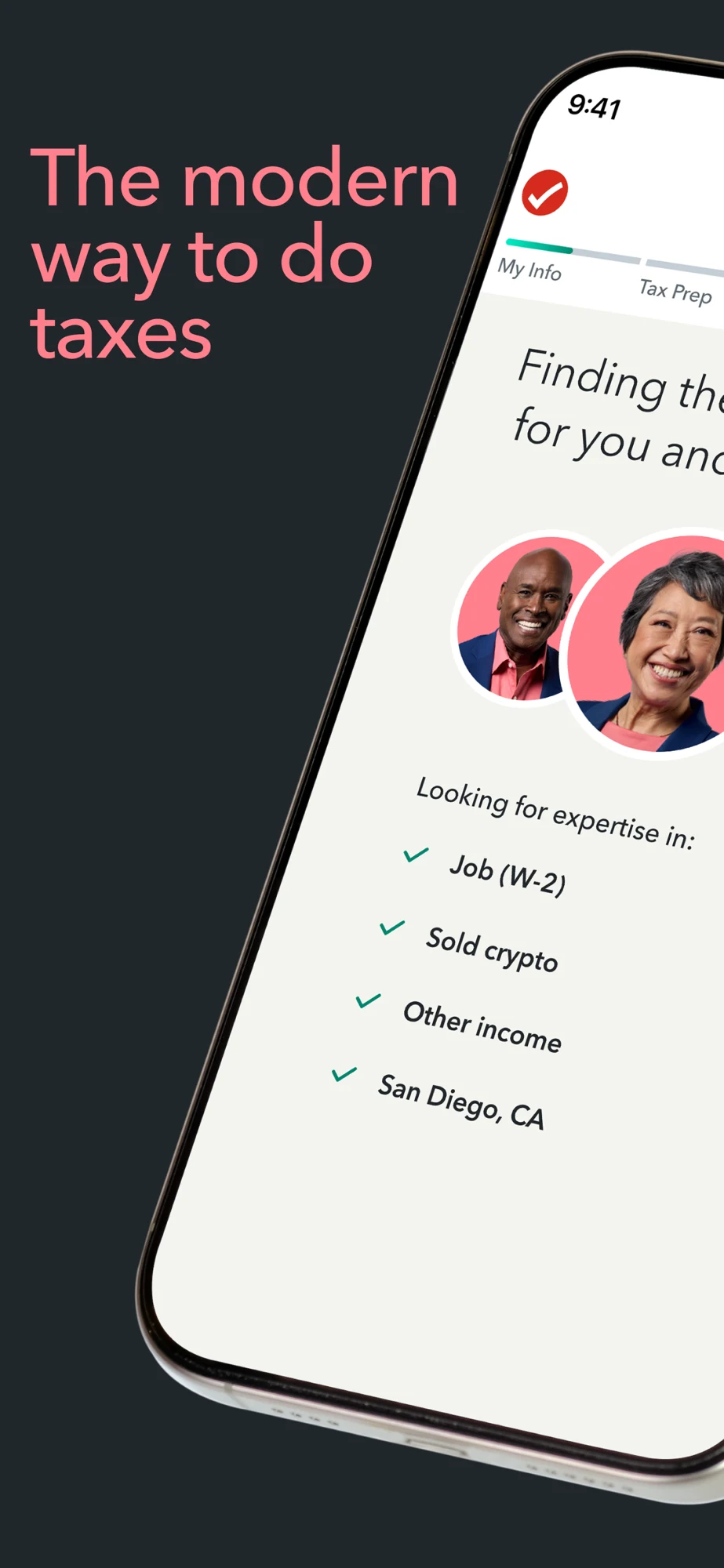
TurboTax: Expert matching and preparation choices
Panel 1 · A wide opening spans two panels with an angled expert-matching interface.Panel 2 · The second half explains expert-led or self-led filing alongside the continuation of the first image.Panel 3 · A human expert is presented as a full-service preparation option.Panel 4 · An expert-selection grid introduces the matching step.
The sequence makes the human-service story clear, but the first two images share a single cropped visual. Test a self-contained opening for placements where only one frame is visible. Explain whether the selected service provides answers, review or full preparation and retain any plan conditions.
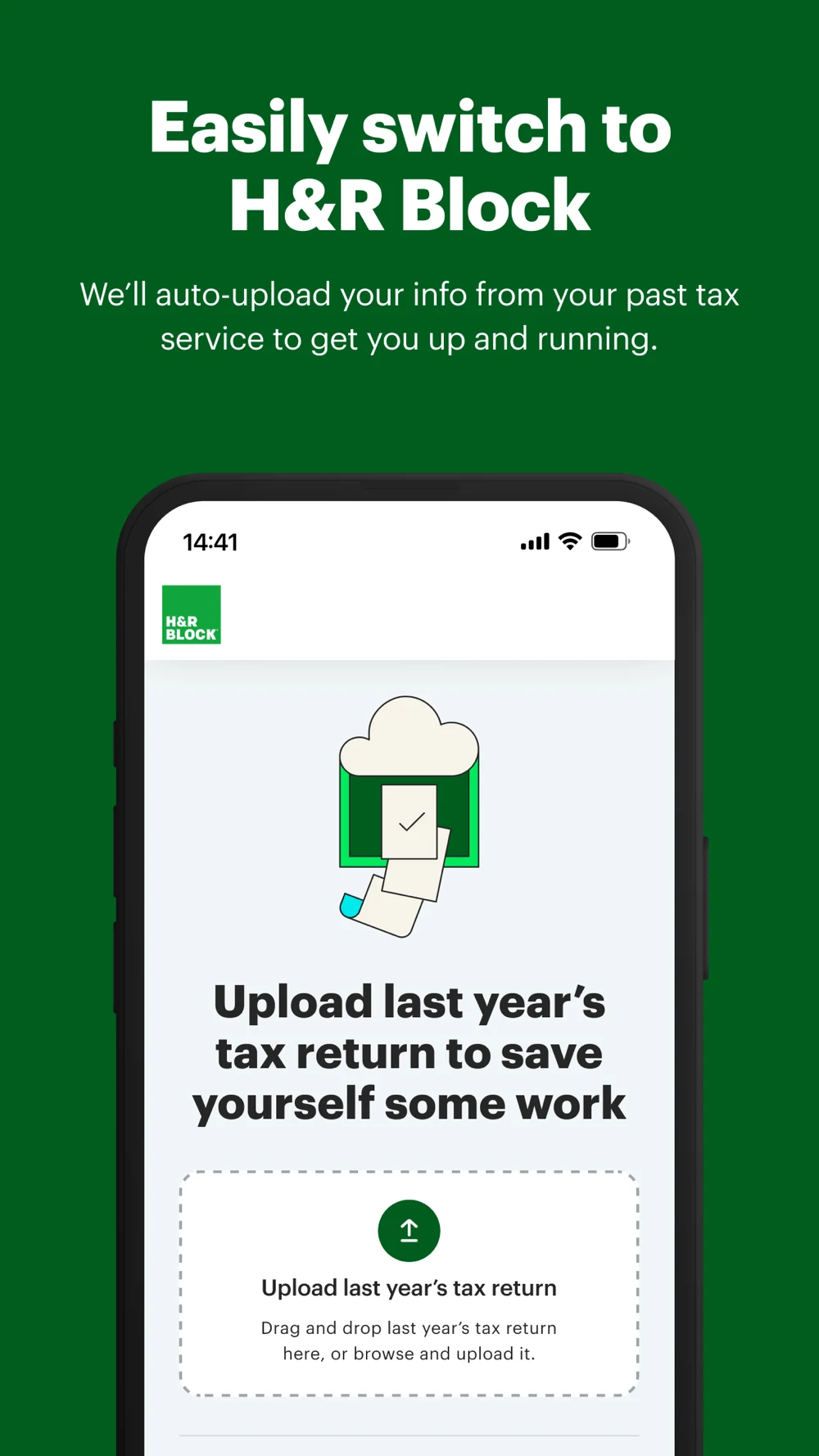
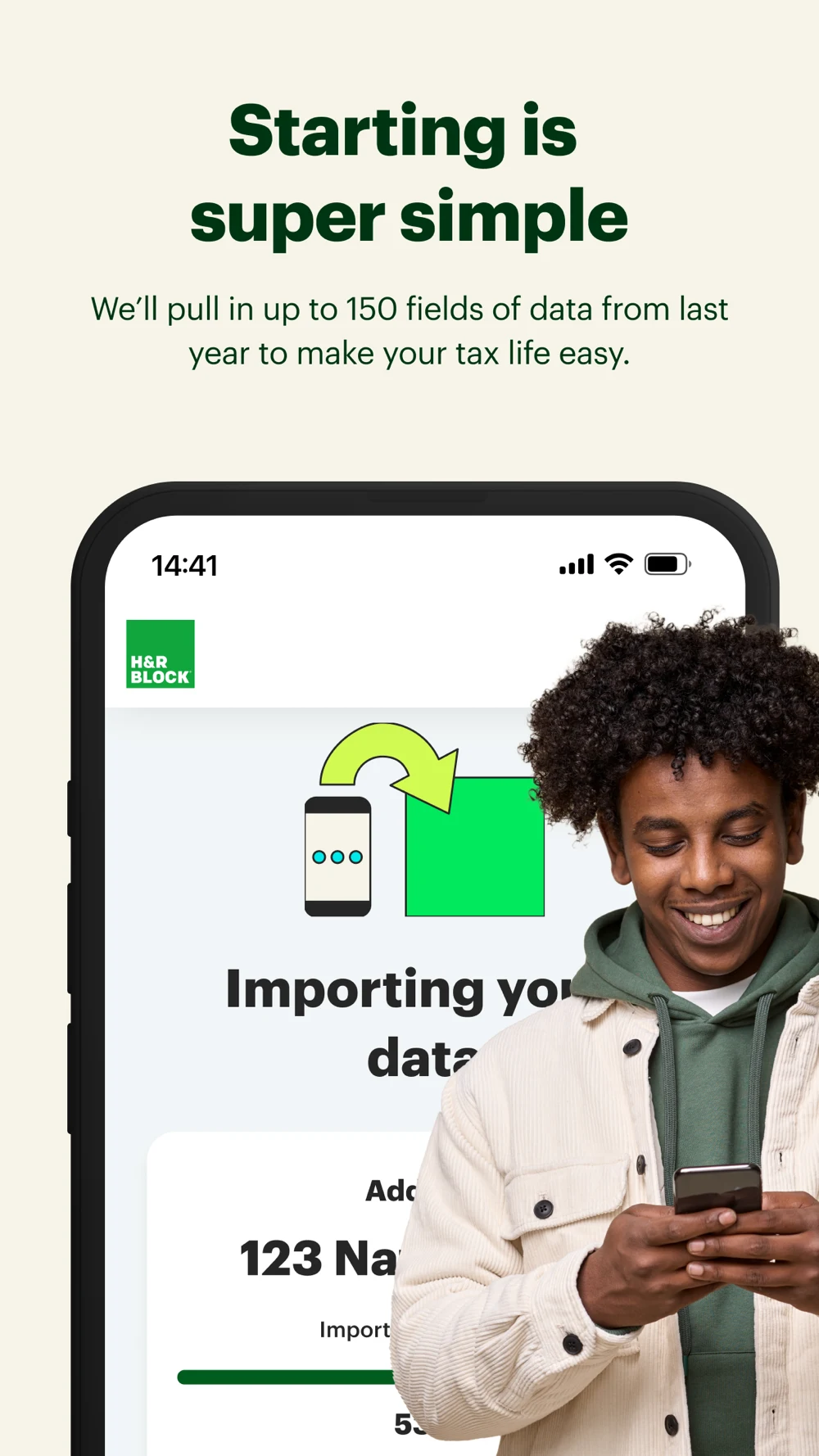
H&R Block Tax Prep: Importing a return, W-2 entry and price preview
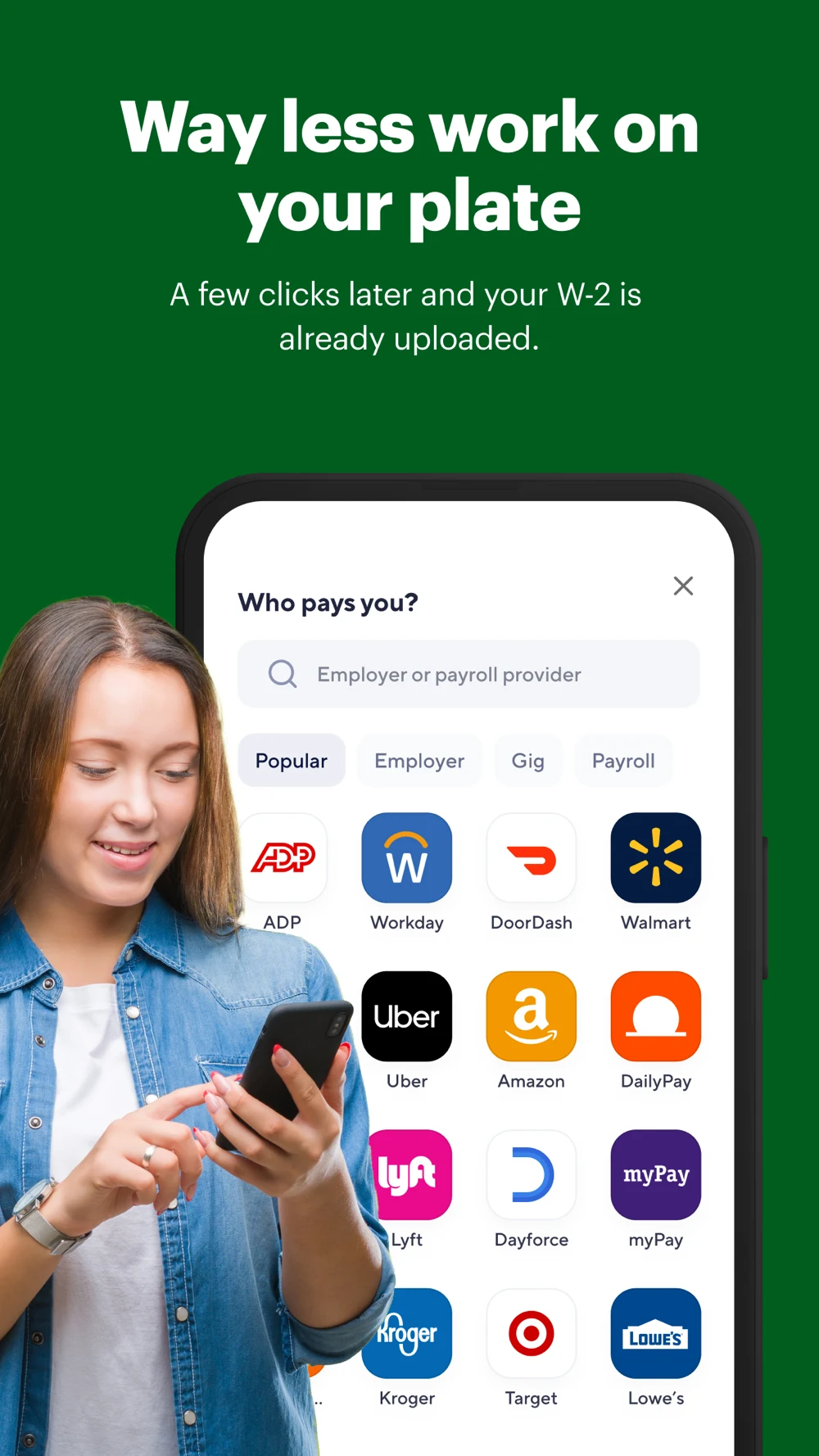
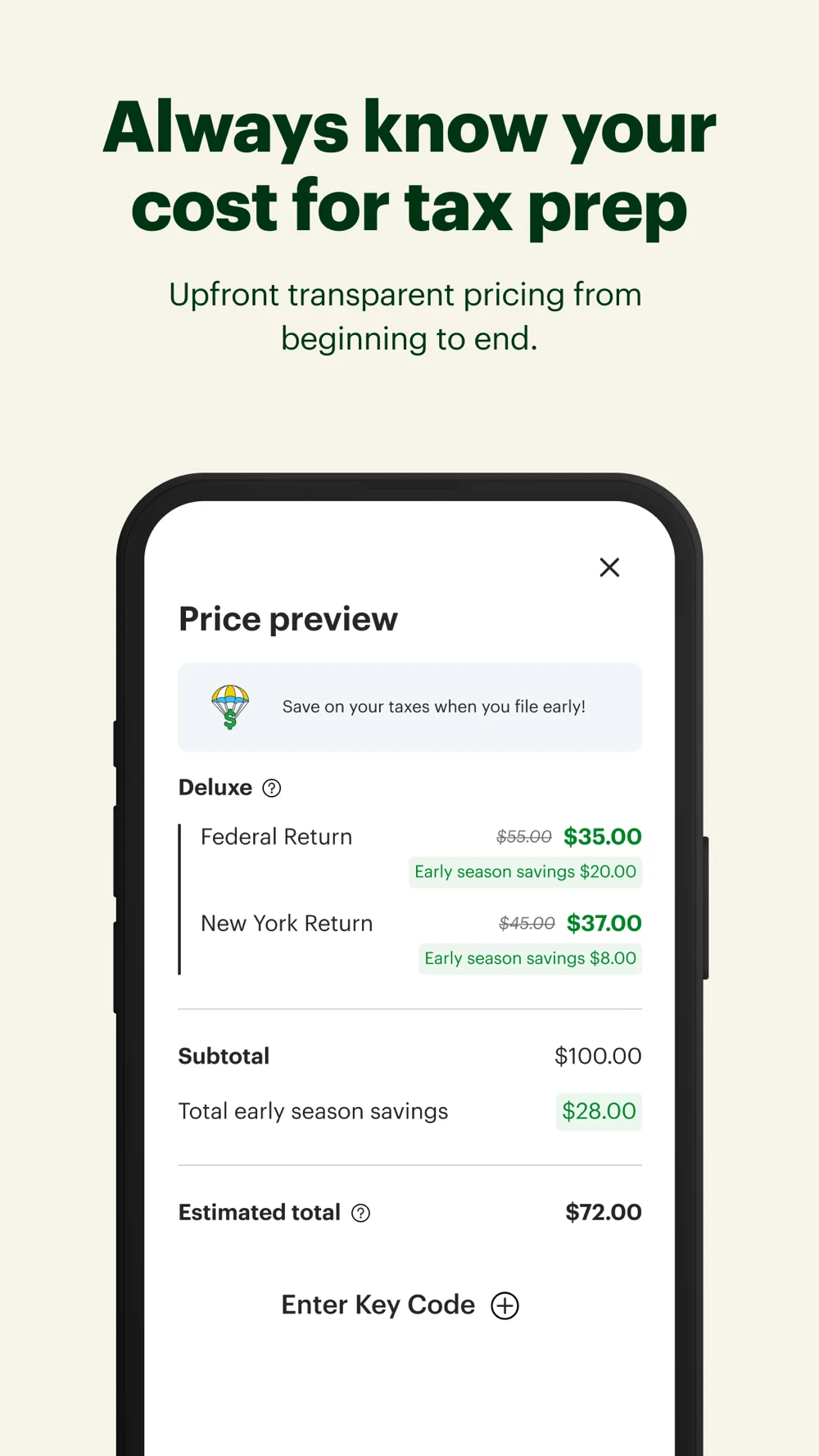
Panel 1 · A prior-year return upload screen leads the switching story.Panel 2 · A data-import message is partly covered by a person using a phone.Panel 3 · A payroll-provider selection screen illustrates W-2 import.Panel 4 · A price preview separates federal and state items and a total.
The price breakdown and document flow give concrete task evidence. Test a less-obstructed import screen to clarify what transfers and what needs review. The screenshot and description contain different import-field counts; they may reflect different assets or versions, so avoid repeating either as a verified current limit.
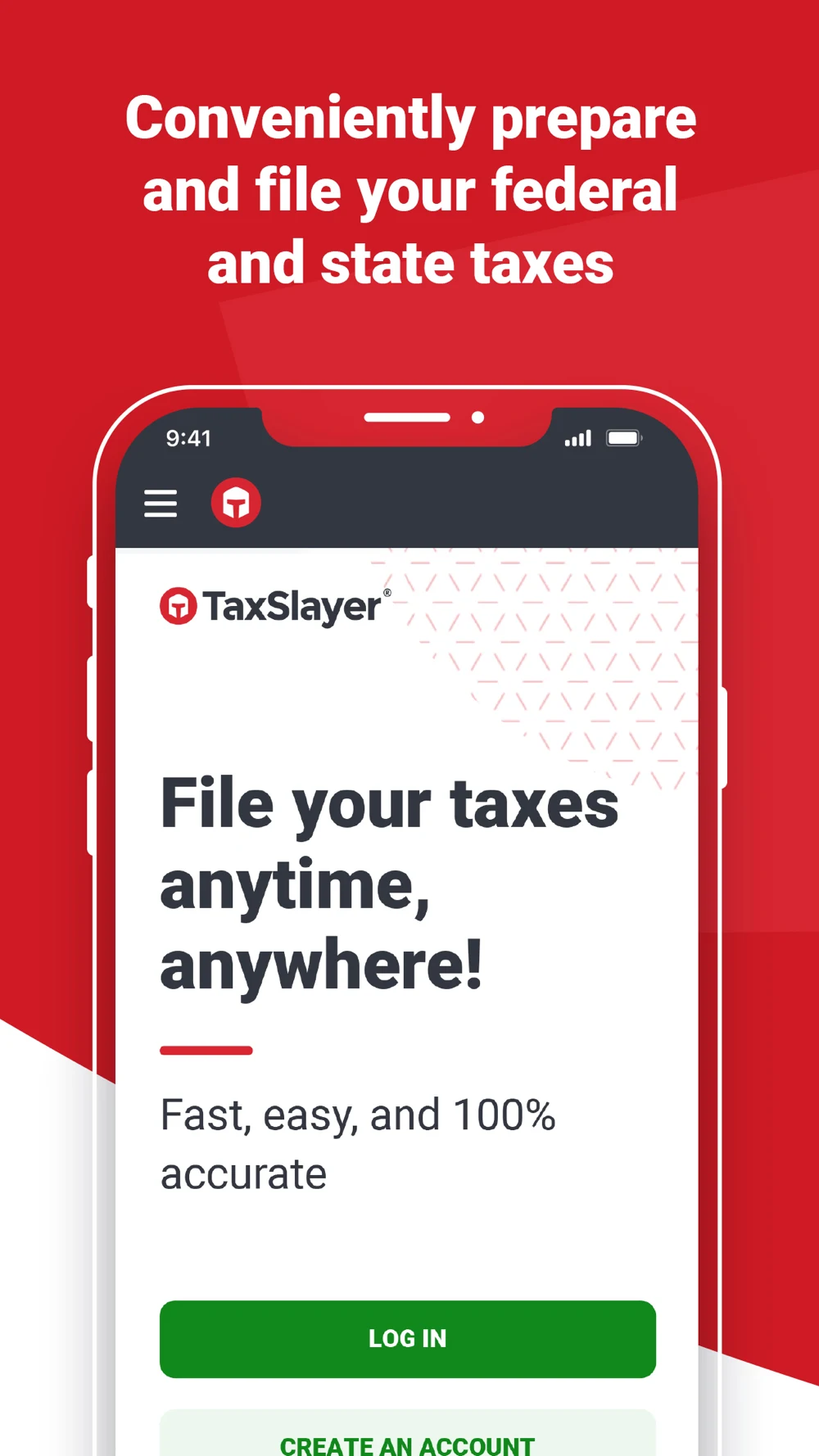
TaxSlayer: A broad speed message followed by refund and filing screens
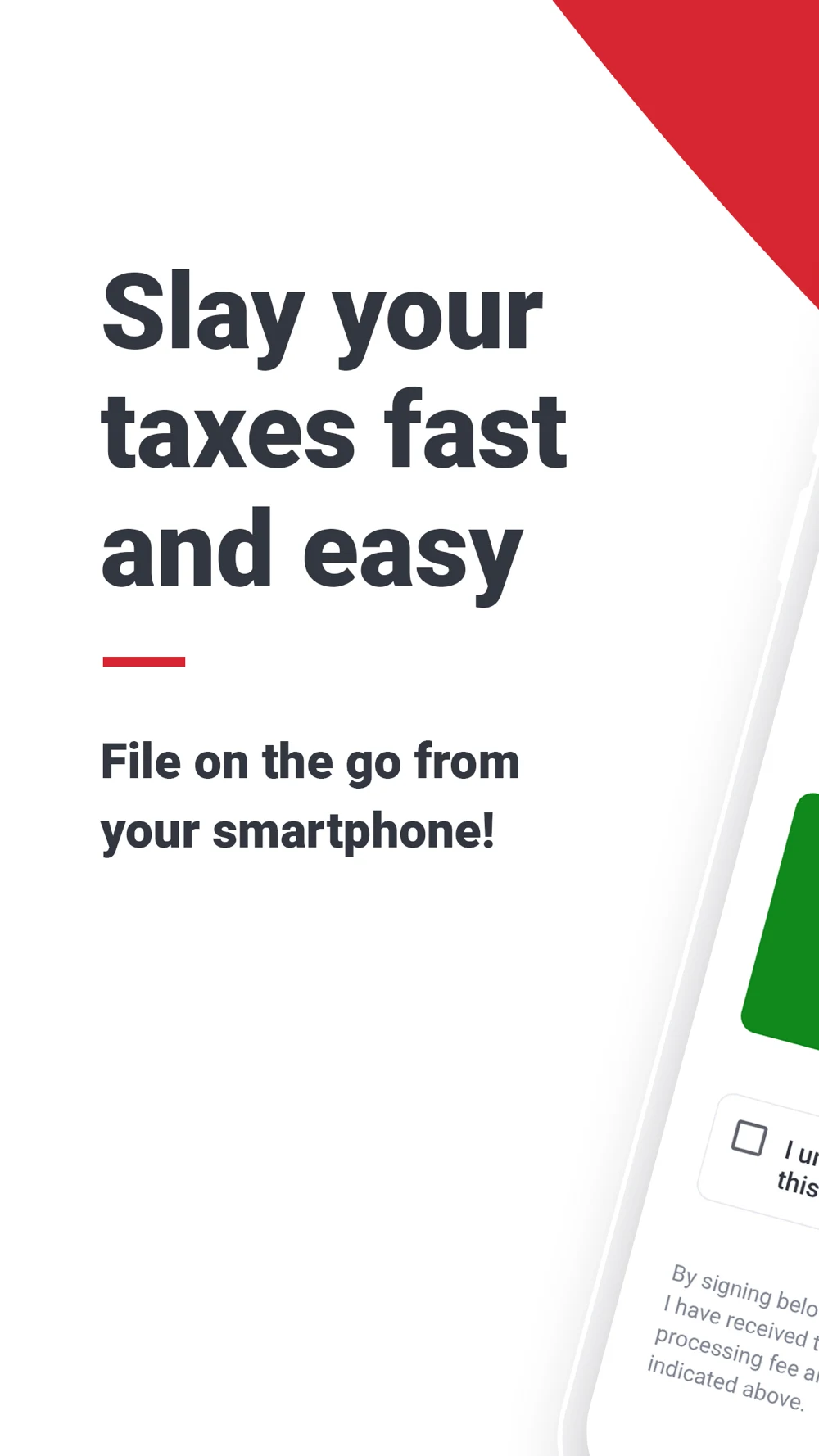
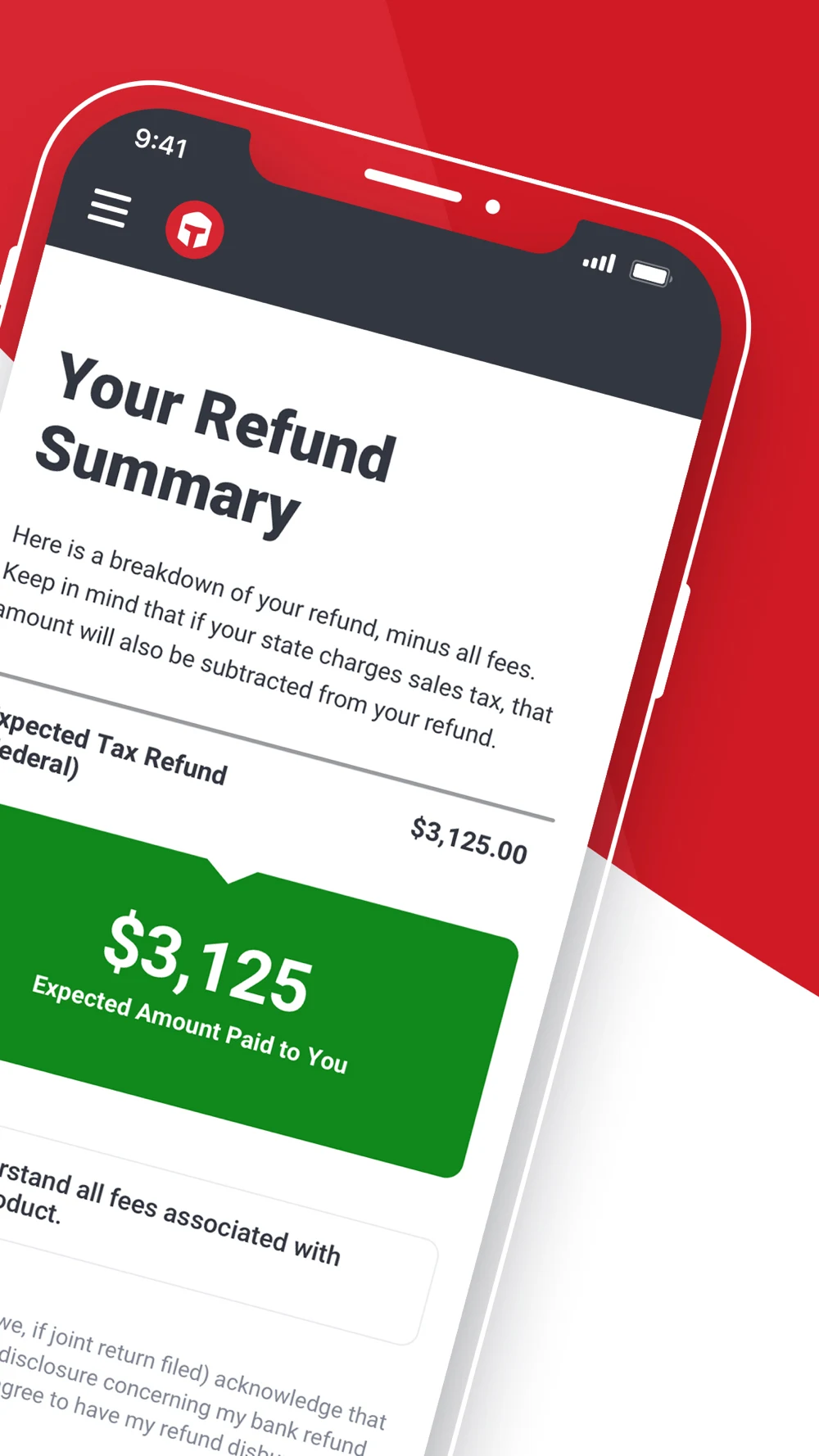
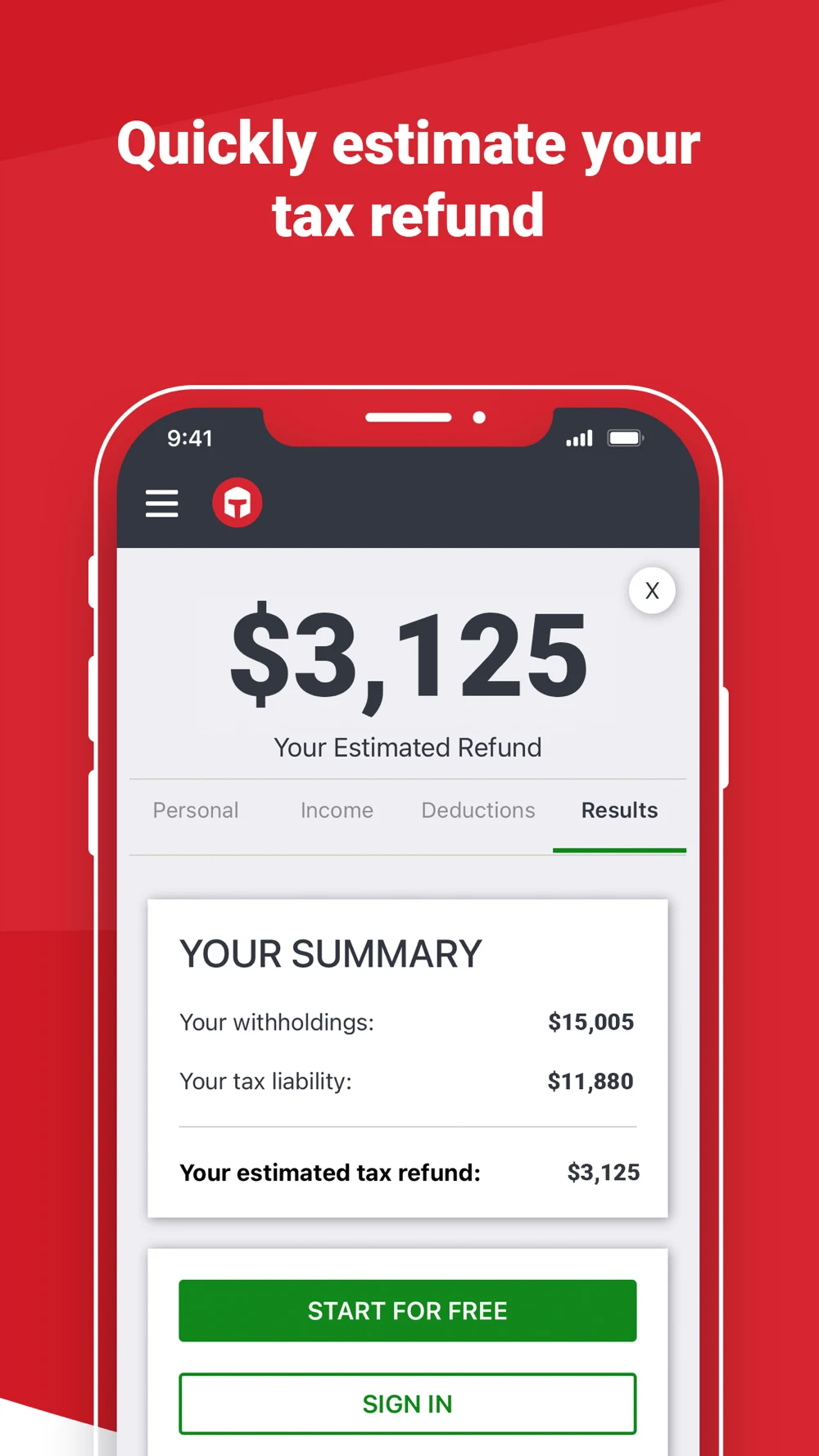
Panel 1 · A headline emphasizes quick mobile filing while the interface is cropped.Panel 2 · An angled refund summary shows an expected amount and fee context.Panel 3 · A preparation frame shows a sign-in screen and an accuracy claim.Panel 4 · An estimated refund screen displays a summary of inputs.
The final frame labels the amount as an estimate, a useful distinction. Test a task-led preparation or review screen earlier, with the estimate label preserved at store size. Guarantee language has conditions in the listing; do not convert it into an unqualified promise or assume every customer receives a refund.
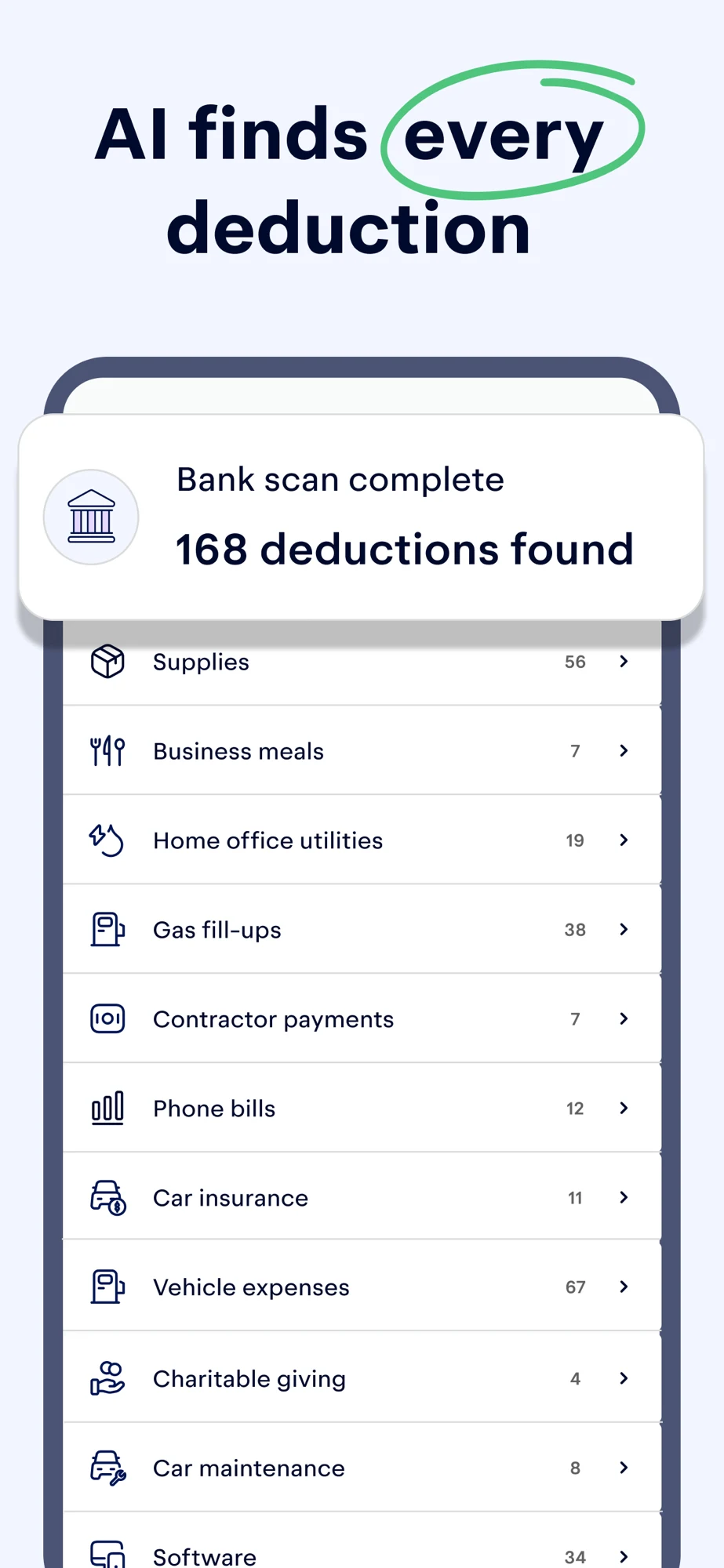
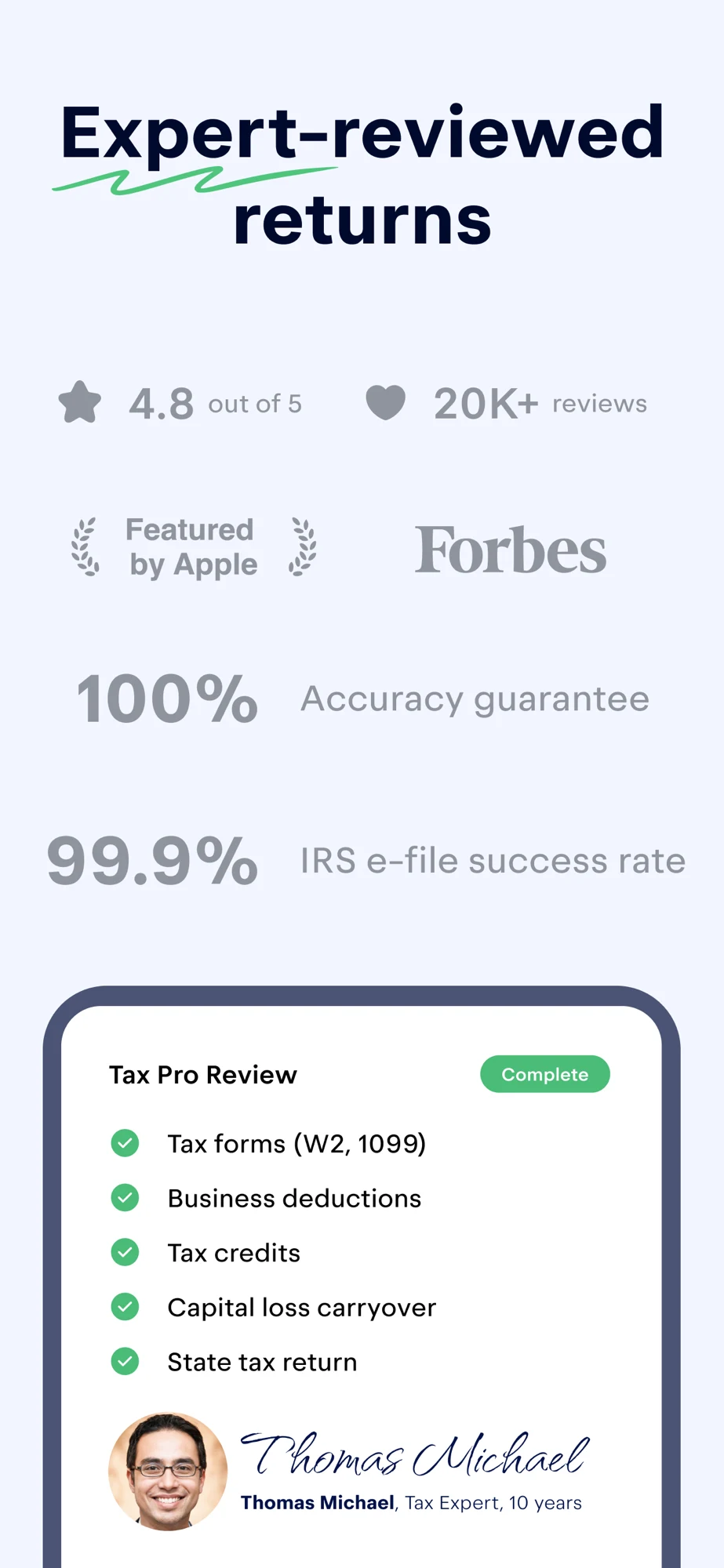
Keeper: AI positioning, expense suggestions, review and chat
Panel 1 · A text-led opening describes complex tax filing and AI positioning.Panel 2 · A bank-scan overlay presents a count of potential deduction categories.Panel 3 · An expert-review frame combines a checklist with publisher claims and ratings.Panel 4 · A sample chat shows a question and a confident answer.
The sequence combines automation and human review. For a cautious creative test, make the actual review handoff and limits explicit before a universal deduction claim. A suggested expense is not automatically deductible; the example chat is publisher creative, not independently verified tax advice. Do not copy its conclusion into a customer recommendation.
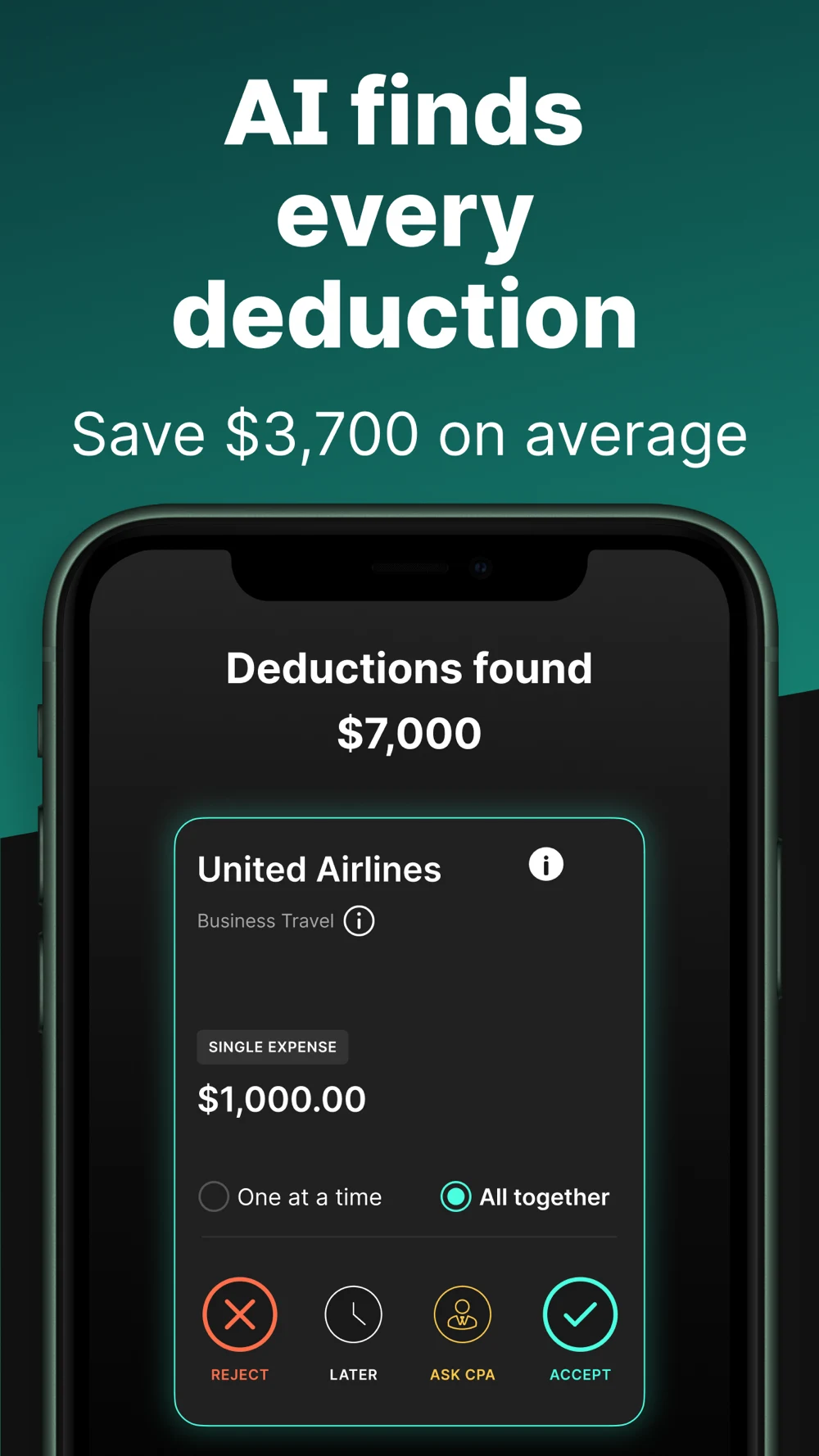
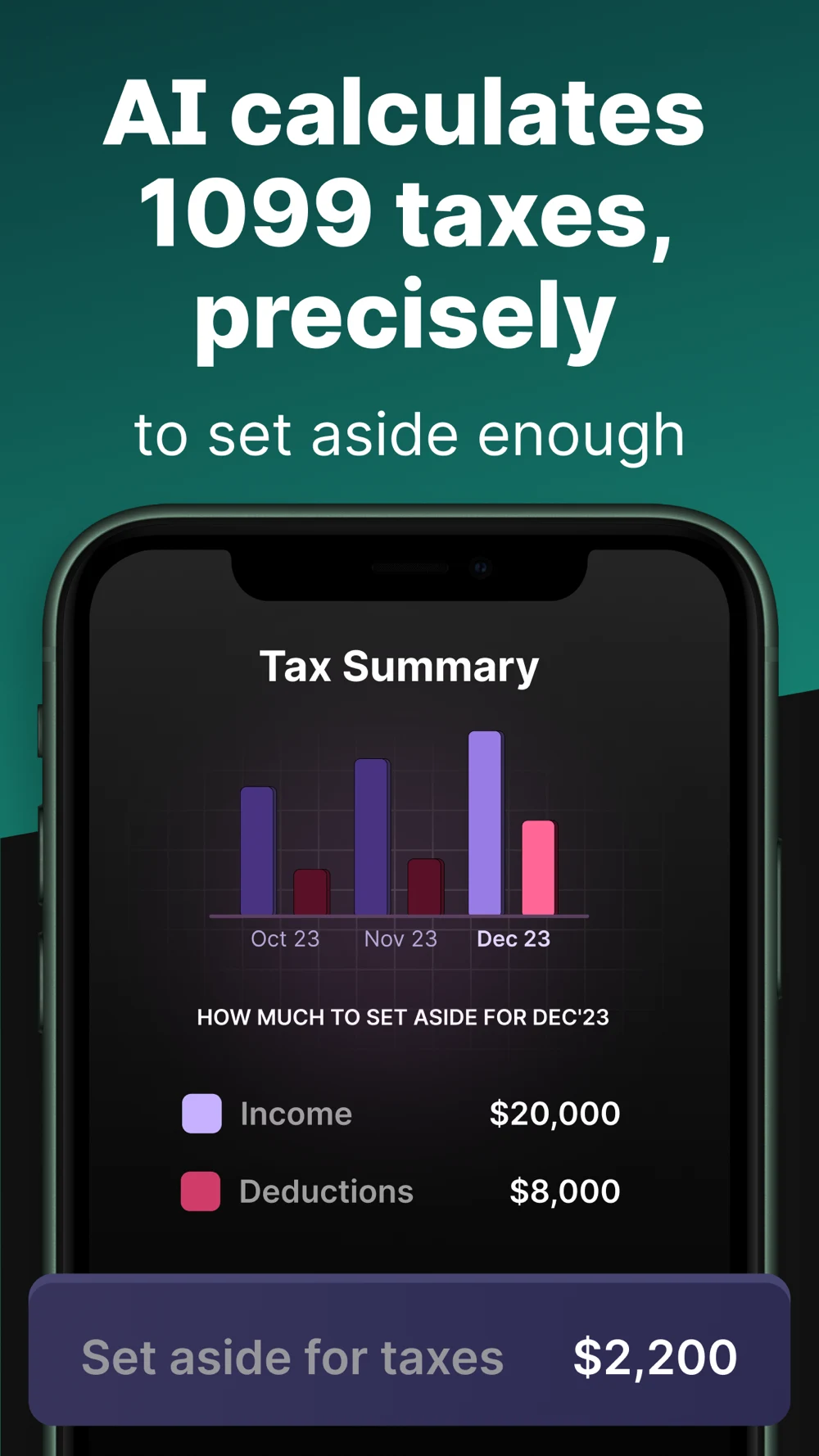
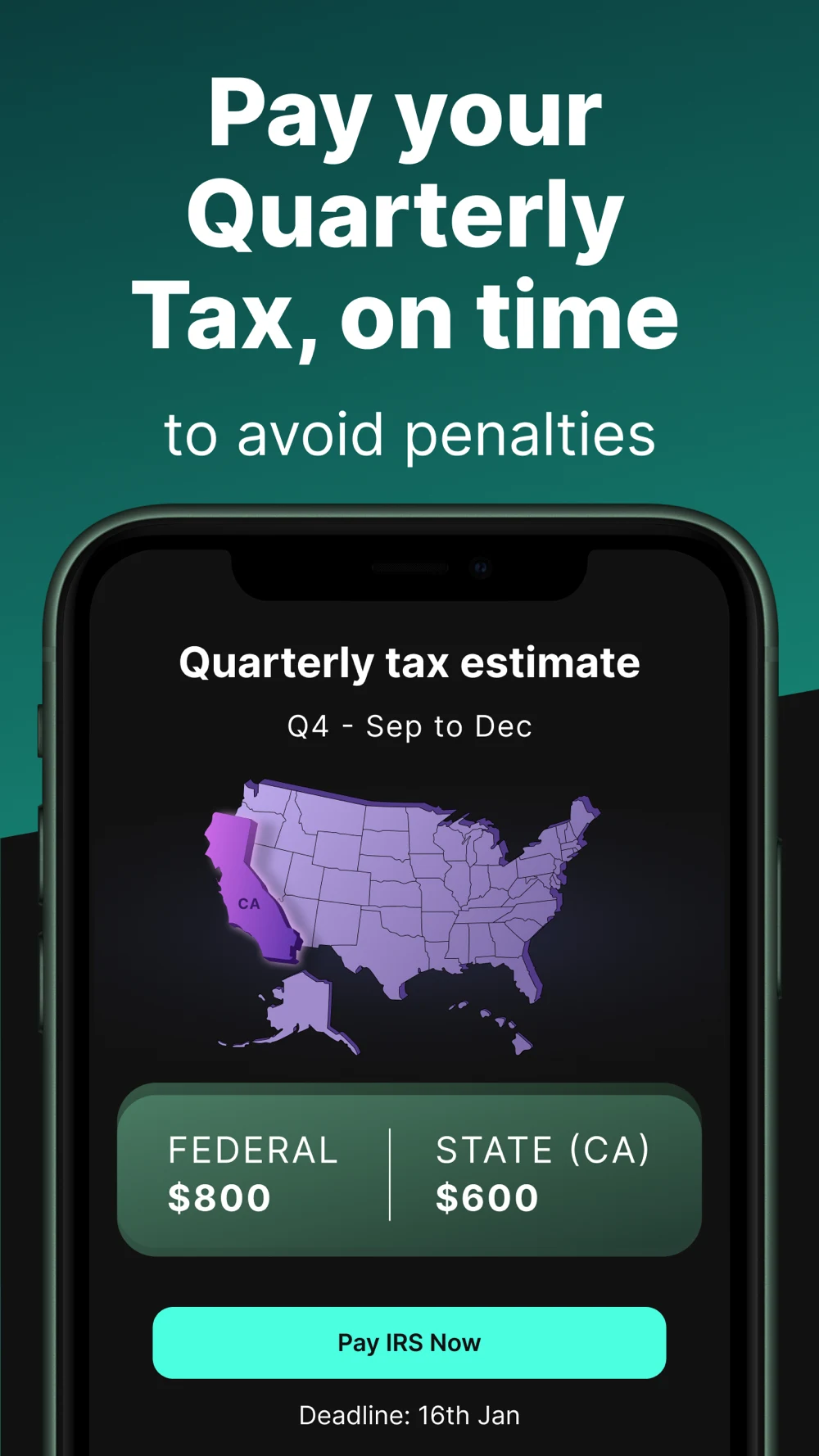
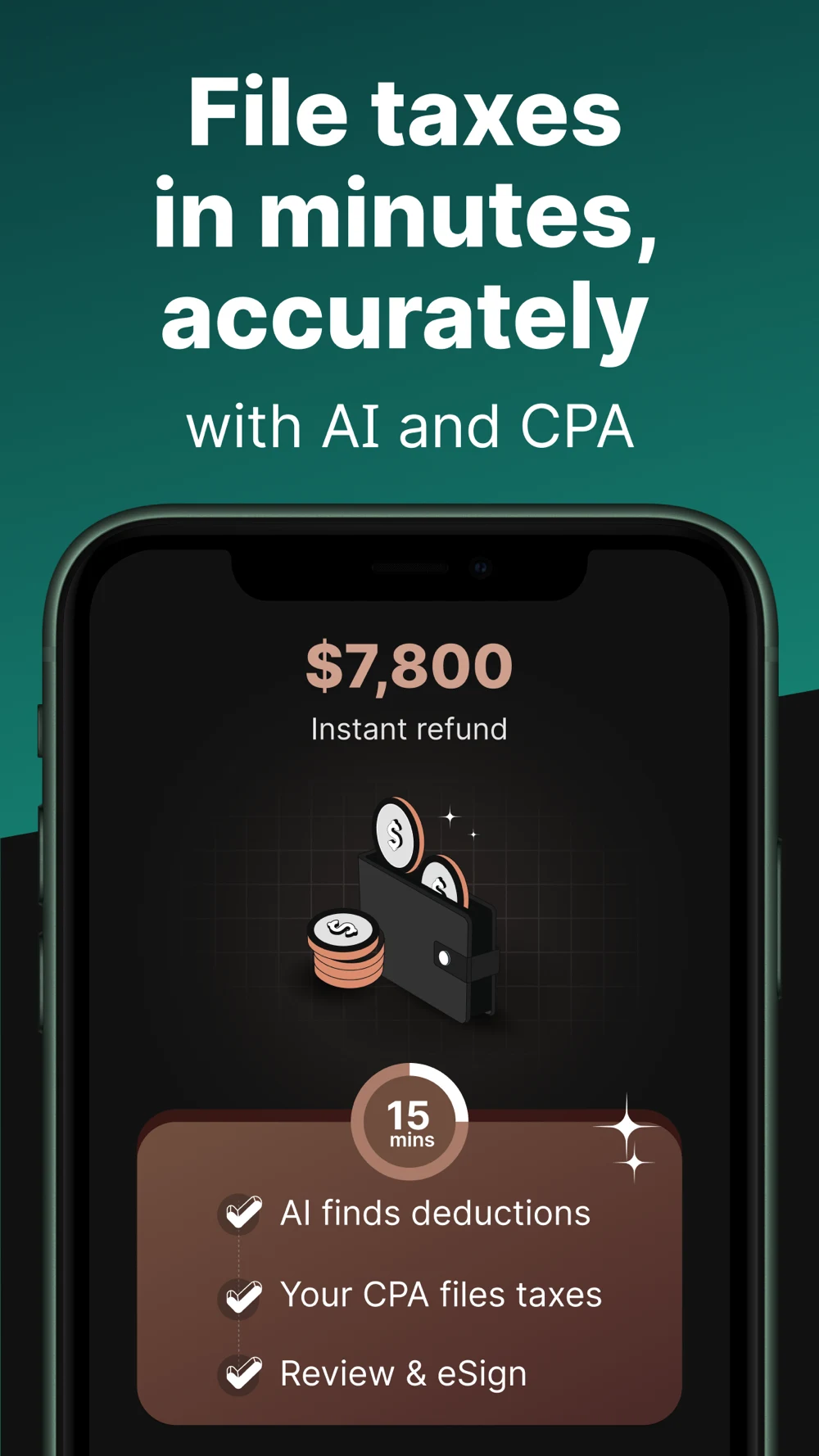
FlyFin: Deduction review, estimated tax, payment and filing
Panel 1 · A deduction-finding claim sits above an expense card with review controls.Panel 2 · A tax summary shows income, deductions and an amount to set aside.Panel 3 · A quarterly estimate separates federal and state amounts and a payment control.Panel 4 · A filing frame combines an instant-refund label with a short checklist.
The accept, reject and ask-professional controls are useful examples of reviewable actions. Test their meaning without repeating universal savings or speed claims. Keep estimated amounts separate from completed payment or refund status, and verify actual tax-year dates and the order of review, authorization and filing.
Accepted or rejectedUse the actual agency or provider response.
RefundAny later refund status is a separate event.
The diagram is a communication checklist, not a universal state machine. A provider may use different names and may show separate federal and state responses. A draft estimate can change as information is added. Submission is not the same event as an agency response, and acceptance is not a refund payment. Link the user to the correct source and preserve the actual state.
Test a screen with the amount hidden first: can the participant explain what has happened? Then reveal an estimated refund or balance due with its source and label. For an expert service, ask what the expert does before the customer reviews and authorizes anything. Use screenshot copy and sequence planning to keep the journey understandable.
A panoramic screenshot can be attractive when both panels appear together, but one panel may be displayed alone in another placement. Test each frame independently and preserve required context with the relevant claim. These are hypotheses to evaluate, not claims about how the reviewed apps perform.
TAX PREPARATION APP ASO
Write the copy around real work, coverage and next steps.
Bridge Demo is a fictional self-guided tax-preparation product for this exercise. Assume it supports a defined set of US federal and state returns, document upload, review and e-filing status. It does not promise that every form, jurisdiction or tax year is supported, or that an expert will review every return. Before using the copy, confirm the actual product and tax-year scope.
4. Identify the tax task, then show the review.
TitleBridge Demo: Tax Filing
SupportDocuments, review & filing
FrameReview documents before filing
ProofActual document states and supported next action
Prepare a supported return, review documents and follow filing status.
70 / 80
The name identifies tax filing and the subtitle describes the work. The keyword field adds supported concepts without repeating the title or adding competitor names. These are unmeasured candidates, not claims about search demand. Validate real product coverage and use the keyword-field guide to refine the final version.
A description that explains the journey
Illustrative opening: “Prepare a supported tax return one step at a time. Bridge Demo helps you organize eligible documents, enter your information and review the return before you choose whether to submit it.”
“See what still needs attention. Review each supported document, check imported information and return to your draft when you are ready. The app shows the available filing status for the return you submit.”
“Check the filing year, jurisdictions, supported forms and total price before continuing. An estimated refund or amount due can change as information is added. Submitting a return and receiving an agency response are separate steps.”
This is teaching copy, not a substitute for specific eligibility, fee, payment, privacy or support details. If federal filing is free only for particular situations, state that scope. If a state return or human assistance costs extra, show it where the customer decides. Do not label a provider’s estimate as official agency information.
Swipe horizontally to compare all columns →
A self-guided sequence for the fictional app
Frame
Headline hypothesis
Evidence required
Customer question
Opening
Prepare your return at your pace
Real self-guided questionnaire and return scope
Who does the work?
Documents
Review the documents you add
Supported form list and real intake controls
What can I upload or enter?
Review
See what still needs attention
Actual draft review and correction controls
What remains before submission?
Price
Know the price before you file
Real federal, state and support charges
What will I pay and when can it change?
Submission
Follow the return you submit
Real provider and agency response states
Has the return been sent and accepted?
After filing
Find the next supported step
Accurate status source and available records
Where do I find my return or refund status?
Useful calls to action describe what a control actually does: “Review documents,” “Review return,” “See price” and “Check status.” “File now” belongs only at a genuine submission step after the required review and authorization. “Get your refund” would turn an uncertain result into a promise.
A preview can follow a single fictional return: add a supported document, check the imported fields, review an unfinished return, inspect the price and show where a later status will appear. Keep the draft state visible. Do not animate directly from upload to an accepted return or a paid refund.
An expert-led product needs its own brief. Show whether the professional answers questions, reviews a customer-prepared return or prepares it from start to finish; identify who authorizes submission and the actual price. Use the short description, long description and first screenshots to tell the same story.
TAX PREPARATION APP ASO
Avoid claims that blur filing, payment and refund status.
These are issues to check in a product’s own listing, not allegations that every reviewed company makes them. A screenshot reveals a communication choice; it does not establish a customer outcome. For each possible mistake, preserve the original, explain the potential misunderstanding and test a focused improvement.
5. Explain the real price before asking for commitment.
FederalActual filing or preparation charge
StateSeparate supported state return charges
HelpPrice and availability of expert assistance
TotalCurrent estimate, conditions and any change triggers
Swipe horizontally to compare all columns →
Tax-app creative mistakes and remedies
Potential mistake
Why it matters
Practical correction
Showing a refund as a guaranteed outcome
A return can result in a balance due, no refund or a different amount
Label the provider estimate and its stage
Treating submitted as accepted
Transmission and agency response are separate events
Use the actual response and its source
Treating acceptance as refund payment
A later refund process may still be pending
Show a separate status and avoid a promised date
Calling a document upload a filed return
Intake is an early preparation step
Show remaining review and authorization steps
Saying free without its eligibility
Federal, state and support charges may differ
Explain scope and total-cost conditions
Combining federal and state into one unclear price
Different filings or jurisdictions may have distinct fees
Itemize current charges and change triggers
Using a prior tax year as evergreen copy
The supported return year and season can change
Assign a seasonal review date and owner
Promising expert help without defining the role
Answers, review and full preparation are different
Show the real service and availability
Claiming every expense is deductible
Eligibility depends on the actual situation and rules
Present suggestions as items for review
Using an agency seal or official language without authority
A commercial product can be mistaken for a government service
Identify the provider and source accurately
Implying a filing action also pays tax
Return submission and payment are separate
Show the actual payment step and confirmation
Hiding permission or document-sharing scope
Customers may not know what data is accessed
Explain actual access and sharing controls
Making a panoramic frame unreadable alone
Some placements may show only one half
Test each frame independently
The IRS Free File page describes eligibility and possible state or other charges for particular options. The marketing lesson is not to copy its terms into every app. It is to verify the actual offer, supported forms and total price, then keep the qualification close to the claim.
When a screen shows an estimated refund, ask what data it uses, which jurisdiction it covers and whether more information could change it. When it shows a status, ask who supplied the status and which return it refers to. Use readability and trust signals to make that evidence clear rather than relying on a large number or badge.
Maintain a change log for the tax year, offer, screens and assumptions. Use test prioritization to compare one meaningful change at a time. If the price, audience, first image and offer all change together, the result cannot isolate which change mattered.
TAX PREPARATION APP ASO
Build search campaigns around the actual filing service.
Structure Apple Ads around the job and the product’s actual coverage. Self-filing, expert assistance, document organization and post-filing status have different intent and economics. A relevant page should explain the supported filing year, return type, professional role and applicable price before the visitor commits.
6. Match paid traffic to the supported filing journey.
SearchA real filing, document or support task
PageMatching service, coverage and eligibility
ActivationA defined meaningful preparation milestone
QualityCompleted, understood service and suitable retention
Swipe horizontally to compare all columns →
Apple Ads campaign blueprint — no campaign or spend created
Campaign role
Research input
Starting structure
Page and product check
Own brand
Verified product names
Separate brand reporting
Official product identity and appropriate returning-user route
Self-guided filing
tax filing app; prepare tax return
Focused exact group; Search Match off
Actual supported return and self-guided workflow
Expert assistance
tax app with expert review; tax professional help
Separate group only for a real service
Actual role, availability and price
Self-employed filing
1099 tax filing app; freelancer tax app
Separate supported forms and tax situations
Real document and review workflow
Document organization
tax document organizer; share documents with tax preparer
Separate if the service supports this job
Actual sharing, import and review controls
Competitor exploration
Relevant verified brands
Bounded separate reporting
Your own identity without implied affiliation
Discovery
Supported seed terms and customer language
Separate broad-match and Search Match exploration
Accurate general page and frequent term review
For the fictional Bridge Demo, begin with the self-guided service it actually provides. Do not target expert-review intent unless that feature exists. Apple’s campaign-structure guidance supports separating brand, category, competitor and discovery purposes. Add tax-year, jurisdiction and service gates to those categories.
Exact match can include close variants, reordered terms and translations; broad match can extend to related searches. Review actual matched searches, not just your keyword labels. Keep Search Match off in a focused exact group when the purpose is to isolate that hypothesis. See Apple’s current match-type documentation.
A custom product page for self-employed filing should show the actual supported income and expense-record workflow; an expert page should explain the real professional role. Follow custom product page guidance for supported assets and keyword assignments. Do not imply a visitor qualifies for a free plan or a particular refund merely because they tapped an ad.
Move from a search term to an evidence-backed decision
Suppose discovery matches “upload W-2 tax return,” “official IRS refund status” and “free expert tax filing.” These are fictional examples, not observations from a real ad account. If the first task is genuinely supported, inspect the search results and the product flow before considering a focused exact test. A commercial self-filing app should not imply it is the official agency status service. Expert filing is irrelevant if no such service is offered.
Use appropriate negatives for irrelevant searches, but do not broadly exclude “tax” because one query was a mismatch. Apple’s negative-keyword documentation distinguishes exact and broad behavior; exact negatives are the default. Record the reason and check what a broader exclusion could remove. If a useful term moves from discovery to a controlled group, plan routing so the experiments remain interpretable.
Feed real search language back into ASO: do people expect a prior-year import, human review or a state return? Does “free” mean federal filing only to the visitor? A paid query is evidence to investigate, not automatic permission to make a claim. Use keyword gap analysis to record the supported opportunities.
Define activation and the seasonal economics
A self-guided funnel might be new install → eligible return start → supported document review → return review → actual submission → agency response. Separate returning customers and federal versus state returns where the product can observe them. A refund amount is not the company’s revenue, and an accepted return does not establish a refund payment or customer satisfaction.
Agree an acquisition ceiling from actual plan revenue, costs, refunds, support workload and retained customer value. A full-service product and a free self-filing product have different economics. Monitor the seasonal mix, return-year availability, promotions and deadline-related traffic; none should be treated as a universal benchmark.
Illustrative arithmetic: if a business independently approves $24 per qualified filing customer and 20% of new installs reach that milestone, the implied install ceiling is $4.80. If 30% of taps produce those installs, the implied tap ceiling is $1.44. The inputs are invented for demonstration; they are not market averages, recommended bids, forecast results or permission to spend.
Swipe horizontally to compare all columns →
A bounded hypothetical tax-app pilot
Pilot decision
Predefined rule
Why
Scope
One supported year, jurisdiction and service
Avoids mixing unavailable returns and different expert models
Budget
An approved cap and stop conditions
Keeps exploration bounded
Cohort timing
Allow enough time for preparation and agency response
Same-day installs do not equal completed returns
Primary measure
Cost per defined qualified filing milestone
Separates suitable customers from general traffic
Quality
Price comprehension, support fit and accurate status expectations
Cheap traffic can come from a misleading promise
Confounders
Record season, offers, filing-year changes and product releases
The audience changes throughout the tax cycle
Decision
Expand, revise, stop or retain an inconclusive result
Avoids declaring a winner from a small apparent difference
Attribution and privacy limitations may prevent connecting every search to an individual filing event. Use authorized aggregate reporting, define the denominator and do not move real tax records into marketing worksheets. See conversion definitions, search versus browse and ASO KPIs.
A paid creative result does not establish an organic ranking effect or a tax outcome. Create a separate metadata or screenshot hypothesis and compare like-for-like cohorts. The useful link between ASO and user acquisition is shared evidence about language, supported service and customer understanding.
TAX PREPARATION APP ASO
Track the service changes behind seasonal tax creative.
These observations come from the dated ten-app US iOS sample, not a market-size study. They suggest questions to investigate; they do not establish demand, growth or conversion advantage.
Swipe horizontally to compare all columns →
Patterns in primary listing and screenshot evidence — 27 October 2026
Pattern in the reviewed material
Question to test
What remains unknown
Expert and self-guided options appear under broad filing language
Does the visitor understand who prepares and reviews?
Audience-specific service fit
Document import is used as a switching story
Can readers see what imports and what they must verify?
Actual comprehension and downstream completion
Refund figures compete with preparation steps
Does the estimate label remain visible and understood?
How the sequence affects qualified activation
AI appears beside human assistance
Which tasks are automated and where does review occur?
Accuracy and customer outcomes
Federal and state tasks are shown together
Are separate coverage and price differences clear?
Interpretation for each jurisdiction
Tax-year and seasonal offers appear in metadata and creative
Are assets reviewed when the filing cycle changes?
Actual demand or relative performance by season
The source listings and original panels support these observations. AI and speed language are publisher positioning, not independently verified results. The H&R Block subtitle is a dated example of year-specific copy; it should trigger a review, not an assumption about current availability.
Keep a seasonal claim register with tax year, supported forms, jurisdiction, offer, price, source, owner and next review date. When a service changes its federal/state coverage, expert access or status flow, update the listing and paid variants together. A historic screenshot can remain attractive after its conditions change.
For a numerical trend chart, collect a consistent time series with the same storefronts and definitions. Until then, use the explanatory graphics in this guide instead of invented percentages about adoption, refunds or conversion.
TAX PREPARATION APP ASO
Use AI to clarify the work without inventing a filing result.
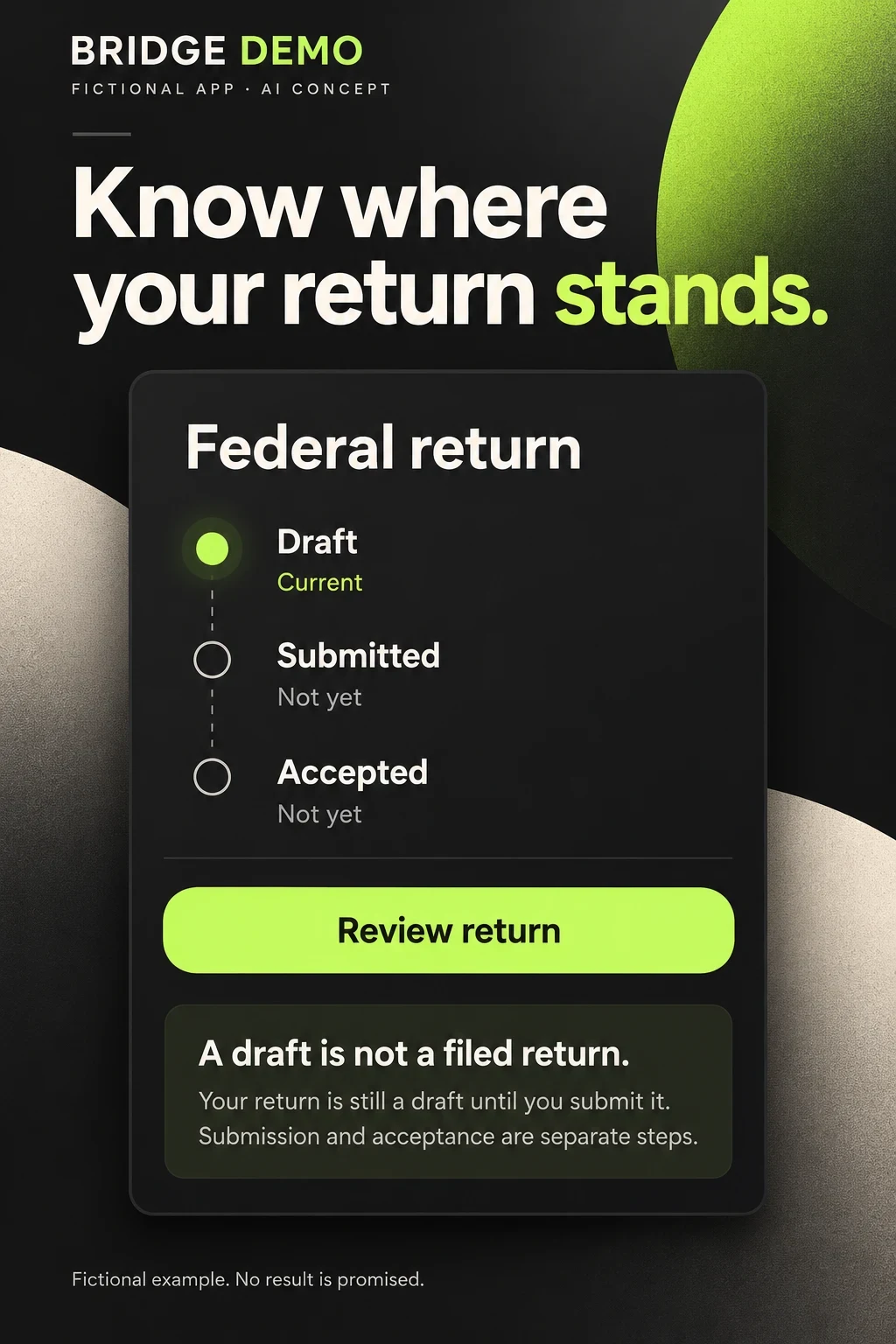
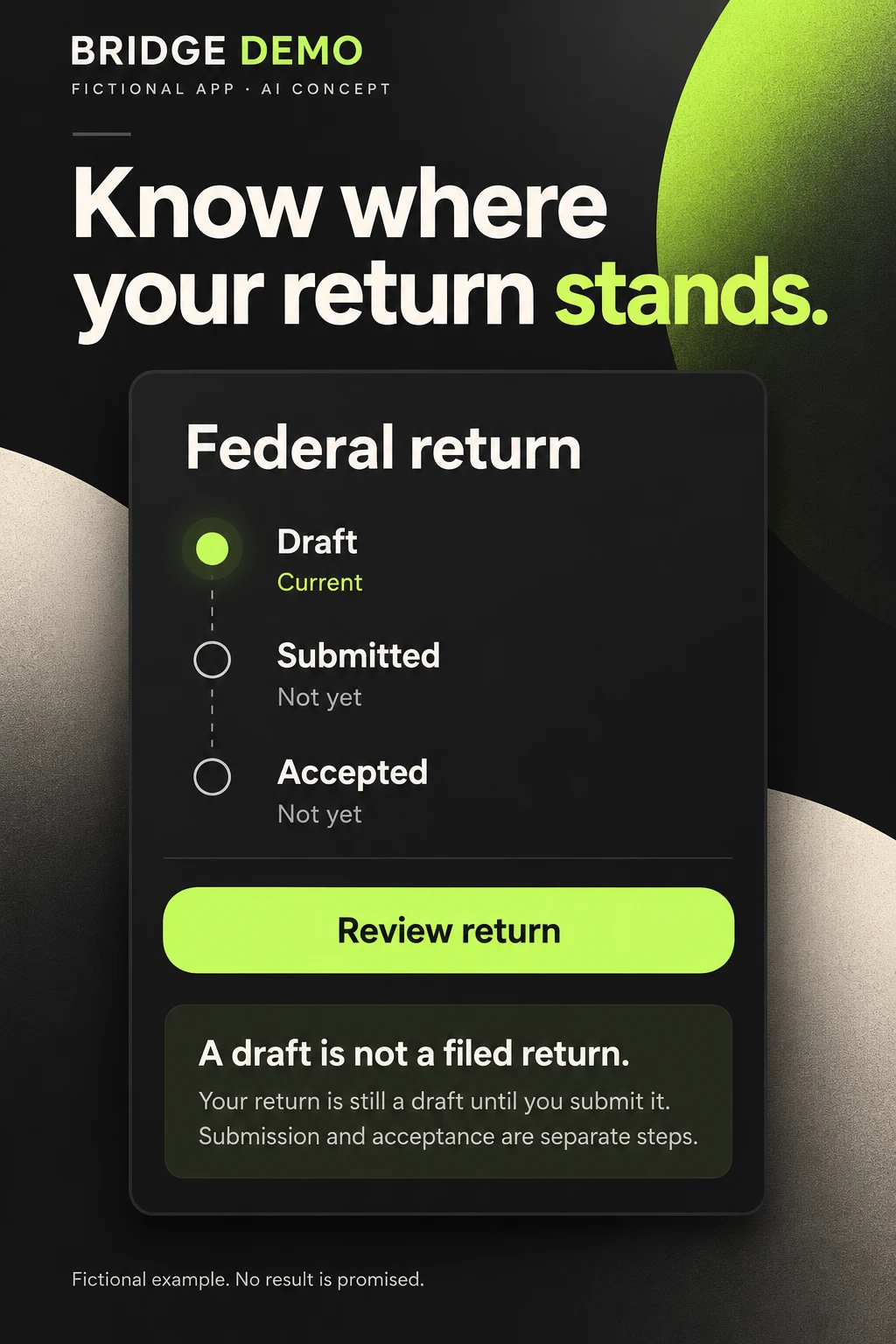
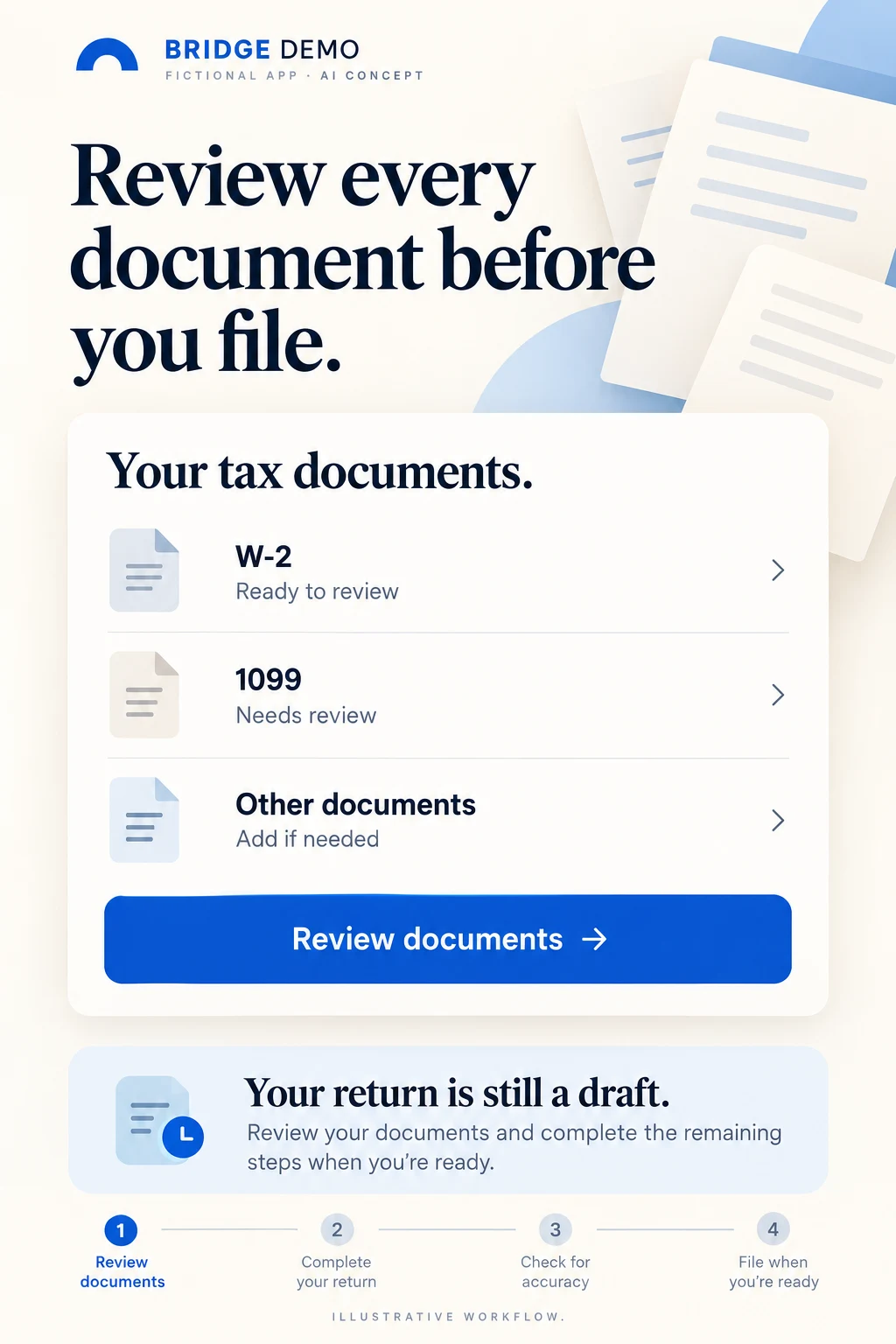
The two Bridge Demo images are original fictional AI teaching concepts. One separates return stages; the other presents a document-review task. They are not real app screens, tested designs or evidence of a completed filing.
AI CONCEPT · A draft is not a submitted return · Open full size.AI CONCEPT · Review documents before filing · Open full size.
7. Use AI to clarify the process, not invent a tax result.
SupplyApproved UI, forms and fictional data
ConstrainPreserve year, jurisdiction and stages
InspectCheck wording, arithmetic and implied claims
RebuildUse actual product screens before store testing
Swipe horizontally to compare all columns →
AI critique — product verification comes before production
Concept
What works
What must be rebuilt and verified
Test question
Return status
Draft, submitted and accepted are visibly distinct; no refund is promised
Use the real federal and state status definitions, response source and rejection path; verify the generated explanatory copy
Has the return actually been submitted or accepted?
Document review
The list names tasks and keeps the return in draft
Verify supported forms and the AI-added four-step sequence; a 1099 category may require a specific form; improve small-text contrast
Which document needs review and what has not happened yet?
The status image added an explanatory sentence and omits a rejected or pending response. Its simple sequence is useful for teaching, but a real app may have separate federal and state statuses or additional steps. The document image added a four-step process that was not requested. Do not assume that generated sequence matches the product. Both concepts use fictional labels and different brand treatments; rebuild them in the approved design system.
Do not place real names, tax IDs, return amounts or private documents in an AI prompt. Use fictional test data and approved screens. A model can produce plausible but wrong tax form names, dates, costs or confirmations. A polished interface is not evidence that a return has been filed or that the tax calculation is correct.
Give AI a constrained creative task
“Using the approved tax-document screen and fictional test data, propose three readable compositions. Preserve the supported form names, filing year, document state and actual next action. Do not add refund amounts, claims of accuracy, agency logos or a submission confirmation. Identify missing information rather than inventing it.”
For a status flow: “Use the supplied federal and state status definitions. Show draft, submitted, agency response and any rejection as distinct stages. Never mark an unfinished step complete. Do not claim a refund was issued or provide a payment date. Explain which customer question each design answers.”
The production sequence is hypothesis, approved inputs, generated concepts, line-by-line review, rebuild with real UI, accessibility and language review, comprehension testing and then a focused store experiment. Use the creative-brief guide to keep source evidence and proposals separate.
Release a tax promise the product can actually support.
8. Localize the tax system, not just the headline.
YearSupported return year and availability
JurisdictionFederal, state or local scope and costs
LanguageActual support throughout the journey
ReviewCheck final assets and accurate filing states
Swipe horizontally to compare all columns →
Tax preparation ASO release checklist
Release check
Tax-specific detail
Evidence to retain
Service model
Self-guided, assisted, full-service or document companion is accurate
Approved capability and expert-role map
Year and coverage
Current supported tax year, forms and jurisdictions are correct
Current product coverage matrix
Price
Federal, state, support and any optional fees are clear
Approved price and eligibility record
Document intake
Supported imports, manual entry and review states are accurate
Actual product capture and permissions
Return status
Draft, submitted and agency response are distinct
Approved provider and agency status definitions
Refund and payment
Estimate, status, payment and refund are not conflated
Source definitions and actual UI
Expert and AI claims
Actual role, credentials, limits and handoff are supported
Service description and review owner
Localization
Language, tax system and assistance match the promised market
Native-language and product-market review
Accessibility
Form labels, status, price and controls remain readable
Small-screen and assistive-technology checks
Measurement
New filing customers, returning users and service outcomes remain distinct
Event definitions, cohort windows and attribution limits
Localize the tax system as well as the words. A W-2 or federal/state return is a US-specific context; other countries use different documents, agencies, deadlines and filing methods. A translated headline does not establish that the complete filing flow or professional support is available in that language. Use local keyword research, market prioritization, screenshot adaptation and localization QA.
Inspect the exported sequence at actual store size, including custom product pages. Keep the year, jurisdiction and price qualification with the claim it explains. Confirm that a fictional sample does not change from one return to another without explanation, and that no success icon appears on an unfinished stage. Recheck all seasonal assets when the filing year or offer changes.
After release, compare equivalent storefronts, filing years, product plans, traffic sources and mature cohorts. Record promotions, deadline proximity, availability changes and support capacity. A result can remain inconclusive. Better customer understanding is useful evidence, but it is not proof of a larger refund or a more accurate tax return.
Start with one supported return: document the service model, select one intent cluster, audit the first three screenshots and define a test. An ASO audit can connect the evidence; ASO services can coordinate research, copy, creative and measurement.
Scope: ten public US iOS listings, five original screenshot sets and official platform and IRS sources. No Android competitor audit, private tax filing, measured keyword demand or competitor conversion results. Audience segments, keyword ideas and fictional concepts require validation. This is app-marketing guidance, not personal tax, legal or financial advice.