ASOPROFESSIONALLET’S TALK ↗

HEALTH CATEGORY / SYMPTOM TRACKING

ASO FOR
SYMPTOM TRACKING APPS.

The job is not to diagnose someone. It is to preserve what changed, when it changed, what happened around it and what a person may want to discuss next.

MAP THE RECORD ↓
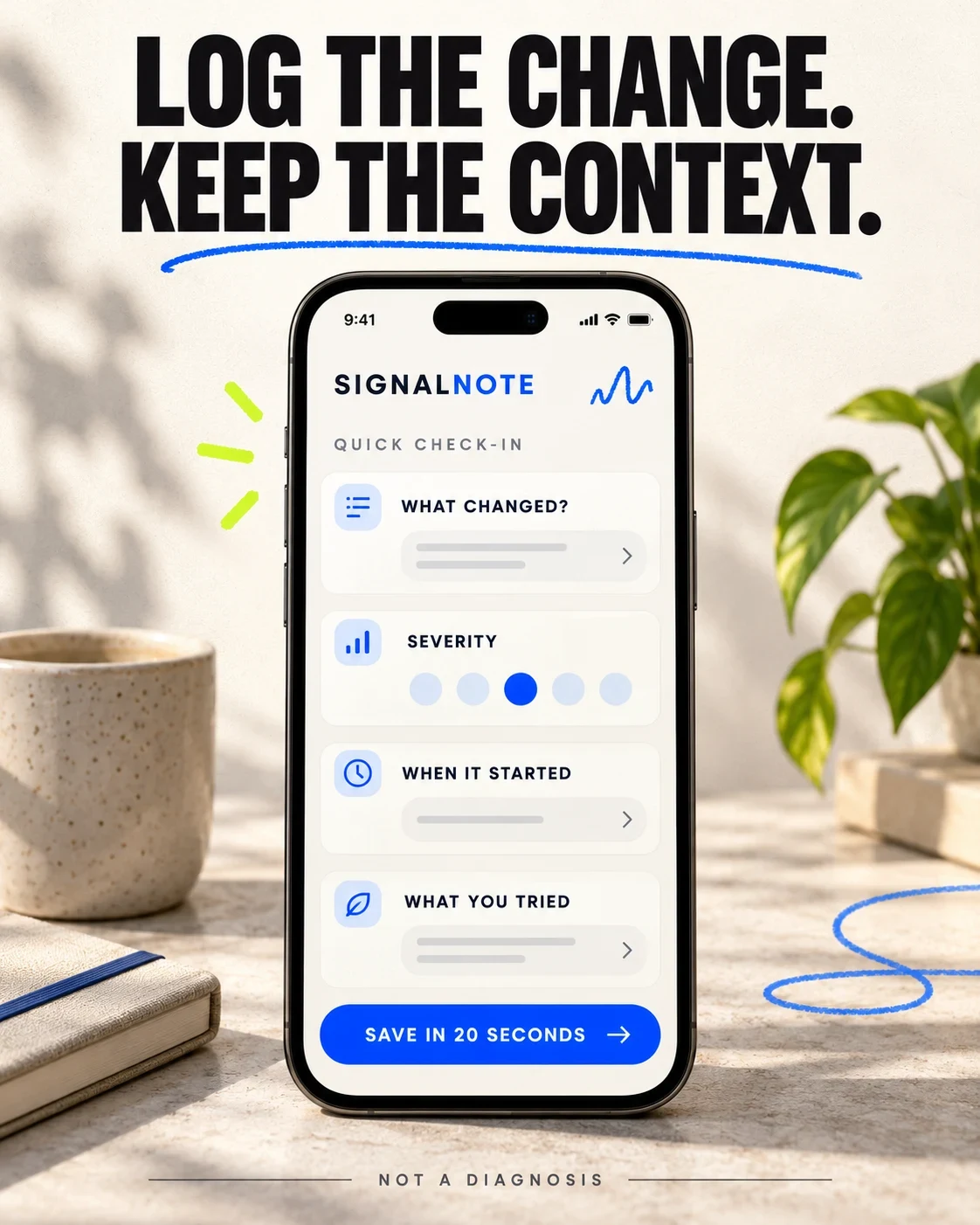
Fictional SignalNote concept showing a fast symptom check-in with context
RECORD AND PREPARE. DO NOT DIAGNOSE.

SYMPTOM TRACKING ASO

Map the recording job before collecting keywords.

Symptom tracking overlaps health journals, medication logs, food diaries, pain tools and symptom checkers. Pick the recording job before the keyword. Diagnosis and triage are not implied by this report; broader positioning belongs in the health-app category guide.

Swipe horizontally to compare all columns →

Illustrative editorial review
Product jobWhat the person expectsListing proof
Quick symptom recordSymptom, severity, start time and a noteFew steps, clear scale, edit and resume
Flare historyBeginning, peak, duration and recoveryTimeline, missing days and corrections
Context journalFood, sleep, activity, weather, cycle or stress beside symptomsSource, timing and non-causal wording
Medication and treatment notesWhat was taken or tried and what changed nextExact time, prescribed change and no treatment advice
Pattern reviewRepeated associations across a defined date rangeObservation count, gaps, method and uncertainty
Appointment preparationA concise brief for a professional conversationDate range, inputs, questions and export controls
Caregiver recordObservations entered for another personIdentity, author, consent and role permissions
Separate four symptom-tracking jobs
  1. LOGCapture a change quickly
  2. COMPAREReview patterns across time
  3. PREPAREBuild a dated appointment brief
  4. ESCALATEUse appropriate professional or urgent care

SYMPTOM TRACKING ASO

Potential audiences—and the context each one needs to keep.

These are product-audience hypotheses, not measured demographic shares. Research age, condition, care context, health literacy, disability, caregiving role, locale and privacy expectations directly. Never infer a diagnosis from a search phrase or app event.

Swipe horizontally to compare all columns →

Illustrative editorial review
Potential audienceJobConstraintListing proof to test
People managing recurring symptomsCreate a dependable history without repeating the story from memoryEnergy and attention may change day to dayShort check-in, editable history and missing-day state
People with chronic illnessConnect flares, fatigue and daily context over timeMany symptoms and treatments can make a dashboard unusableCustom fields, low-energy mode and bounded pattern language
Pain trackersRecord location, severity, timing and what helpedPain scales are personal and are not a diagnosisLabeled scale, body area, action and follow-up
Migraine and headache trackersPrepare a frequency, trigger and medication historyWeather and lifestyle associations can be mistaken for causesEpisode timeline, source count and correlation caveat
Digestive-symptom trackersCompare meals, bowel events and symptomsSensitive entries and food blame require carePrivate diary, timing, editable foods and non-causal wording
Medication-change monitorsDocument symptoms before and after a dose changeThe app must not advise starting, stopping or changing treatmentExact time, prescribed change, response and professional boundary
People preparing for appointmentsBring a concise dated record and useful questionsA polished report can look more certain than its inputsDate range, check-in count, missing days, source and export
Caregivers and familiesRecord observations for another person with consentIdentity, role, consent and disagreement are easy to hideProfile, author, timestamp, permissions and revoke control
Privacy-sensitive usersKnow where intimate health notes goHealth, food, medication and cycle data can expose private contextCollection, retention, sharing, export and deletion controls
Accessibility and cognitive-load-sensitive usersLog and review symptoms with limited energy, vision or concentrationTiny charts, long taxonomies and color-only scales block useLarge labels, voice or one-tap input, contrast and correction
Preserve the context behind every symptom
  1. SYMPTOMWhat changed in the person's own words
  2. SEVERITYA consistent scale with a visible meaning
  3. CONTEXTTime, activity, food, sleep or medication
  4. ACTIONWhat they tried and what happened next

Separate symptom, workflow and care intent with search intent and relevance before prioritizing a term.

SYMPTOM TRACKING ASO

Build clusters around the record—not the diagnosis.

These 100 phrases are candidates, not claims about search volume, difficulty, demand or ranking potential. A term belongs only when the product supports the symptom, workflow, audience, privacy and medical boundary it implies.

Core Symptom Tracker

symptom tracker app · symptom tracking app · symptom diary app · symptom log app · daily symptom tracker · health symptom tracker · track symptoms over time · personal symptom tracker · simple symptom tracker · quick symptom check in

Chronic Illness And Flares

chronic illness tracker · chronic condition tracker · flare tracker app · fatigue tracker app · brain fog tracker · chronic symptoms journal · invisible illness tracker · multiple condition tracker · bad day tracker · post exertional malaise tracker

Pain And Body

pain tracker app · chronic pain diary · pain level tracker · body pain map app · joint pain tracker · back pain diary · fibromyalgia symptom tracker · nerve pain tracker · pain trigger journal · pain report for doctor

Migraine And Headache

migraine tracker app · headache diary app · migraine trigger tracker · headache frequency tracker · aura symptom tracker · migraine medication log · weather and migraine tracker · migraine report for neurologist · light sensitivity tracker · headache location tracker

Digestive And Food

food and symptom diary · IBS symptom tracker · digestive symptom tracker · bloating tracker app · bowel symptom diary · food trigger tracker · meal and symptom tracker · reflux symptom tracker · gut health symptom journal · food intolerance tracker

Medications And Treatments

medication and symptom tracker · treatment response tracker · medication side effect tracker · PRN medication log · supplement and symptom tracker · therapy response journal · dose change symptom tracker · track symptoms after medication · medication effectiveness diary · treatment timeline app

Triggers And Context

symptom trigger tracker · weather symptom tracker · stress and symptom tracker · sleep and symptom tracker · activity and symptom tracker · period and symptom tracker · environment symptom tracker · symptom correlation app · habit and symptom tracker · symptom pattern journal

Reports And Appointments

symptom report app · doctor appointment symptom log · export symptom diary PDF · share symptom history with doctor · weekly symptom report · symptom timeline app · printable health journal · symptom summary for specialist · appointment preparation app · caregiver symptom report

Accessibility And Caregiving

low energy symptom tracker · brain fog friendly tracker · large text symptom tracker · voice symptom log · caregiver symptom tracker · family health symptom log · one tap symptom diary · customizable symptom scale · offline symptom tracker · accessible symptom journal

Privacy And Data

private symptom tracker · symptom tracker without account · on device symptom diary · delete symptom history · export and delete health data · symptom tracker privacy controls · anonymous symptom journal · local symptom tracker · encrypted symptom diary · symptom tracker consent controls

SYMPTOM TRACKING ASO

Ten narrow angles that require different product proof.

Swipe horizontally to compare all columns →

Illustrative editorial review
Narrow angleCandidate phraseProof required
Low energysymptom tracker for low energy daysOne-tap input, saved defaults, resume and correction
Brain fogbrain fog friendly symptom tracker with large textPlain labels, large text and low cognitive load
Medication changetrack symptoms after a medication dose changeTime, prescribed change, follow-up and no advice
Appointmentsymptom summary for specialist appointmentDate range, entry count, gaps and source-labeled export
Caregivercaregiver symptom log with shared permissionsProfiles, author, timestamp, consent and revoke
Digestivefood and symptom diary with editable mealsMeal time, portions, symptom time and correction
Migrainemigraine diary with medication and weather notesEpisode, medication, weather source and caveat
Painbody pain map with daily severity historyLocation, scale meaning and dated history
Privateon device symptom diary without accountVerified local behavior, backup, export and deletion
Accessibilityvoice symptom log with editable transcriptVoice input, review, correction and screen-reader support
Keep a pattern from becoming a diagnosis
  1. OBSERVATIONTwo events appeared together
  2. ASSOCIATIONThe pattern repeated in the record
  3. HYPOTHESISOne possible explanation to test
  4. REVIEWA qualified professional interprets it

A long phrase is useful only when it changes the product proof or landing story. Apply the long-tail method before calling it an opportunity.

SYMPTOM TRACKING ASO

Eight competitors—and several different reasons to keep a record.

Eight current US iOS identities and matching Google Play listings were verified on 27 October 2026. They span broad symptom records, illness pacing, food-symptom analysis, migraine and pain. This compares publisher-controlled positioning—not diagnosis quality, clinical validity, privacy performance, popularity or business results.

Swipe horizontally to compare all columns →

Illustrative editorial review
App and storesDeveloperCurrent iOS titleCurrent iOS subtitlePositioning role
Bearable / Google PlayBearable LtdBearable - Symptom TrackerMigraine, Pain, Mental HealthBroad mood, symptom, factor and insight tracking.
Guava / Google PlayGuava Health, Inc.Guava: Health TrackerManage meds, symptoms, recordsSymptoms, medication, records and visit summaries.
Visible / Google PlayVisible Health Inc.Visible: Pacing for illnessFor Long Covid, ME/CFS, POTS+Illness-specific pacing, stability and energy context.
mySymptoms / Google PlaySkyGazer Labs LtdmySymptoms Food DiaryIBS Food & Symptom TrackerFood, lifestyle and digestive-symptom correlation.
Folia / Google PlayFOLIA HEALTH, INCFolia: Health Symptom TrackerFlares, Meds. Capture it all.Custom observations, flares, treatments and patterns.
CareClinic / Google PlayCARECLINIC SOFTWARE INC.Symptom Tracker - CareClinicTrack Health & Chronic IllnessBroad chronic-illness and health tracking.
Migraine Buddy / Google PlayVoluntisMigraine Buddy: Track HeadacheHeadaches and Migraines DiaryNarrow migraine and headache diary.
Manage My Pain / Google PlayManagingLife, Inc.Manage My PainTrack, analyze, share.Narrow pain recording, analysis and sharing.

Track changes in a metadata change log. Compare only apps that serve a similar record or care-preparation job in the same market.

SYMPTOM TRACKING ASO

Symptom tracking is a health-data and wording decision.

Swipe horizontally to compare all columns →

Illustrative editorial review
DecisioniOSGoogle PlaySymptom-tracking consequence
Name30 characters30 charactersName symptom tracking or the supported narrow job
Support line30-character subtitle80-character short descriptionClarify flares, medication, diary, reports or privacy
DiscoveryKeyword field plus descriptionFull descriptionSeparate workflow and condition intent
TestingProduct Page OptimizationStore listing experimentsTest one supported record-to-review argument
Intent pagesCustom product pagesCustom store listingsBuild migraine, digestive, pain, report or privacy paths
Health contentMedical-accuracy and health-data scrutinyHealth declaration and health-content policyDocument intended use, limits, data and care boundary

Apple says medical apps whose inaccurate information could cause harm receive greater scrutiny. Google Play requires an accurate Health Apps declaration, privacy information and compliance with health-content rules. Health Connect may support an input or export workflow; it does not prove a causal pattern, diagnosis or treatment effect.

Recheck Apple product pages, Product Page Optimization, custom product pages, App Review Guidelines, Google Play fields, custom listings, experiments, the Health Apps declaration, Health Content and Services policy and Health Connect setup before release.

SYMPTOM TRACKING ASO

Five real screenshot sets, read as record-to-review stories.

All 20 panels were opened at readable size. The notes describe visible copy and interfaces. Testimonials, user counts, ratings, correlation percentages, accuracy language, insights and health outcomes inside source artwork remain publisher claims and are not repeated as independently verified facts.

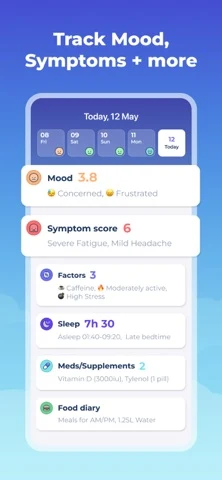
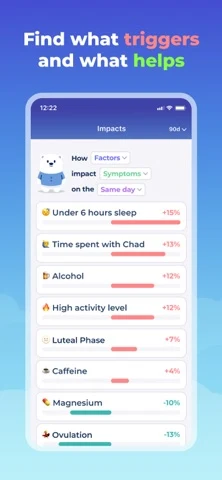
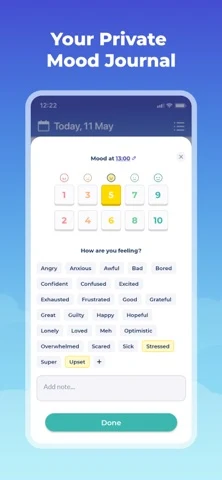
Bearable: The product arrives after the social proof

Original artwork from the Bearable US App Store listing, captured 27 October 2026. Select a panel to enlarge it.

What the sequence shows: Frame one is a publisher testimonial and popularity claim. The next frames show a broad daily record, factor-to-symptom percentages and a mood journal. The range is clear, while the opening delays the actual job and the percentages can look causal without method, sample or uncertainty.

What I would test: Lead with a 20-second symptom record, then show the number of observations, missing days and a pattern worded as an association—not a trigger discovered. The result is unknown until tested.

Guava: Breadth is clear; professional handoff is the strongest payoff

Original artwork from the Guava US App Store listing, captured 27 October 2026. Select a panel to enlarge it.

What the sequence shows: The opening combines mood, symptoms, medication and other inputs. The next panels show percentage associations, health records and a visit summary. The sequence demonstrates a fuller health record, but the appointment-preparation value arrives last.

What I would test: Move the visit brief to frame two: date range, entries, medication changes, unanswered questions and a clear statement that the report does not diagnose. The result is unknown until tested.

Visible: Audience and pacing job are unusually specific

Original artwork from the Visible US App Store listing, captured 27 October 2026. Select a panel to enlarge it.

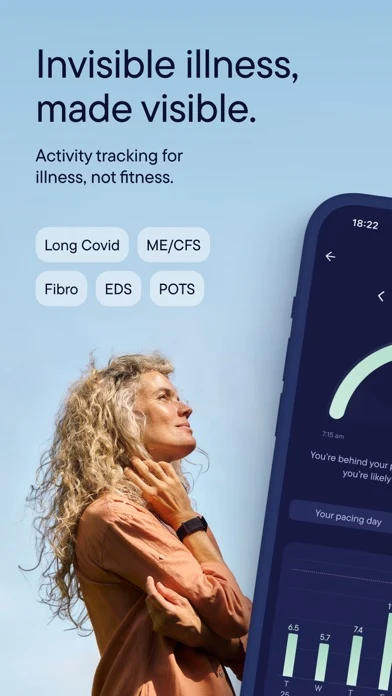
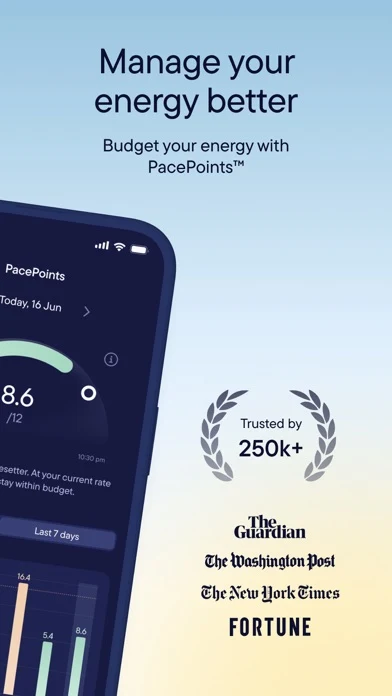
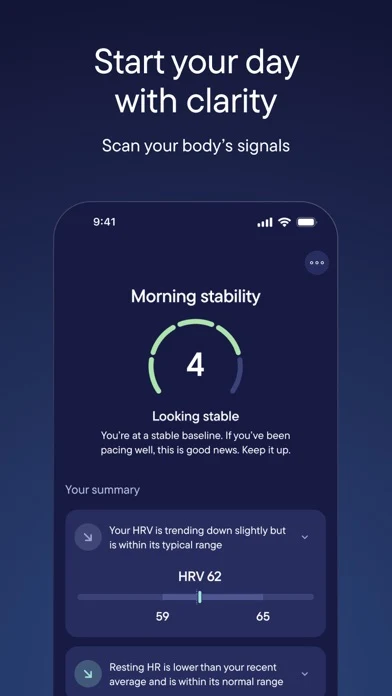
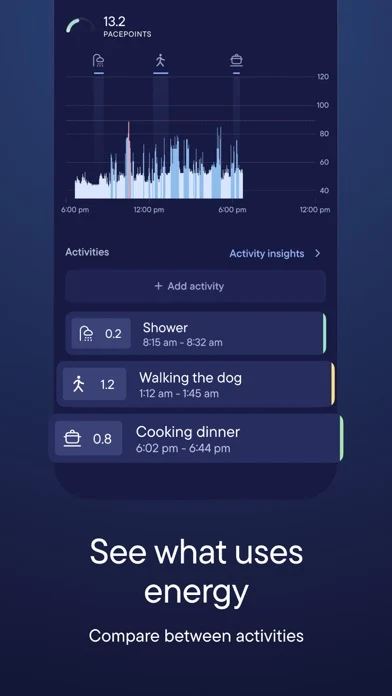
What the sequence shows: The first frame names invisible illness and several condition groups. Later panels show a branded energy budget, a morning stability view and activity costs. The intended audience and use case are clear, but the inspected panels do not explain required hardware, input sources or which outputs are observed versus calculated.

What I would test: Show compatibility and inputs before the branded score, then label measured, self-reported and calculated data separately. The result is unknown until tested.

mySymptoms: The niche is clear, but the first two frames delay the workflow

Original artwork from the mySymptoms US App Store listing, captured 27 October 2026. Select a panel to enlarge it.

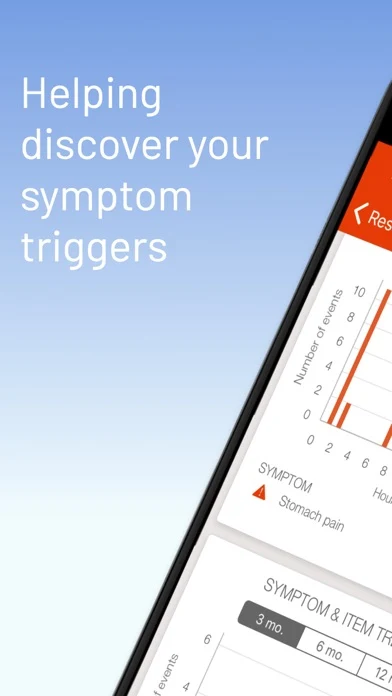
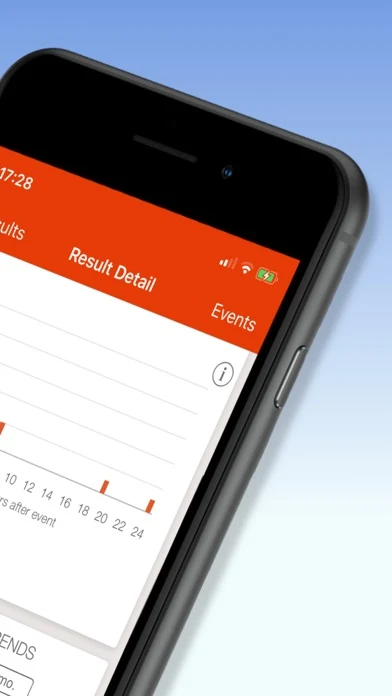
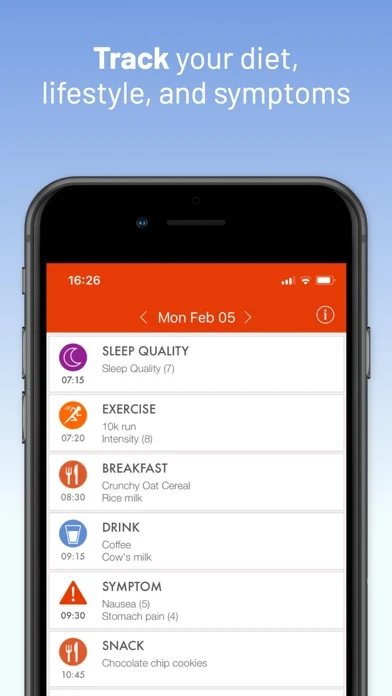
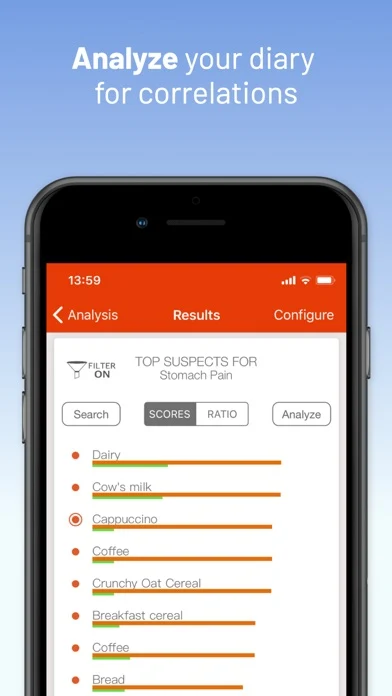
What the sequence shows: Two opening panels promise trigger discovery around an angled phone. The third finally shows a food, sleep, exercise and symptom diary; the fourth shows a correlation result with small text. The sequence is category-specific but visually delays logging and risks implying cause.

What I would test: Open with one readable meal-to-symptom timeline, then show an association with observation count, time window and a prompt to discuss concerns with a professional. The result is unknown until tested.

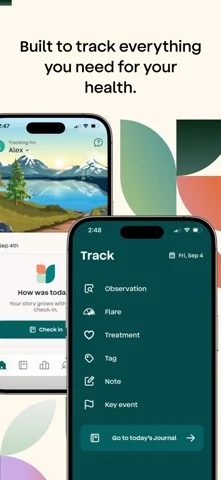
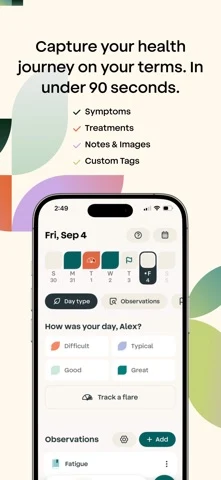
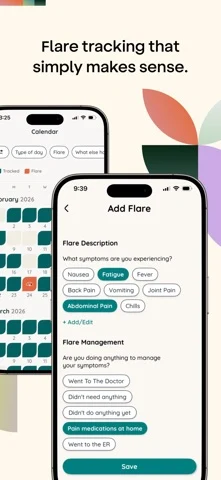
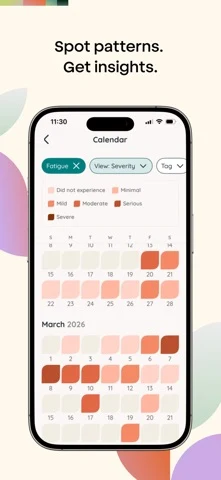
Folia: The flare workflow is tangible and calm

Original artwork from the Folia US App Store listing, captured 27 October 2026. Select a panel to enlarge it.

What the sequence shows: The set moves from broad tracking to a short daily journal, a detailed flare record and a severity calendar. It shows what a person can actually do. Export context, missing days, correction and the record-not-diagnosis boundary are not visible in the four inspected panels.

What I would test: Keep the strong workflow, then add a fifth frame for a source-labeled appointment brief with completeness and edit state. The result is unknown until tested.

Lesson 1 — Preserve the context.

Preserve the context behind every symptom
  1. SYMPTOMWhat changed in the person's own words
  2. SEVERITYA consistent scale with a visible meaning
  3. CONTEXTTime, activity, food, sleep or medication
  4. ACTIONWhat they tried and what happened next

Lesson 2 — Separate the jobs.

Separate four symptom-tracking jobs
  1. LOGCapture a change quickly
  2. COMPAREReview patterns across time
  3. PREPAREBuild a dated appointment brief
  4. ESCALATEUse appropriate professional or urgent care

Lesson 3 — Keep patterns from becoming diagnoses.

Keep a pattern from becoming a diagnosis
  1. OBSERVATIONTwo events appeared together
  2. ASSOCIATIONThe pattern repeated in the record
  3. HYPOTHESISOne possible explanation to test
  4. REVIEWA qualified professional interprets it

Lesson 4 — Make the first three frames a decision path.

Give the first three frames different jobs
  1. 01 / JOBLog the change without friction
  2. 02 / PROOFShow fields, timing and correction
  3. 03 / BOUNDARYExport context without diagnosing
  4. CUTRemove generic wellness promises

Lesson 5 — Show the full flare workflow.

Show the complete flare workflow
  1. FAST LOGSymptom, severity and start time
  2. CONTEXTTrigger, treatment or medication change
  3. FOLLOW UPWhat changed after the action
  4. CORRECTEdit missing or mistaken entries

Lesson 6 — Make sensitive data controllable.

Make sensitive symptom data controllable
  1. COLLECTSymptoms, notes, medications and context
  2. RETAINDuration, device and cloud behavior
  3. SHAREExports, caregivers and professionals
  4. DELETEEntry, attachment, export and account

Lesson 7 — Show the care boundary.

Keep tracking separate from medical care
  1. ROUTINE LOGRecord and review ordinary changes
  2. CONCERNDocument worsening or unfamiliar symptoms
  3. PROFESSIONALBring a dated source-labeled brief
  4. URGENTFollow local emergency guidance

Lesson 8 — Measure a useful record, not a tap.

Turn search intent into qualified learning
  1. GROUPSplit condition, workflow and audience intent
  2. LANDMatch the supported logging job
  3. ACTIVATEMeasure a useful first record
  4. LEARNPromote only relevant supported language

SYMPTOM TRACKING ASO

Worked metadata and screenshot copy for a symptom tracker.

SignalNote is fictional. This example assumes configurable symptoms, labeled severity, timing, medication notes, corrections, missing-day disclosure, contextual exports and a non-diagnostic boundary. None should ship until product, clinical, legal, privacy, security, accessibility and market owners verify them.

Swipe horizontally to compare all columns →

Illustrative editorial review
FieldWorked copyCount
iOS nameSignalNote: Symptom Tracker27 / 30
iOS subtitleLog Flares, Triggers & Care27 / 30
iOS keywordssymptom,tracker,diary,flare,pain,migraine,meds,trigger,health,journal,report,doctor,fatigue91 / 100
Google nameSignalNote: Symptom Tracker27 / 30
Google short descriptionLog symptoms, context and medication notes. Build a clear appointment brief.76 / 80

Description opening: Keep the details that are difficult to remember later. Record what changed, severity, timing, medication or treatment notes and the context around each entry. Correct mistakes, see missing days and export a dated brief for a professional conversation. SignalNote records information; it does not diagnose, treat or replace medical care.

CTA: Record what changed.

Swipe horizontally to compare all columns →

Illustrative editorial review
FrameMessageVisible proof
01Log the change. Keep the context.Symptom, severity, time and action
02A check-in built for low-energy days.Saved fields, resume and correction
03Notice a pattern—not a diagnosis.Date range, entries, gaps and method
04Bring a record. Not a guess.Appointment brief and questions
05Control what you keep and share.Retention, export, permissions and deletion
Give the first three frames different jobs
  1. 01 / JOBLog the change without friction
  2. 02 / PROOFShow fields, timing and correction
  3. 03 / BOUNDARYExport context without diagnosing
  4. CUTRemove generic wellness promises

App preview direction: A silent 20-second walkthrough: make a fast entry, add medication context, correct one field, review a source-labeled pattern, disclose missing days and export an appointment brief. End on privacy controls and the record-not-diagnosis boundary.

SYMPTOM TRACKING ASO

Ten symptom-tracking listing mistakes—and better tests.

Swipe horizontally to compare all columns →

Illustrative editorial review
MistakeWhy it failsBetter test
Leading with Find your diagnosisThe product overclaims before proving its recording jobLead with a fast contextual record
Calling an association a triggerEvents appearing together do not prove causeShow source count, date range and pattern language
Showing a polished report without gapsThe report looks complete even when logging was intermittentDisplay check-ins, missing days and edits
Hiding medication timingA medication note without time or change context is hard to interpretShow prescribed change, time and follow-up
Using one severity scale for everyoneScale meanings differ across people and symptomsUse labeled customizable scales
Turning every condition into a keywordCondition language implies support the product may not haveTarget only verified workflows and boundaries
Using tiny heatmapsDense color blocks exclude people and hide meaningUse labels, large text and alternate cues
Treating caregiver notes as neutral factsAuthor, consent and disagreement disappearShow who recorded what and when
Burying data controlsSensitive health notes may be stored or shared unexpectedlyExplain retention, export, sharing and deletion
Replacing urgent care with a logA tracking app is not a triage or emergency serviceShow clear local care and emergency boundaries
Keep tracking separate from medical care
  1. ROUTINE LOGRecord and review ordinary changes
  2. CONCERNDocument worsening or unfamiliar symptoms
  3. PROFESSIONALBring a dated source-labeled brief
  4. URGENTFollow local emergency guidance

Download the ten-test backlog. Turn each into a falsifiable A/B-test hypothesis.

SYMPTOM TRACKING ASO

Use ASO research to structure Apple Ads learning.

No campaign or spend is authorized. Keep exact, broad and Search Match discovery separate. Add negatives for diagnose, diagnosis, treatment recommendation, cure, emergency diagnosis, symptom checker, medical device and unsupported conditions or medications. Do not buy a condition term simply because it is related to symptoms.

Swipe horizontally to compare all columns →

Illustrative editorial review
Campaign groupQuery familyLanding argumentActivation event
Core trackingsymptom tracker app; symptom diary appFast record plus contextual historyFirst useful check-in
Flares and fatigueflare tracker; fatigue trackerLow-energy check-in and flare timelineFlare entry plus follow-up
Painpain tracker; body pain mapLocation, labeled scale and dated historyPain record completed
Migrainemigraine diary; headache trackerEpisode, medication and contextEpisode record completed
Digestivefood and symptom diary; IBS trackerMeal-to-symptom timeline and caveatMeal plus symptom record
Medicationmedication and symptom trackerTime, prescribed change and response notesMedication-context record
Appointmentsymptom report for doctorDated source-labeled briefQualified export
Privacyprivate symptom tracker; on device diaryVerified storage, sharing and deletionPrivacy controls reviewed
DiscoverySearch Match and bounded broadClosest supported workflowQualified first record
Turn search intent into qualified learning
  1. GROUPSplit condition, workflow and audience intent
  2. LANDMatch the supported logging job
  3. ACTIVATEMeasure a useful first record
  4. LEARNPromote only relevant supported language

Use Apple guidance for match types, negative keywords and campaign structure and Search Match. Match each exact group to one supported custom product page.

Set a spend ceiling, learning window and stop rule before launch. Compare cost per useful first record and qualified export with approved customer economics—not taps or installs alone. Evaluate with ASO KPIs, conversion definitions and a change log.

SYMPTOM TRACKING ASO

Five current category patterns—and the ASO consequence.

Swipe horizontally to compare all columns →

Illustrative editorial review
Current patternPrimary evidence reviewed 27 Oct 2026ASO implication
Broad trackers sell an all-in-one recordBearable and Guava combine symptoms with mood, medications, lifestyle or recordsMake the primary job visible before showing breadth
Narrow tools name the contextVisible, mySymptoms, Migraine Buddy and Manage My Pain speak to a specific job or condition familyUse intent pages only where product support is real
Correlation is a headline featureBearable, Guava and mySymptoms visibly promote associations or trigger discoveryShow sample, window, gaps and non-causal language
Professional handoff is becoming product proofGuava and several broad trackers emphasize reports or sharingShow the brief, source and completeness—not a generic PDF icon
Low-energy usability can be the differentiatorVisible and Folia demonstrate focused check-ins and bounded workflowsProve fewer steps, resume, correction and accessibility
Show the complete flare workflow
  1. FAST LOGSymptom, severity and start time
  2. CONTEXTTrigger, treatment or medication change
  3. FOLLOW UPWhat changed after the action
  4. CORRECTEdit missing or mistaken entries

These are dated listing observations, not market-size or performance data. Recheck with the competitor-research process before release.

SYMPTOM TRACKING ASO

Use AI to make context visible—not to invent certainty.

These two original SignalNote concepts were generated after reviewing the real screenshots. They are workshop prompts—not competitor artwork, a shipped app, validated clinical logic, privacy proof or test result.

Fictional SignalNote quick symptom check-in concept
AI concept A · capture the change and its context
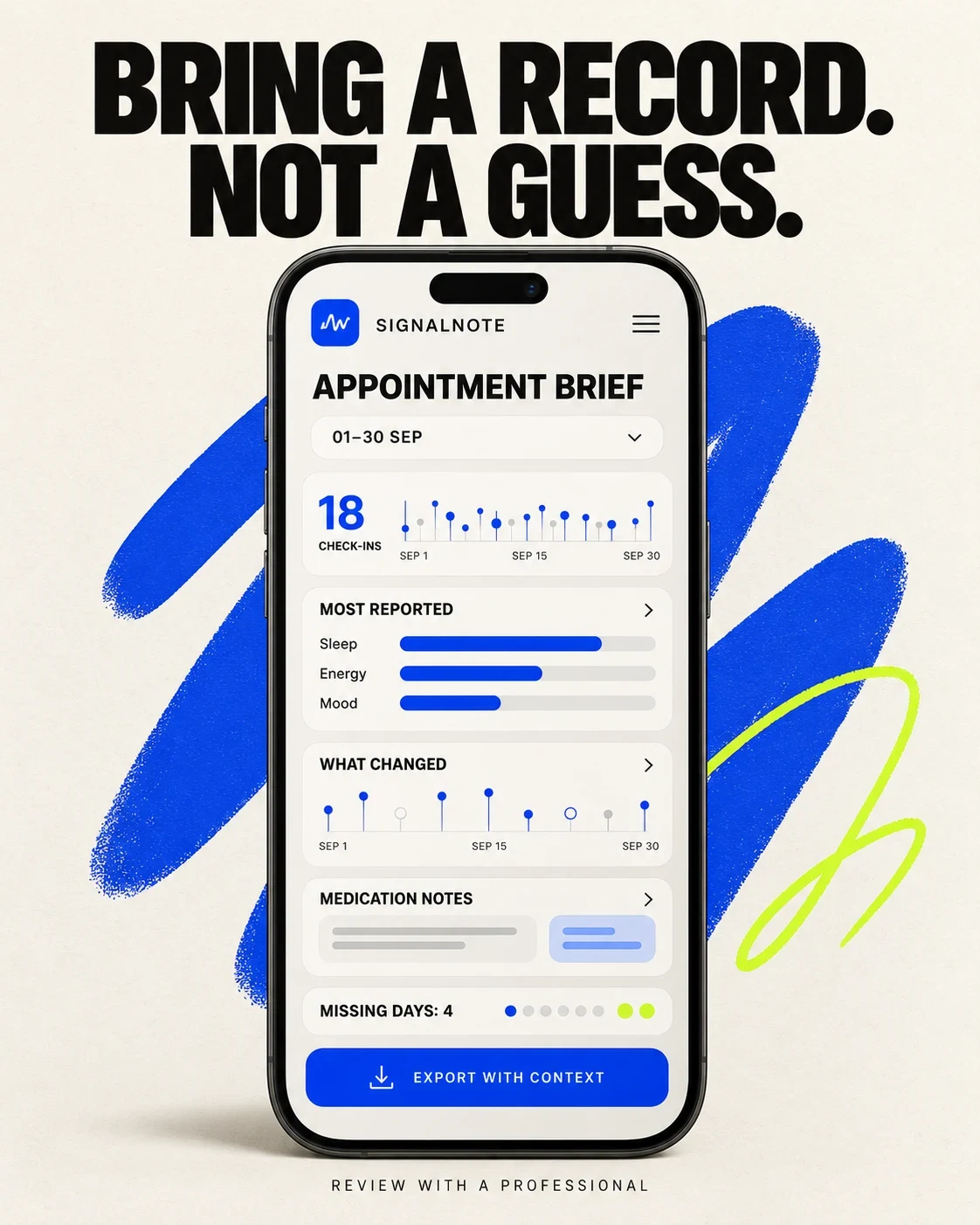
Fictional SignalNote appointment brief with missing-day disclosure
AI concept B · prepare a dated contextual brief

Swipe horizontally to compare all columns →

Illustrative editorial review
Workshop stepApproved inputPrompt or actionHuman check
1. Define the recordSupported symptoms, scale and contextMake the entry fields the first visualClinical, product and accessibility review
2. Define the patternApproved calculation and date windowShow observations, gaps and neutral wordingResearch and legal review
3. Expose missing dataCheck-in count, missing days and correctionsPut completeness beside the summaryData and UX QA
4. Build the briefApproved fields and questionsUse a source-labeled date rangeProfessional user research
5. Add controlsRetention, sharing, export and deletionShow controls before the final CTAPrivacy and security review
6. Critique and testGenerated concept at full sizeList every invented field and claimLocalization, accessibility and one hypothesis

Concept review: The quick-log concept makes the record and non-diagnosis line visible, but it invents a 20-second completion claim, fields and severity behavior. The appointment concept exposes check-in count and missing days, but it invents summaries, charts, medication handling and export behavior.

Before production: Rebuild both in the real design system; verify every field, scale, calculation, medication rule, report, permission, retention and care-boundary statement. Then test one documented hypothesis.

SYMPTOM TRACKING ASO

Localize and measure the useful record—not the store tap.

Swipe horizontally to compare all columns →

Illustrative editorial review
StageSymptom-tracking release checklist
Before localizationApprove intended use, symptom taxonomy, scales, inputs, calculations, medication fields, caregiver roles, exports, privacy controls and care boundaries
Per localeResearch condition language, appointment norms, medication terminology, emergency routes, privacy expectations, accessibility and cultural stigma
Before releaseRecheck fields, screenshots, deep links, scales, units, timestamps, time zones, corrections, missing data, sharing, retention, deletion and policies
After releaseMeasure first useful record, abandoned logs, corrections, missing-day awareness, report review, qualified exports, permission changes, deletion, accessibility issues and support themes
Make sensitive symptom data controllable
  1. COLLECTSymptoms, notes, medications and context
  2. RETAINDuration, device and cloud behavior
  3. SHAREExports, caregivers and professionals
  4. DELETEEntry, attachment, export and account

Prioritize with market prioritization, research via local keyword research, adapt proof through screenshot adaptation and finish with localization QA. Compare the parent health-app report and neighboring sleep-tracking report, or use an ASO audit and ASO services for a specific product.