An alarm is only half the story. Show how someone sets their routine, checks what they logged, reviews their supply and stays in control of the record.
By Gabriel Machuret · US iOS competitor research · reviewed 27 October 2026 · iOS and Android platform guidance
AI CONCEPT · MAKE THE RECORD UNDERSTANDABLE.
MEDICATION REMINDER ASO
Sell a clear routine, not an impossible guarantee.
A medication reminder, a medicine cabinet and a caregiver record serve different searches. Choose the main job before choosing the title. This report focuses on store positioning, creative and acquisition—not instructions for taking medication. The broader health-app guide covers adjacent product categories.
Is the stock count current and when will it alert?
Count, update time and chosen threshold
Organize family records
Whose record is it and who can change it?
Person, author and access scope
Log as-needed use
Can I record an event without a recurring schedule?
Separate history with time and notes
Prepare a medication list
Can I review and share a bounded record?
Date range, fields and export preview
Separate a reminder from a record
SCHEDULEDA planned time entered by the user
ALERTAn attempted notification, subject to settings
LOGGEDThe user records taken, skipped or another supported state
REVIEWHistory preserves the timestamp and correction
Apple Health already provides medication schedules, logging, follow-up reminders and a medication-list export. That makes “has reminders” a weak standalone distinction on iPhone. Compare the exact supported workflow rather than claiming that the built-in option lacks features. Apple’s medication feature guide is the baseline to check.
MEDICATION REMINDER ASO
Potential demographics: research the routine behind the age.
These are recruitment and positioning hypotheses, not demographic shares. A useful research sample varies age, number of medicines, caregiving role, device, language, vision, dexterity and confidence with reminders. Do not assume that older adults need a caregiver or that a search phrase reveals a diagnosis.
Swipe horizontally to compare all columns →
Illustrative editorial review
Potential audience
Motivation
Research question
Creative proof
Adults starting a prescribed routine
Understand the schedule they have already been given
How many reminders? Which forms? Who helps with setup?
Schedule preview and edit path
People managing several medications
Keep records and times distinct
Does the user organize by time, medicine or care task?
Named rows, date and explicit logged states
Older adults who want independent use
Read, confirm and correct without help
Test vision, dexterity, confidence and device habits individually
Large text and labeled actions; age alone is not a usability diagnosis
Younger adults with changing routines
Maintain an understandable record across study, work and travel
Are reminders fixed to clock time or another agreed schedule?
Visible time zone and schedule review, without changing treatment
Adults organizing care for a parent or partner
Know which person and author a record refers to
Local profiles or remote sharing? What consent and access are needed?
Person, author, sync status and permission controls
Parents managing a child’s prescribed routine
Keep adult and child records separate
Who logs the entry? What can each caregiver see or change?
Adult-owned profiles and clear attribution; no child dosing claims
People logging as-needed medication
Review what they recorded and when
Do they need a log rather than a recurring reminder?
Dated as-needed history; no automatic instruction to take another dose
People tracking stock and refills
Remember to review supply
How are counts updated? Are pharmacy services actually supported?
Editable count, threshold and last update
People with accessibility or attention needs
Complete a simple action and recover from mistakes
Test screen reader, large text, labels and accidental confirmations
Unambiguous state and an accessible correction path
Privacy-sensitive users
Keep medication details out of unwanted views
Shared phone? Lock-screen exposure? Cloud or local storage?
Notification preview choice and precise data controls
Interview people about the last time they checked a medication record. Ask them to identify the person, planned time, logged status and next step in a screenshot. Compare new users with experienced users and self-management with family coordination. Recruit through consented research, not inferred sensitive profiles. Translate the results into search intent and a feature-relevance check.
Make a shared record attributable
PERSONWhose medication record is this?
AUTHORWho entered or edited the event?
ACCESSWho can view, edit or stop sharing?
SYNCWhen was the shared view last updated?
MEDICATION REMINDER ASO
Ten keyword clusters with different product requirements.
These 100 distinct phrases are research candidates. No search volumes, difficulty scores or ranking promises are attached. Some describe a broad store query; others are long-tail research prompts whose demand may be negligible. Device, privacy, form and sharing claims must pass a product check before targeting.
Core reminders
pill reminder · medication reminder · medicine reminder · medication alarm · pill alarm · medicine alarm · med reminder app · daily pill reminder · medication reminder app · pill reminder and tracker
Product gate: Medication reminders and user-entered schedules.
Schedule flexibility
medication schedule app · multiple medication reminders · weekly pill reminder · every other day medication reminder · medication interval reminder · medication cycle tracker · medicine reminder specific days · medication schedule calendar · temporary medication schedule · medication reminder with end date
Product gate: Verified repeat rules and preview behavior.
Logged history
medication tracker · pill tracker · medicine log · medication diary · did i take my pill · medication intake history · pill taken tracker · daily medication log · medication log with timestamps · editable medication history
Product gate: Editable taken skipped and unlogged states.
Product gate: Verified platform device and notification support.
Privacy and accessibility
private medication tracker · pill reminder no account · on device medication log · medication app large text · pill reminder VoiceOver · accessible medication reminder · medication reminders discreet notifications · medicine tracker without ads · medication tracker data export · medication history delete entries
Product gate: Verified accessibility data storage and account behavior.
Reports and review
medication history report · medication list PDF · medication log for doctor · weekly medication report · medication adherence log · medication tracker with notes · medication and symptom diary · pill history calendar · medication list for appointment · medication report date range
Product gate: Supported history exports and clearly defined metrics.
Narrow opportunities come from proof, not longer phrases.
Swipe horizontally to compare all columns →
Illustrative editorial review
Angle
Candidate phrase
Required proof
Useful research question
History-first
pill tracker with editable taken history
Date, author and correction
Can users tell logged from scheduled?
Stock-first
refill reminder with adjustable pill threshold
Recorded inventory and update action
Do people understand who maintains the count?
Caregiver
medication log for two caregivers
Consent, attributed entries and sync state
Do both people understand access and freshness?
Complex schedule
pill reminder every other day with end date
Preview of actual future dates
Can users spot an incorrect recurrence?
As-needed
as needed medicine log with timestamps
A log separate from repeating alerts
Does it avoid implying when to take another dose?
Discreet
medication reminder with private lock screen
A real notification-preview setting
Does the shown preview match device behavior?
Accessible
pill reminder with large text and VoiceOver
Supported large-text and spoken labels
Can users complete and correct a log?
Travel
medication reminder time zone review
Documented local-time behavior
Can the user explain what changes on arrival?
Offline
offline pill reminder without account
Verified local schedule and storage behavior
What needs a connection or backup?
Appointment
medication history PDF by date range
Export preview with recorded statuses
Is it a current list or a history report?
Show the rule and its next occurrences
INPUTCopy the existing prescribed routine
RULEFixed times, weekdays, intervals or cycles
PREVIEWDisplay the next dates and time zone
REVIEWConfirm the schedule; the app does not prescribe it
An opportunity is conditional: relevant product support, some validated demand, a credible creative angle and viable economics. Apply the long-tail research process; do not manufacture a separate page for every phrasing.
MEDICATION REMINDER ASO
Eight competitors, six distinct positioning choices.
These eight US App Store identities, titles, subtitles and descriptions were checked on 27 October 2026. The comparison is an iOS listing review, not an Android creative audit or a ranking of app quality. Publisher descriptions were checked for what they promise; features, subscription entitlements, notification reliability and medical accuracy were not tested in the apps.
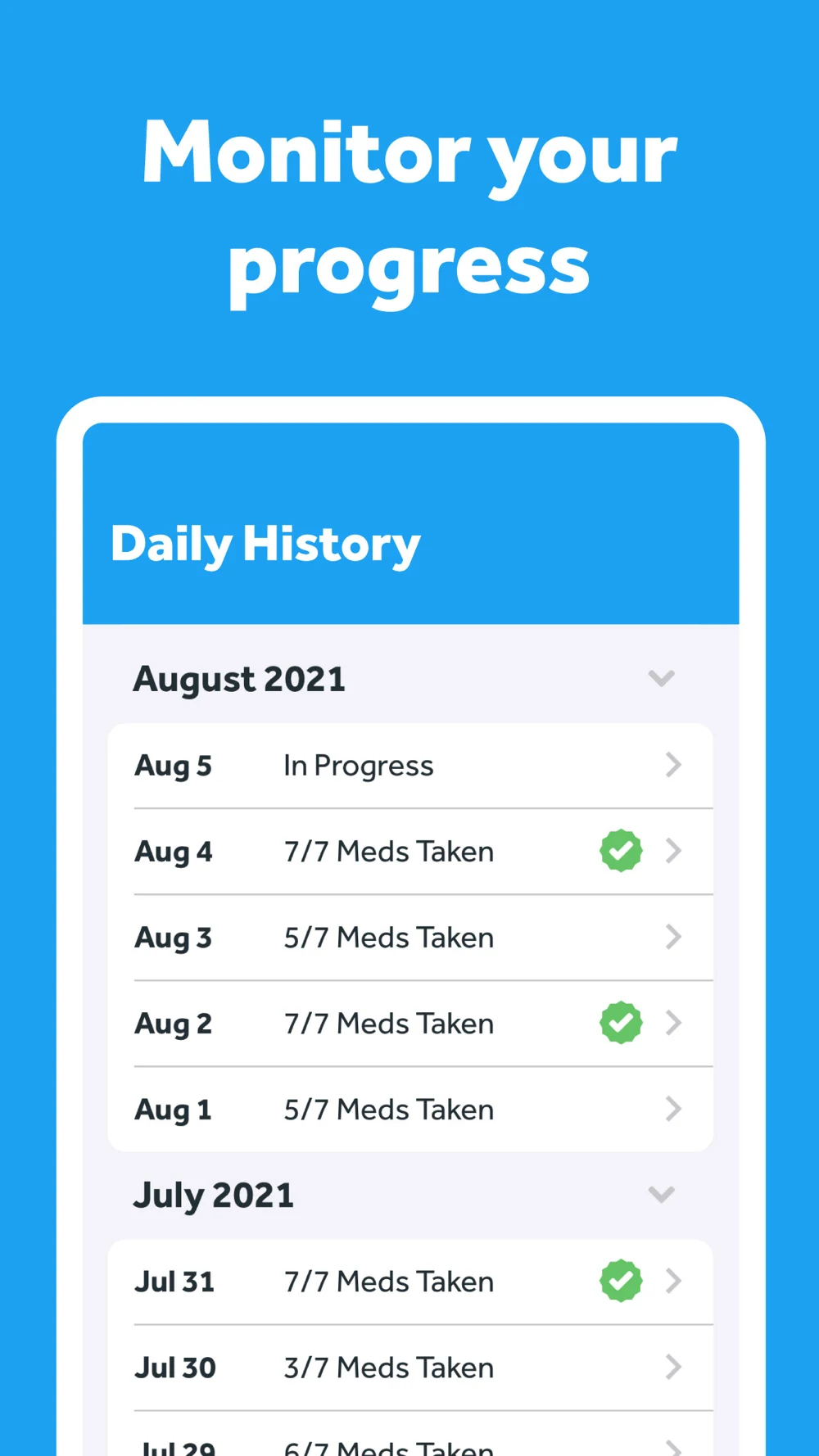
Promotes reminders, quick log actions, as-needed history and progress; recent notes describe interval and time-zone options.
Several products have nearly identical names. Track the numeric App Store ID and developer, especially for the CareClinic pill app and Pillo. Do not borrow claims from another app with a similar title. Use competitor research and a dated change log to keep comparisons reproducible.
Swipe horizontally to compare all columns →
Illustrative editorial review
App
What you can learn
Medisafe
A broad support system. Show a specific daily task before the extra services.
MyTherapy
A household routine. Explain who each record belongs to before mixing health tasks.
Pill Reminder — All in One
Schedule flexibility is concrete proof. Let a prospective user preview their next reminders.
Pill Reminder Medication Alarm
A focused alarm story. Explain the schedule without implying dosing advice.
Tablets App
Family organization is the distinction. A profile selector alone does not demonstrate remote caregiver access.
Pillo
Cabinet management is a different entry point from a daily alarm. Clarify expiry timing.
CareClinic pill app
A medication-focused product, distinct from the broader CareClinic health app. Prove the supported sharing workflow.
EveryDose
Low-friction confirmation is the story. Show the resulting record, not only the alert.
MEDICATION REMINDER ASO
Build each platform’s promise around its actual behavior.
Swipe horizontally to compare all columns →
Illustrative editorial review
Decision
iOS
Google Play / Android
ASO consequence
Main name
30 characters
30 characters
Name the reminder or log, then the brand
Supporting copy
30-character subtitle; 100-character keyword field
80-character short description; 4,000-character full description
On Android 13 and later, non-exempt notifications require user permission. Exact alarms have additional platform rules. An ASO headline should describe supported reminders without promising that a phone can never silence or block them. Verify notification permission, alarm requirements and the Health Apps declaration with the product team.
Five screenshot teardowns: show the routine, record and control.
The 20 panels below were inspected at readable size. They are the first four iPhone images returned by Apple’s US lookup feed for each selected app. Different device slots or live store layouts can show different artwork. Dates and metrics printed inside the images are publisher artwork, not our research results. Select any panel to open the full image.
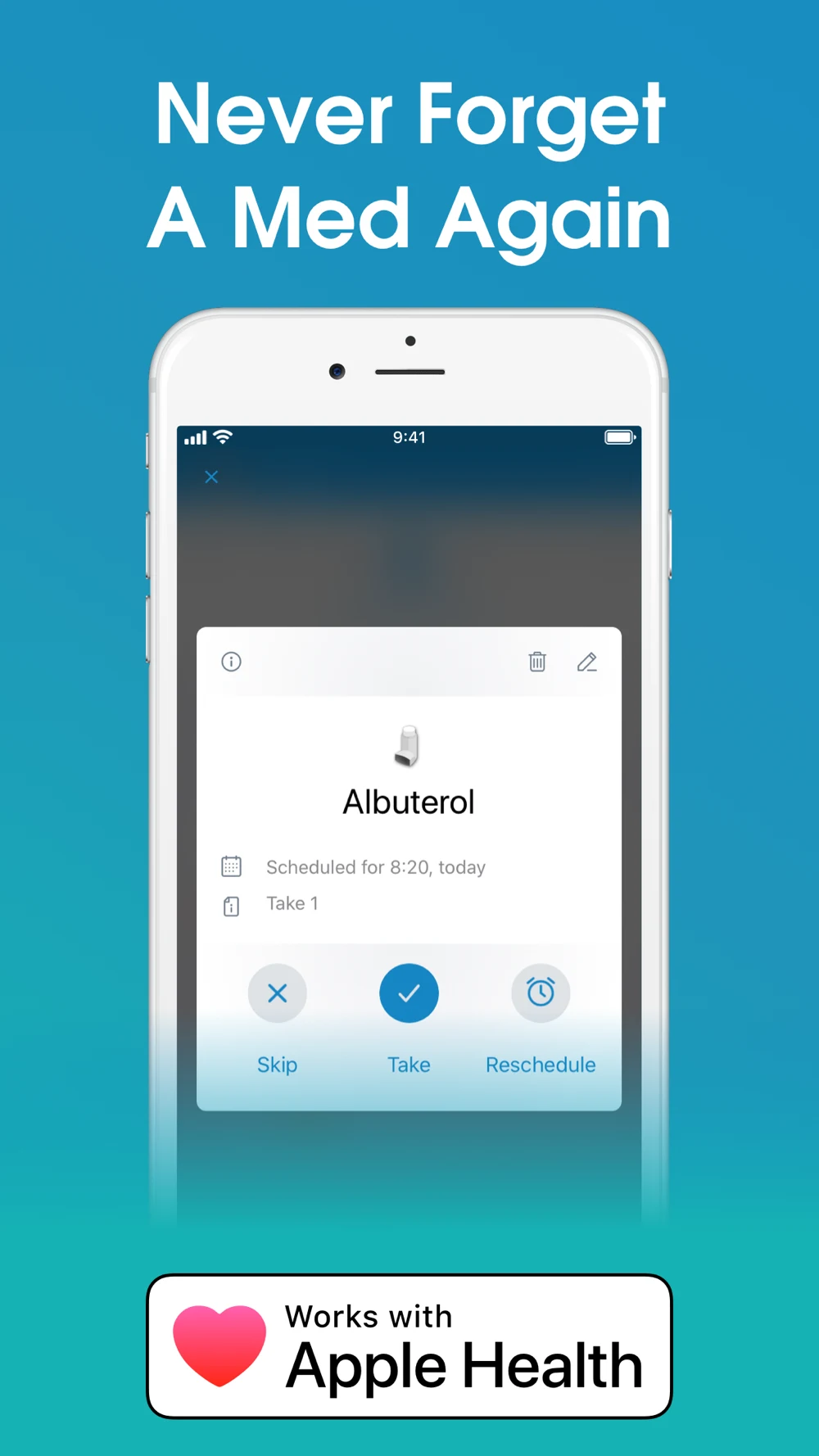
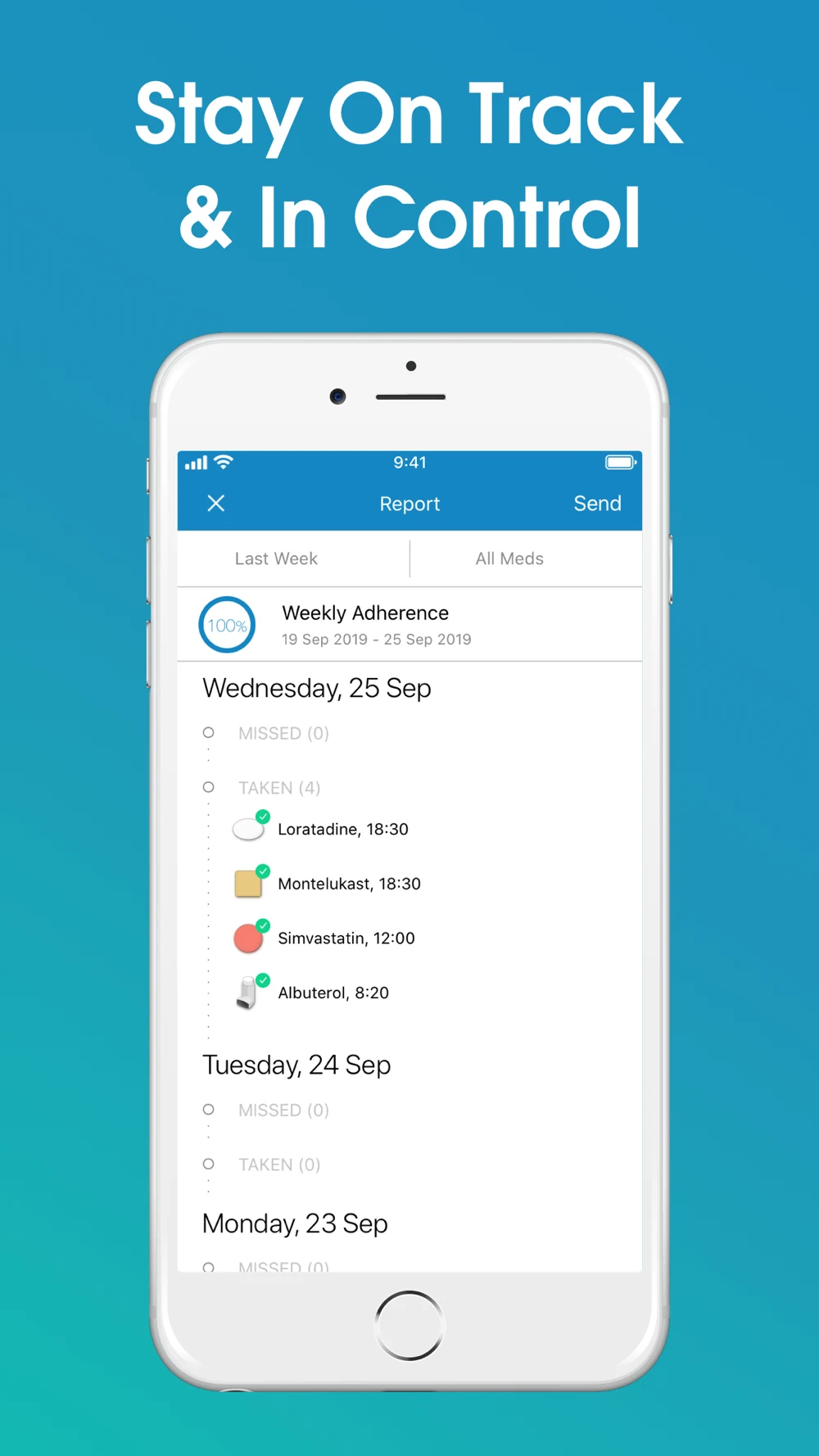
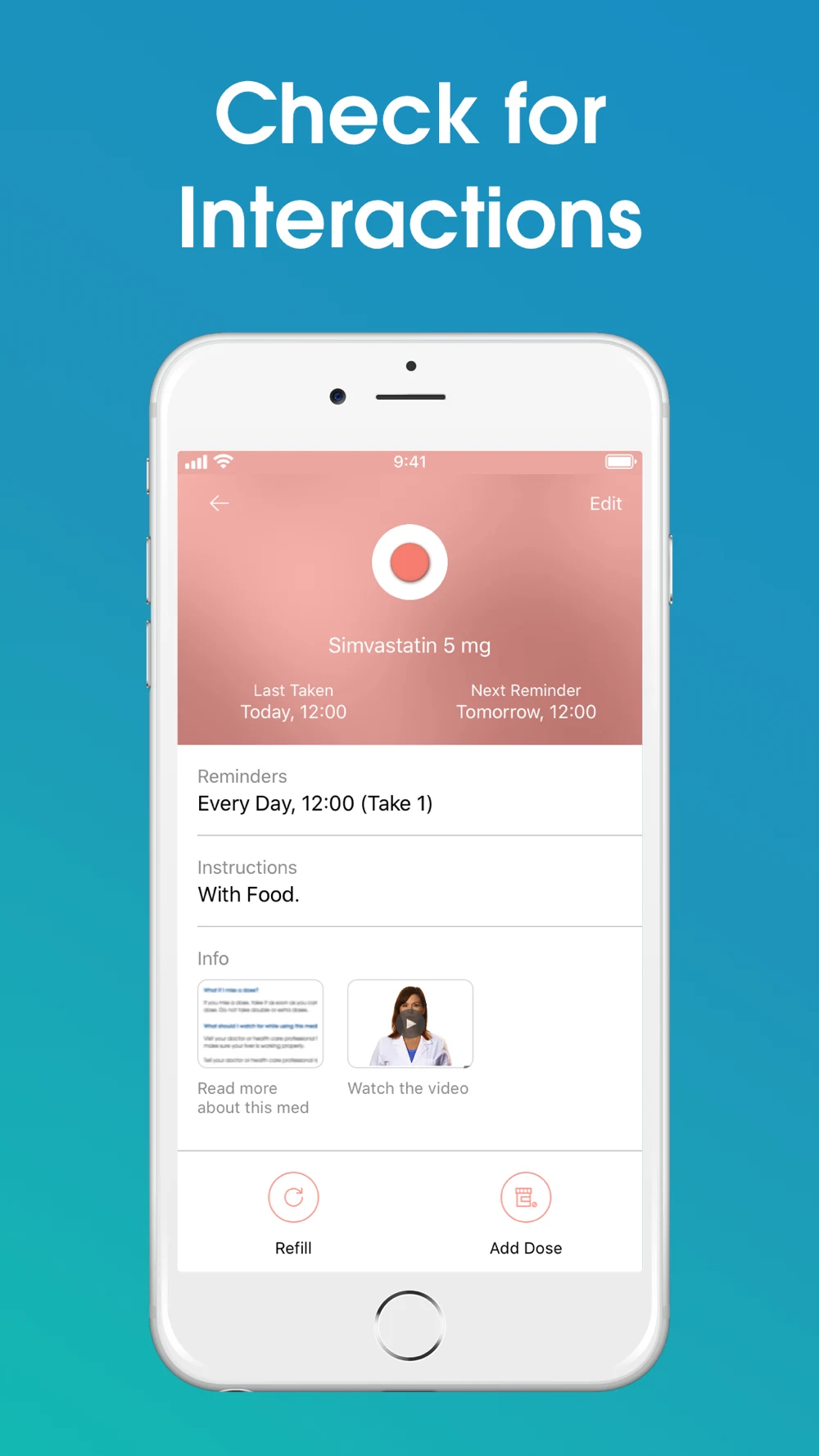
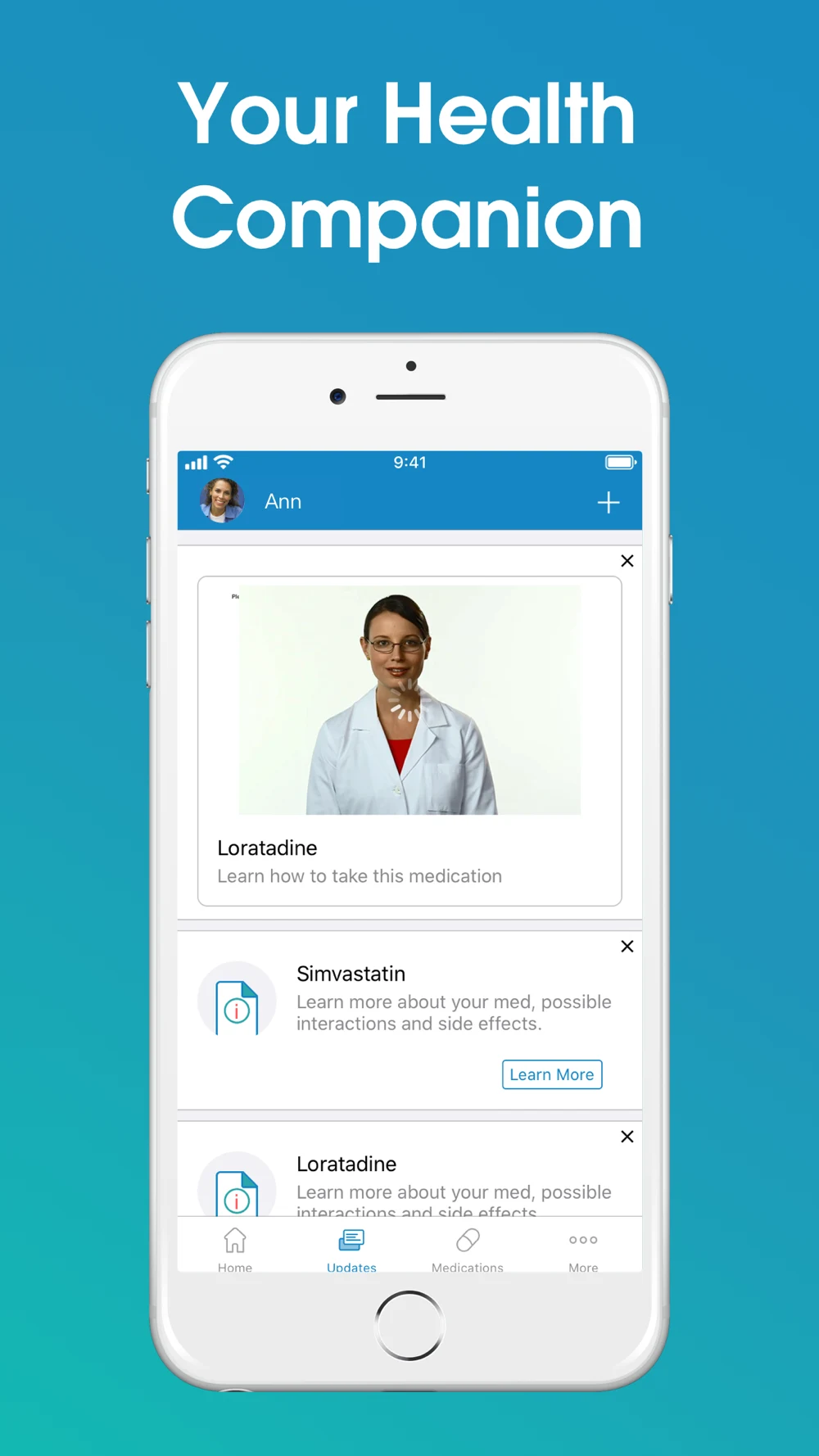
Medisafe: The action is visible; the headline is stronger than the proof.
What the screenshots show: The first panel shows a scheduled item with three actions. The second shows a dated report; the third describes interaction checking but displays a medication-detail view; the fourth shows educational content. Large headings are easy to scan, while the phone text is much smaller. The opening makes an absolute forgetting claim.
What I would test: Keep the action card, replace the absolute promise with a reminder-and-record message, and show the result after confirmation. For the interaction panel, show the actual supported interaction workflow and its limits rather than implying that a detail screen proves it. These are hypotheses, not measured performance findings.
MyTherapy: The refill screen gives the feature a concrete meaning.
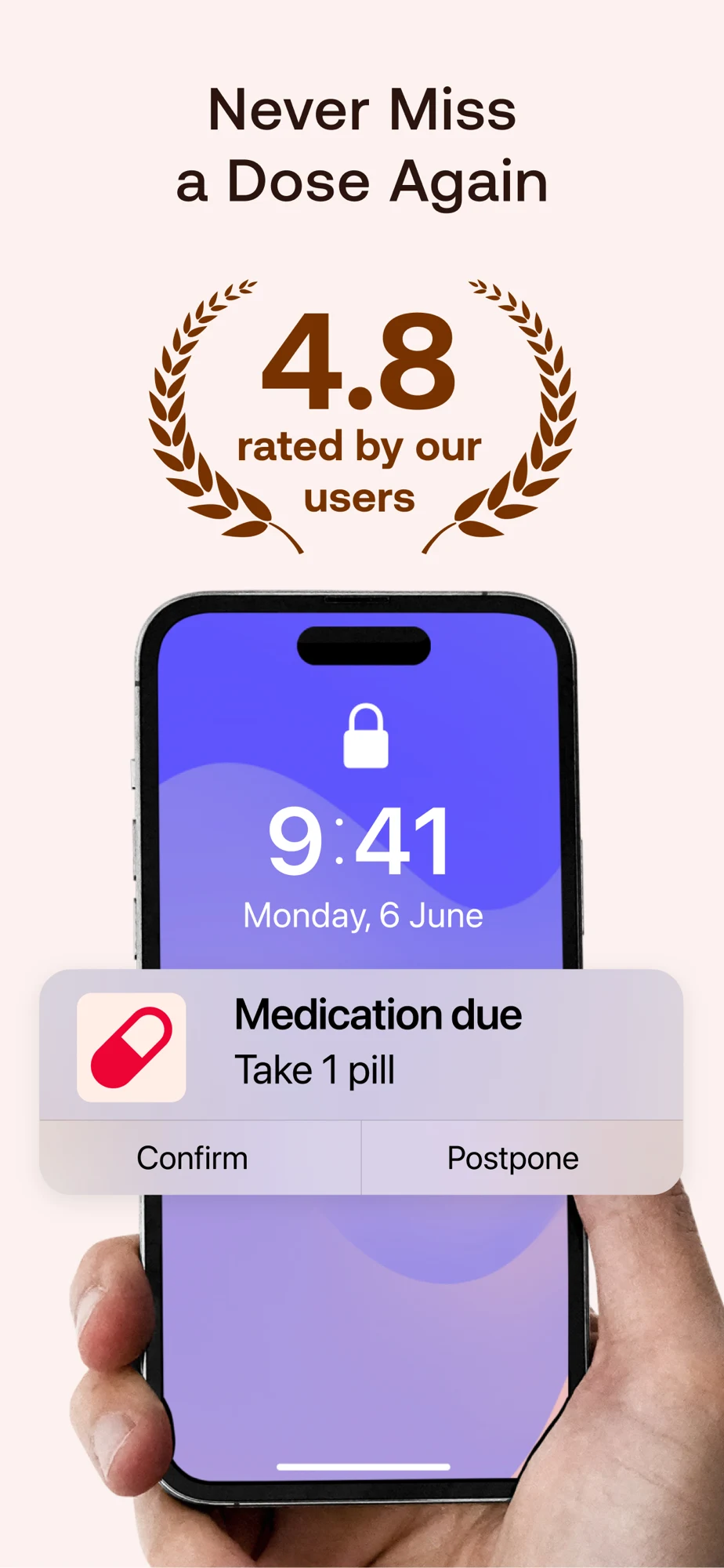
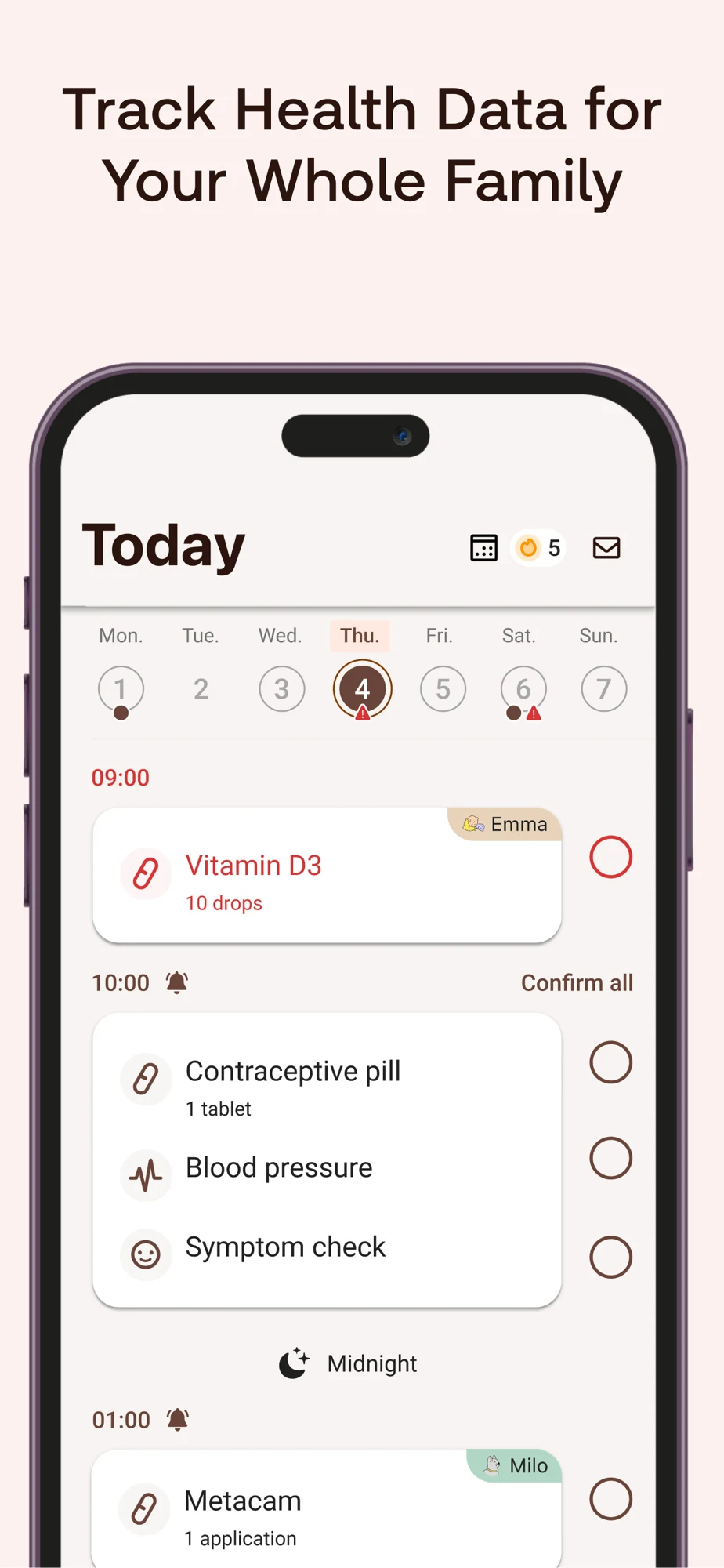
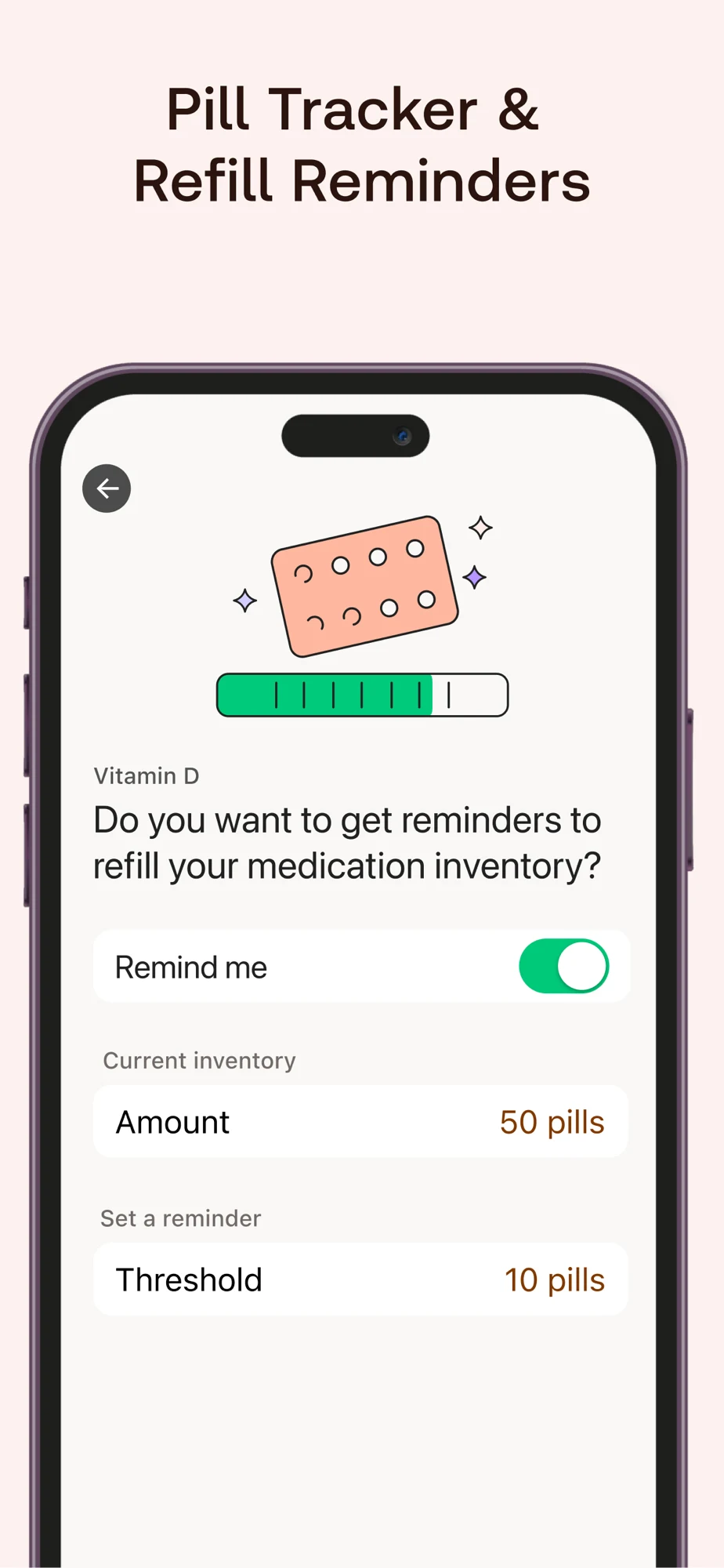
What the screenshots show: The opener combines a rating claim and a large notification. The next panel shows a family task list, the third exposes stock and an alert threshold, and the fourth expands into health tracking. The large notification is readable; the dense family list requires more attention. The stock panel explains its own mechanism.
What I would test: Test the stock screen earlier for refill searches. For family searches, isolate one person and show the profile label more prominently. Keep the rating and absolute dose promise separate from claims you can independently support. These are hypotheses, not measured performance findings.
EveryDose: The logged time is stronger proof than the testimonial.
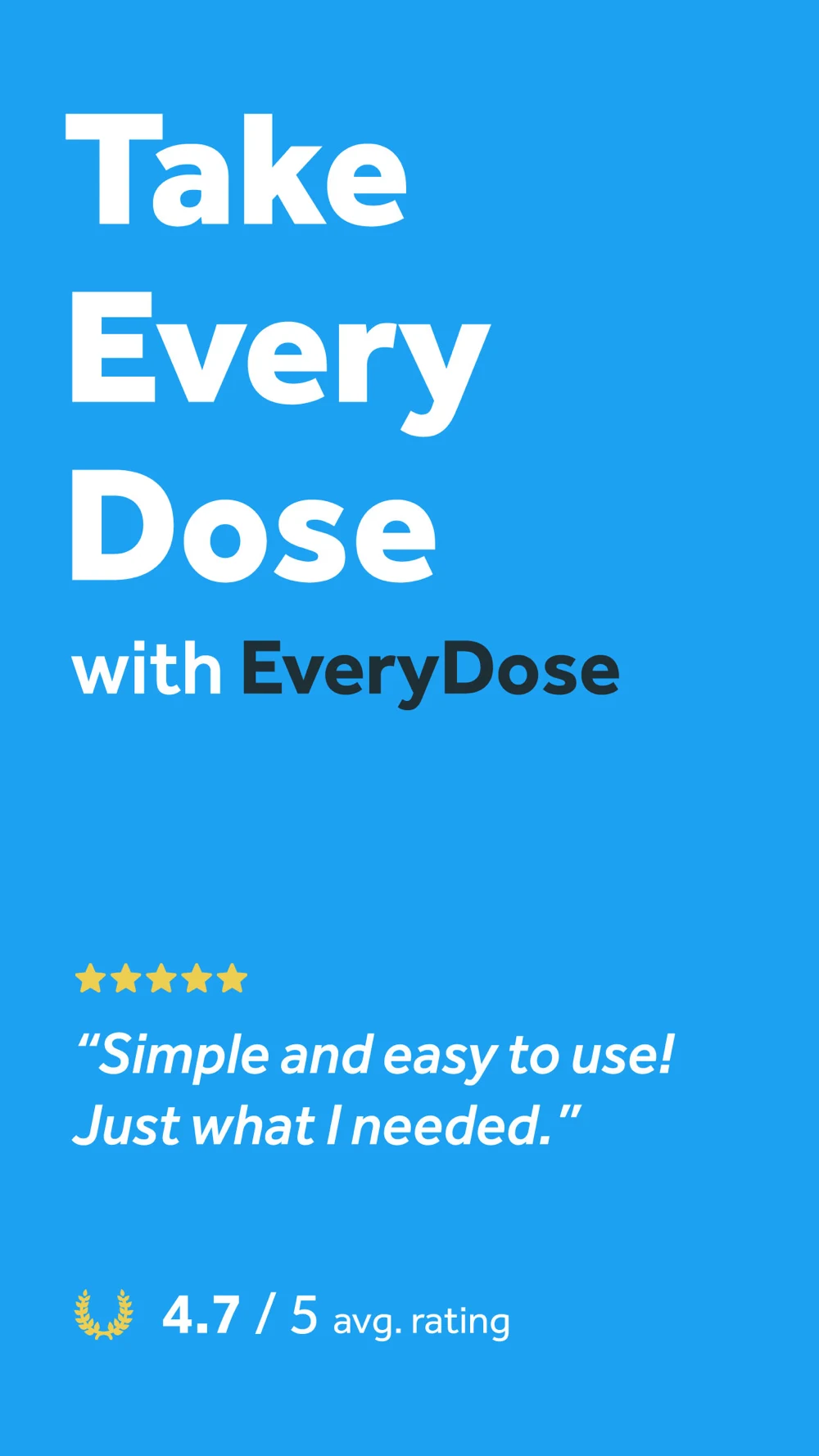
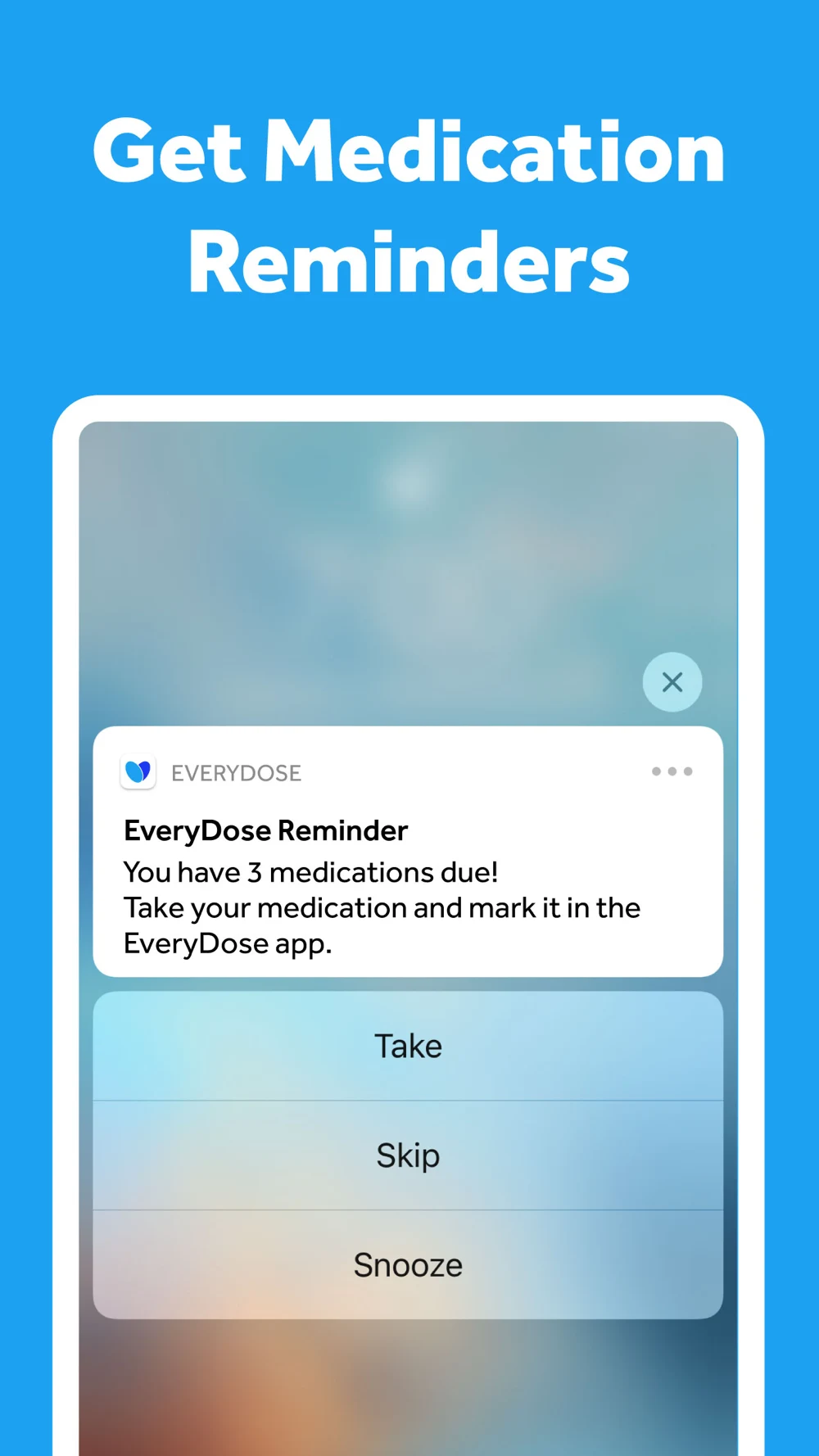
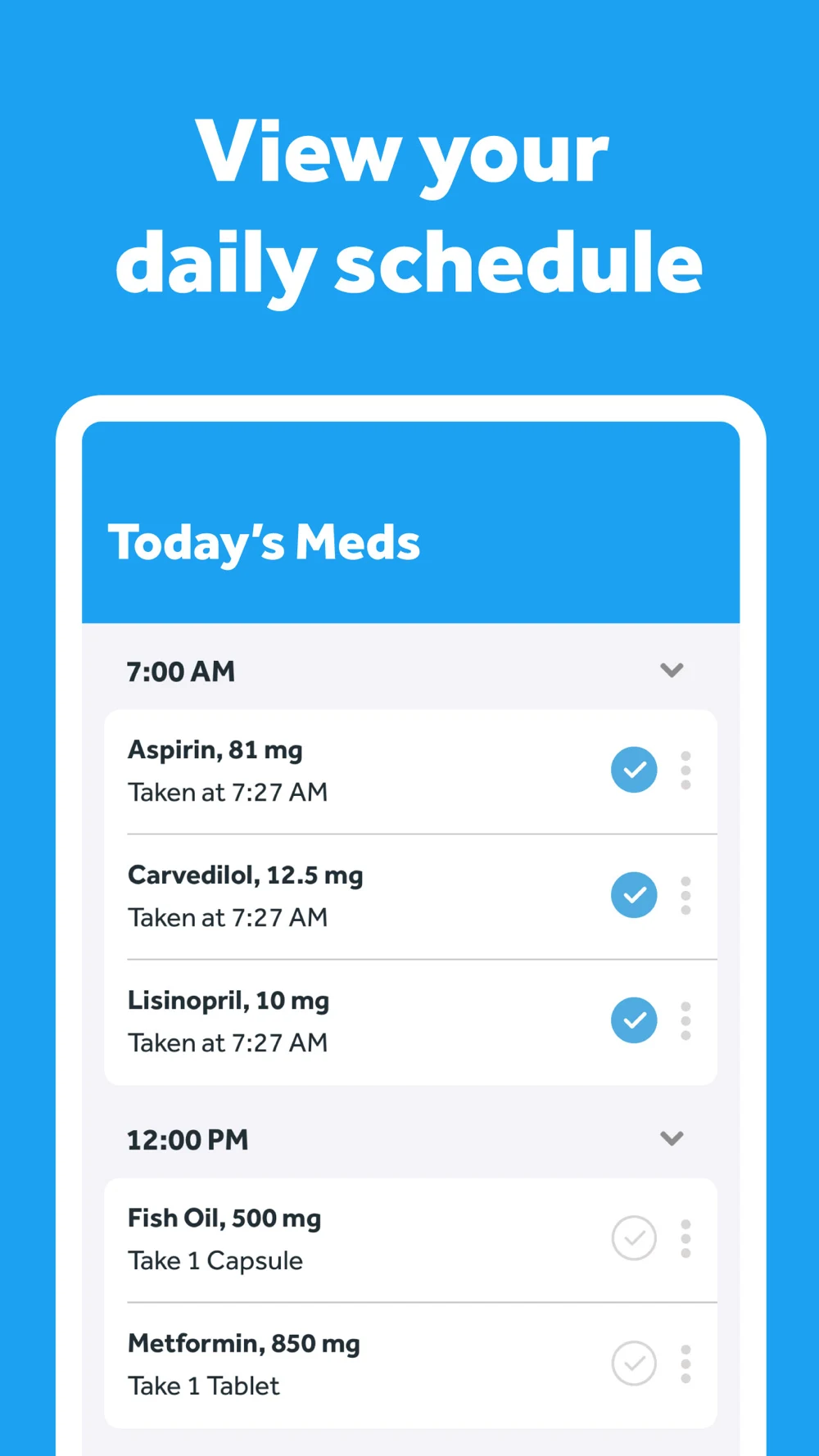
What the screenshots show: The first panel is mostly a brand slogan, testimonial and rating claim. The second shows notification actions; the third shows daily medications with recorded times; the fourth presents a historical daily tally. The typography is clear, but someone must reach the third frame to see the record behind the reminder.
What I would test: Test the dated record as the opener for history searches. Explain that the tally reflects entries and define the denominator. Use the notification as a second step in the story, not as proof that a dose was taken. These are hypotheses, not measured performance findings.
Pill Reminder — All in One: The schedule controls are unusually specific.
Pill Reminder — All in One · panel 1Pill Reminder — All in One · panel 2Pill Reminder — All in One · panel 3Pill Reminder — All in One · panel 4
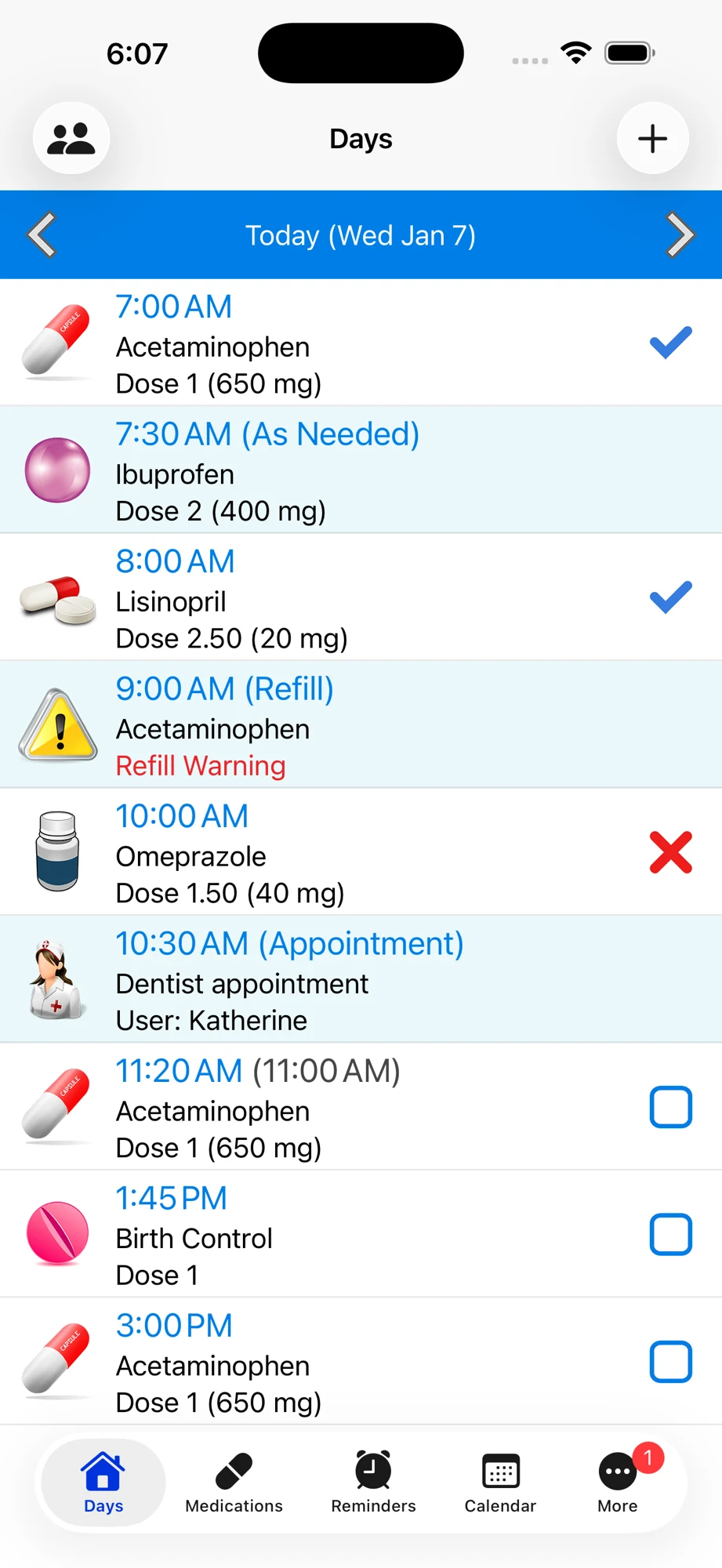
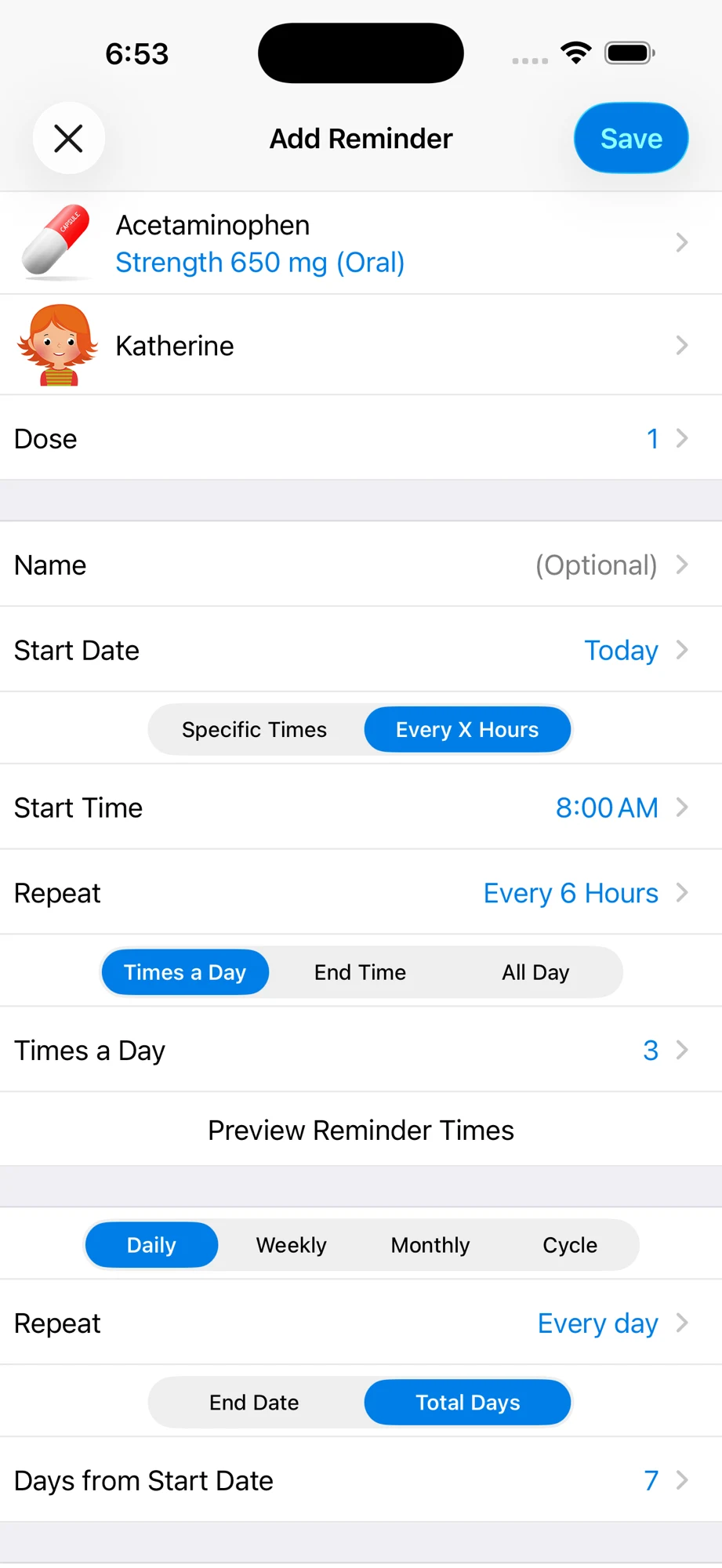
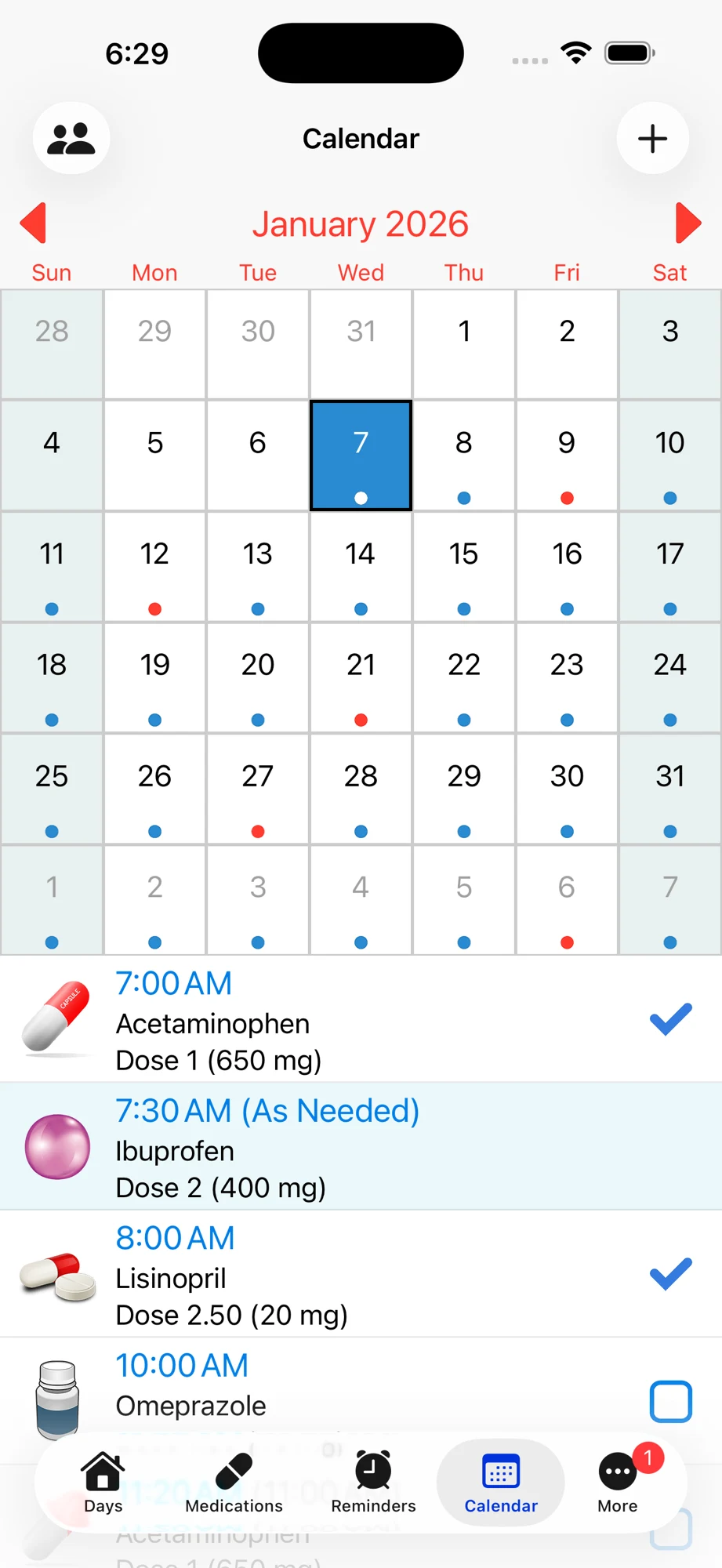
What the screenshots show: These are direct interface screenshots rather than headline posters. A daily list is followed by a detailed recurrence editor, calendar and medication form. The editor exposes fixed versus interval timing, repeat options and a preview action. The calendar relies heavily on colored dots and lacks a visible legend in this panel.
What I would test: Pair a short headline with a focused crop of the recurrence rule and its next occurrences. Add textual meaning to status colors. Move the long medication form later so the opening explains the useful result before the setup effort. These are hypotheses, not measured performance findings.
Tablets App: Family and device breadth compete for attention.
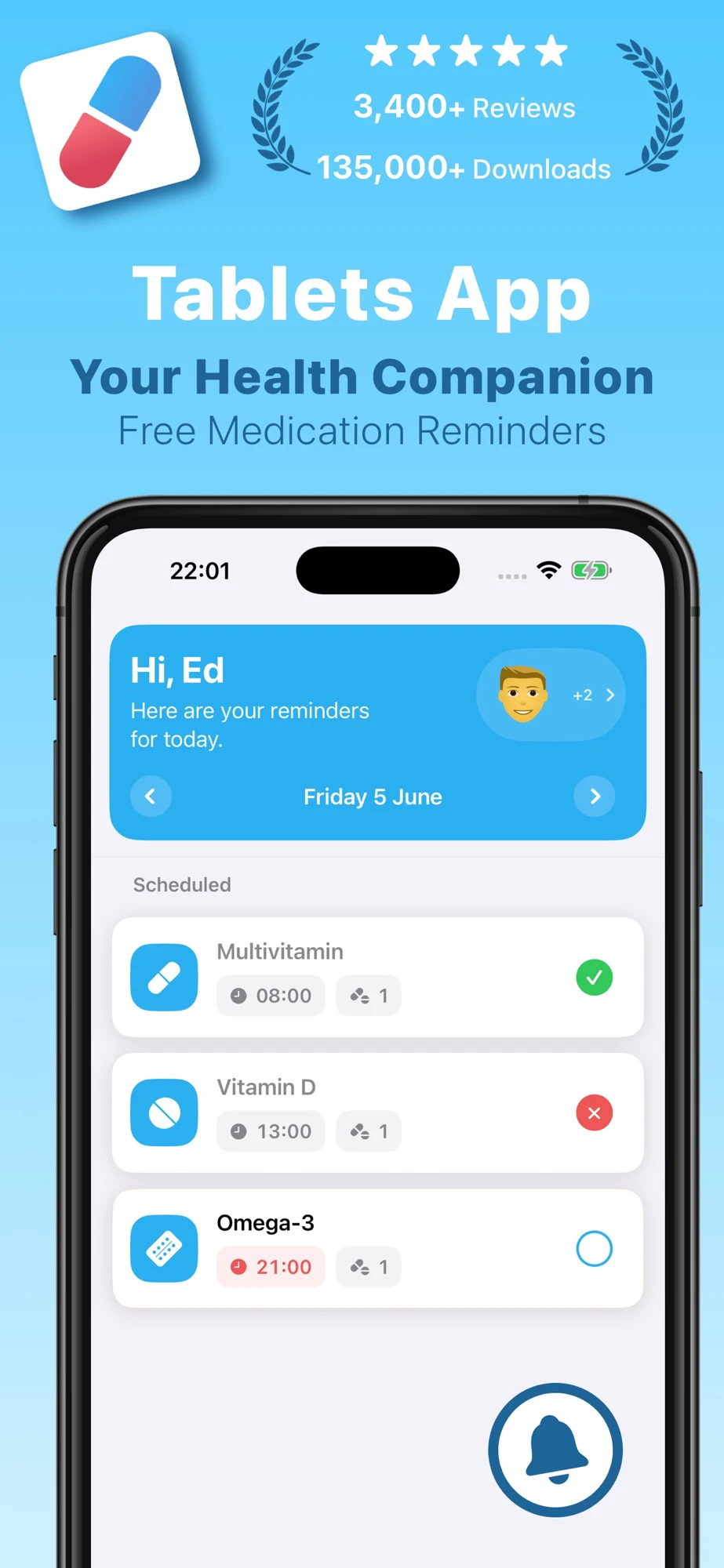
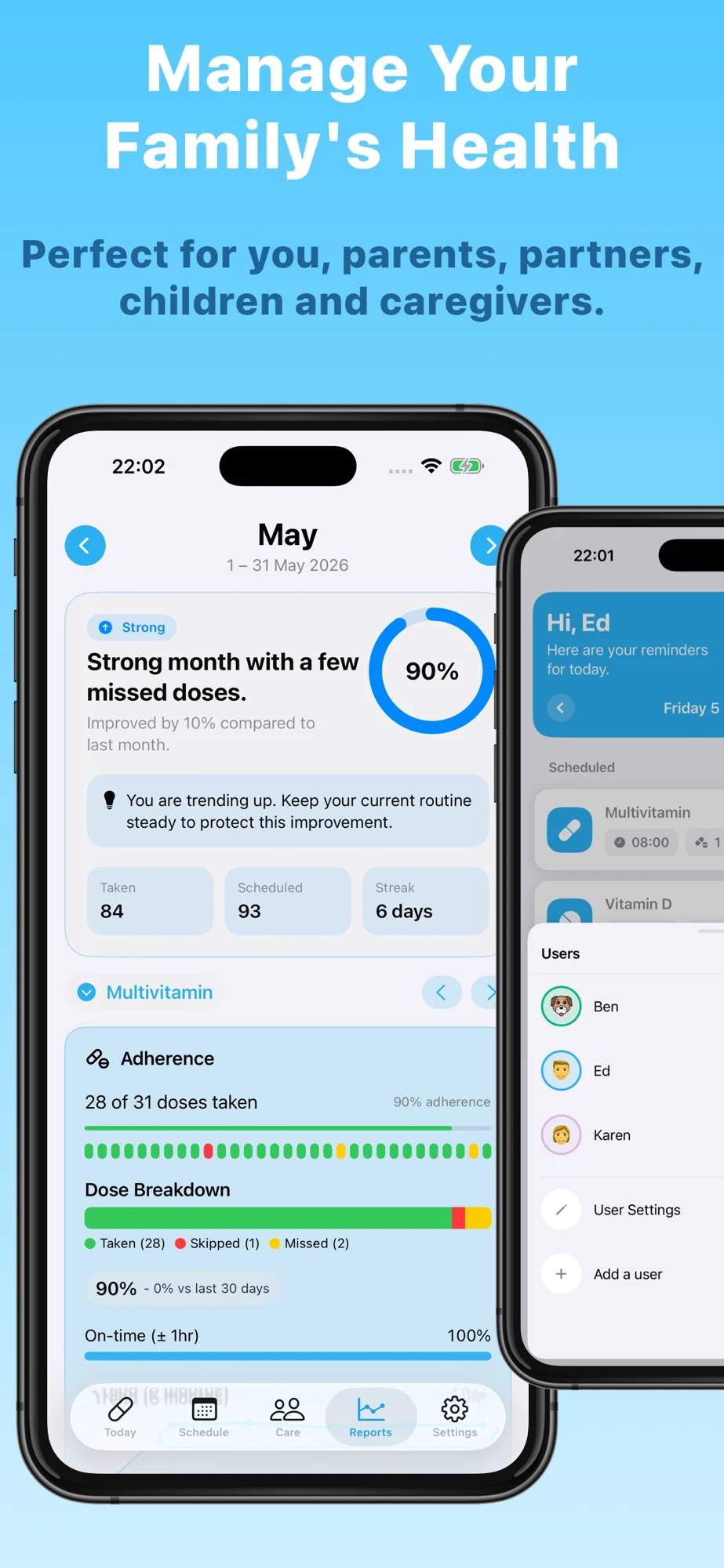
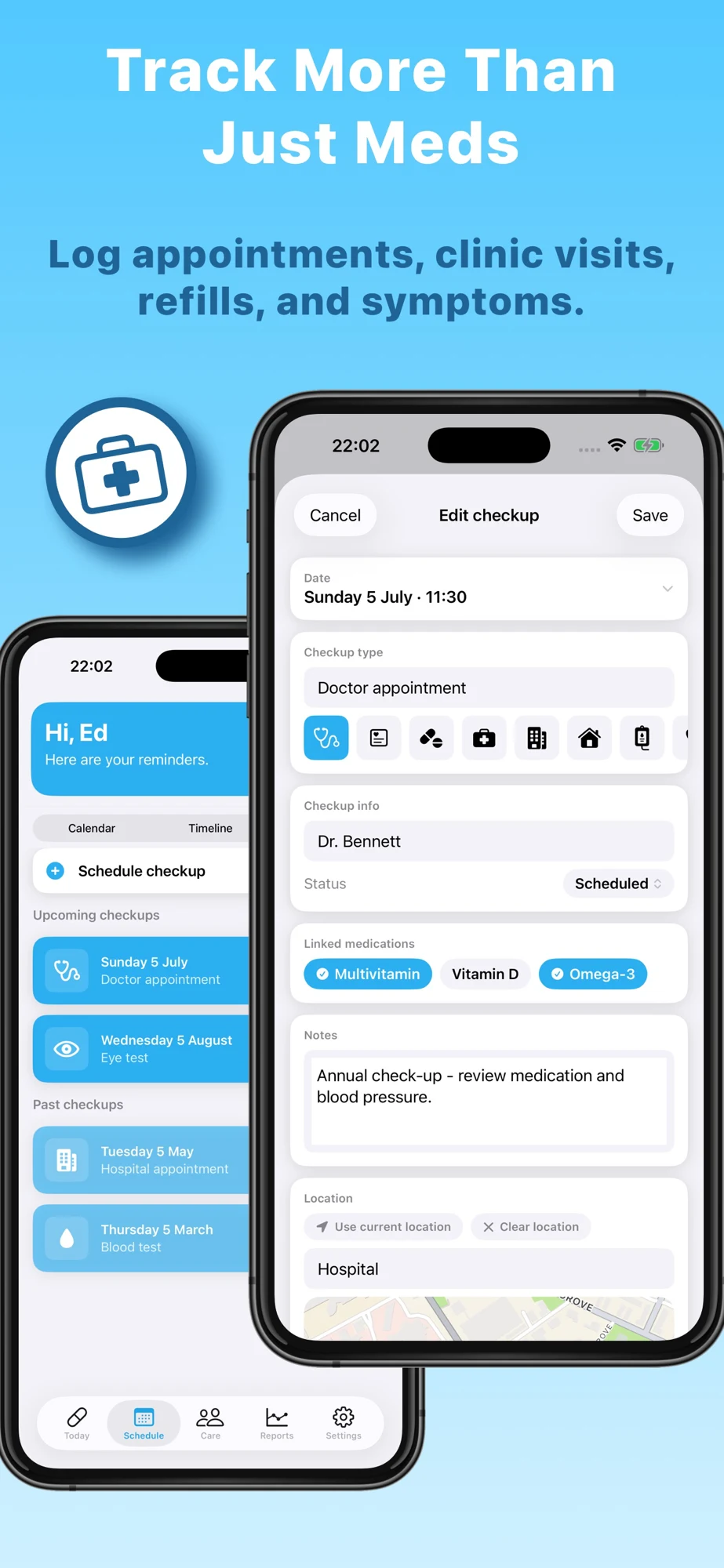
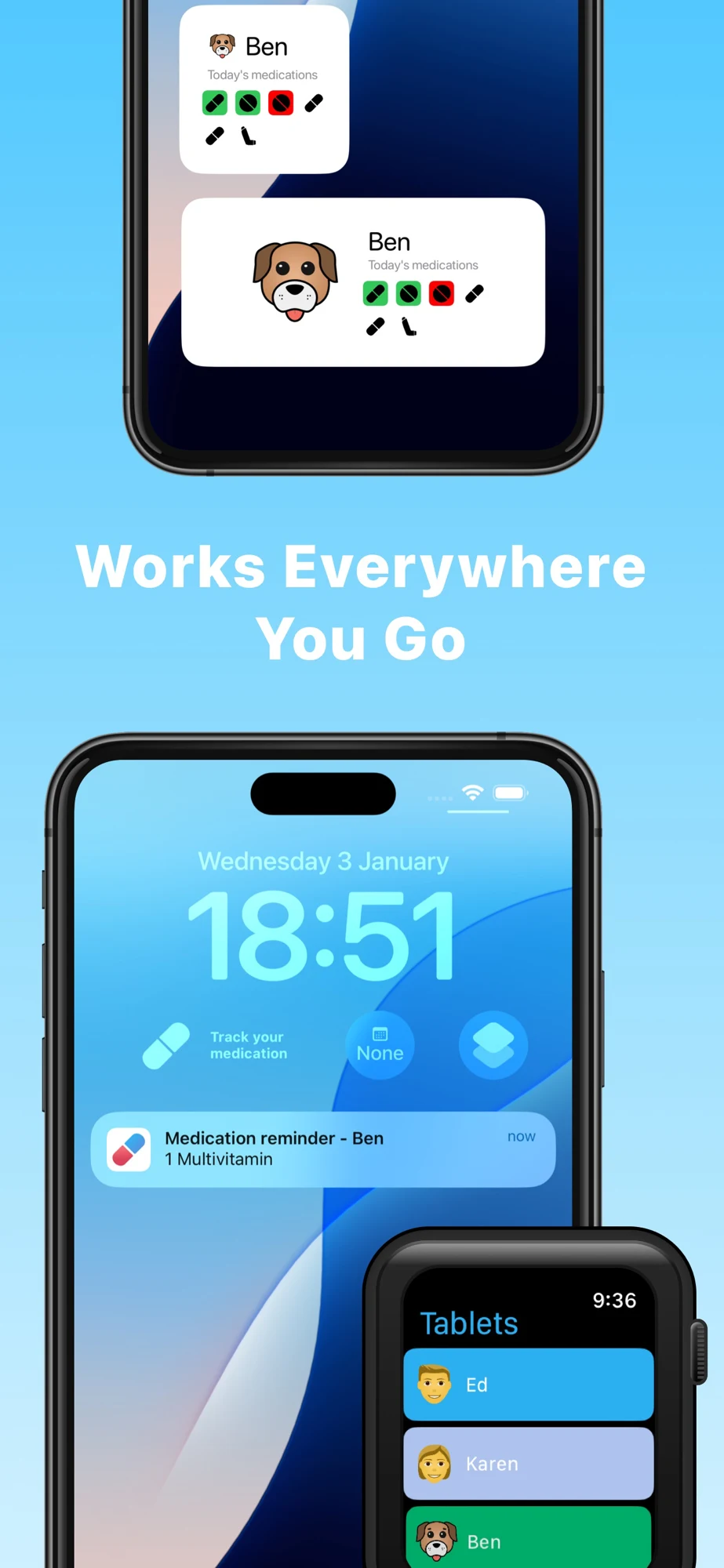
What the screenshots show: The opening combines publisher popularity claims and a daily list. The family panel combines a report and profile selector. The third promotes appointments with overlapping devices; the fourth spans widgets, lock screen and watch. These show breadth, but several small interfaces compete within each panel.
What I would test: Give family profiles, appointment links and watch use separate jobs. For a caregiver audience, show the person and author clearly; a profile switcher does not establish remote sharing. Reduce one panel to one large interface and compare comprehension before assuming a conversion gain. These are hypotheses, not measured performance findings.
Lesson 1 — Separate a reminder from a record.
Separate a reminder from a record
SCHEDULEDA planned time entered by the user
ALERTAn attempted notification, subject to settings
LOGGEDThe user records taken, skipped or another supported state
REVIEWHistory preserves the timestamp and correction
Lesson 2 — Show the rule and its next occurrences.
Show the rule and its next occurrences
INPUTCopy the existing prescribed routine
RULEFixed times, weekdays, intervals or cycles
PREVIEWDisplay the next dates and time zone
REVIEWConfirm the schedule; the app does not prescribe it
Lesson 3 — Explain how the stock reminder works.
Explain how the stock reminder works
COUNTUser records 12 remaining — fictional example
THRESHOLDUser selects an alert at 5 remaining
UPDATECorrect stock after logging or receiving a refill
BOUNDARYA reminder does not order or renew a prescription
Lesson 4 — Make a shared record attributable.
Make a shared record attributable
PERSONWhose medication record is this?
AUTHORWho entered or edited the event?
ACCESSWho can view, edit or stop sharing?
SYNCWhen was the shared view last updated?
Lesson 5 — Give the first three frames different jobs.
Give the first three frames different jobs
01 / PURPOSEName the supported reminder or logging task
02 / PROOFShow schedule, status and an editable record
03 / DIFFERENCEProve stock, family or accessibility support
CUTRemove duplicate promises and unreadable dashboards
Lesson 6 — Make notification setup inspectable.
Make notification setup inspectable
EXPLAINSay why a reminder needs permission
CHECKRead the current supported settings
TESTLet the person verify a test alert
RECOVERProvide a clear settings and help path
Lesson 7 — Show control over medication details.
Show control over medication details
PREVIEWWhat appears on a locked screen?
STORAGEWhat stays local and what syncs?
SHARINGWho receives a report or caregiver invitation?
CONTROLHow can the user correct, export or delete?
Lesson 8 — Turn a search phrase into a useful setup.
Turn a search phrase into a useful setup
INTENTIdentify reminder, stock, family or history needs
PAGEMatch the creative to supported product proof
SETUPMeasure a reviewed schedule and tested reminder
LEARNINGReview relevant search terms without exporting health details
Worked metadata and copy that identify the product.
DoseCue is fictional. Assume a product that supports user-entered schedules, editable intake history and manually maintained stock with thresholds. This example does not assume remote caregiving, automatic pharmacy ordering, medication identification, clinical interaction checking or guaranteed alert delivery.
Set pill reminders, review logged doses and track your recorded medicine stock.
79 / 80
Description opening: Keep your medication routine in one clear record. Add the schedule you already follow, review upcoming reminders and log what you took or skipped. Check the date and time of your entries, correct mistakes and update your recorded stock when you receive a refill.
Supporting copy: Set a stock threshold to remind yourself to review your supply. Counts depend on your entries. Notification behavior depends on your device and settings. DoseCue helps organize information; it does not choose medication, change a prescribed schedule or tell you what to do after a missed dose.
CTA: Review your first reminder. This asks for a useful setup action rather than implying that an install changes a health outcome.
Swipe horizontally to compare all columns →
Illustrative editorial review
Frame
Proposed headline
Large product proof
01
Pill reminders. A clearer record.
Upcoming schedule beside a labeled logged entry
02
Did I take it? Check your log.
Date, logged time and edit action
03
Know what is in your cabinet.
Recorded stock, last update and threshold
04
Review the routine before you save.
Next occurrences and time zone
05
Choose what your alert reveals.
Only if the real app supports preview controls
Give the first three frames different jobs
01 / PURPOSEName the supported reminder or logging task
02 / PROOFShow schedule, status and an editable record
03 / DIFFERENCEProve stock, family or accessibility support
CUTRemove duplicate promises and unreadable dashboards
Preview direction: Record an actual supported flow: open the schedule, review its next occurrences, trigger a clearly labeled test alert, log a fictional demonstration entry, then correct it. Keep each state on screen long enough to read. Do not use a synthetic alarm animation as evidence of device reliability. Use the product storytelling framework to decide what the sequence must explain.
MEDICATION REMINDER ASO
Ten mistakes to investigate—not conversion losses to invent.
Swipe horizontally to compare all columns →
Illustrative editorial review
Potential problem
Concrete example or distinction
Better approach
Absolute delivery promises
Medisafe and MyTherapy open with absolute forgetting or dose claims
Describe reminders and show setup; validate settings and recovery
Social proof before product proof
EveryDose uses its opener for brand and endorsement material
Test a real recorded event first
Unexplained totals
Daily or monthly tallies can look like verified adherence
Define logged events, scheduled events and missing entries
Dense all-in-one artwork
Tablets places several interfaces in single panels
Give one message a large readable interface
Color without meaning
The All in One calendar shows colored dots without a visible legend
Add explicit state labels and a legend
Family scope left vague
A profile selector does not demonstrate a remote caregiver workflow
Specify local profiles versus shared accounts and author attribution
Expiry timing described inconsistently
Pillo’s description refers to advance expiry awareness, then describes an alert 12 hours after expiry
Make the trigger timing consistent; verify actual behavior before changing the copy
Stock treated as automatically accurate
A refill icon alone hides how counts are maintained
Show count, update action and threshold
Every health search treated as relevant
Reminder intent differs from diagnosis, prescribing and pharmacy fulfillment
Reject unsupported intent before collecting bids
An alert presented as proof of intake
A notification can be delivered without any recorded action
Show scheduled, logged and unlogged states separately
The named critiques concern visible artwork or publisher copy; they are not allegations about app reliability. Recheck before using them in a live competitive brief. Download the ten-test backlog and use test hypotheses to define one change and a guardrail.
Explain how the stock reminder works
COUNTUser records 12 remaining — fictional example
THRESHOLDUser selects an alert at 5 remaining
UPDATECorrect stock after logging or receiving a refill
BOUNDARYA reminder does not order or renew a prescription
MEDICATION REMINDER ASO
Turn ASO research into a disciplined Apple Ads plan.
Use the keyword clusters to build an Apple Ads search-results learning plan. This is a blueprint only; no campaign or spend is being created. Start with one approved market, supported workflows and an agreed budget. Do not turn health-related queries into inferred medical audience profiles.
Swipe horizontally to compare all columns →
Illustrative editorial review
Group
Example query family
Custom product page story
Useful activation
Core reminders — exact
pill reminder; medication reminder
Schedule → settings → test alert
Reviewed schedule and successful supported test alert
History — exact
medication log; pill taken tracker
Date → logged status → correction
First entry reviewed
Stock — exact
pill refill reminder; medication inventory
Recorded count → chosen threshold
Stock and threshold reviewed
Family — conditional exact
family medication tracker
Person → author → access scope
Supported additional profile or consented sharing setup
As-needed — conditional exact
as needed medication log
Separate history without a repeating recommendation
First as-needed record reviewed
Own brand — exact
Verified brand spelling and variants
Default supported value proposition
Qualified setup, separated from nonbrand
Competitors — optional separate
Relevant verified app names
Your own differentiated features
Qualified setup within approved economics
Discovery — broad
Approved core and workflow terms
Closest supported use case
Search-term relevance and qualified setup
Discovery — Search Match
No manually entered keywords in this group
Accurate default listing
Same relevance and activation review
Apple recommends separating brand, category, competitor and discovery themes. Keep Search Match off in the exact and broad groups; use a separate Search Match group. Add promoted exact keywords as exact negatives in discovery to reduce exact-query overlap. Competitor campaigns are optional, and competitor brands do not belong in your organic metadata. Apple’s campaign structure guide explains this setup.
Exact match still permits close variants. Review actual search terms. Negative exact excludes the specific term; negative broad requires all its words and does not automatically cover every variant. For an organizer without these services, review exclusions such as online prescription, medicine delivery, pill identifier, dosage calculator and drug interaction checker. Do not exclude a term blindly if the product genuinely supports it. See match behavior and negative keywords.
Turn a search phrase into a useful setup
INTENTIdentify reminder, stock, family or history needs
PAGEMatch the creative to supported product proof
SETUPMeasure a reviewed schedule and tested reminder
LEARNINGReview relevant search terms without exporting health details
Bound the experiment: Decide the maximum spend, minimum evidence, learning window and stop conditions before launch. Separate new downloads from redownloads and paid from organic cohorts. Compare like markets and attribution windows. A creative winner on store conversion can still produce confused or abandoned setups.
Economics example, entirely hypothetical: If net contribution per paying customer were $40 and 20% of activated users paid, expected contribution per activated user would be $8. An illustrative acquisition allowance of half that amount would set a $4 activation ceiling. At 25% tap-to-install and 50% install-to-activation, the implied $0.50 per tap is a planning limit—not a suggested bid or category benchmark. Replace every assumption with your own data.
Measure without exposing medication data: Use aggregate setup events and documented consent and attribution handling. Do not send medicine names, diagnoses, doses, notes or caregiver identities as advertising event parameters. Platform-attributed installs and in-app activation are different measures. Use ASO KPIs and conversion definitions to state the denominator.
Feed learning back: Promote only relevant, supported search terms with enough evidence into exact groups. Test the matching message on the store page, record the change and monitor setup quality. A paid-query result is evidence about that campaign, not proof of organic ranking potential.
MEDICATION REMINDER ASO
Current listing patterns worth testing.
Swipe horizontally to compare all columns →
Illustrative editorial review
Dated category pattern
Primary evidence reviewed 27 Oct 2026
ASO implication
The built-in option covers more than a basic alarm
Apple Health documentation includes schedules, logs, follow-up reminders and exports
Choose a supported distinction beyond reminders
Family positioning is prominent in current artwork
MyTherapy and Tablets make household profiles visible
Prove profile and access behavior; do not assume remote care
Refill inventory is becoming an explicit product story
MyTherapy shows a threshold; Pillo emphasizes the medicine cabinet
Make count ownership and trigger timing legible
Flexible scheduling deserves its own creative
All in One’s editor and EveryDose release notes discuss interval rules
Show next occurrences rather than listing schedule adjectives
Small-device access broadens the promise
Tablets shows widgets, lock-screen and watch views
Show the exact supported action on each surface
These are patterns in the inspected sources, not longitudinal market-growth measurements. A new screenshot or release note does not establish widespread adoption. The competitor links above and Apple’s feature documentation provide the source trail.
Keep a metadata change log so that a seasonal update or an old device-specific screenshot is not mistaken for a market-wide trend.
MEDICATION REMINDER ASO
Use AI to make the product clearer, then verify every detail.
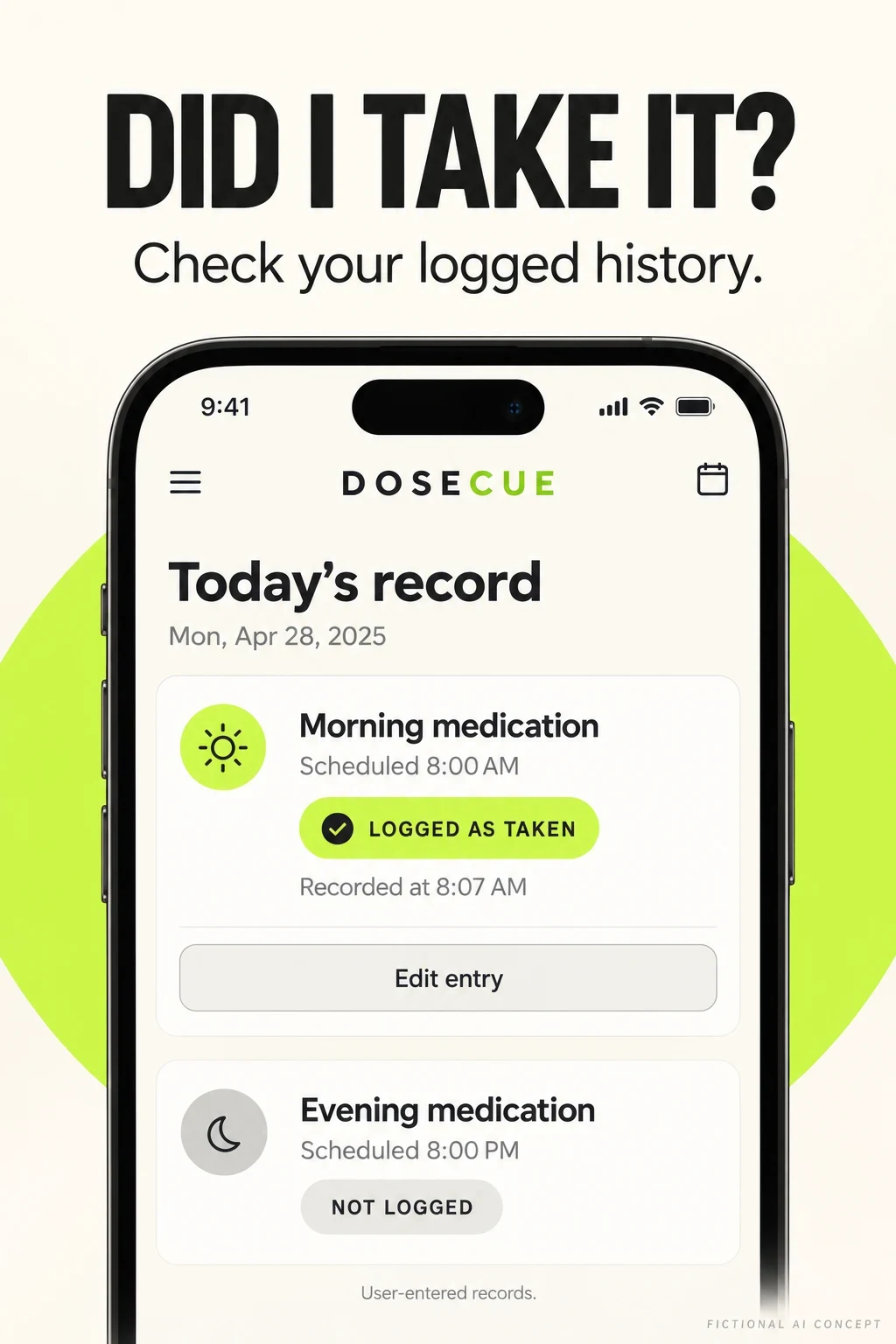
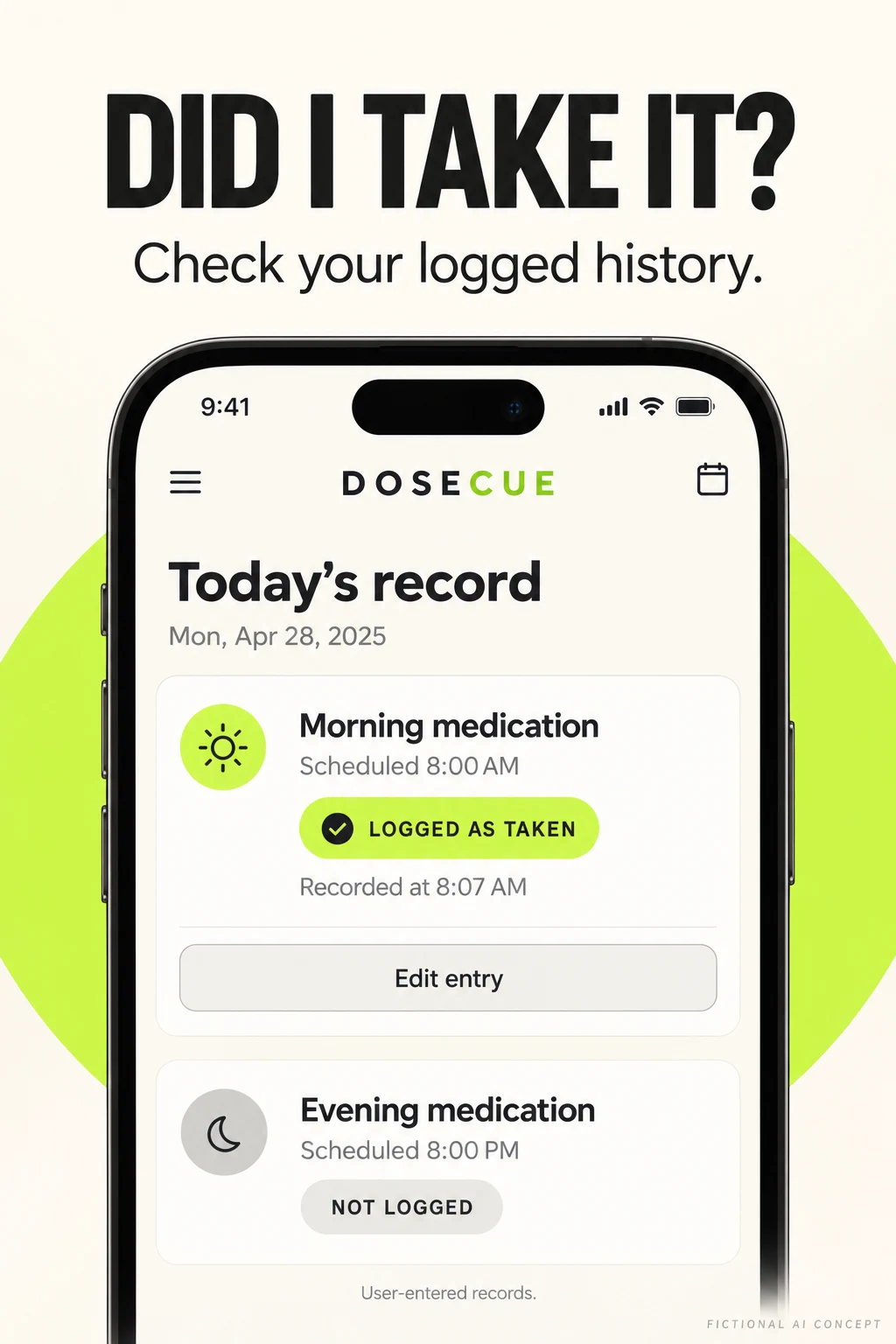
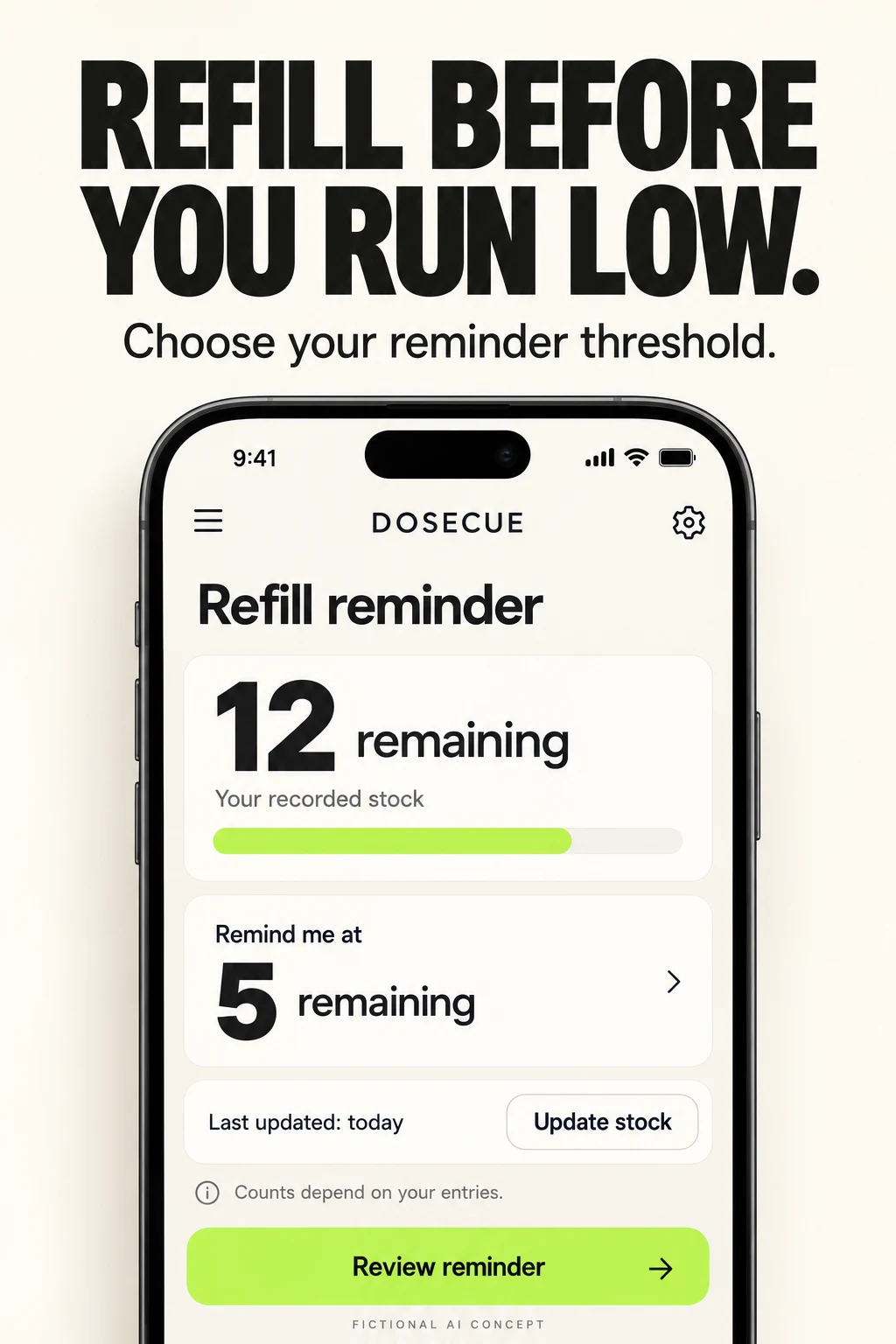
These two original DoseCue images are AI-generated creative concepts. They are not competitor screenshots, a shipped interface or validated product behavior. Their purpose is to make two different acquisition arguments visible: remembering a record and understanding a stock threshold.
Concept A · a log you can inspect and correctConcept B · a stock threshold the user chooses
Swipe horizontally to compare all columns →
Illustrative editorial review
Workshop step
Approved inputs
Useful prompt
Human review
Choose one intent
Supported history or inventory workflow
Show one task in one large interface
No feature borrowed from a competitor
Make state visible
Real status definitions and timestamp rules
Separate scheduled from logged; include correction
Do not turn missing entries into proof of missed medication
Explain the count
Real stock calculation and adjustment rules
Show count, update time and alert threshold
Check units and manual-versus-automatic updates
Remove false certainty
Actual notification and sync behavior
Replace guaranteed outcomes with supported actions
Product and wording review
Build from the app
Approved interface capture with demonstration data
Improve hierarchy without inventing controls
Rebuild in the real design system
Test one difference
One hypothesis and stable comparison
Compare history-first with the current opener
Store conversion plus comprehension and qualified setup
Concept A critique: The logged state and edit action are clear. The generator added an arbitrary date and an evening item labeled unlogged before its scheduled time. In a production interface, that should read upcoming if the product distinguishes future events. “Recorded at” also needs to specify whether it means the event time or the entry time.
Concept B critique: The number and threshold are readable. The stock bar has no visible denominator or unit, and the fictional quantities are not a recommended refill rule. A real version needs medicine identity, unit, update semantics and a threshold selected for the person’s existing routine. The headline must not imply automatic renewal.
Test plan: First ask participants to explain each state and the source of the count. Correct misunderstandings before a store experiment. Then change only the opener or stock hierarchy, keeping the rest of the sequence stable. No result is predicted.
MEDICATION REMINDER ASO
A release checklist built around real medication workflows.
Swipe horizontally to compare all columns →
Illustrative editorial review
Stage
Category-specific check
Research the locale
Medication versus medicine vocabulary; refill versus repeat-prescription language; 12/24-hour clock; date order; local product availability
Adapt the interface
Text expansion, screen-reader labels, medicine-form units, profile names, right-to-left layout and legible notification copy
For a specific app, start with an ASO audit of the actual listing and supported workflows. The ASO services page explains how research, metadata, creative and testing fit together.
Research limits: Public US iOS listing evidence; Android guidance comes from official platform documents. No in-app reliability tests, clinical evaluation, private analytics, search-volume estimates or conversion results were available. Refresh live listings and product behavior before production.