Core Timer
intermittent fasting app · fasting tracker · fasting timer · fast tracker · intermittent fast tracker · fasting clock · eating window timer · fasting countdown · daily fasting timer · track my fast
CATEGORY ASO PLAYBOOK / INTERMITTENT FASTING
A timer is a promise about control. Show the schedule, the correction and the safety boundary before selling a transformation.
CHOOSE THE TIMER JOB ↓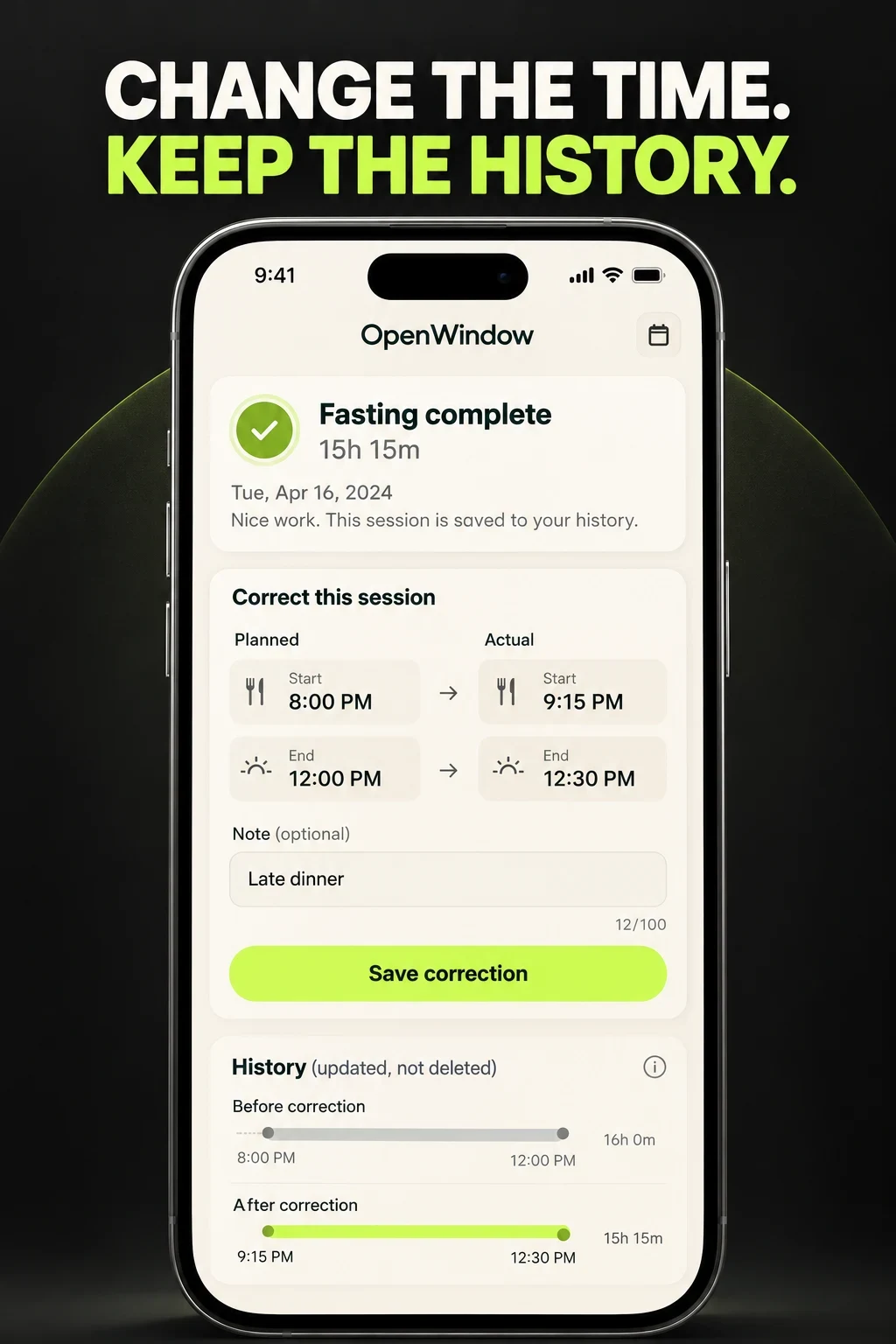
FASTING TIMER ASO
These are audience hypotheses, not measured demographic shares or suitability guidance. Research age eligibility, routine, work hours, time zones, device, locale, motivation, prior experience and access to qualified healthcare before targeting anyone. Do not infer that fasting is appropriate from a demographic label.
Swipe horizontally to compare all columns →
| Potential audience | Job | Constraint | Proof to test |
|---|---|---|---|
| First-time timer users | Understand when a fast starts and ends | Plan labels can be unfamiliar | Exact hours and plain controls |
| Routine-oriented users | Repeat a chosen weekly pattern | Work and weekends differ | Day-specific schedule and pause |
| Flexible schedulers | Adjust when meals move | A fixed streak can punish ordinary life | Edit, skip and resume |
| Shift workers | Track windows across changing days | Midnight and rotating shifts break standard calendars | Flexible day boundary |
| Minimal-tool seekers | Use only a reliable timer | Bundles can obscure the core job | Start, stop, edit and history |
| Wearable users | Check status without opening the phone | Sync and stop behavior must be clear | Watch or widget proof |
| History reviewers | See consistency over time | Streaks can hide corrected or paused days | Neutral calendar and exports |
| Privacy-conscious users | Keep a sensitive routine controlled | Account, cloud and health integrations vary | Plain data and deletion controls |
| Learning-oriented users | Understand the routine and app controls | Education can drift into medical certainty | Sources and referral boundaries |
| People needing professional input | Know when the app is not appropriate | A timer cannot assess individual suitability | Safety screen and qualified referral |
Start with the broader nutrition-app report. Use search intent and relevance to separate a basic clock, a recurring plan, educational content and a broader weight product.
FASTING TIMER ASO
These 100 candidates are unmeasured. Validate relevance, suggestions, paid-search behavior, eligibility and a corrected-fast activation before prioritizing them.
intermittent fasting app · fasting tracker · fasting timer · fast tracker · intermittent fast tracker · fasting clock · eating window timer · fasting countdown · daily fasting timer · track my fast
16 8 fasting app · 16 8 fasting timer · 14 10 fasting timer · 18 6 fasting tracker · 20 4 fasting timer · omad fasting tracker · one meal a day timer · custom fasting schedule · weekly fasting schedule · time restricted eating app
fasting app for beginners · intermittent fasting beginner · how to start intermittent fasting · fasting schedule for beginners · fasting guide app · fasting plan app · intermittent fasting reminders · fasting window reminder · when to start fasting · fasting routine planner
edit fasting time · fasting timer with edit · adjust fasting window · change fasting start time · change fasting end time · pause fasting plan · skip fasting day · flexible fasting schedule · fasting timer for shift workers · fasting app for changing schedule
fasting history · fasting calendar · fasting streak tracker · fasting statistics · fasting progress tracker · weekly fasting tracker · fasting journal · fasting timer with notes · fasting data export · fasting tracker without streaks
fasting and water tracker · fasting and weight tracker · fasting habit tracker · fasting mood journal · fasting energy journal · fasting sleep tracker · fasting reminder app · fasting routine tracker · fasting challenge app · fasting tracker with rest days
fasting timer widget · fasting lock screen widget · apple watch fasting app · wear os fasting timer · fasting timer on watch · fasting live activity · fasting timer notification · fasting timer for iphone · fasting timer for android · fasting tracker health app sync
simple fasting timer · minimal fasting app · private fasting tracker · fasting app no account · fasting timer no ads · offline fasting timer · fasting tracker without calories · fasting app without weight loss · fasting timer without subscription · fasting app with data export
intermittent fasting app for night shift · fasting timer for rotating shifts · fasting app with flexible weekends · fasting tracker for travelers · fasting timer across time zones · fasting app with custom meal window · fasting calendar with off days · fasting tracker with corrected history · fasting app with pause plan · non judgmental fasting tracker
fasting safety information · fasting app safety screen · fasting timer stop button · fasting app with break reminders · fasting tracker medical disclaimer · fasting plan pause anytime · fasting app for adults · fasting symptom journal · fasting app professional guidance · fasting tracker with safety notes
Download the 100-keyword worksheet. Continue with seed keywords, competitor research, long-tail research and prioritization.
FASTING TIMER ASO
Swipe horizontally to compare all columns →
| Narrow angle | Candidate phrase | Proof required |
|---|---|---|
| Shift work | fasting timer for rotating shifts | Flexible day boundary |
| Correction | fasting tracker with corrected history | Editable past session |
| Weekends | fasting app with flexible weekends | Day-specific schedule |
| Neutral | fasting app without weight loss | Timer-only message |
| Privacy | fasting app no account | Account-free use if true |
| Wearable | fasting timer on watch | Status and stop controls |
| Travel | fasting timer across time zones | Explicit time-zone behavior |
| Rest days | fasting calendar with off days | Pause and resume |
| No streak | fasting tracker without streaks | Neutral history mode |
| Safety | fasting app safety screen | Suitability boundary and referral |
Use the long-tail guide to validate specificity without inventing demand.
FASTING TIMER ASO
Eight current US App Store listings and matching Google Play identities were checked on 26 October 2026. The iOS screenshot review is platform-specific. This compares visible positioning, not medical suitability, product quality, popularity or results.
Swipe horizontally to compare all columns →
| App | Developer | Current title | Current subtitle | Positioning role |
|---|---|---|---|---|
| Zero | Zero Longevity Science, Inc. | Zero: Fasting & Food Tracker | Track Diet, Protein & Calorie | Fasting timer expanded into food, protein and calorie tracking. |
| BodyFast | BodyFast GmbH | BodyFast: Intermittent Fasting | Calorie & Weight Loss Tracker | Timer, plans, coaching, challenges and progress tracking. |
| Fastic | Fastic GmbH | Fastic Weight Loss & Fasting | Protein, Tracker, Nutrition | Fasting plan inside a broader weight and nutrition product. |
| FastEasy | WELLTECH APPS LIMITED | FastEasy: Intermittent Fasting | Simple Weight Loss & Tracker | Beginner timer, daily plans, water, steps, recipes and reminders. |
| DoFasting | FASTING SOLUTIONS UAB | DoFasting Intermittent Fasting | Healthy diet & macros diary | Fasting schedules combined with diet, activity and macros. |
| FastHabit | WL Online Marketing LLC | FastHabit Intermittent Fasting | Track your fasts and progress | Focused timer, reminders, calendar, export, watch and weight history. |
| Window | Mosaic S.r.l. | Window - Intermittent Fasting | Fast Tracker & Eating Timer | Custom fasting and eating windows with journal and progress views. |
| Easy Fast | Samtark Pty Ltd | Fasting Tracker • Easy Fast | Intermittent Fasting Timer | Simple timer positioning with editable sessions, widgets and privacy claims. |
Preserve dated evidence with competitor research and the metadata change log.
FASTING TIMER ASO
Swipe horizontally to compare all columns →
| Decision | iOS | Google Play | Fasting consequence |
|---|---|---|---|
| Name | 30 characters | 30 characters | Use fasting or timer only when central |
| Support line | 30-character subtitle | 80-character short description | Explain plan, edit or privacy mechanism |
| Discovery | Keyword field plus description | Full description | Map schedule and device intent separately |
| Testing | Product Page Optimization | Store listing experiments | Test one control or boundary |
| Intent pages | Custom product pages | Custom store listings | Separate beginner, minimal and wearable intent |
FASTING TIMER ASO
All 20 panels were opened at readable size. Visible choices, recommendations and unknown outcomes are kept separate. Physiological and weight claims are not repeated as facts.

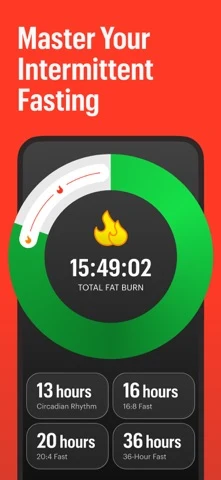
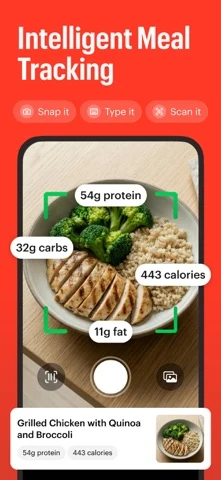

Original artwork from the Zero US App Store listing, captured 26 October 2026. Select a panel to enlarge it.
What the screenshots show: The sequence opens with awards and a number-one claim, then shows a multi-plan timer, camera-based meal tracking and a protein outcome message.
What I would test: Move the editable timer and correction flow ahead of social proof for timer intent; verify every outcome and ranking claim before release. The result is unknown until tested.
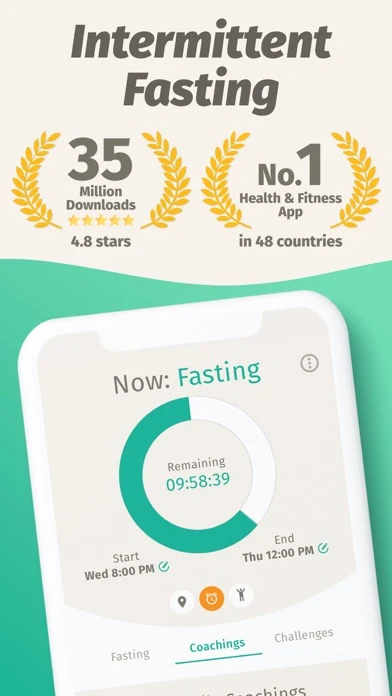
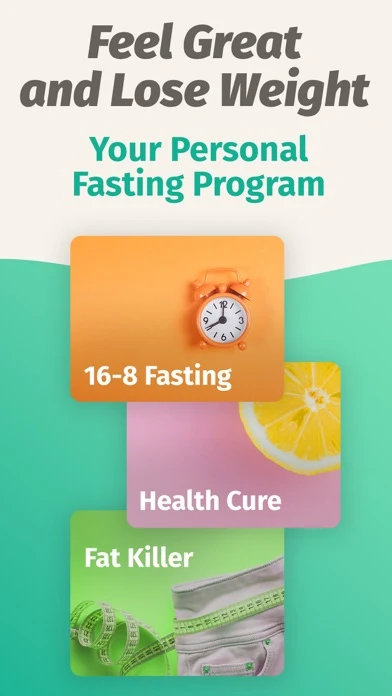
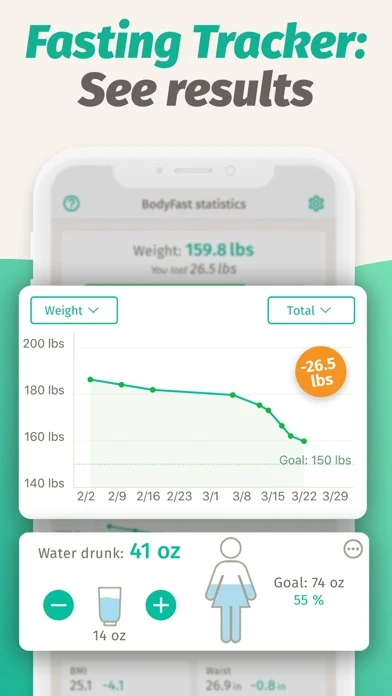
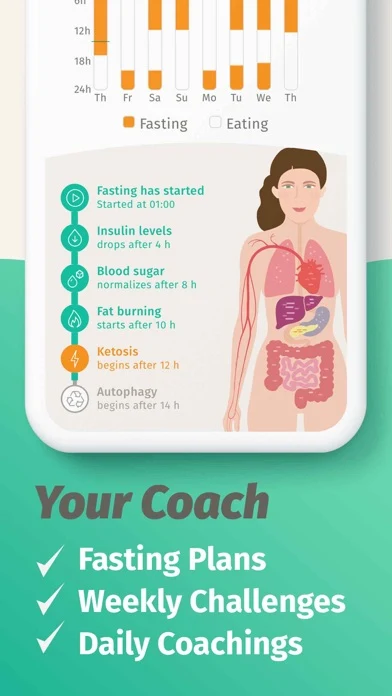
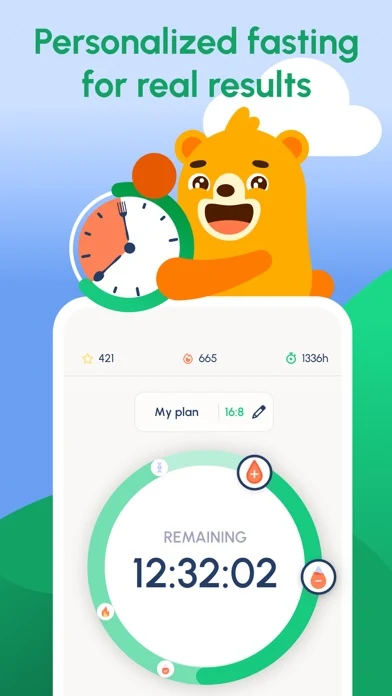
Original artwork from the BodyFast US App Store listing, captured 26 October 2026. Select a panel to enlarge it.
What the screenshots show: The visible frames use download and ranking proof, weight-loss language, a result graph and physiological stage labels alongside coaching.
What I would test: Lead with schedule setup and correction, then qualify stage and outcome language with current evidence and policy review. The result is unknown until tested.

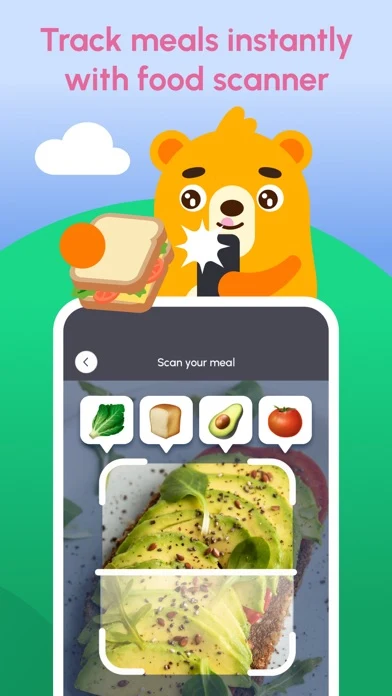
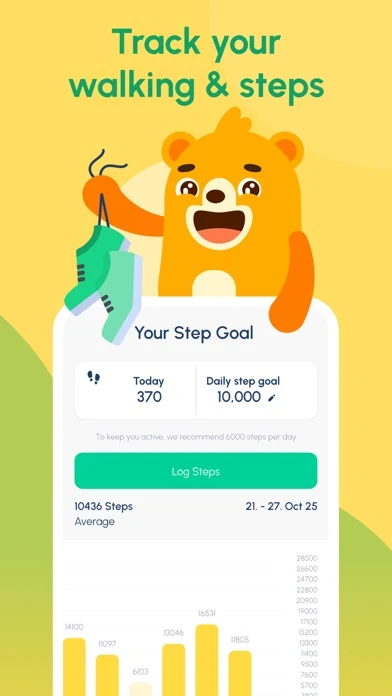
Original artwork from the Fastic US App Store listing, captured 26 October 2026. Select a panel to enlarge it.
What the screenshots show: The first four panels promise dream weight, personalized fasting, food scanning and step tracking in a consistent illustrated system.
What I would test: For fasting-timer queries, replace one adjacent-feature frame with start, end, pause and edit controls so the main job is visible. The result is unknown until tested.
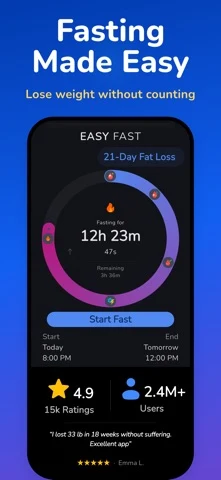
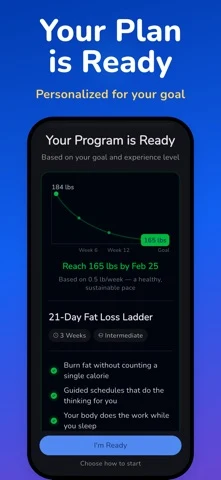
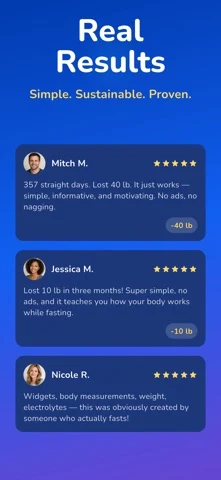
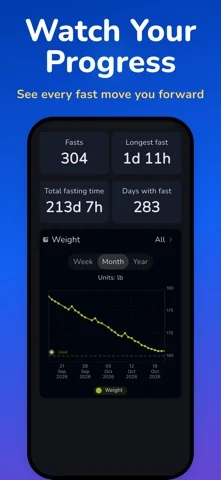
Original artwork from the Easy Fast US App Store listing, captured 26 October 2026. Select a panel to enlarge it.
What the screenshots show: The sequence shows a timer, a personalized plan, review-led result claims and a progress screen with fast counts and weight trend.
What I would test: Keep the first timer frame, then show a corrected session or flexible week before testimonials and weight progress. The result is unknown until tested.
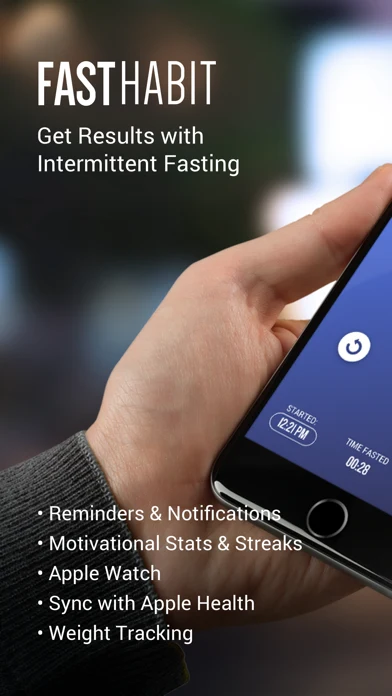
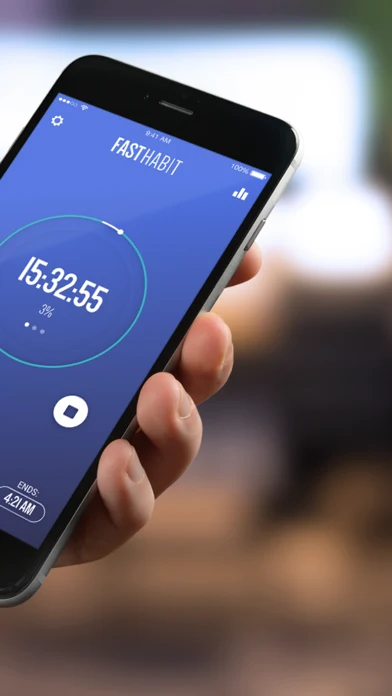
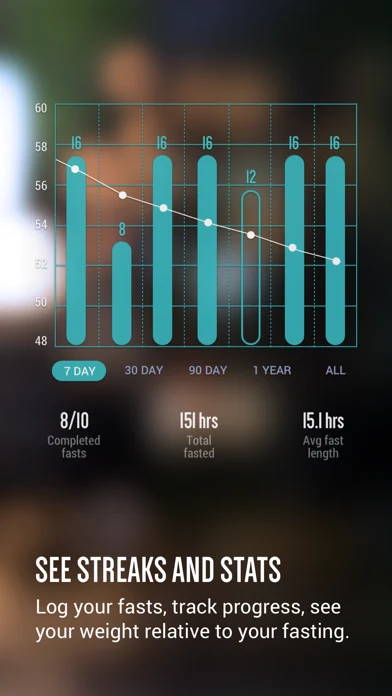
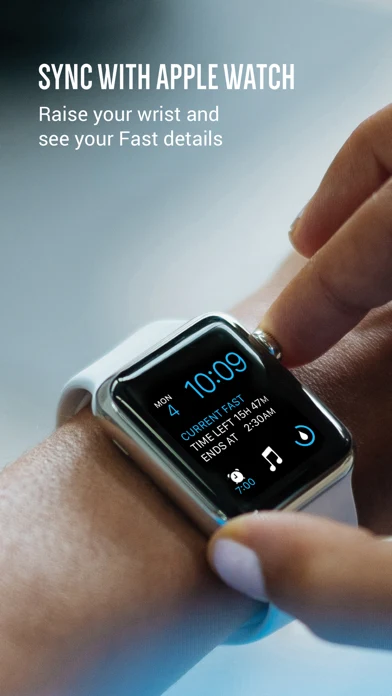
Original artwork from the FastHabit US App Store listing, captured 26 October 2026. Select a panel to enlarge it.
What the screenshots show: The panels show a feature list, a large timer, a fasting-plus-weight chart and an Apple Watch status screen.
What I would test: Modernize typography and lead with an editable current timer; keep the watch and history proof because both answer concrete jobs. The result is unknown until tested.
Apply screenshot strategy, order, readability and storytelling.
FASTING TIMER ASO
OpenWindow is fictional. This example assumes customizable windows, start and end correction, day-specific schedules, planned off days, pause and resume, neutral history, watch status, privacy controls and an eligibility boundary.
Swipe horizontally to compare all columns →
| Field | Worked copy | Count |
|---|---|---|
| iOS name | OpenWindow: Fasting Timer | 25 / 30 |
| iOS subtitle | Flexible Plans & History | 24 / 30 |
| iOS keywords | fasting,timer,tracker,window,16:8,14:10,schedule,history,reminder,widget,watch,edit,pause | 89 / 100 |
| Google name | OpenWindow: Fasting Timer | 25 / 30 |
| Google short description | Start, adjust and pause fasting windows with clear history and flexible weeks. | 78 / 80 |
Description opening: Choose a fasting window, see the exact start and end, and adjust the record when real life changes. Build a week with flexible days, pause anytime and keep history without a failure grade.
Safety line: Fasting is not for everyone. The app does not determine individual suitability or replace a qualified professional.
CTA: Set my first flexible window.
Swipe horizontally to compare all columns →
| Frame | Message | Product proof |
|---|---|---|
| 01 | Change the time. Keep the history. | Planned versus actual edit |
| 02 | Know exactly when the window ends. | Start, end and remaining time |
| 03 | The window is a tool—not a score. | Flexible week and off days |
| 04 | Pause without losing your record. | Pause and resume |
| 05 | Check the timer from your wrist. | Watch status and controls |
FASTING TIMER ASO
Swipe horizontally to compare all columns →
| Mistake | Why it is unclear | Better test |
|---|---|---|
| Leading with dramatic weight outcomes | The timer job disappears and evidence may not travel | Lead with schedule control |
| Showing a ring without start and end | The plan label remains abstract | Show exact hours |
| Treating a missed day as failure | Real routines change | Add pause, skip and resume |
| Hiding correction | Forgotten taps corrupt history | Show editable start and end |
| Presenting stages as exact | Timing and physiology vary | Source and qualify every label |
| Calling coaching personalized | The changed decision is invisible | Show what the plan changes |
| Bundling food, steps and timers immediately | The primary intent gets diluted | Sequence core job before adjacent tools |
| Using streaks as the only progress | A streak can punish planned rest | Offer neutral calendar and totals |
| Burying eligibility language | A disclaimer after conversion is not a boundary | Put safety before plan recommendation |
| Localizing numbers only | Meal times, work weeks and advice differ | Localize the whole schedule |
Download the ten-test backlog and turn each idea into a falsifiable A/B-test hypothesis.
FASTING TIMER ASO
No campaigns or spend are authorized. Keep exact, broad and Search Match controlled. Negatives should exclude unsupported diagnoses, medications, eating-disorder treatment, pregnancy guidance, supplements, meal delivery and guaranteed weight or health outcomes. Record eligibility exits separately from product abandonment; do not optimize qualified safety exits away.
Swipe horizontally to compare all columns →
| Campaign group | Query family | Landing argument | Activation event |
|---|---|---|---|
| Brand | Exact brand and close variants | Core timer page | First corrected fast |
| Timer | fasting timer; fasting clock | Timer-control page | First fast started |
| 16:8 | 16 8 fasting timer | 16:8 schedule page | Schedule saved |
| Beginner | fasting app for beginners | Plain onboarding page | Eligible onboarding complete |
| Flexible | custom fasting schedule; edit fasting time | Edit-and-pause page | Correction saved |
| Minimal | simple fasting timer; no account fasting | Privacy page | First fast started |
| Shift | fasting timer for shift workers | Flexible-day page | Custom week saved |
| Wearable | apple watch fasting app | Watch page | Watch session started |
| Discovery | Search Match and bounded broad terms | Closest supported job | Qualified activation |
Follow Apple documentation for match types, negatives and ad variations. Evaluate with ASO KPIs and conversion definitions, activation quality, customer economics and safety outcomes—not taps alone.
FASTING TIMER ASO
Swipe horizontally to compare all columns →
| Visible pattern | Dated evidence | Working hypothesis |
|---|---|---|
| Fasting plus food | Zero, Fastic and DoFasting current fields | Broader bundles may need intent-specific pages |
| Weight-led positioning | BodyFast, Fastic and FastEasy fields | Strong motive language can obscure timer control |
| Timer ring | All five inspected sets | A common visual needs exact hours or editing to differentiate |
| Stage labels | BodyFast and Easy Fast screens | Each label needs current qualified evidence |
| Minimal privacy position | Easy Fast store descriptions | No-account and no-ads intent can support a distinct page when true |
| Wearable proof | FastHabit and Easy Fast descriptions | Glanceable status is concrete product evidence |
These are storefront observations from 26 October 2026, not clinical, market-share or conversion conclusions.
FASTING TIMER ASO
These OpenWindow concepts are AI-generated, fictional and untested. They are not competitor screenshots, medical guidance, safety guarantees or claims about a live app.
What the app promises: A completed session can be corrected without erasing the record.
What you can learn: The generated UI makes planned versus actual time inspectable; production must calculate duration and time zones correctly.
What I would test: Correction proof versus a generic timer ring.
Human review: Replace invented times, plans, history, eligibility and privacy behavior with verified product states; check calculations, medical boundaries, policy, accessibility, rights and localization.
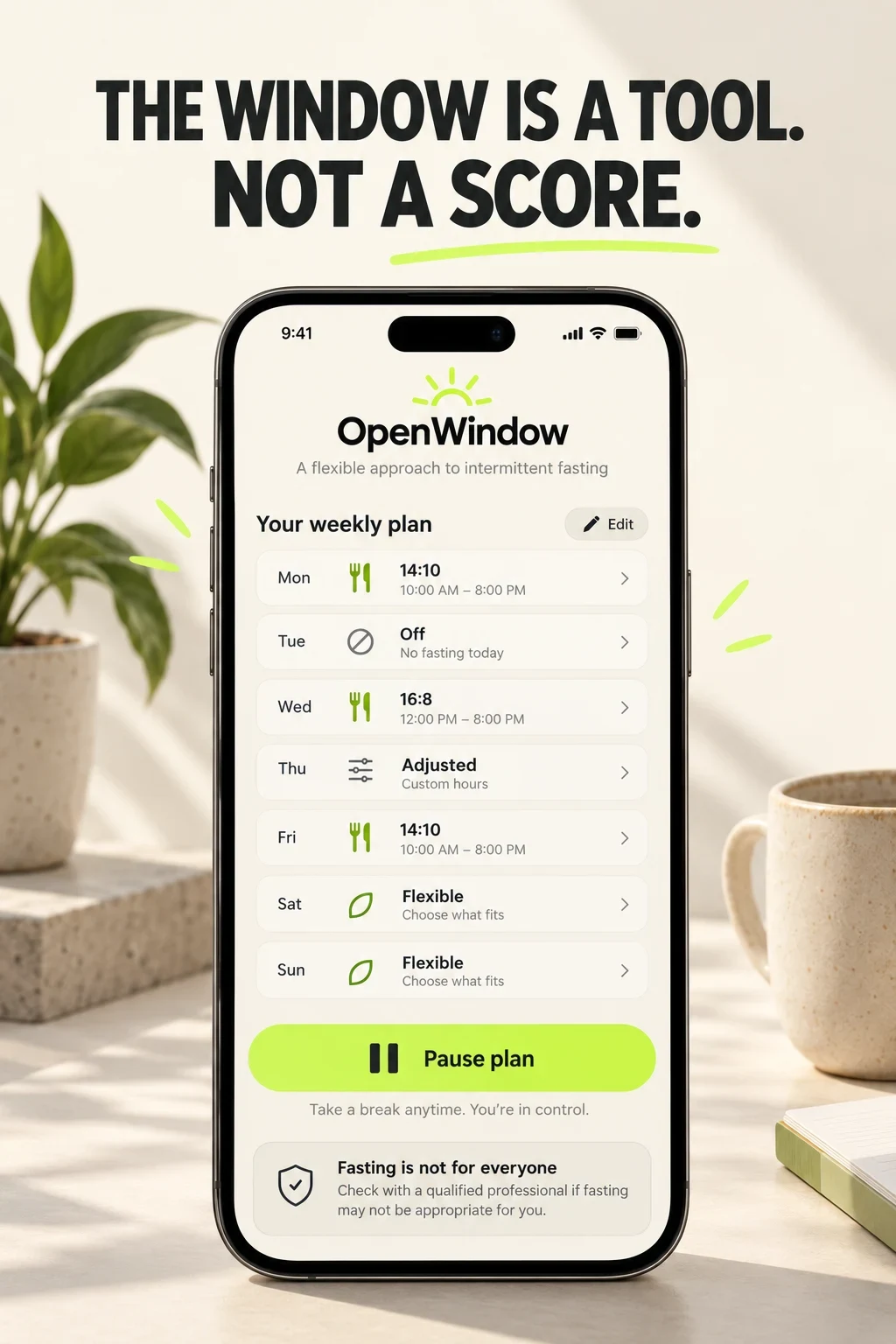
What the app promises: A week can include adjusted and off days, a pause control and a safety boundary.
What you can learn: The concept avoids red failure states, but the suitability language still needs qualified medical, legal and policy review.
What I would test: Flexible week versus streak-led progress.
Human review: Replace invented times, plans, history, eligibility and privacy behavior with verified product states; check calculations, medical boundaries, policy, accessibility, rights and localization.
Swipe horizontally to compare all columns →
| Workshop step | Approved input | Human check |
|---|---|---|
| Choose the timer job | Verified timer behavior | Do not imply suitability |
| Map correction | Real start, end and edit states | Recalculate duration and reminders |
| Design flexibility | Supported pause and off days | Avoid failure framing |
| Write boundaries | Reviewed safety language | Refer to qualified help |
| Generate variants | One controlled argument | Keep audience and offer stable |
| Test carefully | Activation and stop rule | Never call a concept proven |
FASTING TIMER ASO
Swipe horizontally to compare all columns →
| Moment | Fasting-specific checks |
|---|---|
| Localization | Clock format, time zones, day boundaries, work week, meal language, schedule names, reminders and native safety review |
| Submission | Fields, screenshots, timer calculations, correction, stages, eligibility, outcome claims, subscriptions, privacy and integrations |
| After release | Traffic, eligible onboarding, first start, early stop, correction, week saved, pause, reminder mismatch, watch sync and retained use |
Prioritize markets with market prioritization, research them through local keyword research, adapt time and safety examples with screenshot adaptation and finish with localization QA. For a second opinion, see ASO audit or ASO services.