Core Water Tracker
water tracker · hydration tracker · water intake tracker · daily water tracker · drink tracker · fluid intake tracker · water log app · hydration log · track water intake · daily drink log
CATEGORY ASO PLAYBOOK / HYDRATION
A progress ring is not the product. Show the exact container, the honest correction and the reminder controls that make a hydration log usable.
CHOOSE THE HYDRATION JOB ↓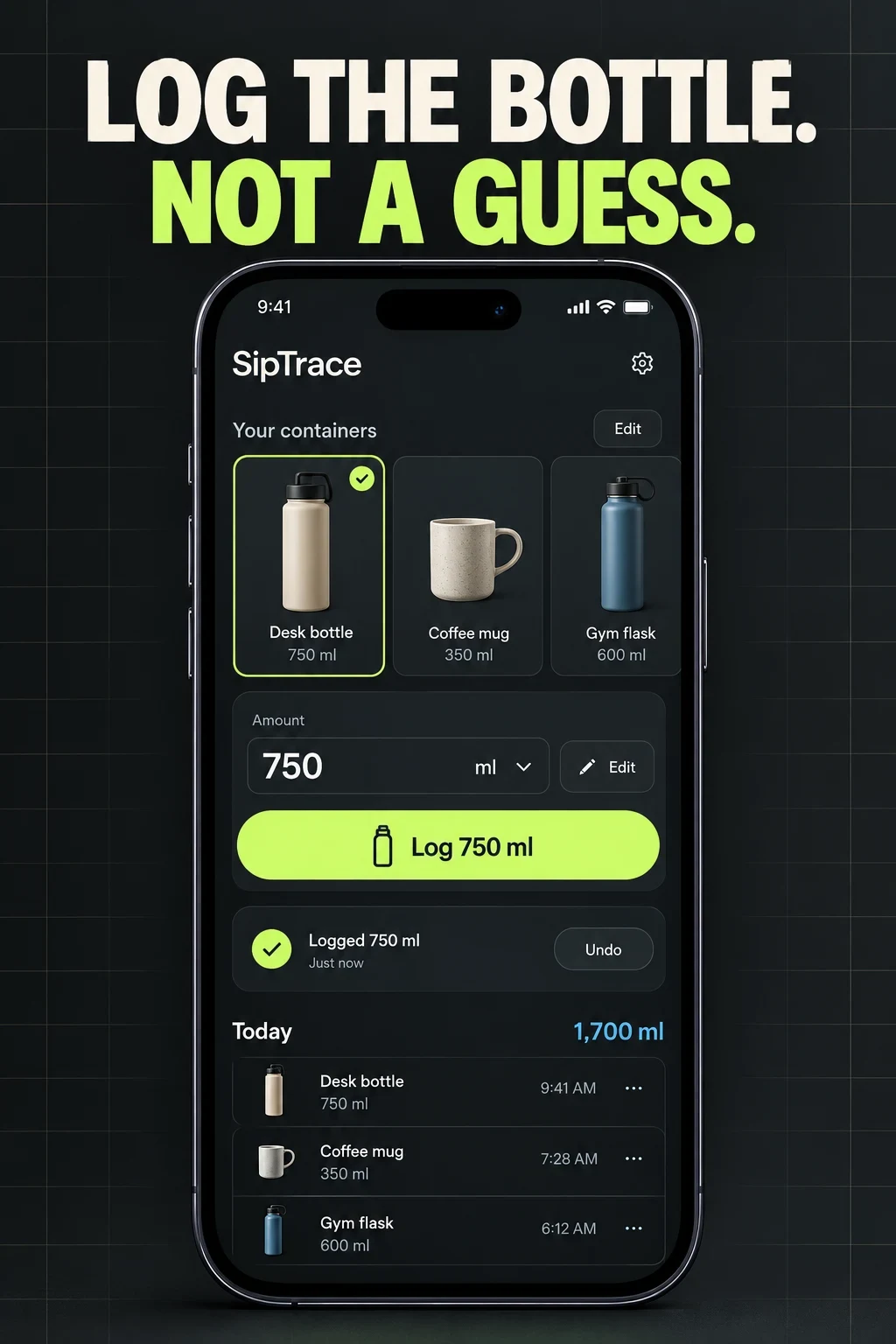
HYDRATION APP ASO
These are research hypotheses, not measured demographic shares. Ask about routine, work hours, containers, units, devices, locale, reminder tolerance, accessibility, privacy and whether a target comes from a qualified professional. Do not infer medical needs from an age, job or identity label.
Swipe horizontally to compare all columns →
| Potential audience | Job | Constraint | Proof to test |
|---|---|---|---|
| Fast loggers | Record a familiar bottle without typing | More taps make memory-based entry more likely | Saved container plus exact amount |
| Reminder seekers | Get a useful prompt at an appropriate time | Repeated prompts become noise | Active hours, quiet hours, snooze and skip |
| Shift workers | Use a schedule that crosses midnight | Calendar-day assumptions break overnight routines | Explicit day boundary and next reminder |
| Widget and watch users | Log without opening the phone | Sync and accidental taps need correction | Device screen plus undo and history |
| Multiple-beverage trackers | Record water, tea, coffee or another supported drink | Contribution rules may be unclear | Visible drink type and calculation note |
| Custom-bottle users | Save a real container once | Partial refills and size changes happen | Named preset, edit and partial amount |
| Minimal-tool seekers | Track without characters, streak pressure or a large bundle | Gamification can obscure the core job | Neutral log, optional reminders and export |
| Travelers | Keep units and reminder times understandable | Time zones and 12/24-hour formats change | Local unit, time zone and quiet-hours behavior |
| History reviewers | Correct forgotten or mistaken entries | A progress ring can hide bad source data | Editable timeline with time, amount and drink |
| People with clinician-set needs | Record a target provided by a qualified professional | A general app cannot prescribe an individual amount | Manual target plus a visible medical boundary |
Start with the broader nutrition-app report. Use search intent and relevance to separate logging, reminders, connected devices and history.
HYDRATION APP ASO
These 100 candidates are unmeasured inputs. Validate storefront suggestions, paid-search behavior, relevance, product support and an accurate first log before prioritizing them.
water tracker · hydration tracker · water intake tracker · daily water tracker · drink tracker · fluid intake tracker · water log app · hydration log · track water intake · daily drink log
water reminder · drink water reminder · hydration reminder · water alarm · drink reminder app · custom water reminders · water reminder quiet hours · hydration reminder schedule · snooze water reminder · skip next water reminder
custom bottle water tracker · water bottle tracker · custom cup water tracker · one tap water log · water tracker with cup sizes · track partial bottle · save bottle size · quick add water widget · editable water entry · undo water log
beverage tracker · fluid tracker multiple drinks · coffee and water tracker · tea intake tracker · caffeine and water tracker · custom drink tracker · track all beverages · hydration by drink type · daily fluid log · drink history app
water tracker widget · apple watch water tracker · watch hydration app · lock screen water tracker · water tracker live activity · siri water log · wear os water tracker · smart bottle tracker · hydration complication · water shortcut app
daily water goal tracker · hydration history · water intake calendar · weekly hydration report · editable hydration goal · water progress tracker · hydration streak tracker · water intake statistics · hydration trend app · water goal history
simple water tracker · minimal water tracker · water tracker no account · private water tracker · offline water tracker · water tracker without ads · accessible water tracker · large text water tracker · water tracker no gamification · water log without streaks
water tracker for office · water reminder for desk work · water tracker for travel · water tracker for workouts · water reminder for busy people · hydration app for students · water tracker for night shift · water reminder for shift workers · water tracker across time zones · hydration tracker for outdoor days
ml water tracker · oz water tracker · litre water tracker · fluid ounce water reminder · metric water tracker · custom unit hydration app · water tracker 24 hour clock · hydration app quiet hours · water tracker localized units · water reminder overnight schedule
water tracker with custom 750 ml bottle · water reminder with quiet hours · water tracker with editable history · hydration reminder for rotating shifts · water tracker for multiple beverages · water app with exact bottle size · water reminder without health claims · hydration target with manual override · water tracker with transparent goal · water app with professional advice boundary
Download the 100-keyword worksheet. Continue with seed keywords, competitor research, long-tail research and prioritization.
HYDRATION APP ASO
Swipe horizontally to compare all columns →
| Narrow angle | Candidate phrase | Proof required |
|---|---|---|
| Custom container | water tracker with custom 750 ml bottle | Saved bottle and exact amount |
| Reminder control | water reminder with quiet hours | Active hours, skip and snooze |
| Correction | water tracker with editable history | Edit and undo |
| Shift work | hydration reminder for rotating shifts | Schedule crossing midnight |
| Multiple drinks | water tracker for multiple beverages | Supported drink types and method |
| Privacy | water tracker no account | Account-free use if true |
| Neutral use | water log without streaks | Optional gamification |
| Accessibility | large text water tracker | Readable type and controls |
| Target control | hydration target with manual override | Editable target and basis |
| Watch | apple watch water tracker quick log | Watch-originated entry and correction |
Use the long-tail guide to validate specificity without treating a plausible phrase as proof of demand.
HYDRATION APP ASO
Eight current US App Store listings were checked on 26 October 2026. Matching Google Play identities were verified for six; Waterllama and H2O remain iOS-only in this comparison because matching Android identities were not verified. This compares visible positioning—not product quality, popularity, medical suitability or results.
Swipe horizontally to compare all columns →
| App | Developer | Current iOS title | Current subtitle | Positioning role |
|---|---|---|---|---|
| Waterllama | Llama Luna Apps | Water tracker Waterllama | Hydration drink reminder - app | Characters, challenges, many beverage types, reminders and widgets. |
| WaterMinder | Funn Media, LLC | Water Tracker by WaterMinder® | Drink More, Hydration Reminder | Fast logging, custom cups, history, reminders, widgets and watches. |
| Plant Nanny | SPARKFUL INC. | Plant Nanny Cute Water Tracker | Drinking & Hydration Reminder | A virtual plant turns each water log into visible progress. |
| My Water | My Water Drink Tracker Oy | My Water: Daily Drink Tracker | Water Reminder & Hydration Log | Targets, reminders, units, drink types, statistics and watch support. |
| Water Reminder | VGFIT LLC | Water Reminder - Daily Tracker | Nutrition & Calorie counter | Custom drink volumes, scheduled prompts, history and nutrition fields. |
| HidrateSpark | Hidrate Inc. | HidrateSpark Water Tracker | Drink More Water Reminder | Manual tracking plus connected smart-bottle and watch workflows. |
| waterdrop | Waterdrop Microdrink GmbH | waterdrop® Hydration App | Drinking water – the easy way. | Tracking, reminders, challenges, loyalty and smart-cap support. |
| H2O | Lunarbits LLC | H2O: Water Tracker | Drink Reminder & Hydration Log | Preset logging, adaptive goals, widgets, watch, history and export. |
Preserve dated evidence with competitor research and the metadata change log.
HYDRATION APP ASO
Swipe horizontally to compare all columns →
| Decision | iOS | Google Play | Hydration consequence |
|---|---|---|---|
| Name | 30 characters | 30 characters | Use water tracker only when it identifies the real product |
| Support line | 30-character subtitle | 80-character short description | Explain container, reminder or device mechanism |
| Discovery | Keyword field plus description | Full description | Map log, reminder and device intent separately |
| Testing | Product Page Optimization | Store listing experiments | Test one proof change at a time |
| Intent pages | Custom product pages | Custom store listings | Separate custom bottle, reminder and watch intent |
HYDRATION APP ASO
All 20 panels were opened at readable size. Visible choices, recommendations and unknown outcomes stay separate. Health, ranking, user-count and outcome claims visible in source artwork are not repeated as facts.
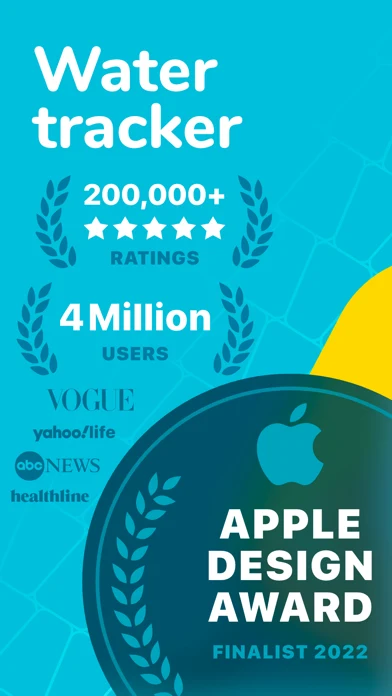
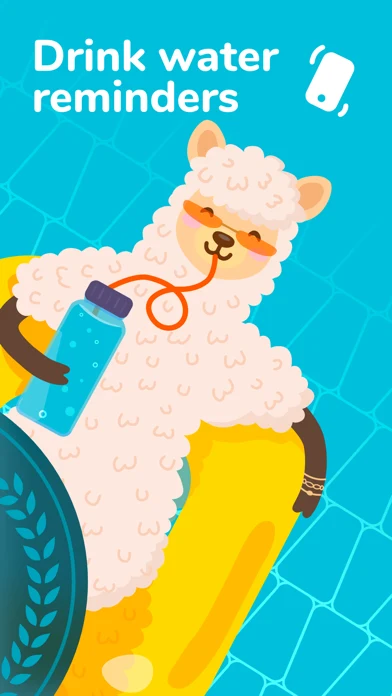
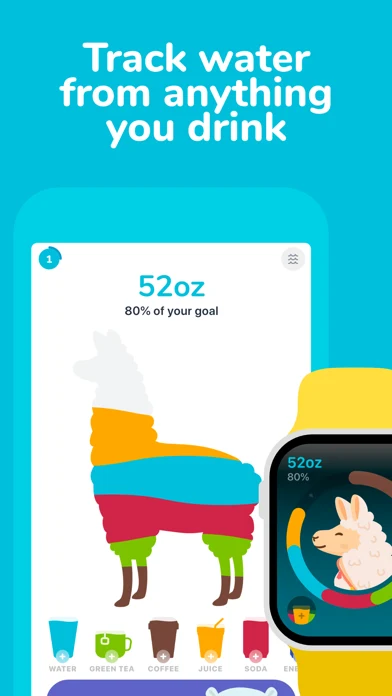
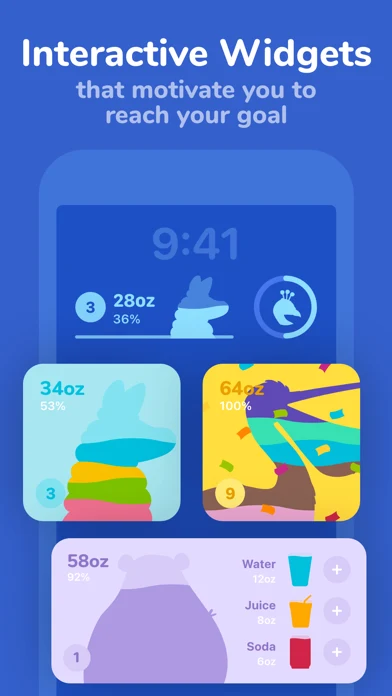
Original artwork from the Waterllama US App Store listing, captured 26 October 2026. Select a panel to enlarge it.
What the screenshots show: The first frame leads with ratings, users and an award; the next three show a reminder character, many drink types and interactive widgets.
What I would test: Keep the visual personality, but test an exact one-tap container log before scale proof so the core action is visible. The result is unknown until tested.
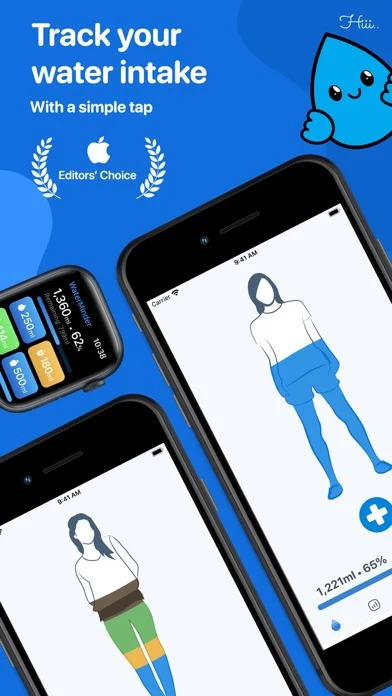
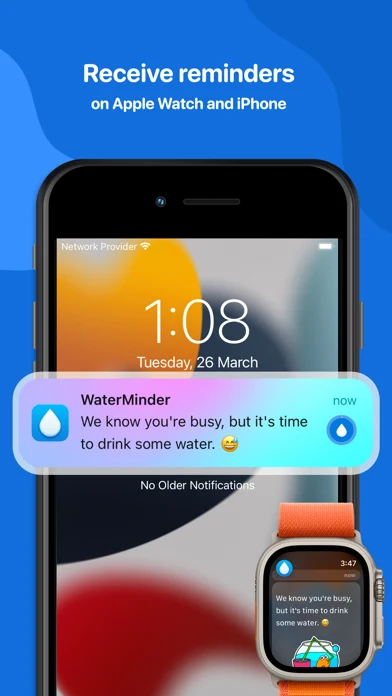
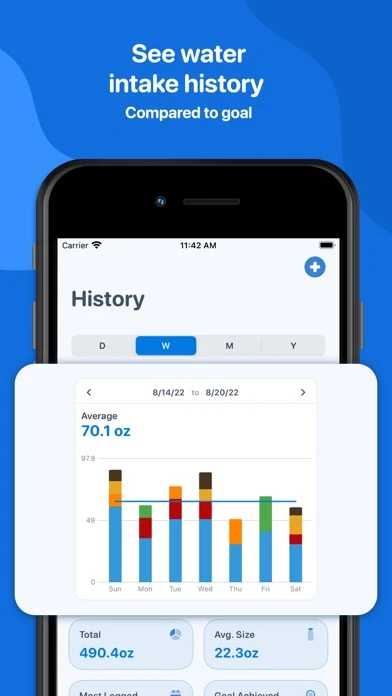
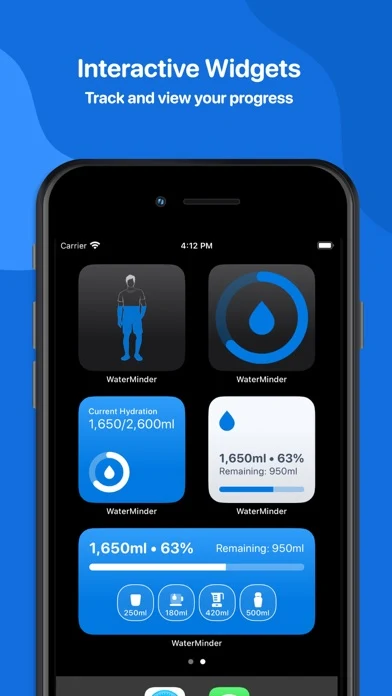
Original artwork from the WaterMinder US App Store listing, captured 26 October 2026. Select a panel to enlarge it.
What the screenshots show: Four consistent blue panels show a one-tap body-fill view, phone and watch prompts, a weekly intake chart and several widgets.
What I would test: Add the actual cup selector or correction state to the first frame; the current sequence names simple logging without showing the amount decision. The result is unknown until tested.
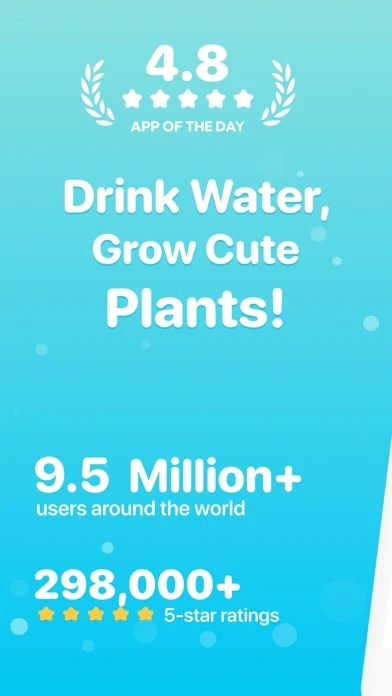
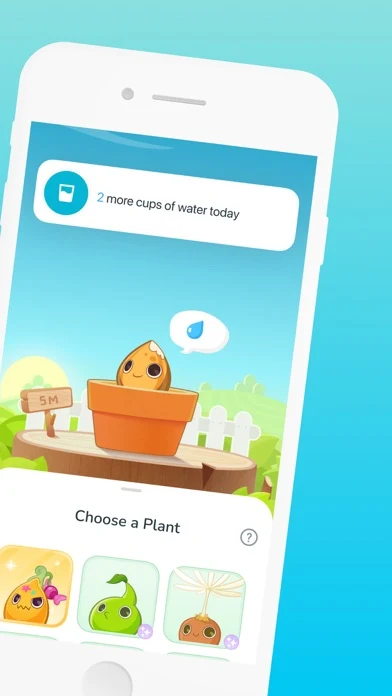
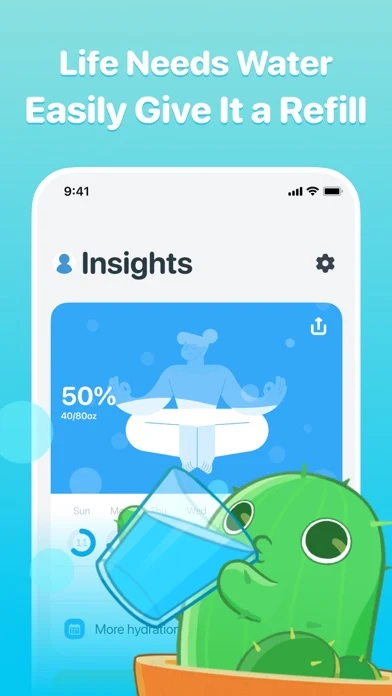
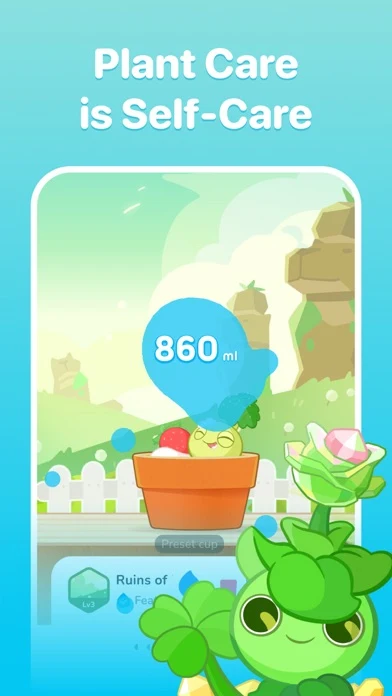
Original artwork from the Plant Nanny US App Store listing, captured 26 October 2026. Select a panel to enlarge it.
What the screenshots show: The sequence opens with rating and scale proof, then shows plant selection, a refill metaphor and a self-care scene.
What I would test: Keep the plant as the hook, then prove how a real cup becomes an accurate entry before extending the story into decoration. The result is unknown until tested.
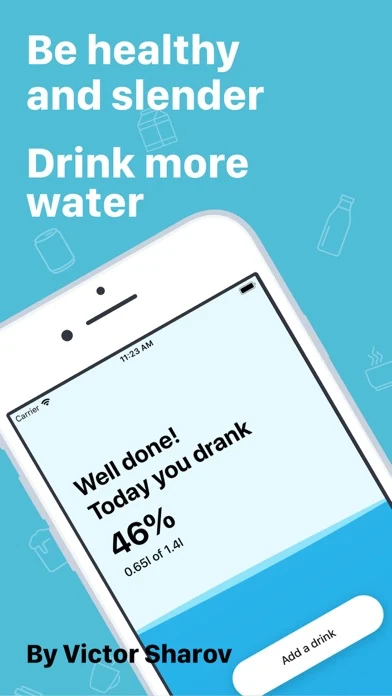
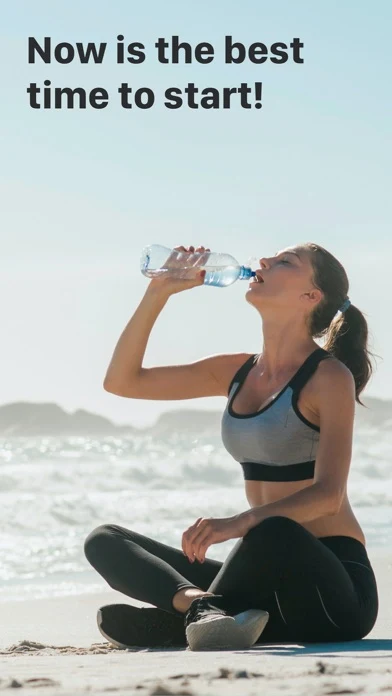
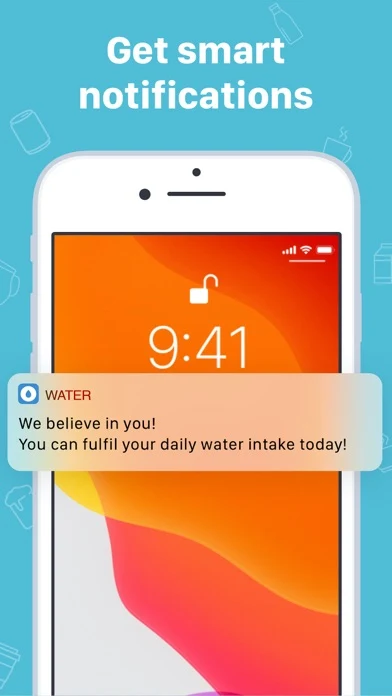
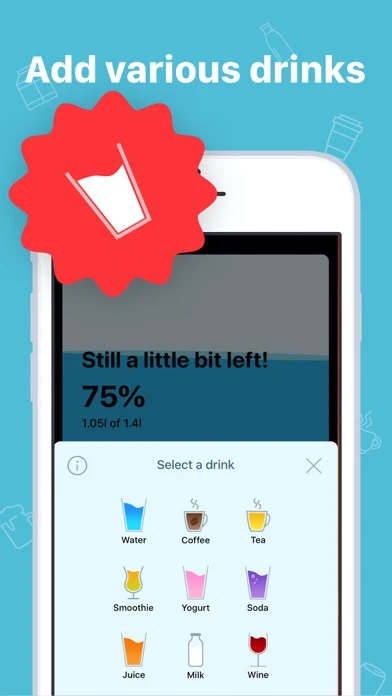
Original artwork from the My Water US App Store listing, captured 26 October 2026. Select a panel to enlarge it.
What the screenshots show: The first two panels use a general healthy-and-slender claim and lifestyle photography; later panels show a notification and a drink selector.
What I would test: Replace the broad body outcome with an exact logging or reminder-control message. Keep the multi-drink screen only after explaining its calculation. The result is unknown until tested.
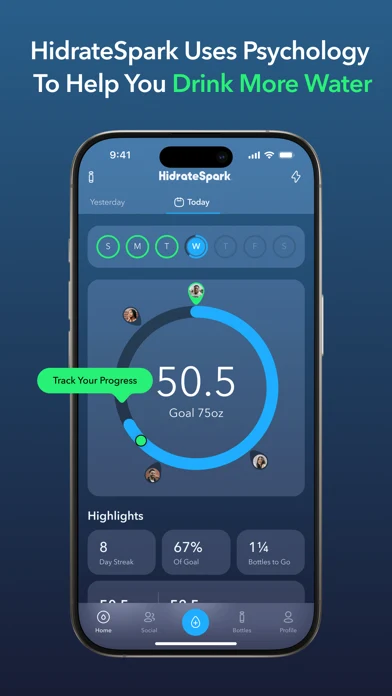
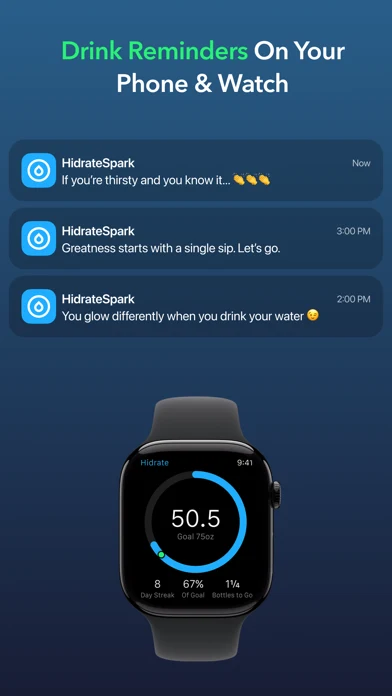
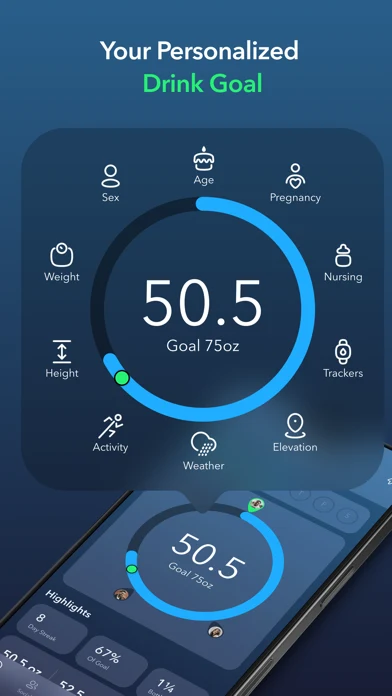
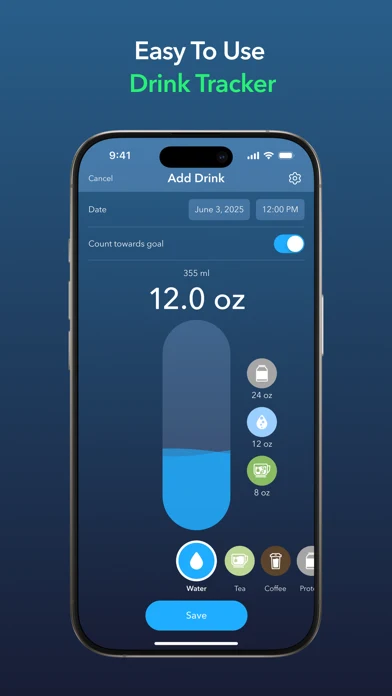
Original artwork from the HidrateSpark US App Store listing, captured 26 October 2026. Select a panel to enlarge it.
What the screenshots show: The four dark panels show a progress dashboard, phone and watch reminders, a target with inputs and a manual add-drink control.
What I would test: Lead smart-bottle or automatic-sip intent with sync proof. For manual intent, show bottle size, correction and what counts toward the target. The result is unknown until tested.
Apply screenshot strategy, order, readability and storytelling.
HYDRATION APP ASO
SipTrace is fictional. This example assumes exact custom containers, ml and oz support, partial amounts, edit and undo, quiet hours, snooze and skip, transparent target controls, widgets, a watch app, export and a visible medical boundary.
Swipe horizontally to compare all columns →
| Field | Worked copy | Count |
|---|---|---|
| iOS name | SipTrace: Water Tracker | 23 / 30 |
| iOS subtitle | Custom Bottles & Reminders | 26 / 30 |
| iOS keywords | hydration,drink,fluid,intake,reminder,bottle,cup,widget,watch,history,log,tracker,water,ml,oz | 93 / 100 |
| Google name | SipTrace: Water Tracker | 23 / 30 |
| Google short description | Log exact drinks, save bottle sizes and control reminders without the nagging. | 78 / 80 |
Description opening: Save the bottle or cup you actually use, log the exact amount in one tap and correct the record when plans change. Choose when reminders can appear, protect quiet hours and see why the next prompt is scheduled.
Boundary line: SipTrace records your choices; it does not prescribe an individual fluid target or replace qualified medical advice.
CTA: Save my first bottle.
Swipe horizontally to compare all columns →
| Frame | Message | Product proof |
|---|---|---|
| 01 | Log the bottle. Not a guess. | Named 750 ml bottle and one-tap log |
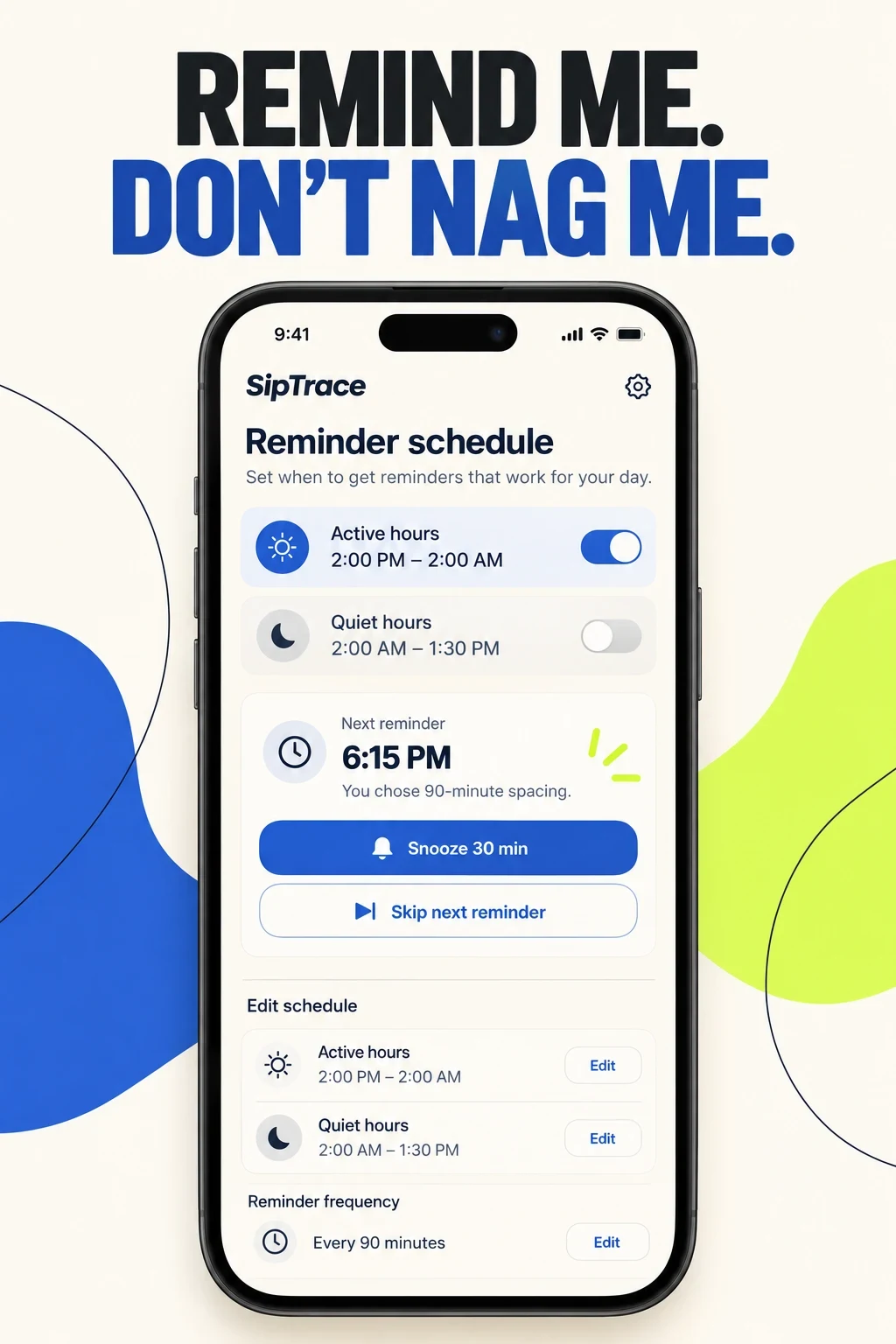
| 02 | Remind me. Don’t nag me. | Active hours, quiet hours, snooze and skip |
| 03 | Fix a log without breaking the day. | Edit, undo and timestamp |
| 04 | Use the device already in reach. | Supported widget or watch control |
| 05 | See the drinks behind the total. | History by amount and supported drink type |
HYDRATION APP ASO
Swipe horizontally to compare all columns →
| Mistake | Why it is unclear | Better test |
|---|---|---|
| Leading with ‘drink more water’ | It does not identify the product | Show one exact logging action |
| Showing only a progress ring | The source data remains invisible | Show container, amount and time |
| Using one default cup for everyone | Real containers vary | Save and edit a named preset |
| Hiding correction | Accidental or forgotten entries distort history | Show edit and undo |
| Calling reminders smart | The decision rule is not visible | Show spacing, next time and reason |
| Ignoring overnight schedules | A midnight boundary breaks shift routines | Test active hours across midnight |
| Treating a target as a prescription | A general estimate cannot cover individual medical needs | Explain inputs, uncertainty and manual control |
| Counting every drink opaquely | People cannot interpret the total | Explain supported types and contribution method |
| Making streaks mandatory | A missed day becomes a judgment | Offer neutral history |
| Localizing units only | Time, containers, claims and prompts still differ | Localize the full workflow |
Download the ten-test backlog and turn each idea into a falsifiable A/B-test hypothesis.
HYDRATION APP ASO
No campaigns or spend are authorized. Keep exact, broad and Search Match controlled. Exclude water delivery, bottle shopping, plumbing, pools, treatment queries, disease advice, supplements, drink sales and unsupported pregnancy or child targeting. Separate a qualified medical exit from product abandonment; do not optimize the safety boundary away.
Swipe horizontally to compare all columns →
| Campaign group | Query family | Landing argument | Activation event |
|---|---|---|---|
| Brand | Exact brand and close variants | Core logging page | Accurate first log |
| Tracker | water tracker; hydration tracker | Exact-log page | Accurate first log |
| Reminder | water reminder; drink reminder | Reminder-control page | Reminder configured |
| Container | custom bottle water tracker | Container page | Preset saved and used |
| Widget | water tracker widget | Widget page | Widget-originated log |
| Watch | apple watch water tracker | Watch page | Watch-originated log |
| Shift | water reminder for shift work | Overnight schedule page | Cross-midnight schedule saved |
| Minimal | simple water tracker; no account | Minimal/privacy page | Accurate first log |
| Discovery | Search Match and bounded broad terms | Closest supported job | Qualified activation |
Follow Apple documentation for match types, negatives and ad variations. Evaluate with ASO KPIs, conversion definitions, activation quality and customer economics—not taps alone.
HYDRATION APP ASO
Swipe horizontally to compare all columns →
| Dated pattern | Primary evidence reviewed 26 Oct 2026 | ASO implication |
|---|---|---|
| Custom cups and drink types | Visible in WaterMinder, Waterllama, My Water and current descriptions | Lead with the exact decision rather than the total |
| Widgets and watches | Visible in Waterllama, WaterMinder and HidrateSpark; supported in current listings | Prove the device-originated log and correction |
| Characters and gamification | Prominent in Waterllama and Plant Nanny | Use only when it serves the chosen audience |
| Personalized targets | Visible in HidrateSpark and current competitor copy | Show inputs, basis, edit control and boundary |
| AI or recap language | Waterllama version history mentions AI recaps in the reviewed snapshot | Treat generated interpretation as a hypothesis; never invent health advice |
Use the competitor-research process to recheck patterns before every release. A pattern is not automatically a strategy.
HYDRATION APP ASO
The two images below are fictional SipTrace concepts made after the real screenshot review. They are prompts for a human design and product discussion—not competitor screenshots, live features or test winners.
Swipe horizontally to compare all columns →
| Workshop step | Approved input | Useful prompt or action | Human check |
|---|---|---|---|
| 1. Choose the job | One supported feature and query cluster | Show the exact custom bottle log | Feature truth and priority |
| 2. Lock the claim | Verified interface behavior | Use the line: Log the bottle. Not a guess. | Policy, trademark and readability |
| 3. Demand evidence | Container, amount, edit and undo | One front-facing phone; no montage | UI accuracy and accessibility |
| 4. Build a second route | Reminder schedule and controls | Show quiet hours, skip, snooze and reason | Notification logic and edge cases |
| 5. Critique the render | Generated image at full size | List missing, invented or ambiguous UI | Copy, units, toggles and localization |
| 6. Test one change | Production-ready human design | Container proof versus generic progress | Qualified activation and guardrails |
Concept review: The custom-bottle concept is unusually clear, but its perfect preset history could overstate real setup ease. The reminder concept explains timing well, but the toggle states must be checked against final logic. Neither concept proves accessibility, notification delivery, cross-midnight behavior or an improved conversion rate.
Before production: Rebuild the idea in the product design system; verify every field and tap; run medical, policy, privacy, rights, localization and accessibility review; then test one message with a clear A/B-test hypothesis.
HYDRATION APP ASO
Swipe horizontally to compare all columns →
| Stage | Hydration release checklist |
|---|---|
| Before localization | Approve product truth, container sizes, units, reminder logic, target basis, privacy, subscriptions, accessibility and the medical boundary |
| Per locale | Research water versus hydration language, common container terms, ml or oz, decimal separators, 12/24-hour time, quiet hours, claim rules and screenshot readability |
| Before release | Recheck all metadata lengths, screenshots, drink calculations, target wording, notifications, cross-midnight schedules, watch/widget sync, correction, analytics and deep links |
| After release | Measure qualified page views, accurate first log, preset saved, reminder configured, correction, device-originated log, second-day honest log, safety exits, churn and support themes |
Prioritize markets with market prioritization, research them through local keyword research, adapt units and routines with screenshot adaptation and finish with localization QA. For a second opinion, see ASO audit or ASO services.