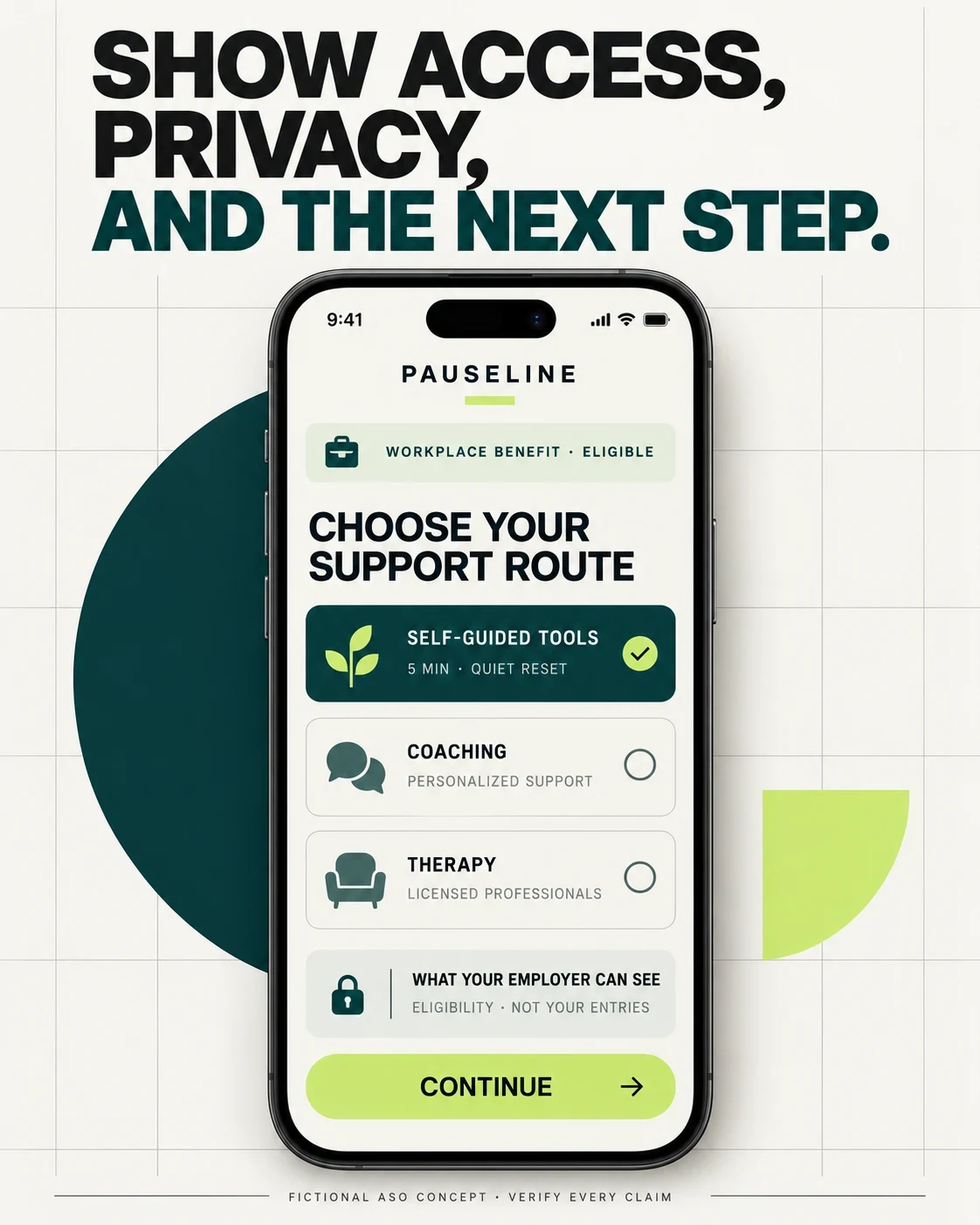
“Wellbeing at work” is too broad. Name the work moment, show the exact exercise, explain who can access it, and state what an employer can—and cannot—see.
US storefront research · reviewed 27 October 2026 · no demand, ranking, clinical-outcome or privacy-performance claims
MATCH THE PAUSE TO THE WORK MOMENT.
WORKPLACE MINDFULNESS APP ASO
Who searches for workplace mindfulness—and what do they need to understand?
These are product-audience hypotheses, not demographic shares. Workplace mindfulness is not one audience: a nurse on break, a remote manager, an employee entering a benefit code and a person seeking therapy have different constraints. Research role, setting, available time, audio tolerance, access, privacy and support expectations without inferring a diagnosis from a search or check-in.
Swipe horizontally to compare all columns →
Illustrative editorial review
Potential audience
Job
Friction
Listing proof to test
Knowledge workers
Reset between meetings or protect one focus block
Generic meditation does not fit the work moment
Context, exact time, discreet mode and return-to-work state
Frontline and shift workers
Use a short tool during an unpredictable break
Long audio and continuous connectivity may fail
Offline behavior, hands-free option and pause-and-resume proof
Remote and hybrid workers
Create boundaries before, during or after work
Home and work contexts blur
Commute substitute, end-of-day close and notification controls
Managers and team leads
Build a healthier team rhythm without monitoring individuals
Wellbeing data can feel like surveillance
Aggregate threshold, role limits and no individual diagnosis
Benefit-eligible employees
Find and use a service their employer already provides
Access codes, email rules and SSO are unclear
Eligibility, sign-in path and what happens if access ends
Workers seeking human support
Choose between coaching, therapy and self-guided help
One support label hides scope and credentials
Role, credentials, market, hours, cost and escalation route
Privacy-conscious workers
Use sensitive tools without unexpected employer visibility
Private is an undefined badge
Inputs, storage, employer view, analytics and deletion
Global and multilingual teams
Use content and support that fit language and market
Translated headlines can hide unavailable services
Local content, support coverage, legal copy and access
Neurodivergent and sensory-choice users
Choose a route that fits attention and sensory needs
Sound, motion and dense copy create friction
Silent, text, haptic, contrast and reduced-motion options
Presentation and meeting users
Prepare immediately before a high-pressure work event
Broad calm language arrives too late
Named event, 60–180 second route and post-session next step
Keep support routes visibly different
SELF-GUIDEDMeditation, grounding and learning tools
COACHINGNon-clinical support with stated limits
THERAPYLicensed care where genuinely offered
URGENTSeparate help guidance, never a sales angle
Start with search intent and relevance. Separate self-guided practice, focus, work stress, employer-benefit access, coaching and clinical-care intent before collecting terms.
WORKPLACE MINDFULNESS APP ASO
Build keyword clusters around a work job—not corporate wellness language.
These 100 phrases are candidates, not volume, demand, competition or opportunity claims. Each phrase has a required product proof and a next decision. Validate current store suggestions, product truth and paid-search behavior before prioritizing.
Core Workplace Mindfulness
workplace mindfulness app · mindfulness at work · work meditation app · employee mindfulness app · corporate mindfulness app · office mindfulness app · mindful workplace app · mindfulness for employees · workplace meditation program · mindfulness app for professionals
Work Stress Moments
work stress mindfulness · stress relief at work app · calm down after hard call · mindfulness before presentation · meditation before meeting · work anxiety mindfulness app · deadline stress meditation · difficult conversation mindfulness · end of workday meditation · burnout prevention app for employees
Mindful Breaks
mindful break app · 5 minute work meditation · 2 minute mindfulness at work · 90 second mindfulness exercise · desk meditation app · quiet work reset · silent mindfulness exercise at work · micro meditation app for work · breathing break at work · mindful pause between meetings
Focus And Attention
mindful focus app · focus meditation for work · mindfulness for concentration · deep work meditation app · focus break timer · mindful productivity app · attention reset at work · distraction mindfulness exercise · work focus breathing app · pomodoro mindfulness break
Meetings And Presentations
pre meeting meditation app · mindfulness before team meeting · presentation nerves breathing app · mindful meeting timer · post meeting reset · calm before public speaking app · one minute meeting reset · mindful listening for meetings · meeting fatigue meditation · virtual meeting mindfulness
Resilience And Skills
workplace resilience app · resilience training for employees · emotional regulation at work app · workplace wellbeing skills app · mindful communication app · work stress coping skills app · resilience microlearning app · mindful leadership app · manager wellbeing app · employee self care skills app
workplace wellbeing coaching app · employee mental health coaching app · workplace therapy app · employee counseling app · work mental health support app · mindfulness coaching for employees · workplace psychologist app · employee psychiatry app · on demand wellbeing coach · self guided workplace wellbeing
Privacy And Eligibility
private mindfulness app for work · anonymous employee wellbeing app · work meditation app employer cannot see entries · employee wellbeing app privacy · mindfulness app no employer tracking · workplace mindfulness without account · offline workplace meditation app · employee benefit eligibility app · workplace wellness access code app · employee wellbeing data deletion
Teams Remote And Shift Work
mindfulness app for remote workers · work from home mindfulness app · mindfulness app for shift workers · mindfulness for healthcare workers · mindfulness for frontline employees · mindfulness app for distributed teams · team mindfulness app · mindfulness for night shift workers · mindful workday routine app · text guided mindfulness for work
Ten narrow opportunities that require matching product proof.
Swipe horizontally to compare all columns →
Illustrative editorial review
Narrow angle
Candidate phrase
Proof required
Moment
90 second mindfulness before meeting
A real 90-second route and meeting context
Mode
silent mindfulness exercise at work
Complete audio-off guidance
Role
mindfulness app for shift workers
Break-length and offline proof
Boundary
work meditation app employer cannot see entries
Verified, precisely worded data boundary
Access
employee mindfulness benefit login
Eligibility and sign-in path
Focus
5 minute mindful focus break
Timer, exercise and return-to-work state
Remote work
mindful end of workday routine
A real closure sequence
Support
workplace wellbeing coaching app
Role, credentials, hours and market
Team
mindfulness for teams without employee tracking
Aggregate threshold and manager limits
Accessibility
text guided mindfulness no audio
Complete readable text route
Make the promise fit the workday
CONTEXTBefore a meeting, after a call or during focus work
TIMEState the real duration before Start
CUEShow audio, silent, haptic or text guidance
EXITShow the next work-ready state
A long-tail phrase is useful only when it changes the landing argument. Apply the long-tail guide before calling any phrase an opportunity.
WORKPLACE MINDFULNESS APP ASO
Eight competitors—and seven genuinely different product models.
Eight current iOS identities and their matching Google Play apps were verified on 27 October 2026. The set deliberately spans employee wellbeing, care navigation, resilience, benefits, content, productivity and pulse tracking. It compares publisher-controlled positioning—not quality, adoption, clinical effectiveness or business results.
Five real screenshot sets, read as workplace-product arguments.
All 20 panels were opened at readable size. The notes describe visible copy and interfaces. Ratings, availability, user counts and outcome claims inside source artwork remain publisher claims and are not repeated here as independently verified facts.
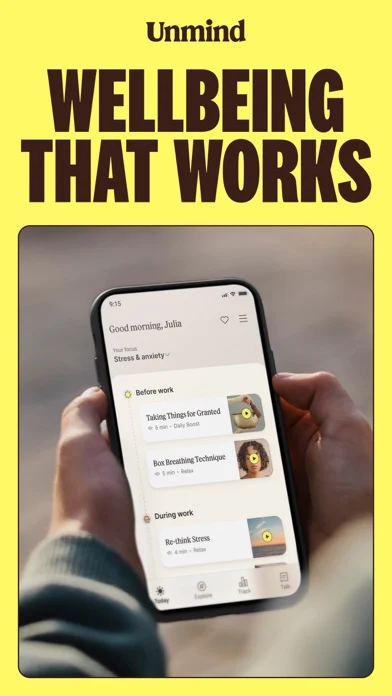
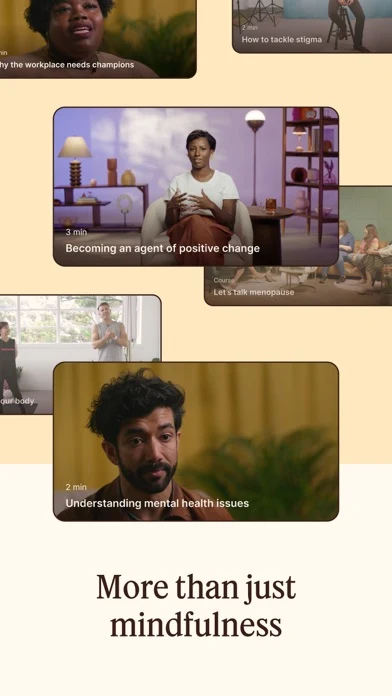
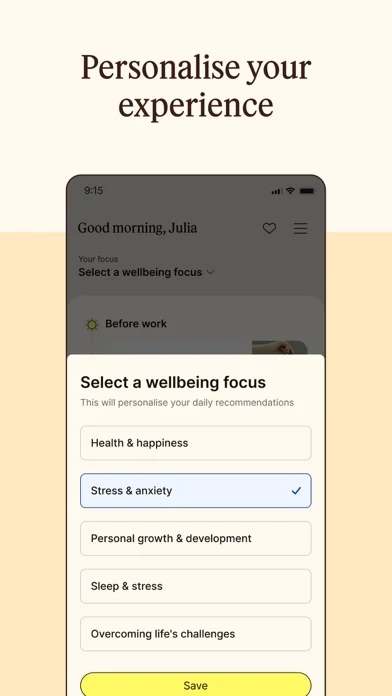
Unmind: Workday context appears inside the product story
Original artwork from the Unmind US App Store listing, captured 27 October 2026. Select a panel to enlarge it.
What the sequence shows: The first panel says Wellbeing that works and shows before-work and during-work content. The next panels broaden into short tools, personal focus areas and a category library. The workday organization is unusually visible, although access and employer-data boundaries are not explained in these four panels.
What I would test: Lead with one work moment, then its short tool, then eligibility and privacy. Keep the broader library after that sequence. The outcome is unknown until tested.
Modern Health: Mindfulness sits inside a care-navigation story
Modern Health · screen 1Modern Health · screen 2Modern Health · screen 3Modern Health · screen 4
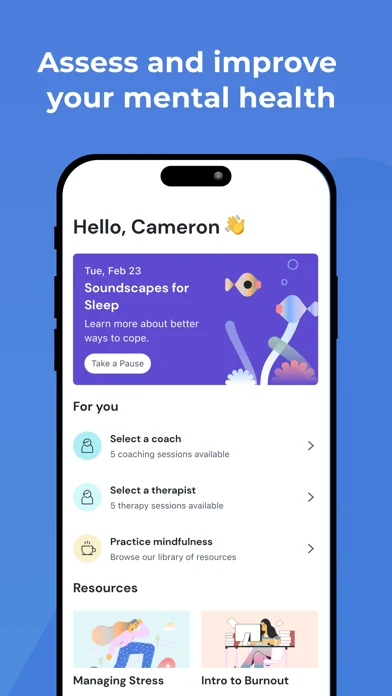
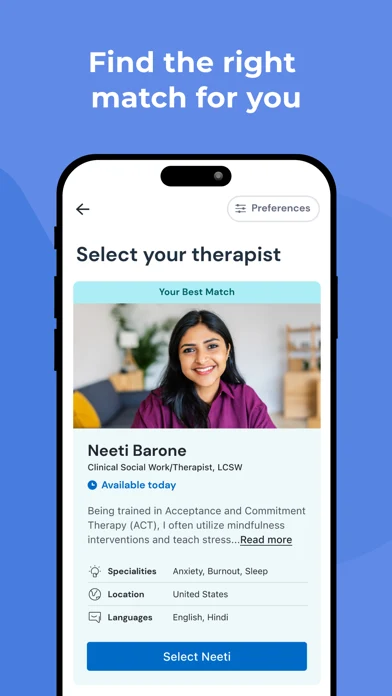
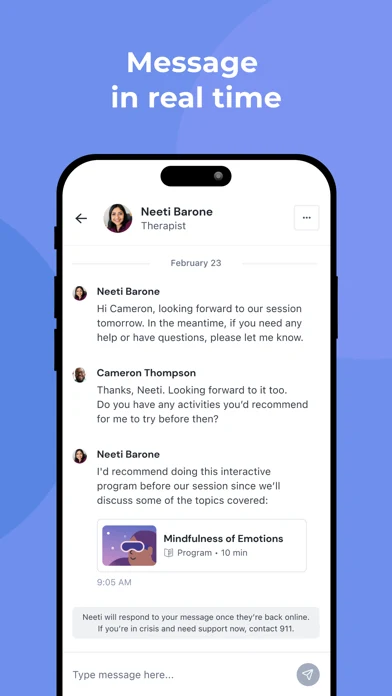
What the sequence shows: The sequence moves from assessment and resources to therapist matching, messaging and video care. Mindfulness is visible as one suggested exercise, not the main product promise. A crisis note appears in the messaging frame.
What I would test: For mindfulness-intent traffic, use a dedicated product page that shows the self-guided route first, while keeping coaching and clinical routes clearly separate. The outcome is unknown until tested.
Headspace Care: The support ladder is clearer than the mindfulness product
Headspace Care · screen 1Headspace Care · screen 2Headspace Care · screen 3Headspace Care · screen 4
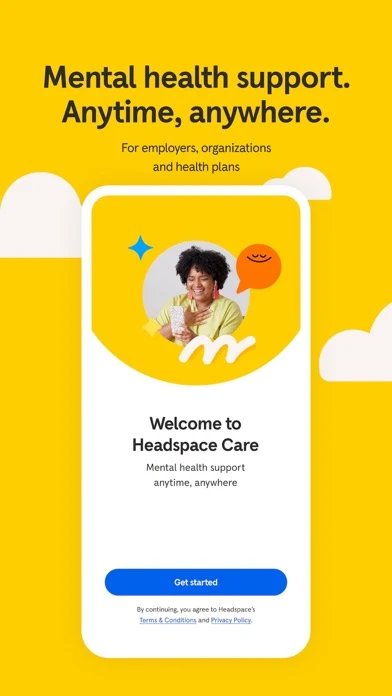
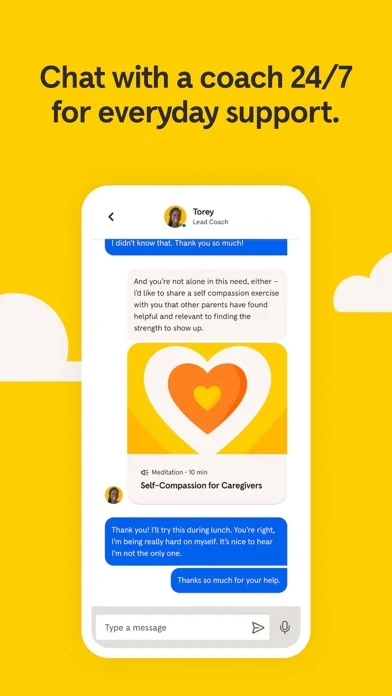
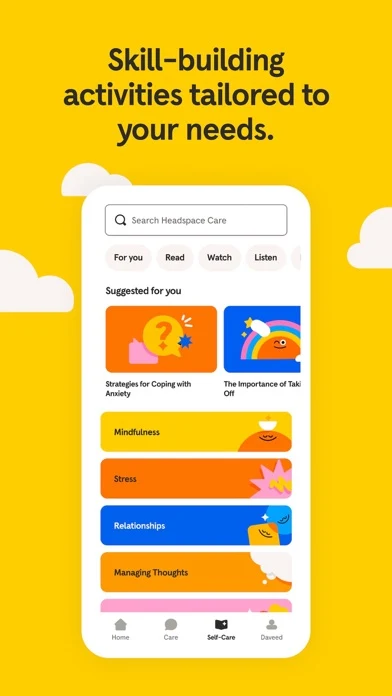
What the sequence shows: The panels establish employer or plan access, 24/7 coaching, tailored skill activities and higher levels of care. Mindfulness belongs to a stepped-care pathway rather than standing alone.
What I would test: Show who qualifies, what self-guided practice starts today and how coaching, therapy and psychiatry differ before asking for sign-up. The outcome is unknown until tested.
meQuilibrium: Evaluate, train and track is the visible model
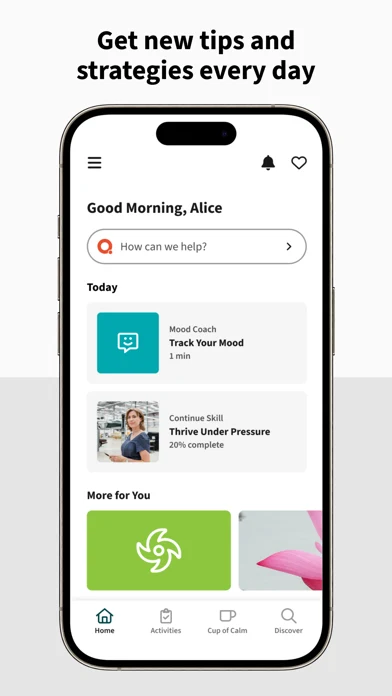
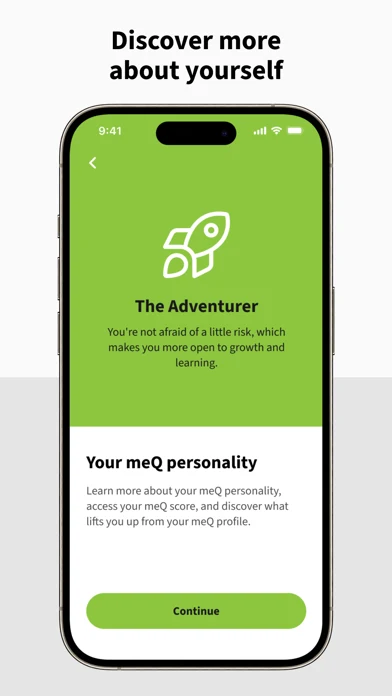
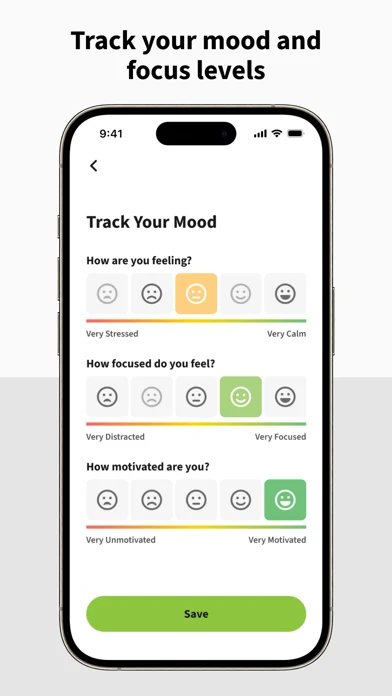
What the sequence shows: The panels show daily strategies, a personality view and mood or focus check-ins. Short actions are visible, but the first promise—handle stress and feel your best—does not identify the workplace action by itself.
What I would test: Replace the broad opening with a before-meeting or focus-break route, then show how a check-in changes the recommended skill without implying diagnosis. The outcome is unknown until tested.
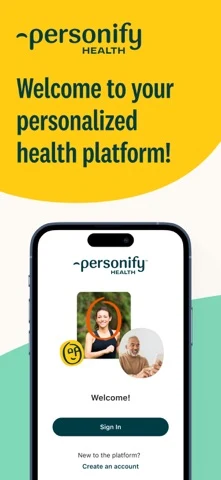
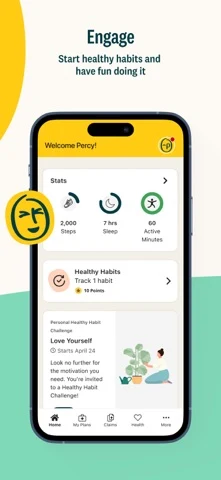
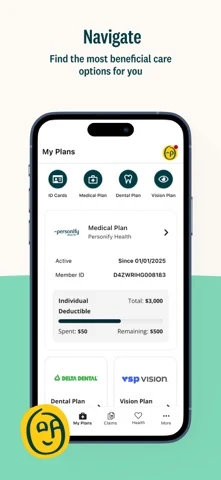
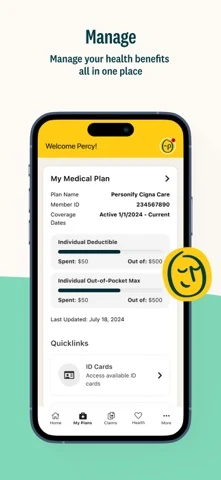
Personify Health: A broad benefits platform can bury mindfulness intent
Personify Health · screen 1Personify Health · screen 2Personify Health · screen 3Personify Health · screen 4
What the sequence shows: The four panels focus on account access, healthy habits, care navigation and benefits management. They explain a platform, not a workplace-mindfulness route.
What I would test: If the shipped product contains a mindfulness route, use a custom page and deep link that exposes it directly; otherwise do not bid on the intent. The outcome is unknown until tested.
Lesson 1 — Connect the work moment to a useful return.
Turn a work moment into a useful return
MOMENTName the real work situation
TOOLOffer one fitting exercise
RETURNShow how the person resumes work
REVIEWExplain what is stored and learned
Lesson 2 — Keep support routes distinct.
Keep support routes visibly different
SELF-GUIDEDMeditation, grounding and learning tools
COACHINGNon-clinical support with stated limits
THERAPYLicensed care where genuinely offered
URGENTSeparate help guidance, never a sales angle
Lesson 3 — Show context, time, cue and exit.
Make the promise fit the workday
CONTEXTBefore a meeting, after a call or during focus work
TIMEState the real duration before Start
CUEShow audio, silent, haptic or text guidance
EXITShow the next work-ready state
Lesson 4 — Give the first three frames different jobs.
Give the first three screenshots different jobs
01 / MOMENTWho this is for right now
02 / TOOLWhat the person actually does
03 / BOUNDARYAccess, privacy and support scope
CUTRemove generic calm-at-work imagery
Lesson 5 — Explain how employer access works.
Make employer access understandable
FINDName where the benefit comes from
VERIFYShow code, email or SSO requirements
ENTERExplain the first usable route
DEEP LINKLand campaign traffic on the matching page
Lesson 6 — Make sensitive-data boundaries visible.
Explain sensitive-data boundaries
INPUTName journals, mood checks and conversations
STOREState device, account and cloud behavior
EMPLOYER VIEWDescribe aggregate or individual access precisely
CONTROLMake export, correction and deletion findable
Lesson 7 — Do not turn wellbeing into surveillance.
Worked metadata and copy for a workplace-mindfulness app.
Pauseline is fictional. The example assumes short silent routes, moment-based selection, a real employer-benefit pathway, precise privacy disclosure and clearly separated support levels. None of those features or claims should ship until product, policy, legal, clinical and market owners verify them.
Choose a quiet work reset, mindful break, or supported wellbeing route.
71 / 80
Description opening: Choose the work moment first. Start a short quiet exercise before a meeting, take a guided focus break, or open the support route available through your workplace. Access, privacy and support options vary by employer and market.
CTA: Choose your work moment.
Swipe horizontally to compare all columns →
Illustrative editorial review
Frame
Message
Visible proof
01
What is your next work moment?
Before a meeting, after a call or focus sprint
02
90 seconds. Silent. Ready now.
Exact exercise, duration and cue mode
03
Know how access works.
Eligibility, login and what happens if access ends
04
Your entry is not a team score.
Precise individual and aggregate data boundary
05
Choose the right support route.
Self-guided, coaching and clinical scope
Give the first three screenshots different jobs
01 / MOMENTWho this is for right now
02 / TOOLWhat the person actually does
03 / BOUNDARYAccess, privacy and support scope
CUTRemove generic calm-at-work imagery
WORKPLACE MINDFULNESS APP ASO
Ten workplace-mindfulness listing mistakes—and better tests.
Swipe horizontally to compare all columns →
Illustrative editorial review
Mistake
Why it fails
Better test
Leading with workplace wellbeing
A category label hides the product
Name the work moment and action
Showing a person meditating at a desk
The scene proves neither fit nor function
Show the real exercise and time
Hiding employer eligibility
People cannot tell whether they can enter
Explain email, code or SSO before install
Using private as a badge
Employer, platform and analytics visibility remain unknown
No campaign or spend is authorized. Keep exact, broad and Search Match learning separate. Exclude cure, diagnosis, confidential, anonymous, therapy, 24/7, offline and free unless the exact product, market and policy support those words. Exclude job seekers, workplace training certificates, physical office products, unrelated productivity software and competitor brands.
Use Apple guidance for match types, negative keywords and keyword structure and Search Match. Send a bounded exact-match group to one matching custom product page; keep broad and Search Match in separate discovery groups so attribution stays interpretable.
Define a spend ceiling, minimum learning window and stop rule before launch. Compare cost per eligible user and cost per completed supported action with the product’s approved customer economics—not taps or installs alone. Feed only qualified, feature-supported language back into metadata and screenshots. Evaluate with ASO KPIs, conversion definitions and a change log.
WORKPLACE MINDFULNESS APP ASO
Five current patterns—and the proof each still needs.
Swipe horizontally to compare all columns →
Illustrative editorial review
Current pattern
Evidence reviewed 27 Oct 2026
ASO implication
Workday moments can organize the product
Unmind shows before-work and during-work content
Move from a corporate category to a usable moment
Mindfulness may be one step in stepped care
Modern Health and Headspace Care show broader support
Keep access and care levels explicit
Assessment can become the whole story
Modern Health and meQuilibrium foreground evaluation or tracking
Show what visibly changes after input
Broad benefit platforms bury the route
Personify Health spans habits, care and benefits
Use intent-specific pages and deep links only where supported
Employer dashboards create a trust burden
Mind Pulse sells a workforce view
Explain aggregation, individual visibility and limits before promising insight
Make employer access understandable
FINDName where the benefit comes from
VERIFYShow code, email or SSO requirements
ENTERExplain the first usable route
DEEP LINKLand campaign traffic on the matching page
These are dated listing observations, not performance data. Recheck them through the competitor-research process before each release.
WORKPLACE MINDFULNESS APP ASO
Use AI to expose missing workplace proof—not to manufacture trust.
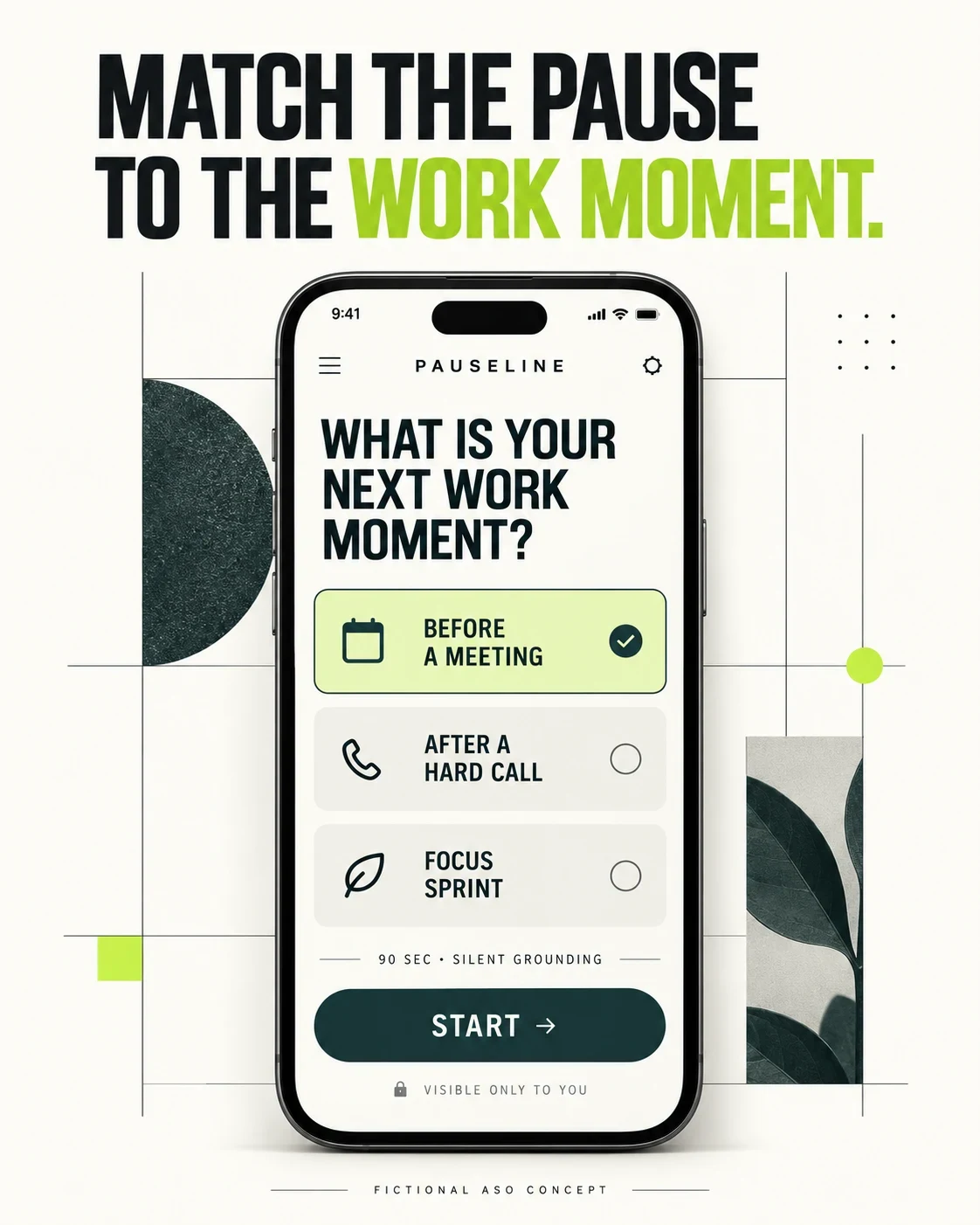
The two images below are original fictional Pauseline concepts made after the real screenshot review. They are workshop prompts—not competitor screenshots, shipped features, privacy guarantees, medical guidance or test winners.
AI concept A · work context, duration and silent mode before StartAI concept B · eligibility, privacy and distinct support routes
Swipe horizontally to compare all columns →
Illustrative editorial review
Workshop step
Approved input
Prompt or action
Human check
1. Pick one work moment
Supported context and route
Name the moment above the product
No inferred condition
2. Show one exercise
Real method, duration and cue mode
Make the route visible before Start
Product and content review
3. Explain access
Verified code, email or SSO flow
Show eligibility before onboarding
Employer and market QA
4. State privacy
Approved individual and aggregate boundaries
Put visibility beside sensitive input
Privacy and legal review
5. Split support
Verified coaching and clinical scope
Give every route a distinct label
Credentials, hours and escalation
6. Critique and test
Generated image at full size
List every invented control and claim
Accessibility, localization and one hypothesis
Concept review: The first image makes the work moment and 90-second silent action easy to scan, but it invents all three contexts and the exercise. The second separates support levels and puts an employer-visibility statement near the decision, but that statement is hypothetical and must never be copied without verification.
Before production: Rebuild in the real design system; verify every route, duration, eligibility rule, silent mode, privacy statement, credential and market; then test one documented hypothesis.
WORKPLACE MINDFULNESS APP ASO
Localize and measure the complete access-and-support decision.
Swipe horizontally to compare all columns →
Illustrative editorial review
Stage
Workplace-mindfulness release checklist
Before localization
Approve work moments, methods, durations, employer eligibility, pricing, account behavior, privacy, dashboard access, support roles and health-policy declarations
Per locale
Research local workplace language, labor context, benefit terminology, SSO rules, support coverage, privacy wording and urgent-help routing
Before release
Recheck field lengths, screenshots, deep links, access, silent and offline states, deletion, support credentials, analytics and store declarations
After release
Measure qualified views, successful eligibility, route starts, completed practices, care-routing errors, privacy questions, accessibility issues and support themes
Explain sensitive-data boundaries
INPUTName journals, mood checks and conversations
STOREState device, account and cloud behavior
EMPLOYER VIEWDescribe aggregate or individual access precisely
CONTROLMake export, correction and deletion findable