Core Walking
- walking app
- walk tracker
- walking tracker app
- daily walking app
- walking fitness app
- walking exercise app
- track my walk
- walking companion app
- outdoor walking app
- walking activity tracker
CATEGORY ASO PLAYBOOK / WALKING
A passive counter, a mapped walk, a social challenge and a structured plan are different products. Prove which walking job yours can do.
CHOOSE THE WALKING JOB ↓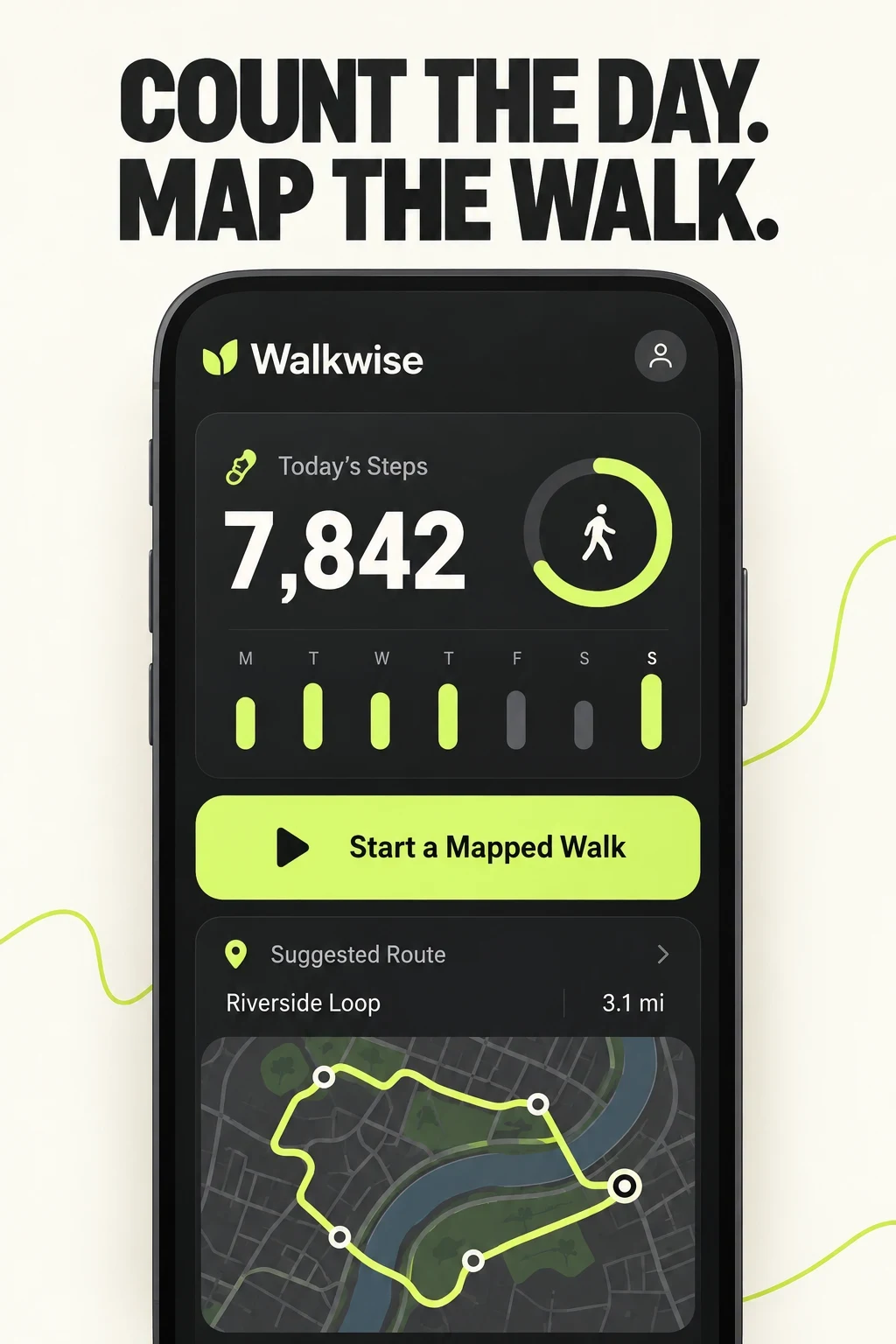
WALKING APP ASO
These are potential research audiences, not measured demographic segments. Motivation, tracking mode, privacy, device, experience and locale are more useful than stereotypes.
Interview across ages, abilities and experience levels. Compare answers with consented choices, search terms, permission completion, first tracked walks, challenge joins and returns.
Swipe horizontally to compare all columns →
| Potential audience | Job | Question to investigate | Proof to show |
|---|---|---|---|
| Passive daily movers | Understand everyday movement | Accuracy, battery use and background permissions | A clear total and explanation of what counts |
| Goal and streak walkers | Build a realistic routine | Rigid streaks and goals that ignore changing weeks | Editable daily or weekly targets |
| GPS route walkers | Record a deliberate outdoor walk | Location permission, battery and route accuracy | An explicit start and completed route |
| Social challenge participants | Walk with a trusted group | Privacy, fairness and unwanted sharing | Group controls, rules and an easy exit |
| Structured-plan seekers | Follow a beginner or interval plan | Unsupported outcomes and unclear intensity | The actual week, session and pacing guidance |
| Indoor and treadmill walkers | Keep walking inside | Step detection and treadmill-distance limits | A real indoor mode and honest limits |
| Older or returning exercisers | Restart at a manageable pace | Small text, punitive language and aggressive defaults | Readable controls and gentler choices |
| Watch-first trackers | Check progress from the wrist | Sync delay, battery and missing wearable actions | Current complication, start and sync states |
| Privacy-conscious users | Track with limited data sharing | Accounts, location history and opaque permissions | Accurate privacy controls |
| Locale-specific walkers | Use familiar words, units and access settings | Units, maps and untranslated guidance | Native copy, local units and verified access |
Start with the search-intent guide and value-proposition guide before choosing the headline.
WALKING APP ASO
These 100 phrases are research candidates, not proof of demand, difficulty or ranking opportunity. Keep only language the current product can support in the chosen storefront and locale.
Use the keyword research process, relevance checklist and prioritization framework before drafting metadata.
WALKING APP ASO
Long-tail does not mean easy. A narrow phrase becomes useful only when it connects a real situation, supported feature and visible proof.
Swipe horizontally to compare all columns →
| Narrow angle | Candidate phrases | Product evidence | Creative direction |
|---|---|---|---|
| Passive tracking | walking app without GPS; low battery pedometer | Verified background behavior and privacy | Show what counts automatically |
| Team challenges | office walking challenge; family step challenge | Private groups and sharing controls | Show invite, consent and leaderboard |
| Walking pad | walking pad workout; under desk treadmill tracker | A real indoor mode | Show working-day context and tracking |
| Interval plans | interval walking app; beginner walking program | Supported week and pacing | Show the first week |
| City routes | city walking tracker; walk every street app | Route history and map controls | Show a completed route |
| Watch first | Apple Watch walking app; Wear OS step tracker | Current wrist controls and sync | Show the verified wrist action |
| Privacy | private step counter; walking app no account | Accurate account and permission behavior | Explain control plainly |
| Accessible movement | accessible step tracker; wheelchair activity tracker | Genuinely supported modes | Show the real mode without stereotypes |
Validate the phrases with the long-tail guide and first-party evidence. Do not add method names or competitor brands to metadata merely because they appear in research.
WALKING APP ASO
Eight current US App Store listings were checked directly on 26 October 2026. The table records visible metadata and why each app belongs in this review; it does not rank their commercial performance.
Swipe horizontally to compare all columns →
| App | Listed developer | Current title | Current subtitle | Role in this review |
|---|---|---|---|---|
| StepsApp | StepsApp GmbH | StepsApp Pedometer | Step Counter, Walking Tracker | Passive steps, goals, workouts and trends. |
| Map My Walk | Outside Television Inc | Map My Walk: Walking Tracker | GPS Step Counter, Weight Loss | Explicit GPS tracking, routes, metrics and sharing. |
| WalkFit | WELLTECH APPS LIMITED | WalkFit: Steps counter | Walking, weight loss & Tai Chi | Walking plans spanning indoor, treadmill and outdoor contexts. |
| Pacer | Pacer Health, Inc | Pacer Pedometer Step Counter | Walking step challenge tracker | Steps, recorded activities, routes and social challenges. |
| Pedometer++ | Cross Forward Consulting, LLC | Pedometer++ | Count Steps, Track Walks/Runs | Simple step tracking, badges, routes and widgets. |
| ActivityTracker | Bits&Coffee | ActivityTracker Pedometer | Step Counter & GPS Walking | Passive activity with GPS walking and trends. |
| StepUp | Pratik Stephen | StepUp Pedometer Step Counter | Social step challenge tracker | Private social challenges and cross-platform participation. |
| Walking for Weight Loss | Leap Health | Walking for Weight Loss | Walking Tracker & Pedometer | Structured interval walking for outdoor and treadmill use. |
Use the competitor research guide to compare language and product mechanics without copying. Return to the broader fitness-app report when the product spans multiple modalities.
WALKING APP ASO
The App Store metadata uses the US storefront and was checked on 26 October 2026. Matching official US Google Play pages were verified for StepsApp, Map My Walk, WalkFit and Pacer. This does not imply every iOS app has an Android edition.
Apple and Google expose different fields and experiments. Write for each platform instead of treating an iOS review as cross-platform evidence.
Swipe horizontally to compare all columns →
| Decision | Apple App Store | Google Play | Practical consequence |
|---|---|---|---|
| Visible name | Name: 30 characters | App name: 30 characters | Keep the product identifiable before adding category terms |
| Supporting copy | Subtitle: 30 characters | Short description: 80 characters | Google gives more visible room to explain the training job |
| Longer discovery copy | Description plus a separate 100-character keyword field | Full description: up to 4,000 characters | Plan indexing and persuasion separately |
| Creative experiments | Product Page Optimization | Store listing experiments | Use the platform's own test design and reporting |
| Intent pages | Custom product pages and keyword assignments | Custom store listings | Create variants only when product depth supports them |
Primary sources: Apple app information, Apple product-page guidance, Google Play listing fields and Google Play listing practices.
Use the detailed iOS name, subtitle, keyword field, Google Play title and short-description guides.
WALKING APP ASO
All 20 panels below were opened at readable size. Visible choices are separated from recommendations, and no screenshot set is treated as proof of conversion performance.
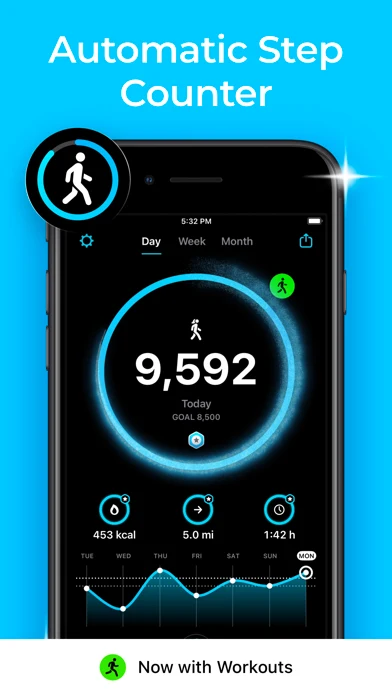
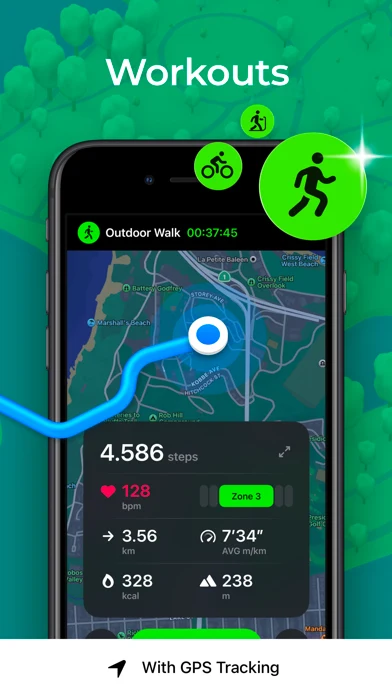
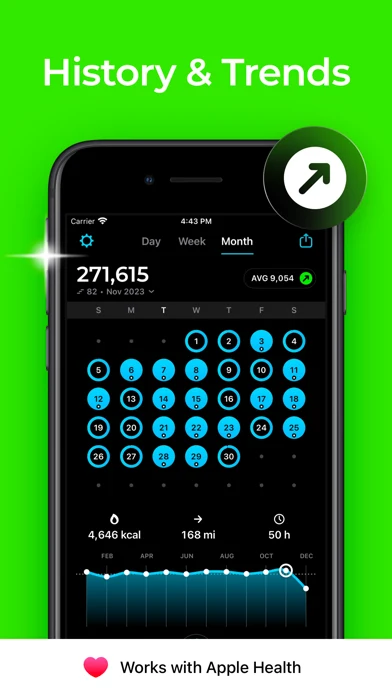
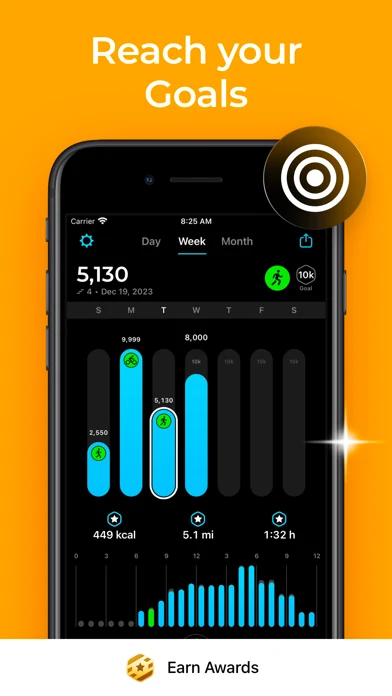
Original screenshot artwork from the StepsApp US App Store listing, captured 26 October 2026. Select a panel to enlarge it.
What you can learn: The sequence moves from a passive daily count to an explicitly recorded GPS workout, history and goals. Large headings keep the mechanism readable; sparkle effects and the awards label add decoration or volatile proof.
What I would test: Test a calmer first frame that explains what counts automatically and when GPS begins. The outcome is unknown until tested.
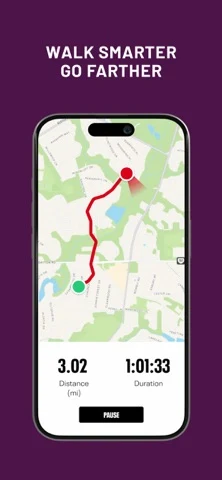
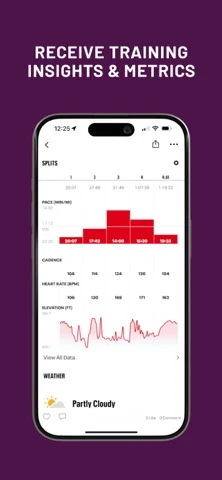
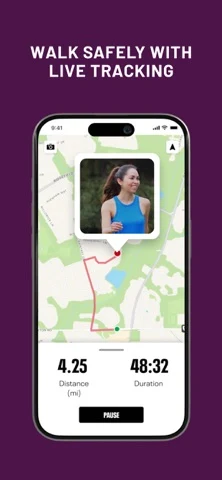
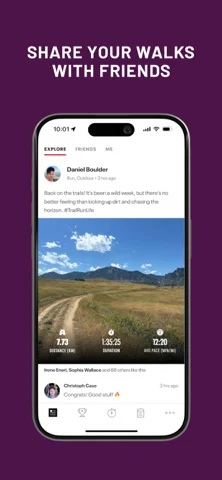
Original screenshot artwork from the Map My Walk US App Store listing, captured 26 October 2026. Select a panel to enlarge it.
What you can learn: The set shows a recorded route, metrics, live tracking and sharing. Product evidence is present in every frame, although safety language needs exact behavior behind it.
What I would test: Test a permission-and-control frame before live tracking for privacy-conscious route intent. The outcome is unknown until tested.
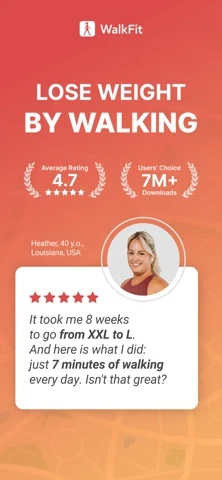
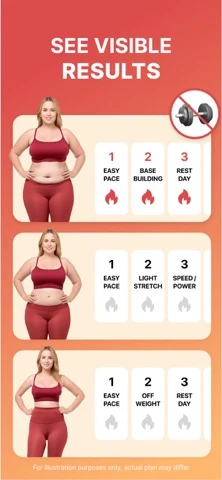
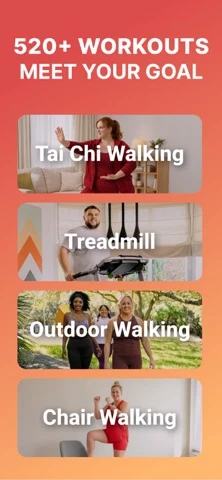
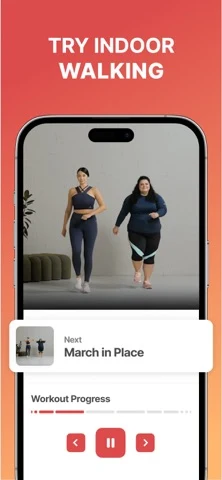
Original screenshot artwork from the WalkFit US App Store listing, captured 26 October 2026. Select a panel to enlarge it.
What you can learn: A weight-loss promise and transformation illustration lead; later panels reveal Tai Chi, treadmill, outdoor, chair and indoor walking modes. Those mechanics are more concrete than the outcome imagery.
What I would test: Test the walking-mode selector or first week before body-transformation creative. The outcome is unknown until tested.
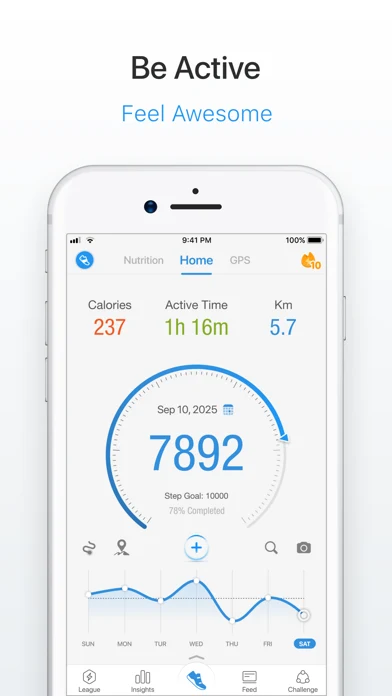
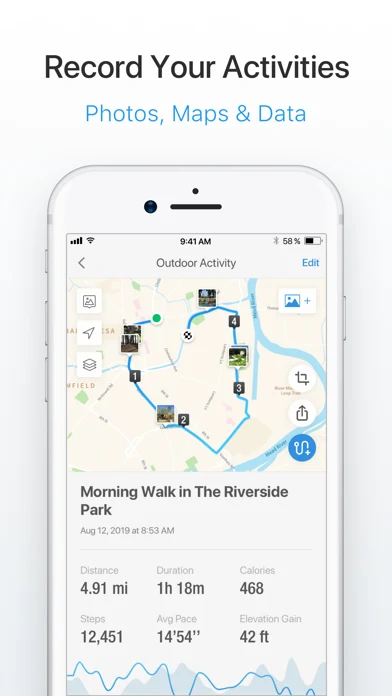
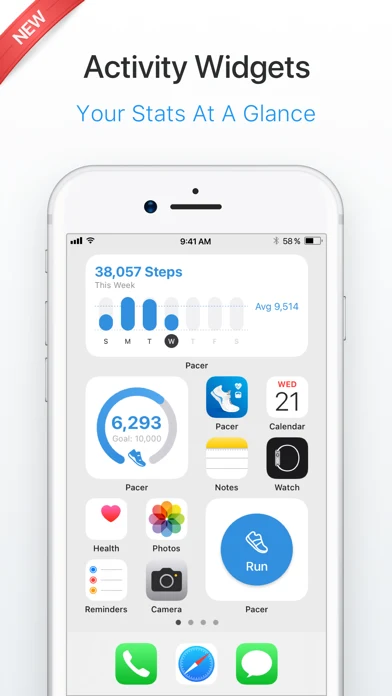
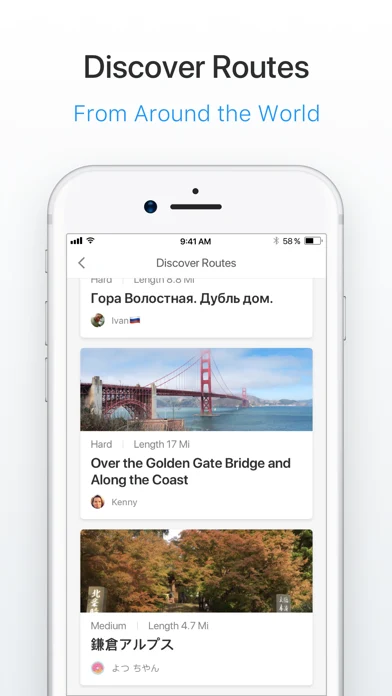
Original screenshot artwork from the Pacer US App Store listing, captured 26 October 2026. Select a panel to enlarge it.
What you can learn: The sequence shows the daily dashboard, GPS record, widgets and routes. The product can support multiple jobs, yet the broad opening does not choose one.
What I would test: Test a step-goal or route-specific opening for matching search intent. The outcome is unknown until tested.
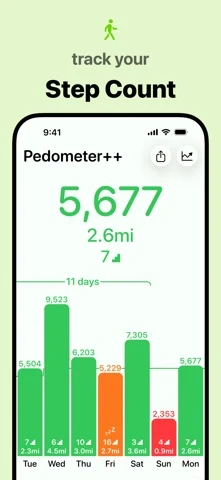
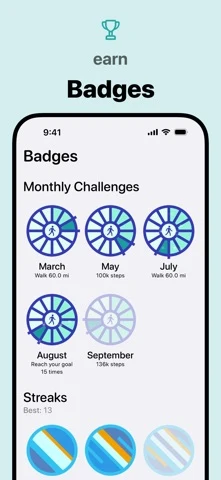
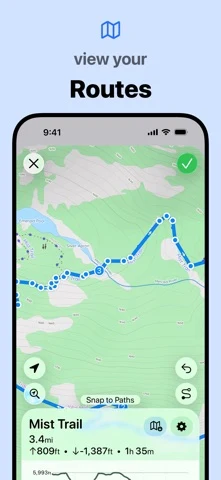
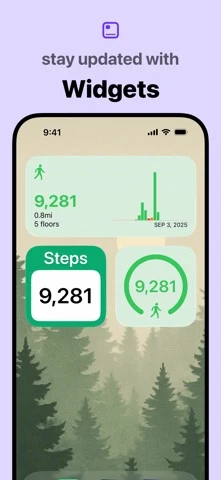
Original screenshot artwork from the Pedometer++ US App Store listing, captured 26 October 2026. Select a panel to enlarge it.
What you can learn: Track steps, earn badges, view routes and use widgets: each panel has one job and a readable interface crop.
What I would test: Test whether the first panel should mention passive counting or privacy when those are verified strengths. The outcome is unknown until tested.
Build the draft with the screenshot strategy, sequence, readability and storytelling guides.
WALKING APP ASO
Walkwise is fictional. This example assumes passive steps, an explicitly started GPS walk, editable weekly goals, route history, private groups and current watch support. Verify every feature before reuse.
Swipe horizontally to compare all columns →
| Field | Worked copy | Count |
|---|---|---|
| iOS name | Walkwise: Walking Tracker | 25 / 30 |
| iOS subtitle | Steps, Routes & Daily Goals | 27 / 30 |
| iOS keyword field | pedometer,gps,route,steps,distance,pace,streak,challenge,treadmill,habit | 75 / 100 |
| Google Play app name | Walkwise: Walking Tracker | 25 / 30 |
| Google Play short description | Count daily steps, map outdoor walks and keep a realistic weekly walking goal. | 78 / 80 |
iOS description opening: Walkwise counts everyday steps and lets you start a mapped walk when the route matters. See one clear week, set a goal that fits your routine and choose what you share.
Google Play full-description opening: Keep passive steps and intentional walks in one clear place. Walkwise counts everyday movement, maps outdoor walks when you start GPS, and turns both into a weekly view you can understand.
Swipe horizontally to compare all columns →
| Frame | Message | Visible product proof |
|---|---|---|
| 01 | Count the day. Map the walk. | Daily steps plus a distinct Start mapped walk action |
| 02 | Your week, without the guilt. | Editable weekly target and seven-day progress |
| 03 | A route when the route matters. | Started GPS session and completed map |
| 04 | Walk together. Choose what you share. | Private group and sharing controls |
| 05 | Progress you can read at a glance. | Trend view with units and accessible labels |
CTA: Track my first walk.
Preview direction: Open the dashboard, start a mapped walk, finish a route, adjust the weekly goal and choose challenge privacy. Show taps and states; do not substitute a lifestyle montage.
WALKING APP ASO
Swipe horizontally to compare all columns →
| Common mistake | Why it becomes unclear | Better test |
|---|---|---|
| Calling every app a walking tracker | Passive steps, routes, challenges and plans imply different actions | Name the primary job in frame one |
| Asking for location without context | People cannot tell whether GPS is always running | Explain passive counting, then ask when a mapped walk starts |
| Leading with transformation claims | The listing hides the actual plan and carries a high evidence burden | Show the supported week and controls |
| Using a generic activity slogan | The visitor still cannot see what the product does | Show the step, route or challenge mechanism |
| Treating a leaderboard as universal motivation | Competition and sharing preferences differ | Show private groups and opt-in controls |
| Promising accuracy without limits | Device, carry position and permissions affect measurement | Explain compatible devices and limits |
| Using tiny maps and charts | The proof disappears at store size | Crop to one route or progress decision |
| Mixing watch support across platforms | A wrist interface may not exist on both stores | Verify each platform and version |
Turn each remedy into a controlled hypothesis with the test-hypothesis guide. Download the walking test plan.
WALKING APP ASO
This is a search-results planning framework, not authorization to create campaigns or spend. Validate every term, page, country, event and economic assumption first.
Swipe horizontally to compare all columns →
| Campaign | Keyword approach | Landing experience | Guardrail |
|---|---|---|---|
| Brand | Exact brand and verified variants | Default page | Keep separate from discovery |
| Core steps | Exact step-counter and pedometer terms | Passive-counting page | Explain what is counted |
| GPS routes | Exact route, distance and map terms | GPS-walk page | Ask for location in context |
| Goals and habits | Exact goal, reminder and streak terms | Flexible-goal page | Avoid punitive promises |
| Social challenges | Exact friend, family, office and team terms | Private-challenge page | Show sharing controls |
| Plans | Exact beginner, interval and daily-plan terms | Plan-led page | Exclude unsupported health claims |
| Broad discovery | Small set of relevant broad seeds | Closest job-led page | Harvest queries into exact |
| Search Match | Automatic matching in its own group | Default page initially | Isolate budget and reporting |
Move useful queries into exact groups and add exact negatives in discovery groups to reduce overlap. Exclude unsupported hiking, running, rehabilitation, medical and device-shopping intent.
Connect downloads to the matching first-value event: tracking setup, first mapped walk, goal creation or challenge join. Compare cost per activated user and mature customer economics, not only taps or installs.
Apple documents match types, negative keywords and custom product page ad variations. Use conversion definitions and ASO KPIs.
WALKING APP ASO
This is a dated US storefront snapshot from 26 October 2026, not a forecast. Each hypothesis needs product-level validation.
Swipe horizontally to compare all columns →
| Current pattern | Primary evidence | Hypothesis to test |
|---|---|---|
| Passive plus active tracking | StepsApp separates automatic steps from GPS workouts | Explaining the boundary may reduce permission uncertainty |
| Social walking | Pacer and StepUp position challenges and groups | A private-group message may fit friend and office intent |
| Mode expansion | WalkFit shows treadmill, outdoor, chair and indoor walking | A real mode selector may explain breadth better than an outcome collage |
| Route proof | Map My Walk and Pedometer++ show recorded maps | A readable route may match distance and map intent |
| Widget and watch surfaces | Pacer and Pedometer++ show at-a-glance views | Device proof may answer a real objection when current |
| Volatile proof | Reviewed sets use ratings, counts, testimonials or awards | A release-day verification checklist is required |
WALKING APP ASO
These AI-generated concepts use the fictional Walkwise product. They are not competitor screenshots, shipped UI, tested designs or performance evidence. They make two hypotheses discussable.
AI CONCEPT / UNTESTED
What the app promises: everyday steps count automatically; GPS begins when the person starts a mapped walk.
What you can learn: one screen makes the boundary between passive and active tracking visible.
What I would test: compare this opening with a simple step-goal frame for route-intent traffic.
Human review: rebuild with real UI. Verify background behavior, route data, permissions, map licensing, units and accessibility.
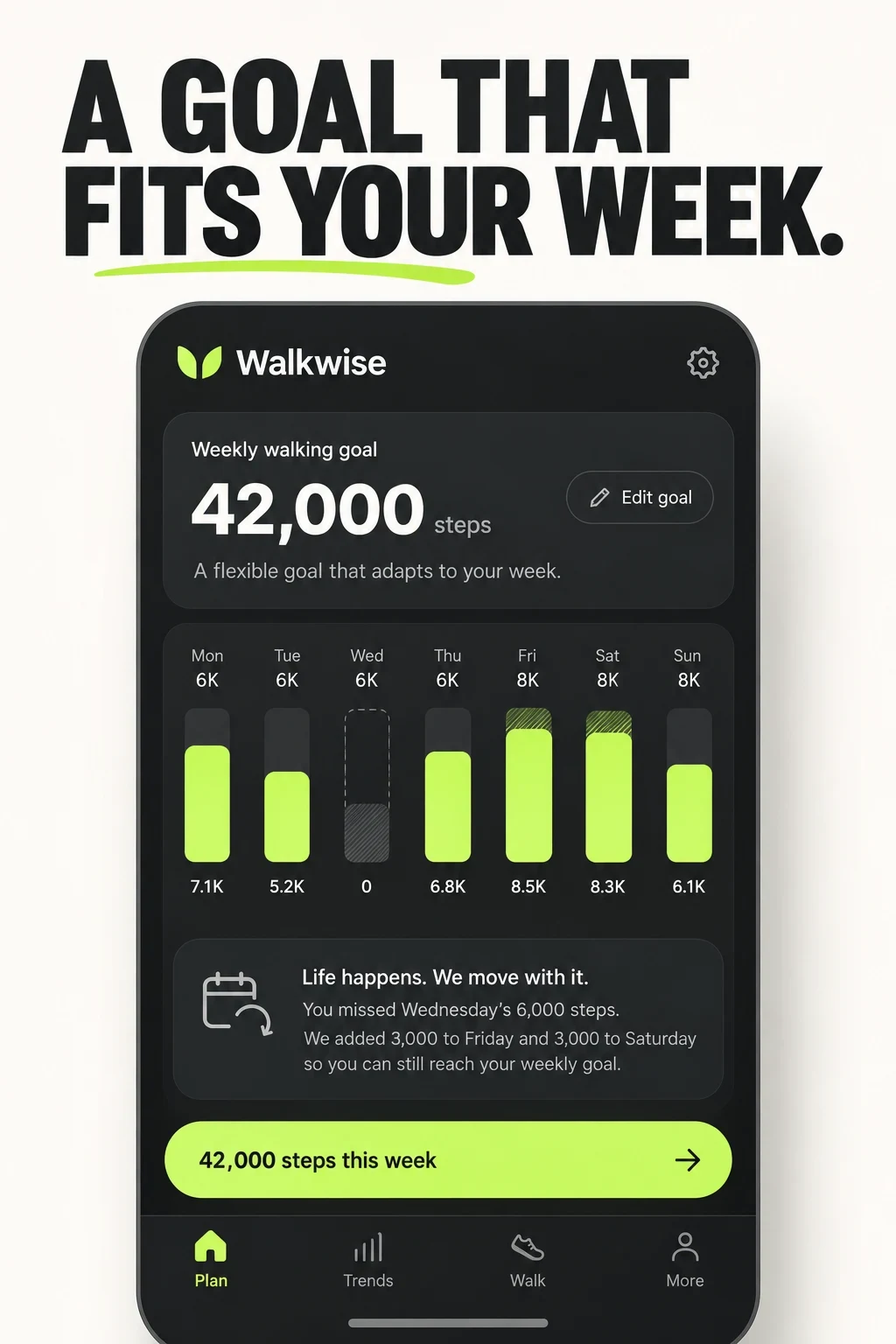
AI CONCEPT / UNTESTED
What the app promises: an editable weekly goal can adapt after a missed day.
What you can learn: the week view explains a gentler alternative to a rigid daily streak.
What I would test: compare weekly-goal proof with daily-streak proof for habit-intent traffic.
Human review: the redistribution behavior is hypothetical. Product, behavioral, accessibility and localization review must approve it.
Swipe horizontally to compare all columns →
| Step | Approved input | Useful prompt direction | Human check |
|---|---|---|---|
| Choose the job | Validated question and real feature | Show steps, a mapped walk, a challenge or a plan | Reject unsupported outcomes |
| Protect the product | Current screens, permissions and tracking states | Preserve real UI while exploring hierarchy | Replace invented controls and maps |
| Make variants | One hypothesis and controlled variable | Compare flexible goals with streaks | Keep offer and state fixed |
| Review privacy | Approved data and permission language | Show choice before social or location features | Legal, privacy and product review |
| Review access | Thumbnail, contrast and localization brief | Use short copy and non-colour cues | Check units, size, truncation and contrast |
| Test carefully | Audience, surface, event and stop rule | Prepare the production treatment | Do not call an AI draft tested |
AI can explore composition and hierarchy. It cannot verify accuracy, maps, privacy behavior, health outcomes or policy compliance.
Use the screenshot strategy, storytelling and hypothesis guides before production.
WALKING APP ASO
Localize the complete walking experience, not only the store words. Units, route labels, permission copy, accessibility, challenge norms, billing and support must keep the promise.
Swipe horizontally to compare all columns →
| Moment | Required checks |
|---|---|
| Choose the locale | Native walking terms; miles or kilometres; map coverage; device mix; accessibility; privacy expectations |
| Before submission | Field lengths; live features; permission flows; counts and offers; watch support; screenshot readability; routing |
| After release | Version annotation; country and traffic mix; setup; first mapped walk; goal created; challenge joined; returns |
Use the market-prioritization, local keyword research, screenshot adaptation and quality-assurance guides.
Record every change in the metadata change log. Separate listing conversion from permission completion and the first valuable walking action.
When the work needs an external review, see ASO services and ASO audit.