Core Hiit
- hiit app
- hiit workout app
- high intensity interval training app
- hiit workouts
- hiit training
- hiit fitness app
- cardio hiit workout
- full body hiit
- hiit exercise app
- high intensity workout
CATEGORY ASO PLAYBOOK / HIIT
HIIT is a training structure, not one product. Show whether the app is a timer, workout generator, coach-led class or progressive plan—and make work, rest, rounds, impact and equipment visible.
CHOOSE THE HIIT JOB ↓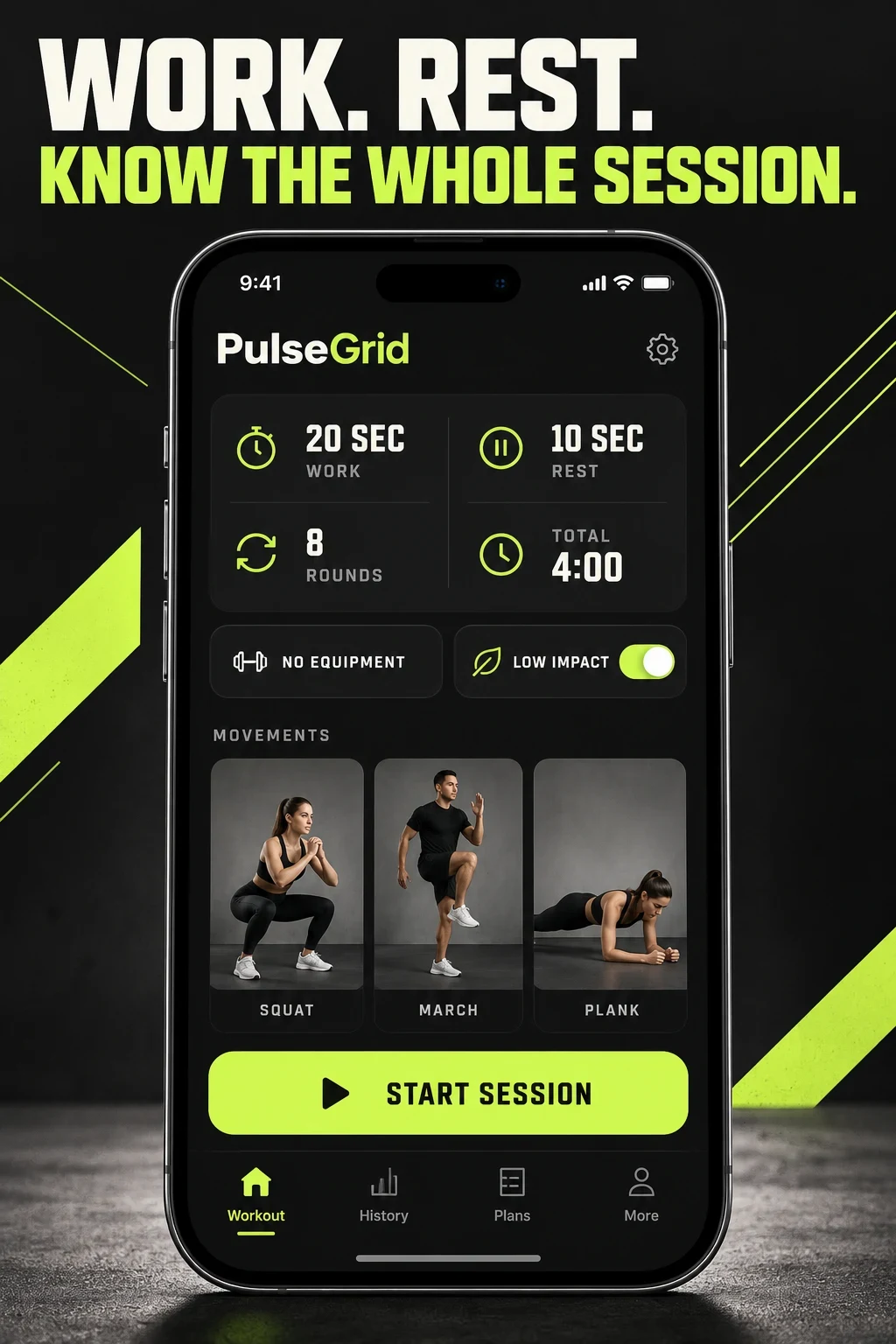
HIIT APP ASO
These are potential research audiences, not measured demographic segments. In HIIT, product job, training context, impact tolerance, equipment, space and instruction needs are more useful than age or body stereotypes.
Interview people from each relevant job. Compare what they say with first interval started, first session completed, timer saved, second session and subscription decisions.
Swipe horizontally to compare all columns →
| Potential audience | Job | Question to investigate | Proof to show |
|---|---|---|---|
| Interval-timer users | Run a workout they already know | Custom work, rest, rounds, alerts and watch use | The complete interval setup before Start |
| First-time HIIT practitioners | Understand what happens next | Movement difficulty, cues, impact and alternatives | Current move, next move and a real beginner route |
| Time-constrained users | Fit a complete session into 4–20 minutes | Honest total time, warm-up and setup | Total duration and session structure |
| Low-impact and no-jump seekers | Use intervals without jumping | A real filter—not a blanket safety claim | No-jump selection and representative movements |
| Apartment and small-space users | Train without excessive noise or equipment | Floor space, noise, impact and setup | Space and equipment requirements |
| Gym and equipment users | Combine strength and intervals | Dumbbells, kettlebells, machines and progression | Equipment, work block and exercise mix |
| Coach-led class users | Follow energy, pacing and instruction | Instructor, audio, captions and class style | A readable class player |
| Adaptive-plan followers | Know what session to do next | Inputs, schedule changes and progression | Controls and next-session logic |
| Watch and casting users | See timing away from the phone | Watch, audio, TV and casting support | The real connected-device state |
| Music-led users | Train to rhythm and coordination | Music rights, choreography and skill level | A representative music-led class |
Start with the search-intent guide and value-proposition guide.
HIIT APP ASO
These 100 phrases are unmeasured research candidates, not proof of demand, difficulty or ranking opportunity. Keep only language the product, current workout catalogue and locale can support.
Use the keyword research process, relevance checklist and prioritization framework.
HIIT APP ASO
Long-tail does not mean easy. A narrow phrase becomes useful when it connects a real interval format, duration, impact level, equipment or device state to visible product proof.
Swipe horizontally to compare all columns →
| Narrow angle | Candidate phrases | Product evidence | Creative direction |
|---|---|---|---|
| Tabata structure | 4 minute Tabata; 20 10 interval timer | 20-second work, 10-second rest and real rounds | Show the whole interval card |
| Short beginner session | 7 minute workout; 10 minute beginner HIIT | Beginner label, total time and movement preview | Show demands before Start |
| Low-impact home | no jumping HIIT; apartment workout no jumping | No-jump filter, representative moves and space | Show the control and the resulting session |
| Strength intervals | dumbbell HIIT; kettlebell HIIT | Equipment, load guidance and work block | Show the equipment and movement mix |
| Timer utility | custom workout timer; Apple Watch interval timer | Custom intervals, alerts, watch state and saved setup | Lead with the timer—not a trainer |
| Music-led training | HIIT workout with music; rhythm HIIT | Licensed music-led classes and skill level | Show a representative class |
| Travel and offline | hotel room workout; offline HIIT workouts | No-equipment, small-space and download state | Show the requirements and offline control |
| Sport conditioning | boxing HIIT; running intervals; soccer conditioning | Sport-specific sessions and credible programming | Match each supported sport to its own page |
Validate terms with the long-tail guide. Injury, medical, rehabilitation and guaranteed outcome language require qualified product and legal review.
HIIT APP ASO
Eight current US App Store listings were checked directly on 26 October 2026. This records visible metadata and why each app belongs; it does not rank commercial performance.
Swipe horizontally to compare all columns →
| App | Listed developer | Current title | Current subtitle | Role in this review |
|---|---|---|---|---|
| HIIT Down Dog | Yoga Buddhi Co. | HIIT | Down Dog | A new workout every time! | Generated workouts with controls for movement mix, equipment, timing and instruction. |
| HIIT Workouts & Timer | Fast Builder Limited | HIIT • Workouts & Timer | 24 Hour Fitness,Tabata,Cardio | Outcome-led home workout positioning with timer and plan language. |
| Keelo | Throwdown Labs, Inc. | Keelo - Strength HIIT Workouts | Functional Fitness Training | Functional strength and conditioning rather than cardio-only HIIT. |
| Barry's X | Barry's Bootcamp, LLC | Barry’s X: Best HIIT Training | Strength & Cardio Home Workout | A studio brand translated into instructor-led digital classes. |
| Freeletics | Freeletics GmbH | Freeletics: Workouts & Fitness | Home & Gym AI Coach, Planner | Adaptive coaching across bodyweight, weights, cardio, home and gym contexts. |
| Seven | Perigee AB | Seven: 7 Minute Workout | Daily HIIT Bodyweight Exercise | A time-bounded bodyweight routine with habit and device support. |
| HIIT the Beat | HIIT the Beat UG | HIIT the Beat: Music Workouts | HIIT, Mobility & Bodyweight | Music-led, coordination-heavy HIIT and mobility sessions. |
| Interval Timer | Float Tech, LLC | Interval Timer □ HIIT Timer | The simple workout timer. | A timer utility for people who already know the workout. |
Use the competitor research guide without copying, and return to the fitness-app report when HIIT is one modality among many.
HIIT APP ASO
The App Store metadata uses the US storefront and was checked on 26 October 2026. Matching official Google Play pages were verified for HIIT Down Dog, HIIT Workouts & Timer, Freeletics, Seven and HIIT the Beat. Keelo, Barry's X and Interval Timer are not described as cross-platform here. The screenshot review is iOS-specific.
Apple and Google expose different fields and experiment surfaces. Write for each platform instead of copying one listing across both.
Swipe horizontally to compare all columns →
| Decision | Apple App Store | Google Play | Practical consequence |
|---|---|---|---|
| Visible name | Name: 30 characters | App name: 30 characters | Identify the product before broad benefits |
| Supporting copy | Subtitle: 30 characters | Short description: 80 characters | Google gives more room to explain structure |
| Longer discovery copy | Description plus 100-character keyword field | Full description up to 4,000 characters | Plan indexing and persuasion separately |
| Creative experiments | Product Page Optimization | Store listing experiments | Use each platform's own test design |
| Intent pages | Custom product pages | Custom store listings | Build variants only for real content depth |
Primary sources: Apple app information, Apple product-page guidance, Google Play listing fields and Google Play listing practices.
Use the iOS name, subtitle, keyword field, Google Play title and short-description guides.
HIIT APP ASO
All 20 panels below were opened at readable size. Visible choices are separated from recommendations, and no screenshot set is treated as proof of conversion performance.
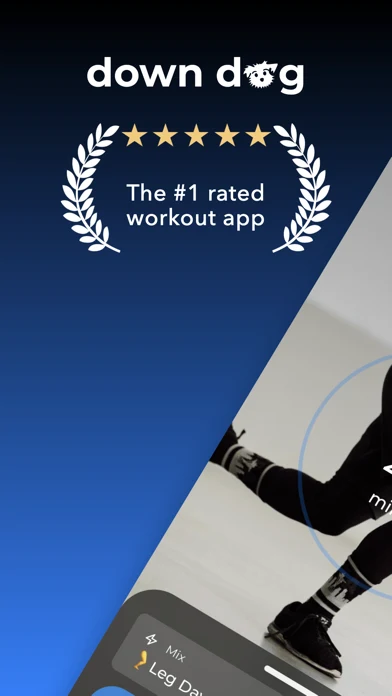
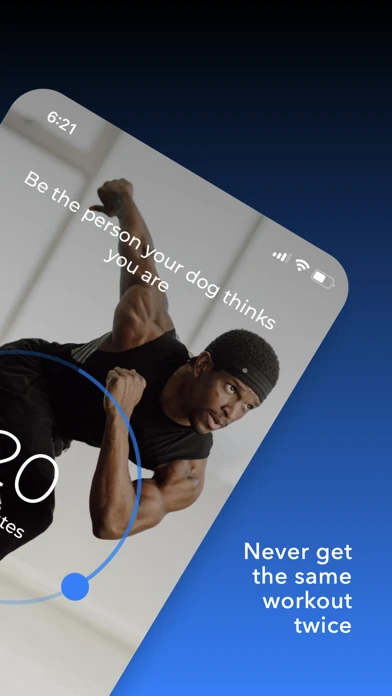
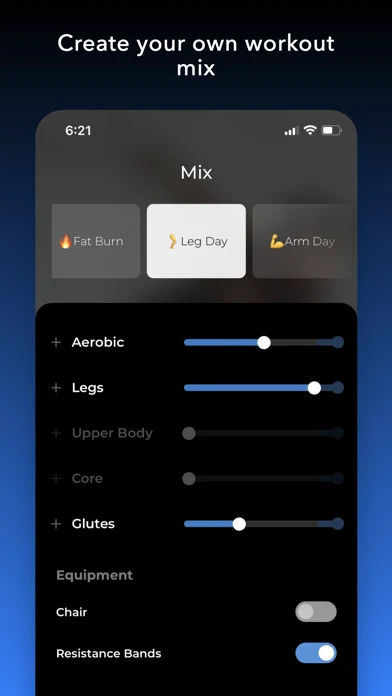
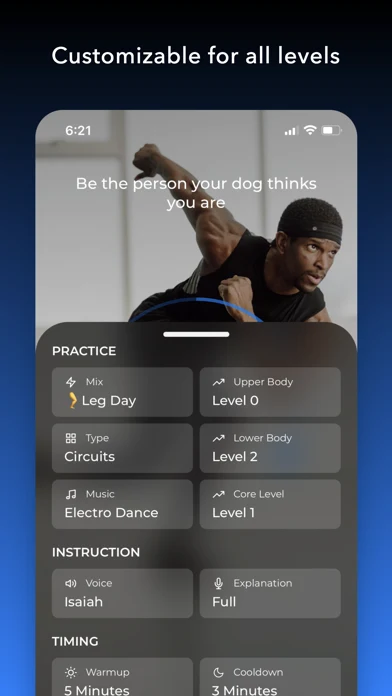
Original artwork from the HIIT Down Dog US App Store listing, captured 26 October 2026. Select a panel to enlarge it.
What you can learn: The set moves from an award-style rating claim to variety, then reveals body-area, equipment, level, timing and instruction controls. The controls explain how a new workout can differ; the volatile proof needs rechecking before every release.
What I would test: Test the complete work-rest-rounds summary before the rating claim. The outcome is unknown until tested.
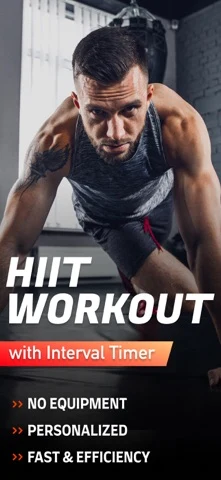
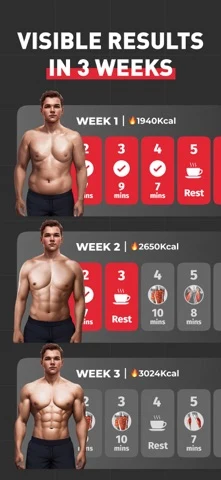
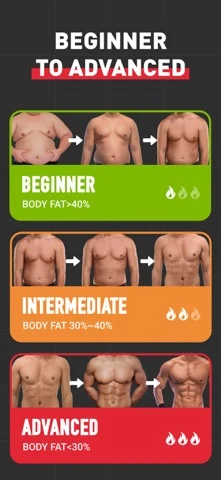
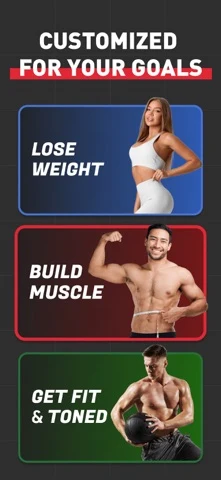
Original artwork from the HIIT Workouts & Timer US App Store listing, captured 26 October 2026. Select a panel to enlarge it.
What you can learn: A model and broad feature list lead the sequence. Visible results, body-fat renders and transformation language then dominate, while the actual timer mechanics and movement demands remain secondary.
What I would test: Test an honest session preview against the body-outcome story. The outcome is unknown until tested.
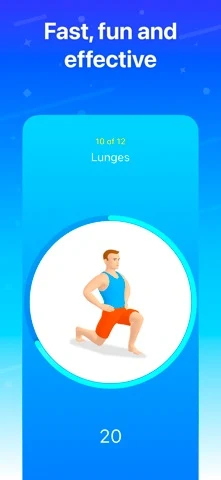
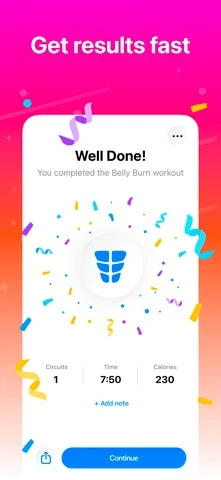
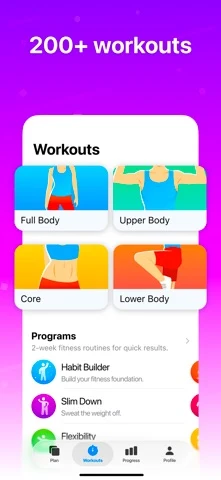
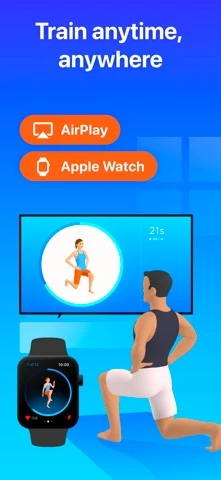
Original artwork from the Seven US App Store listing, captured 26 October 2026. Select a panel to enlarge it.
What you can learn: The current move and countdown make the seven-minute promise tangible. Completion time, workout categories and multi-device support then expand the story without losing the short-session identity.
What I would test: Test work, rest and round detail in the second frame for interval-minded visitors. The outcome is unknown until tested.
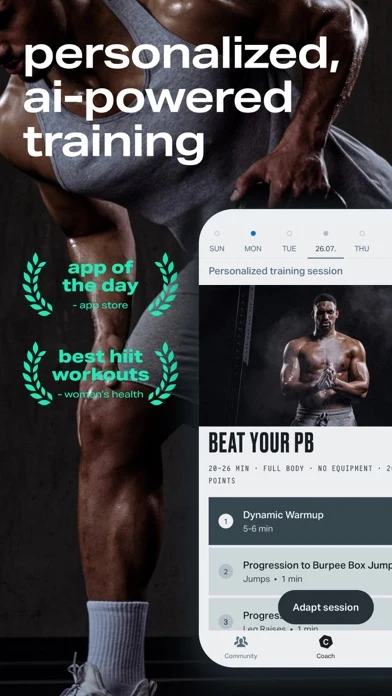
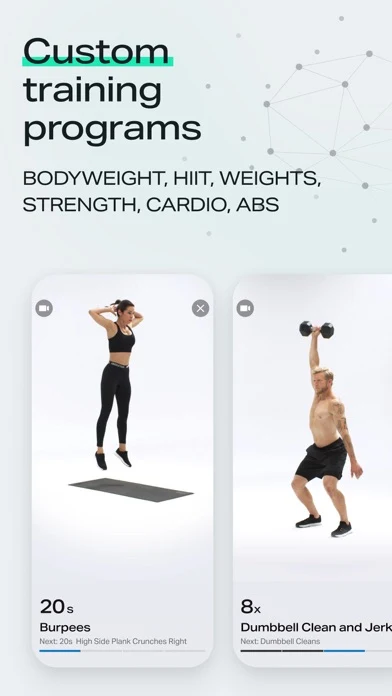
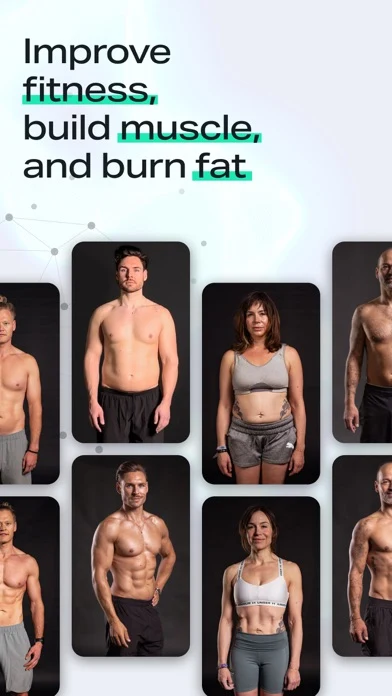
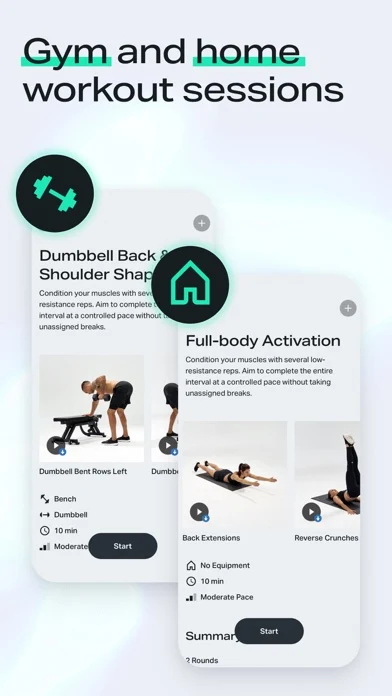
Original artwork from the Freeletics US App Store listing, captured 26 October 2026. Select a panel to enlarge it.
What you can learn: The set names personalized AI training, programs, goals and home or gym sessions. It communicates range, but several modalities and outcome messages compete with the concrete first-session decision.
What I would test: Test a single personalized session with its inputs and adjustment controls. The outcome is unknown until tested.
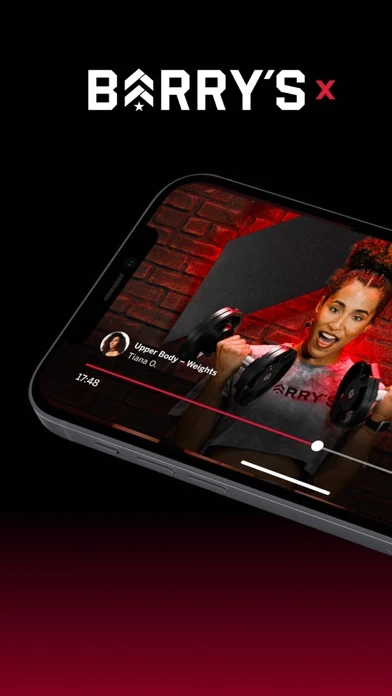
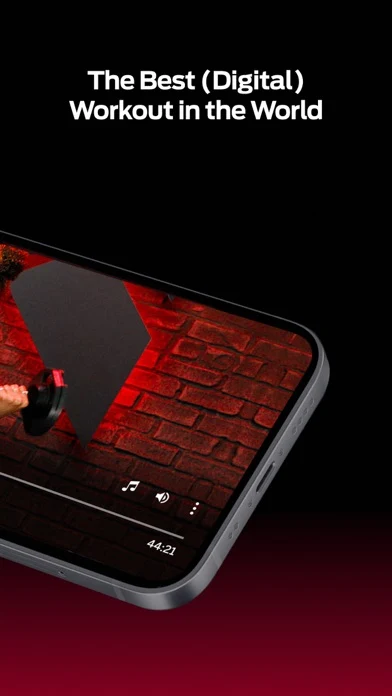
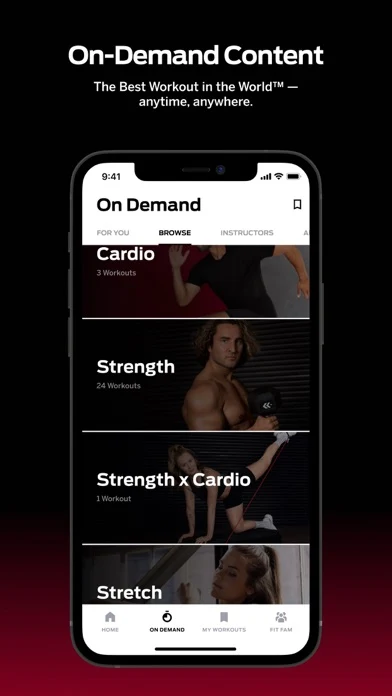
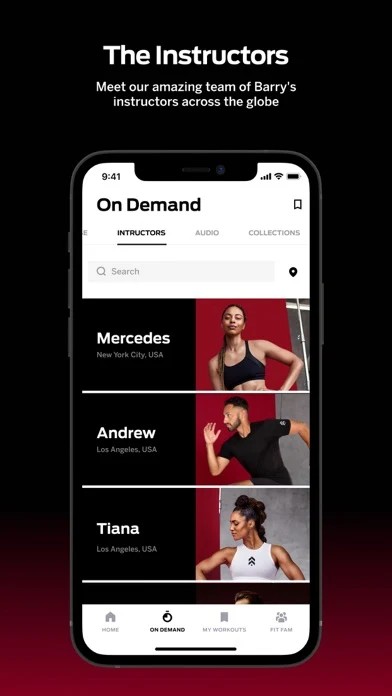
Original artwork from the Barry's X US App Store listing, captured 26 October 2026. Select a panel to enlarge it.
What you can learn: Branded class video, timing, category choices and instructor discovery make the studio translation concrete. The brand and energy are clear; workout demands and equipment could be explained earlier.
What I would test: Test equipment and work-rest structure beside the opening class player. The outcome is unknown until tested.
Build the draft with the screenshot strategy, sequence, readability and storytelling guides.
HIIT APP ASO
PulseGrid is fictional. This worked example assumes verified interval controls, session preview, equipment and no-jump options, audio and captions, movement swaps and saved timers. Verify every feature before reuse.
Swipe horizontally to compare all columns →
| Field | Worked copy | Count |
|---|---|---|
| iOS name | PulseGrid: HIIT Workouts | 24 / 30 |
| iOS subtitle | Intervals, Cues & No-Jump | 25 / 30 |
| iOS keyword field | hiit,tabata,interval,timer,workout,cardio,bodyweight,lowimpact,nojump,home,rounds | 81 / 100 |
| Google Play app name | PulseGrid: HIIT Workouts | 24 / 30 |
| Google Play short description | See every work, rest and round before you start, then follow clear HIIT cues. | 77 / 80 |
iOS description opening: Choose the time, work, rest and rounds. Preview every movement, equipment need and impact option before the timer starts. During the session, PulseGrid keeps the current move, one useful cue and the next move readable.
Google Play full-description opening: Build the HIIT session that fits today. Choose duration, interval structure, equipment and impact. Preview the movement mix, start with clear audio and captions, swap a supported exercise, then save the timer that worked.
Swipe horizontally to compare all columns →
| Frame | Message | Visible product proof |
|---|---|---|
| 01 | Work. Rest. Know the whole session. | Work, rest, rounds and total time |
| 02 | See the moves before the timer starts. | Movement preview, equipment and impact |
| 03 | Current move. Next move. Zero guessing. | Current move, cue, next move and rest |
| 04 | Need no jumps? Change the session. | Real no-jump control and resulting movements |
| 05 | Save the interval setup that fit. | Saved timer and completed-session history |
CTA: Build today's intervals.
Preview direction: Choose duration; set work, rest and rounds; preview movements; start; open a no-jump swap; enable captions; save the timer. Show real interactions, not a transformation montage.
HIIT APP ASO
Swipe horizontally to compare all columns →
| Common mistake | Why it becomes unclear | Better test |
|---|---|---|
| Calling every product a HIIT app | A timer, class and adaptive plan solve different jobs | Name the job in frame one |
| Promising fast results | The outcome is not explained or guaranteed | Show the session mechanism |
| Using body transformations | The body claim dominates the product | Show timer, movement mix and controls |
| Hiding work, rest and rounds | The interval structure stays abstract | Show all four values before Start |
| Hiding jumping and equipment | People cannot judge whether the session fits | Show impact, space and equipment |
| Using tiny workout grids | Breadth disappears at store size | Crop to one useful session decision |
| Leading beginners with advanced movements | The image can misrepresent the first experience | Show a representative beginner route |
| Calling a plan personalized without controls | The adaptation mechanism is invisible | Show inputs and what changes |
| Treating calorie or safety language as proof | Health and suitability cannot be guaranteed by a screenshot | Use qualified, product-specific language |
| Leaving ratings and awards unchecked | Volatile proof can become stale | Source, date and recheck each release |
Turn each remedy into a controlled hypothesis with the test-hypothesis guide. Download the HIIT test plan.
HIIT APP ASO
This is a search-results planning framework, not authorization to create campaigns or spend. Validate every term, landing experience, country, event and economic assumption first.
Swipe horizontally to compare all columns →
| Campaign | Keyword approach | Landing experience | Guardrail |
|---|---|---|---|
| Brand | Exact brand and verified variants | Default page | Keep separate from discovery |
| Core HIIT | Exact HIIT app and workout terms | Primary HIIT page | Name the product job |
| Interval timer | Exact timer, work-rest and round terms | Timer page | Do not imply coaching if absent |
| Tabata | Exact Tabata and 20:10 terms | Tabata page | Show real 20:10 support |
| Short sessions | Exact 4, 7, 10 and 15 minute terms | Duration page | Show the complete time |
| Low-impact | Exact low-impact and no-jump terms | No-jump page | Avoid safety guarantees |
| Equipment | Exact bodyweight, dumbbell and kettlebell terms | Matching equipment page | Show only supported workouts |
| Broad discovery | Small set of relevant broad seeds | Closest product-job page | Harvest useful queries into exact |
| Search Match | Automatic matching in its own group | Default page initially | Isolate budget and reporting |
Move useful queries into exact groups and add exact negatives in discovery groups. Exclude unsupported music, gym booking, trainer certification, productivity timers, medical treatment, guaranteed weight loss and unrelated yoga or Pilates intent.
Connect downloads to first interval started, first session completed, custom timer saved or second session. Compare cost per activated user and mature customer economics, not only taps or installs.
Apple documents match types, negative keywords and custom product page ad variations. Use conversion definitions and ASO KPIs.
HIIT APP ASO
This is a dated US storefront snapshot from 26 October 2026, not a forecast. Each hypothesis needs product-level validation.
Swipe horizontally to compare all columns →
| Current pattern | Primary evidence | Hypothesis to test |
|---|---|---|
| Generated workouts and controls | HIIT Down Dog shows body-area, equipment, timing and instruction controls | The complete session setup may explain variety better than an award claim |
| Aggressive outcome creative | HIIT Workouts & Timer foregrounds visible-results and body-transformation language | Product proof may qualify users better than outcome imagery |
| Time-bounded habit | Seven makes a seven-minute current move and completion time visible | A concrete time promise may reduce session uncertainty |
| Adaptive coaching across contexts | Freeletics spans goals, modalities, home and gym | One session with visible inputs may clarify personalization |
| Studio brand and instructors | Barry's X shows a branded class player, categories and instructors | Equipment and interval structure may strengthen the class story |
| Music-led coordination | HIIT the Beat names music, mobility and bodyweight | A representative class may separate rhythm-led intent |
| Standalone interval utility | Interval Timer calls itself a simple workout timer | Timer searchers may prefer controls over coaching language |
HIIT APP ASO
These AI-generated concepts use the fictional PulseGrid product. They are not competitor screenshots, shipped UI, tested designs or performance evidence. They make two hypotheses discussable.
The first uses a simplified movement list and an invented no-jump setting; a real product must verify every substitution and suitability rule. The second uses a simplified squat cue; qualified coaching review is required because one short screenshot cue cannot capture full technique. Both concepts need real UI, licensed people or illustrations, accessibility review and localization before production.
AI CONCEPT / UNTESTED
What the app promises: work, rest, rounds, total time, movement mix and impact choice are visible before starting.
What you can learn: HIIT becomes a concrete session rather than a broad intensity claim.
What I would test: compare this interval-led opening with a coach-led workout opening.
Human review: rebuild with real UI and verify interval math, movement substitutions, accessibility, claims and localization.
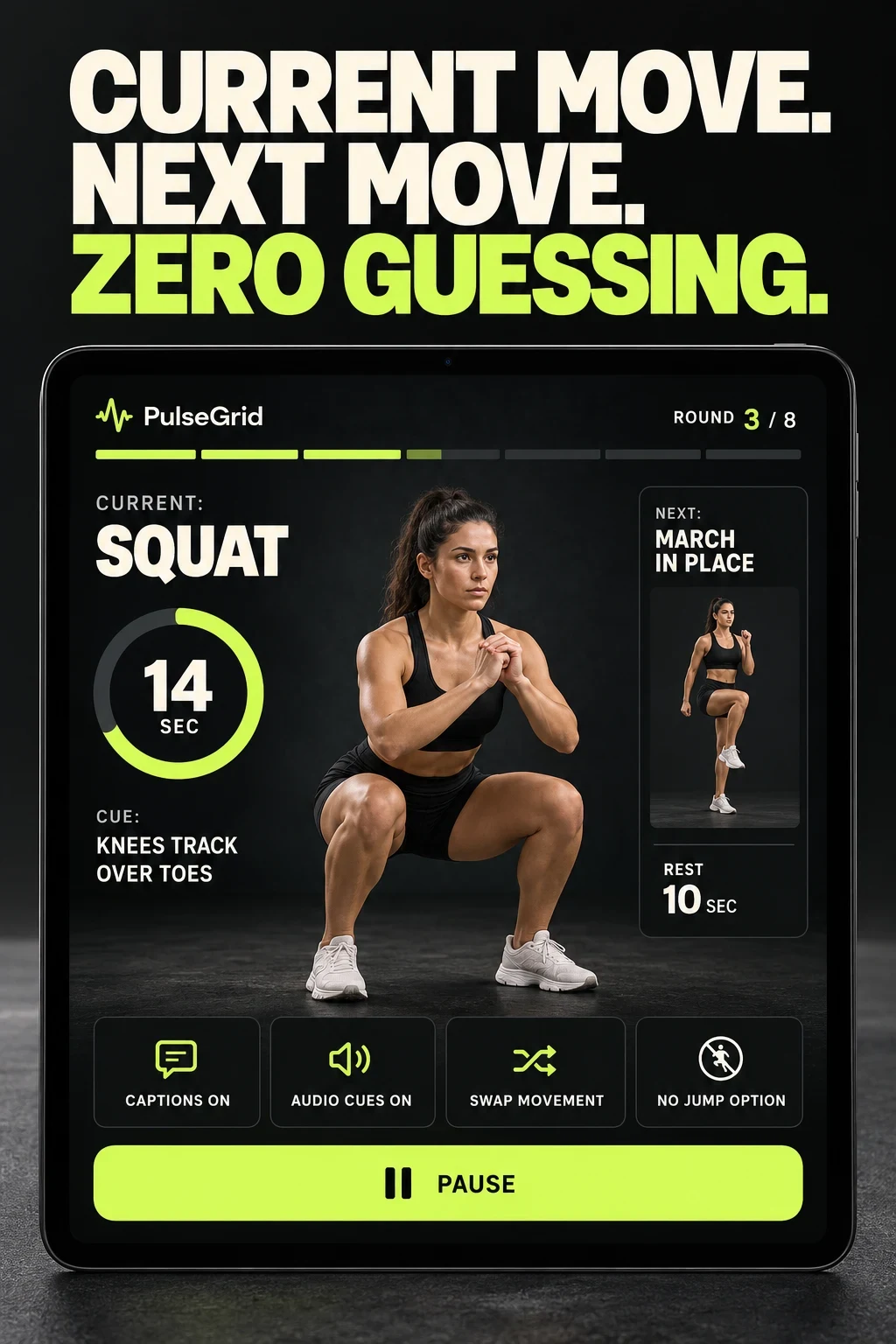
AI CONCEPT / UNTESTED
What the app promises: the current movement, one cue, next movement, rest state, captions and swap are visible during the interval.
What you can learn: coaching support becomes product evidence rather than beginner-friendly language.
What I would test: compare cue-led proof with a broad fast-workout headline.
Human review: a qualified coach must review technique, substitutions, load, progression and contraindications. Product, accessibility and localization review remain required.
Swipe horizontally to compare all columns →
| Step | Approved input | Useful prompt direction | Human check |
|---|---|---|---|
| Choose the product job | Validated timer, class, generator or plan | Show only the primary job | Reject blended or unsupported stories |
| Protect coaching | Current screens and reviewed cues | Preserve real UI while exploring hierarchy | Qualified coaching review |
| Show demands | Approved impact, equipment and space notes | Make requirements visible | Verify every movement and state |
| Make variants | One hypothesis and controlled variable | Compare interval proof with coach proof | Keep offer and state fixed |
| Review access | Captions, contrast and localization brief | Use short copy and non-colour cues | Check size, truncation and audio support |
| Test carefully | Audience, surface, event and stop rule | Prepare the production treatment | Do not call an AI draft tested |
AI can explore composition and hierarchy. It cannot verify coaching quality, exercise suitability, health outcomes, music rights, instructor rights or policy compliance.
Use the screenshot strategy, storytelling and hypothesis guides before production.
HIIT APP ASO
Localize the complete HIIT experience, not only the store words. Exercise names, interval audio, cue timing, captions, equipment, units, billing and support must keep the promise.
Swipe horizontally to compare all columns →
| Moment | Required checks |
|---|---|
| Choose the locale | Native exercise and timer terms; coaching voice; captions; cultural context; devices; music; accessibility; privacy expectations |
| Before submission | Field lengths; live sessions; exercise and image rights; equipment notes; claims and offers; captions; downloads; thumbnail readability |
| After release | Version annotation; traffic mix; first interval; session completion; timer save; second session; subscription and cancellation signals |
Use the market-prioritization, local keyword research, screenshot adaptation and quality-assurance guides.
Record every change in the metadata change log. Separate listing conversion from first-session activation and repeat use.
When the work needs an external review, see ASO services and ASO audit.